
What Is AI Business Process Mapping?
AI business process mapping is the practice of drawing out how work actually flows through a business, step by step, before any AI tool is bought or built. It records who does what, which systems are involved, where information comes from, where decisions are made and where work slows down or goes wrong. The map then shows which parts of that flow are ready for AI help and which parts should stay human.
Most failed AI projects do not fail on the technology. They fail because nobody wrote down the process first. A team plugs a chatbot or automation tool into a messy workflow and discovers it has automated the confusion: the same delays and rework, only faster and harder to see.
This explainer covers what process mapping is, how it works, the main types of maps, the benefits and risks, and where businesses use it. You do not need a technical background or expensive software; a whiteboard and honest conversations with the people who do the work are enough.
Key takeaways
- AI business process mapping documents how work really happens, step by step, before any automation is chosen.
- A good map shows triggers, owners, systems, handoffs, decisions and bottlenecks, not just the happy path.
- Mapping first prevents teams from automating broken steps, missing information and unclear approvals.
- The map sorts work into tasks AI can handle, tasks AI can assist with and tasks that must stay human.
- A map is a living document: it needs an owner, a review date and updates whenever the work changes.
What AI business process mapping actually means
At its simplest, a process map is a diagram plus a short record of one process, from the event that starts it to the outcome that ends it. For a refund, the trigger might be a customer email; the steps include checking the order, confirming the rules, approving the amount and sending the money. Each step names the person responsible, the system used and the information needed.
The “AI” changes what happens next, not the mapping itself. Once the map exists, each step is judged for AI suitability. Repetitive steps with clear rules, such as copying order details into a form, are strong candidates for automation. Steps where AI drafts and a person checks are candidates for assistance. Steps needing judgement or accountability, such as approving a large refund, stay human.
How process mapping works in practice
A mapping exercise starts by choosing one process, not ten. Good candidates happen often, take a lot of staff time or produce frequent errors: answering common questions, processing invoices or handling returns. The mapper watches the process happen, talks to the people who do it and collects real examples, including the ones where something went wrong.
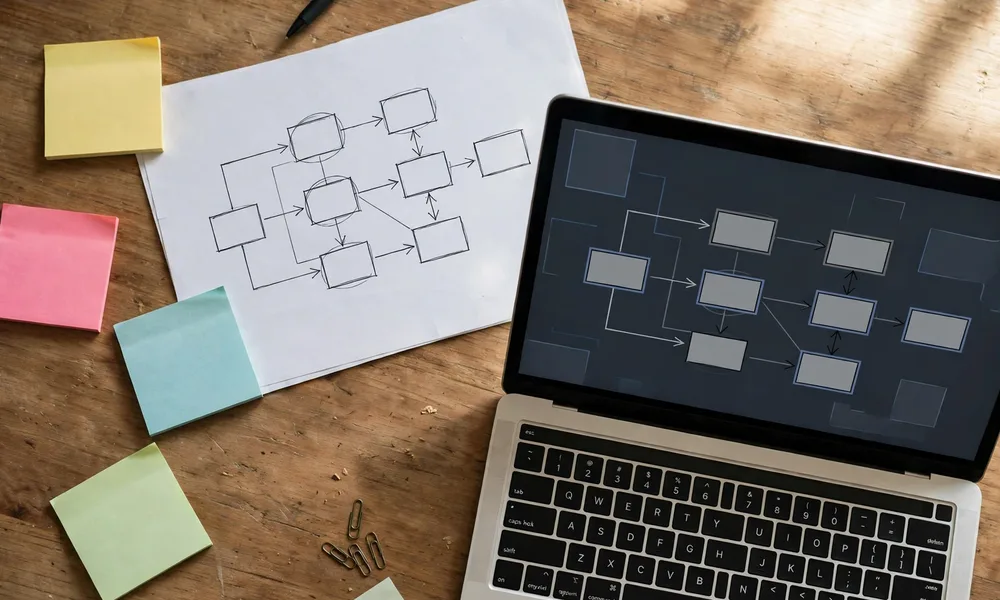
Next, the team draws the map together, usually on a whiteboard, using boxes for steps, arrows for flow and diamonds for decisions. Sticky notes work well because steps move as people remember the real order. Test the draft against a real case: follow one order or ticket from start to finish and mark every place where the map is wrong.
Finally, each step is reviewed for time, cost, errors and AI suitability. How long does it take? How often does it go wrong? What information is missing at that point? Which steps wait on someone else? The answers turn a picture into a plan: fix the broken steps first, then automate the repetitive ones, and leave the judgement calls with people.
Types of process maps
The simplest type is a flowchart, a line of boxes and arrows showing the order of steps and the decisions between them. Flowcharts suit small, linear processes such as handling a password reset. They are easy to draw and keep current, which is why most small businesses should start here.
A swimlane map adds rows or columns for each person, team or system involved, so handoffs become visible. If a request passes from sales to operations to finance and back again, a swimlane map shows exactly where it waits and who is holding it. That visibility is often the point: many delays are not slow steps but slow handoffs between teams.
Value-stream maps add time and waiting time to each step, which helps when the goal is to cut delays. Data-flow maps focus on information, showing where data enters and where it is used. Most AI projects need a flowchart first, a swimlane map second and the other types only when a specific question demands them.
Benefits of mapping before automating
The clearest benefit is that mapping stops teams from automating a bad process. If a step exists only because nobody questioned it, or a form asks for information nobody uses, the map exposes it and the step can be removed before any AI touches it. Removing a step is cheaper than automating it, and it removes the errors that step caused.
Mapping also makes AI projects smaller and safer. Instead of a vague plan to “use AI in support”, the team has a list of specific steps with owners and success measures. That list is easier to price, test and roll back if one step fails. It also gives staff a voice, since the people who do the work helped draw the map.
A good map also becomes training material and a reference for new starters. When a customer asks why a refund took five days, the map gives an answer based on real steps rather than memory. For businesses comparing tools, our guide to the best AI tools for real estate shows how a clear process makes tool choices easier to judge.
Risks and limits to watch
Mapping has real risks if done badly. The most common is mapping the process as managers think it happens, rather than as staff actually do it. Workarounds and shortcuts rarely appear in official descriptions, but they are often why the process works. If the map ignores them, the AI will break the steps that kept things running.
Another risk is over-mapping. A team can spend weeks drawing every exception for a process that happens twice a month, while the process that eats hours every day stays undocumented. Keep the first map simple, cover the common path and the two or three most frequent exceptions, and note the rare cases separately.
Maps also go stale. A process changes when a tool changes or a rule is updated, and a map nobody owns will quietly become fiction. Give every map an owner and a review date, and treat one unchecked for six months as untrusted. Check current pricing before buying, since a tool that fitted the old process may not fit the new one.
Real-world uses
In customer support, mapping shows where tickets wait, which questions repeat and which answers need a human. The repetitive questions become candidates for an AI assistant, while complaints, refunds above a threshold and sensitive cases stay with people. The result is usually faster first replies without removing the human from the decisions that matter.
In sales and marketing, mapping an enquiry from first contact to signed order reveals where leads go cold. Often the gap is a slow follow-up or missing information, not a lack of leads. AI can draft the follow-up or score the lead, while the salesperson keeps the conversation. Our roundup of the best AI tools for email marketing covers tools that fit that mapped flow, once the handoffs are clear.
In finance, mapping invoice approval or staff onboarding exposes duplicate checks and manual copying between systems. Those are strong AI candidates because the inputs are structured and the rules are clear. In creative work, such as planning a podcast series, the map shows where research, recording and editing hand off; our guide to the best AI tools for podcasting is useful once that flow is drawn.
Process mapping compared with related ideas
Process mapping is often confused with two neighbours, and the difference matters. A workflow audit reviews a process that already uses, or is about to use, AI tools, and sorts its tasks into automate, assist and keep human. Mapping is the step before that: it documents the process itself, without yet deciding which tool does what. You can map without auditing, but you should not audit without a map.
An orchestration layer is different again. It is the software that coordinates several AI tools and agents once they are running, routing work between them and enforcing rules. Mapping tells you what the work is; orchestration makes the tools do it in the right order. A small business with one AI tool needs a map, not an orchestration layer, while a business with five tools that must work together needs both.
| Detail | What is known |
|---|---|
| What it is | A step-by-step record of how work really flows, before automation |
| Best first map | A simple flowchart for one frequent process |
| Typical time | A few hours to a few days for one process in a small business |
| Who should be involved | The people who actually do the work, not only managers |
| Main output | A map plus a sorted list: automate, assist or keep human |
| Biggest mistake | Mapping the official process instead of how work really happens |
| Maintenance | Named owner and review date; untrusted after six months unchecked |
| When not to use AI | Steps needing judgement, empathy or accountability for the outcome |
Frequently asked questions
Do I need special software to map a process?
No. A whiteboard, sticky notes or a simple digital board are enough for a first map. Software helps when several teams share maps or when a map must be updated often, but it does not make a bad map good.
How long does mapping one process take?
A few hours to a few days for one process in a small business, including talking to staff and testing the map against a real case. Complex processes with many handoffs take longer, but start with the frequent ones.
Who should draw the map?
The people who do the work, with someone facilitating. Managers add the rules and the goals, but staff know the workarounds, the waiting and the real order of steps.
Is process mapping the same as a workflow audit?
No. Mapping documents how the work flows. An audit judges that flow and decides which steps AI should automate, assist with or leave alone. Mapping comes first.
Can AI draw the map for me?
AI can draft a map from documents or interview notes, and it can suggest steps you missed. Check every step with the people who do the work, because AI cannot see the informal checks and shortcuts that keep a process running.
When should a step stay human?
When it needs judgement, empathy or accountability, such as approving a large refund, handling a complaint or making a decision that affects someone’s money or rights. AI can gather the facts and draft the reply; the decision stays with a person.
The bottom line
AI business process mapping is a simple discipline with an outsized payoff: write down how work really happens before you automate any of it. The map exposes broken steps, slow handoffs and missing information, and it turns a vague plan to “use AI” into a short list of specific steps with owners and measures.
Start with one frequent process, draw it with the people who do the work, test it against a real case and only then choose the AI help. Teams that map first buy smaller tools, make fewer expensive mistakes and keep the human decisions where they belong.