On-Premise AI vs Cloud AI for Data Privacy in 2027
On-premise AI vs cloud AI for data privacy in 2027 is a decision about where your models run and where your data lives, not about which technology is smarter. Cloud AI gives you instant access to the most powerful models on the market, while on-premise AI keeps your data and your compute inside your own walls. Both can be secure, and both can leak, so the right choice depends on what you run, where it runs, and what happens to your data along the way.
The gap between the two has narrowed in useful ways. Cloud providers now offer dedicated regions, confidential computing, and private endpoints that keep traffic off the public internet, while on-premise hardware has become far more practical, with compact GPU servers and open-weight models a mid-size company can actually afford. The choice is no longer between powerful and private. It is between two different kinds of control.
This comparison sticks to the infrastructure and deployment angle: where the model runs, how data moves, where it is stored, what the latency looks like, and what each option costs over time. If you are choosing how to deploy AI in 2027, this is the comparison that tells you which setup fits your privacy needs.
Key takeaways
- On-premise AI keeps data and compute inside your own network, which removes the biggest external exposure point entirely.
- Cloud AI is faster to deploy and easier to scale, and private endpoints and regional hosting close much of the privacy gap.
- Latency favours on-premise for real-time work, while cloud wins when you need to burst to large models on demand.
- On-premise means high upfront cost and maintenance, while cloud means monthly spend that grows with use.
- Many companies land on a hybrid setup: sensitive workloads on-premise, general workloads in the cloud.
On-premise AI vs cloud AI for data privacy in 2027 at a glance
| Factor | On-premise AI | Cloud AI |
|---|---|---|
| Where data lives | Your own servers and storage | Provider data centres, in a region you choose |
| Where the model runs | Your own hardware, on your network | Provider GPUs, reached over the network |
| Data in transit | Stays on your local network | Travels over encrypted links to the provider |
| Latency | Very low, ideal for real-time use | Higher, depends on distance and load |
| Scaling | Limited by hardware you own | Nearly unlimited, on demand |
| Cost shape | High upfront capex, lower running cost | Low upfront cost, ongoing opex that grows with use |
| Maintenance | Your team owns hardware and updates | Provider handles infrastructure and patching |
On-Premise AI: Privacy Through Physical Control
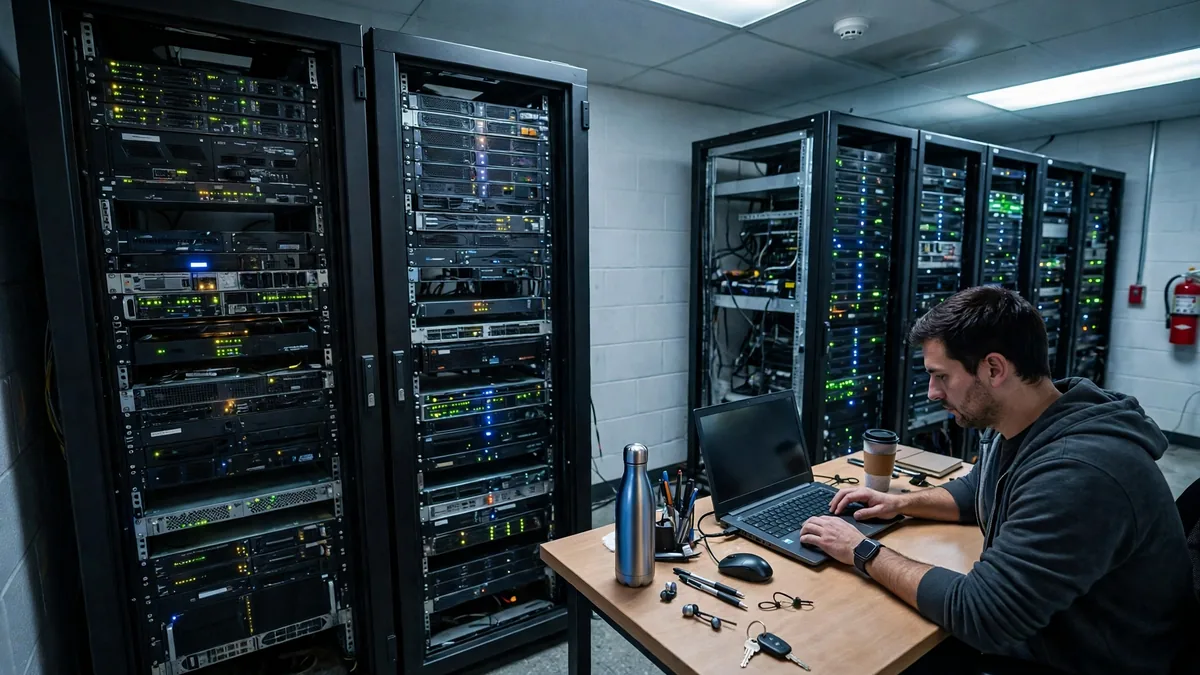
On-premise AI means the model runs on hardware you own, inside a building you control, on a network you manage. Your data never has to leave the premises to be processed, which removes the single largest exposure point in any AI deployment: the journey to someone else’s servers. For organisations handling sensitive records, that physical boundary is the core of the privacy argument, and no cloud feature can replicate it exactly.
In 2027, deployment is far more practical than it was a few years ago. Open-weight models now run well on a single high-end GPU server, and smaller fine-tuned models can handle summarisation, search, and document work on modest hardware. That means a hospital, a law firm, or a manufacturer can run useful AI without a data centre, using a rack in a server room and a team that already manages its own infrastructure. Latency is another genuine advantage: when the model sits metres from the data, responses come back fast and predictably. The costs are real and front-loaded, though. A capable GPU server is a five-figure purchase, and it needs power, cooling, and someone to maintain it. You also take on patching, monitoring, and backups, and scaling up means buying more hardware and waiting for delivery. Model choice is narrower too, since the very largest frontier models are not available to run locally.
Pros:
- Data never leaves your own network, which is the strongest possible residency guarantee
- Very low latency, ideal for real-time and offline work
- Full control over hardware, updates, and access
- Predictable running costs once the hardware is bought
Cons:
- High upfront hardware cost and ongoing maintenance burden
- Scaling means buying and installing more hardware
- Cannot run the largest frontier models locally
Cloud AI: Privacy Through Managed Infrastructure
Cloud AI means the model runs on a provider’s infrastructure and you reach it over the network. Your data travels to a data centre, is processed there, and the result comes back. That sounds like a privacy compromise, and in the simplest setup it is, but modern cloud AI in 2027 offers far more control than the basic public API of a few years ago. Private endpoints, virtual private clouds, regional hosting, and confidential computing let you keep traffic off the public internet and keep data inside a chosen region.

The deployment advantages are hard to argue with. You can start in minutes, scale from ten requests a day to ten million, and switch between models without buying anything. The provider handles hardware, patching, redundancy, and backups, and you always have access to the newest models. For a small team, that is transformative: you get frontier AI without a server room, a GPU budget, or a systems administrator. The privacy trade-offs are about transit, residency, and trust. Data in transit is encrypted, but it still leaves your network, and you rely on the provider’s controls to keep it safe at rest. Residency depends on choosing the right region and checking that backups and logs stay there too, because a model endpoint in your region does not guarantee that every supporting service is. Cost is the other quiet risk: usage-based pricing is cheap at first and can grow steeply as AI spreads through the company.
Pros:
- Instant deployment and near-unlimited scaling, with no hardware to buy
- Access to the most capable frontier models
- Provider handles patching, redundancy, and infrastructure security
- Regional hosting and private endpoints narrow the privacy gap
Cons:
- Data leaves your network, so you rely on the provider’s controls
- Residency depends on careful region and service configuration
- Usage-based costs can grow steeply as adoption spreads
Verdict: Which Setup Wins on Privacy?
On pure data privacy, on-premise AI wins, and it is not close. When data never leaves your building, there is no transit exposure, no third-party storage, and no question about which region a backup landed in. For organisations where that matters most, on-premise is the right answer, and the cost and maintenance burden are simply the price of that guarantee. For everyone else, a well-configured cloud deployment is private enough, and the trade-offs favour the cloud: private endpoints, a chosen region, and encryption in transit and at rest cover the realistic threat model for most businesses. The bigger privacy risk in practice is not the cloud provider, but sloppy internal handling, such as over-broad access and unreviewed logs. The most common winning answer in 2027 is a hybrid: sensitive workloads on-premise, general workloads in the cloud.
How to Choose Between On-Premise and Cloud AI
Start by sorting your workloads, not by picking a platform. List the AI tasks you actually run, then mark which ones touch sensitive data. If only a small share is sensitive, a hybrid setup is almost always the answer, with that share kept on-premise and the rest in the cloud. If everything is sensitive, go on-premise and accept the cost. If nothing is, go cloud and spend your effort on configuration instead of hardware. Next, test the latency and the bill: run a real task through a cloud endpoint and measure the response time from your office network, then estimate the monthly cost at your volume in a year, not today.
Finally, check what you can actually operate. On-premise AI needs someone who can keep a GPU server patched, monitored, and backed up. If you do not have that person, cloud is the safer choice, because a well-run cloud deployment beats a neglected local server every time. Whatever you choose, write down the rules: which data may go where, which regions are allowed, and who can approve an exception. A clear deployment policy matters more than the logo on the hardware, and understanding what cybersecurity covers helps frame why those rules exist. Teams comparing tools should also look at the best AI tools for legal teams in 2027, which shows how another sensitive-data profession handles the same deployment tension, and the best AI tools for research and writing, which covers the cloud-first side of the same question for everyday knowledge work.
Checklist: Choosing Your AI Deployment
- Sort your AI workloads into sensitive and non-sensitive before you choose any platform.
- Confirm the data residency rules you must meet, and check that backups and logs follow the same rules as the main service.
- Measure real latency from your office network, not from a vendor demo.
- Estimate cloud cost at your expected volume in a year, not at today’s volume.
- Check whether you have the staff to patch, monitor, and back up on-premise hardware.
- Write down which data may go to the cloud and who approves exceptions, and review that list every quarter.
Frequently Asked Questions
Is on-premise AI more private than cloud AI?
Yes. On-premise AI keeps data on your own network, so there is no transit to a provider and no third-party storage. Cloud AI can be configured to be very private, but it cannot remove the provider from the picture entirely.
Can cloud AI meet data residency requirements?
Usually, yes. Major providers let you choose the region where data is processed and stored, and many offer private endpoints that keep traffic inside a virtual network. You still need to check that backups and logs follow the same regional rules, since the main endpoint is only part of the system.
How much does on-premise AI cost?
A capable GPU server starts in the low five figures, plus power, cooling, and maintenance time. Spread over three years, that often works out cheaper than heavy cloud use, but scaling means buying more hardware rather than clicking a button.
Is cloud AI fast enough for real-time work?
It depends on the task. For chat, drafting, and analysis, cloud latency is fine. For real-time control systems or anything that must work offline, on-premise is the safer choice, because local inference avoids network delay and internet outages entirely.
Can I run AI both on-premise and in the cloud?
Yes, and most growing companies do. A hybrid setup keeps sensitive workloads on-premise and sends general workloads to the cloud, giving you the strongest privacy where it matters and the best models where it does not.
Do I need special staff to run on-premise AI?
You need someone who can manage a GPU server: installing updates, monitoring health, and handling backups. For a single server, that is a part-time job for an existing systems administrator. For a larger deployment, it becomes a dedicated role.
Bottom Line
On-premise AI vs cloud AI for data privacy in 2027 comes down to where your data lives and who touches it on the way. On-premise wins on privacy in the strictest sense, because the data never leaves your network, and it wins on latency for real-time work. Cloud wins on speed of deployment, access to the best models, and freedom from hardware, and a well-configured cloud setup is private enough for most businesses.
For most companies, the right answer is a hybrid: sensitive work on-premise, everything else in the cloud, with a written policy that says which data may go where. Sort your workloads first, measure the real latency and cost, and choose the deployment you can actually operate well, because a well-run setup of either kind beats a neglected one every time.