For a balance of Australian coverage, useful features, and manageable long-term cost, compare NordVPN, Surfshark, and Proton VPN first. The right pick depends on your Australian server access, total bill, speed, and main use. A virtual private network, or VPN, can encrypt traffic and change your apparent server location, but it cannot guarantee access to every streaming service.
NordVPN is a strong all-round choice, Surfshark suits households with many devices, and Proton VPN appeals to privacy-minded users. Each takes a different approach to price and features, so consider how you will use it before you commit. A kill switch blocks internet traffic if the VPN connection drops, helping prevent your device from going online unprotected.
This comparison will help you weigh the full subscription term against Australian locations, streaming needs, and app support. It also explains what free plans can and cannot do, and why speed test results need context. Choose based on the full subscription term and the features you will actually use.
Key Takeaways
- NordVPN is a practical all-round choice for Australian access and streaming.
- Surfshark allows unlimited device connections, which can suit a busy household.
- Proton VPN’s paid plan combines Australian servers with broad app support.
- The listed free plans do not provide an Australian server.
- Compare the first-term bill, renewal amount, and cancellation terms.
How do you measure VPN value in Australia?
A VPN is a good value only when its total bill and useful features fit the way you use it. The lowest monthly figure may hide a long first term or a higher renewal amount. Compare the full charge and term, not just the advertised monthly rate.
Compare the full subscription bill
Check the amount charged upfront, the term length, and the renewal price before choosing a plan. Look for any tax added at checkout, including VAT when it applies. A refund period also matters, since it sets how long you have to test the service and seek a refund.
Some services group tools into tiers. NordVPN offers Standard, Plus, and Complete, while Surfshark offers Starter, One, and One+. A higher tier makes sense only if its added features are useful to you.
Match features to your everyday use
Compare Australian locations, device connections, streaming needs, privacy tools, and app support. The best VPN for one person may be a poor fit for another. A generous bundle is poor value if its extra tools do not solve your actual use case.
Use this checklist before you choose:
- Billing term
- Renewal amount
- Australian locations
- Device limit
- Refund terms
Compare the amount due for the whole first term, not just the monthly figure shown beside it.
That total gives you a clearer view of what the plan costs before any renewal begins.
Best Value VPN Australia: Three Top Picks Compared
NordVPN is the strongest all-round starting point, while Surfshark suits a tighter budget and Proton VPN prioritizes privacy. These are three of the best VPNs to compare for Australian servers, streaming, and useful device support. The right choice depends on the locations and tools you need.
| Provider | Best fit | Australian server cities | Listed price per month |
|---|---|---|---|
| NordVPN | Strong all-round choice | Adelaide, Brisbane, Melbourne, Perth, Sydney | A$4.79 |
| Surfshark | Budget and multi-device value | Five Australian cities | A$3.29 |
| Proton VPN | Privacy-focused paid option | Adelaide, Brisbane, Melbourne, Perth, Sydney | A$3.99 |
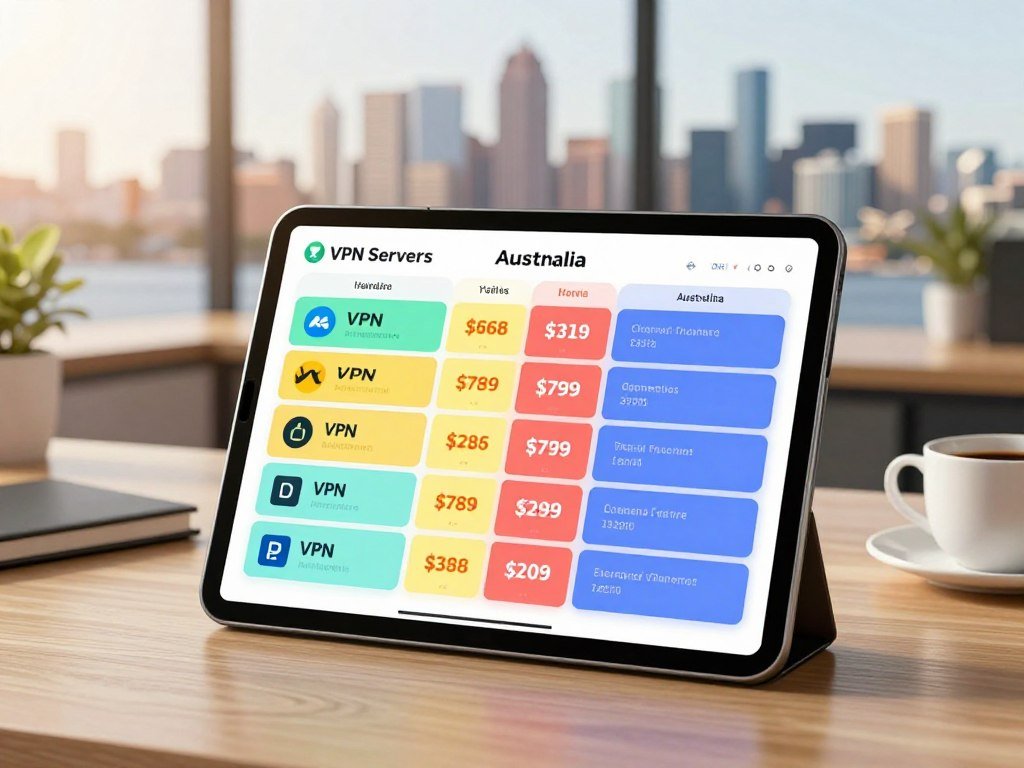
NordVPN has servers in Adelaide, Brisbane, Melbourne, Perth, and Sydney. Surfshark and Proton VPN also offer servers across five Australian cities. Proton VPN’s paid plan lists 281 Australian servers across those locations, while its free plan has none.
The prices above are comparison points, not a promise of your final checkout total. Your first term, billing choice, tax, and renewal price can change the amount you pay. Australian guide prices also do not tell you whether a plan has every feature you want.
Consider the trade-off: NordVPN offers a broad all-round fit, Surfshark stands out for households, and Proton VPN puts privacy first. Verify the term and final billed amount before choosing a plan.
Which VPN fits your budget and household?
A solo user who mainly wants one Australian connection may value a different plan from a household sharing several screens. The lowest listed monthly price may not fit everyone once you count the number of devices and the full billing term. Check device limits and long-term billing together.
When the lowest bill matters most
A low introductory price can make a plan seem like an easy choice. Yet a long commitment may require more money upfront, even when the displayed monthly equivalent looks small. A lower tier may also leave out features you would otherwise use.

Think about how often you will use the VPN and which features matter to you. A solo user who needs one Australian location may not need a larger bundle. A plan with fewer extras can be better value when it meets your needs.
When one account must cover many devices
Households often need VPN access on phones, computers, and televisions at the same time. Surfshark allows unlimited simultaneous connections, while NordVPN supports 10 device connections. A solo user may never reach either limit, but a family can.
Speed tests can help you compare performance, but the setup matters. PCMag compares the median results from 10 baseline tests and 10 VPN-connected tests. A different route or test method can produce a different result.
Count the phones, computers, and TVs that need protection before paying for a device limit you may exceed.
Is NordVPN worth the higher price?
NordVPN is a strong all-round pick, but its value depends on choosing a tier that matches the tools you need. Standard is the straightforward VPN-only choice, while Plus and Complete cost more. Pay for a higher tier only when its added tools fit your needs.
NordVPN Standard costs $12.99 per month or $59.88 for the first year, then renews at $139.08 per year. Plus costs $15.29 per month or $65.88 for the first year, then renews at $179.88 per year.
Complete costs $18.69 per month or $83.88 for the first year, then renews at $219.48 per year. Each tier has a different first-year and renewal cost, so the monthly price alone will not show the full commitment.
Before you subscribe, make these three checks:
- Choose the tier that matches the tools you need.
- Confirm the full charge for the first term.
- Note the renewal amount and timing.
NordVPN supports 10 simultaneous device connections. That may cover a small household, but count shared phones, laptops, and TVs before settling on it.
Standard is a clear starting point if you want the core VPN service without paying for extra tools. Compare Plus or Complete only if a feature in that tier will get regular use. Set a renewal reminder as soon as you start a subscription.
What does Surfshark include for the price?
Surfshark stands out for households that want one subscription across many devices without sacrificing core VPN features. Starter includes unlimited simultaneous device connections, an ad blocker, and split tunneling, which lets you choose which apps use the VPN. One subscription can cover as many devices as you need.
Surfshark lists Starter and One two-year deals at $2.49 per month for the first 27 months, billed as $67.23. VAT may apply to that offer. The first-term price is not the same as monthly billing.
Starter and One have the same listed first-term monthly price and billed total in this offer. Choosing One does not mean a higher listed charge for that deal by itself. Check what each tier includes before paying for added tools.
Monthly prices are different from that long-term offer. PCMag Australia lists monthly prices of $15.45 for Starter, $17.95 for One, and $20.85 for One+. These figures show why you should compare matching payment terms.
Surfshark’s network covers 100 countries with more than 4,500 servers upgraded to 10 Gbps. That broad network can help if you use locations beyond Australia, but your household may care more about the device limit and supported apps.
Check the final checkout amount and renewal terms because the first-term deal is not the whole subscription cost.
Is Proton VPN a strong privacy-value choice?
Proton VPN’s paid plan is a strong fit if you want Australian locations alongside a broad range of apps. It has servers in Adelaide, Brisbane, Melbourne, Perth, and Sydney, with connections up to 10 Gbps. Confirm that your chosen plan includes the Australian access you need.
Its apps support iOS, Android, Windows, Mac, Linux, Chromebook, Apple TV, Fire TV Stick, and Android TV. App availability and server location are separate things. An app on your device does not mean every plan includes the same locations.
Check the plan details for the features that matter to your privacy needs. A no-logs policy describes what a provider says it does not record, but you should read the policy rather than assume every service handles data alike.
Proton VPN’s free plan is a separate option with different server access. It should not be treated as the same service offer as its paid plan. The paid plan is the relevant choice if your use requires an Australian server.
Broad app support can make Proton VPN easier to use across a phone, laptop, and TV. Your actual device and chosen plan still determine whether it works for your setup. Confirm that the plan you select includes the Australian server access you need.
Can a free VPN give you an Australian IP address?
Proton VPN’s free plan has unlimited data, but it cannot give you an Australian IP address because Australia is not among its free server locations. Its free servers include the Netherlands, Japan, Romania, Poland, Norway, Switzerland, Singapore, Mexico, Canada, and the United States. Unlimited data does not add an Australian server.
What Proton VPN’s free plan can do
Unlimited data can suit general browsing and everyday privacy needs. The plan can encrypt traffic between your device and its VPN server, but it cannot make a connection appear to come from Australia.
That makes the free option useful for some tasks, such as protecting traffic on public Wi-Fi. It is not a fit when a website or service needs an Australian IP address. Location choice matters more than the data allowance in that case.
Where free access falls short
Proton VPN connects users to the fastest free server for their location by default. Server changes are randomized rather than selected freely. After the first change, there is a 45-second cooldown, followed by 10-minute intervals for later changes.
These limits can make it harder to select a particular country. A free VPN can still help with general privacy, but this free plan cannot provide an Australian IP address. Other free services may have different data, location, and connection limits, as explained in this comparison of free VPN alternatives.
Check the server-country list before relying on any free plan for an Australian location.
Which free VPNs have Australian servers?
Windscribe, PrivadoVPN, and Hide.me can offer free access, but none of their free plans has an Australian server. That means none can give you an Australian IP address, including on Android. A higher data limit is not a substitute for the country you need.
| Free plan | Australian server | Monthly data | Important limit |
|---|---|---|---|
| Windscribe | No | 2 GB or 10 GB with email confirmation | Hong Kong is its nearest free server to Australia |
| PrivadoVPN | No | 10 GB | Connection slows to 1 Mbps after the cap |
| Hide.me | No | Unlimited | Free locations still exclude Australia |
Windscribe’s free plan starts at 2 GB per month and rises to 10 GB when you confirm your email address. Its nearest free server to Australia is in Hong Kong. That location may help with some browsing, but it does not provide an Australian IP.
PrivadoVPN includes 10 GB per month, then slows the connection to 1 Mbps after the cap. Hide.me offers unlimited data, but its free locations also exclude Australia. The difference in data allowances does not change where those plans can place your connection.
For an Australian VPN server free option, none of these listed plans meets the location need. This remains true for a Free Australia VPN for Android: an Android app cannot add a country that the free plan does not offer.
Treat a higher data allowance as a different benefit from having the country location you need.
Which VPNs unblock Australian streaming?
NordVPN and Proton VPN’s paid plan each unblocked Kayo Sports, Binge, 9Now, and 7plus in the 2026 tests. Those results make both options worth considering for Australian streaming, but they do not promise ongoing access. Streaming platforms can change how they detect VPN traffic.
A test result is a snapshot of a service at a certain time. A platform can block a server later, or a VPN may change its network. Results for four services do not show how every Australian or international streaming platform will behave.
Your location and goal matter. If you are abroad, an Australian server may help you reach services from home. If you are in Australia, you may want a server in another country to reach an international library.
Keep those uses separate when comparing plans. Australian server access may support a home-country connection, while international locations serve a different purpose. Neither use guarantees that a service will accept the connection.
The broader VPN service comparison can help you weigh streaming alongside speed, privacy, and device support. Confirm access to the specific service you watch most before committing to a long subscription.
How much speed does a VPN cost?
In the Sydney route test, NordVPN retained 95.4% of a 90.12 Mbps download baseline, while Surfshark retained 91.9% and Proton VPN 89.6%. Those results describe one route and test setup, not every user’s speeds.
What the Sydney results show
| Provider | Download | Upload | Ping | Speed retained |
|---|---|---|---|---|
| NordVPN | 85.99 Mbps | 10.62 Mbps | 326 ms | 95.4% |
| Surfshark | 82.85 Mbps | 12.57 Mbps | 375 ms | 91.9% |
| Proton VPN | 80.71 Mbps | 12.10 Mbps | 430 ms | 89.6% |
The Sydney test used a roughly 90 Mbps line, each app’s default protocol, and the same Sydney test server. It compared three services with a 90.12 Mbps download baseline. The guide tested 30 VPN providers with Australian servers.
Separate UK and US server tests measured speed loss for four free plans. Proton VPN lost 19.3%, Windscribe 10.0%, PrivadoVPN 9.5%, and Hide.me 30.5%. These results use different server routes from the Sydney comparison.
Why test methods change the comparison
A baseline connection sets the point from which speed loss is measured. Test location and server route affect latency and download results. A default protocol may also differ from a manually chosen protocol.
PCMag’s 2026 method compares the median of 10 baseline and 10 VPN-connected Ookla tests. It uses a 1 Gbps up-and-down CenturyLink fiber connection in Portland, Oregon. That setup differs from one Sydney route test.
Compare like-for-like routes and test conditions rather than treating one speed score as universal.
Which VPN apps work on iPhone and Android?
Start by checking that the VPN has a working app for the exact phone and TV devices you plan to use. A good-value VPN for iPhone in Australia needs an iOS app and the Australian server access your use requires. A phone app does not guarantee support for your TV.
Check your main screens first
Check the app store listing for your iPhone or Android model and operating-system support. Updates can change which older devices still run an app. Confirm that the version you plan to use is supported before you sign up.
A mobile app and a TV app are different products. Your phone may connect to a VPN while your television has no native app. Do not assume that phone support covers the other screens in your home.
Cover devices without a native app
Check for an app for Apple TV, Fire TV Stick, Android TV, or Chromebook if those devices matter. A router setup may cover devices that lack a native VPN app, though setup can take more work.
Browser extensions are another separate option. They may protect browser traffic without covering every app on your device. Check what each extension does before treating it like a full VPN connection.
Try the app on your most-used device during the refund period rather than assuming every platform behaves the same.
What security and privacy features matter most?
Prioritize a kill switch, sound encryption, leak protection, and a clear logging policy over a long list of extras. A VPN encrypts traffic between your device and the VPN server. It does not make you anonymous in every situation or block every threat.
Check these four features before paying:
- A kill switch that blocks traffic if the VPN connection drops
- Modern encryption and protocols such as OpenVPN or WireGuard
- DNS or IP leak protection
- A clear logging policy, with independent checks where available
A PCMag guide to VPN protection explains that a VPN does not prevent threats such as phishing or malware. You still need safe browsing habits and suitable protection on your devices.
Read the no-logs policy to understand what information a provider says it keeps. Independent verification, when available, can add useful detail, but a policy does not protect against every risk. Check whether the service supports leak protection as well.
Torrenting requires you to check the provider’s rules and the legality of the material. A VPN does not make unauthorized activity lawful. Keep your use within the rules that apply to the content you access.
Enable and test the kill switch instead of assuming it starts in the right setting.
Check the kill switch settings on each device before using the VPN on an unstable connection.
Can you try a VPN before paying?
Surfshark offers a seven-day trial, NordVPN’s trial is three days on Android only, and the three paid services have 30-day refund guarantees. A free trial and a money-back guarantee are not the same thing. A trial lets you use the service under its trial terms, while a refund depends on meeting the guarantee conditions.
| Provider | Trial or refund option | Key condition |
|---|---|---|
| NordVPN | Three-day free trial; 30-day money-back guarantee | Trial is Android-only and needs payment information |
| Surfshark | Seven-day free trial; 30-day money-back guarantee | Trial requires payment details |
| Proton VPN | 30-day money-back guarantee | Applies to the paid plan |
NordVPN’s three-day trial is only available on Android and requires payment information. Surfshark’s seven-day trial also requires payment details. The paid plans from NordVPN, Surfshark, and Proton VPN have 30-day money-back guarantees.
Read the eligibility rules and cancellation timing before starting a trial. Keep track of the payment date and how to cancel. A refund guarantee may require a request within a set period, while a trial may convert to a paid subscription.
The Consumer Policy Research Centre’s report on subscription cancellation found that many Australians had trouble ending subscriptions. Clear reminders and simple cancellation steps can help you avoid an unwanted charge.
Save the cancellation deadline and the payment method used when starting any trial.
How do billing terms change the real price?
The monthly equivalent on a long-term offer can hide a larger upfront charge. NordVPN offers one-month, one-year, and two-year subscription terms. The one-year and two-year terms must be paid in full at purchase.
Upfront payment and subscription length
A monthly figure is a way to compare a long plan’s cost across months. It does not mean you will pay that amount each month at checkout. If the full term is due upfront, budget for the full charge on the purchase date.
Shorter terms can reduce the size of the first charge, while longer terms may display a lower monthly equivalent. Compare both the payment timing and how long you agree to stay subscribed.
Renewal price and tax checks
Check the renewal amount and how often it will be charged. Look for VAT or other applicable tax, and read the cancellation process before you pay. A low first-term rate does not tell you what later billing will cost.
Before checkout, note these details:
- Amount charged today
- Date and amount of renewal
- Cancellation deadline
Read the checkout summary and renewal notice before confirming payment.
How should you choose the right plan?
Pick the plan that solves your main use case first, then use price and extras to break a close call. NordVPN is a balanced all-round choice, Surfshark suits many device connections and lower listed Australian pricing, and Proton VPN fits privacy-minded users who want broad app availability. Streaming access tests are snapshots, not a lasting promise.
Choose among NordVPN Standard, Plus, and Complete; Surfshark Starter, One, and One+; or Proton VPN’s paid plan. Each service offers different tiers, so weigh the features against the way you plan to use the service.
Use this four-step process:
- Name your main use, such as privacy, streaming, or travel.
- Confirm that the plan has the Australian server access you need.
- Check your devices and the connection limit.
- Compare the full first-term and renewal bills.
NordVPN and Proton VPN’s paid plan unblocked Kayo Sports, Binge, 9Now, and 7plus in 2026 tests. A streaming platform can change VPN detection, so check your chosen service before taking a long term.
If two plans meet your needs, choose the one with the clearer total bill and the shorter commitment you can comfortably afford.
Conclusion
For most readers comparing Australian access and overall value, NordVPN is the balanced starting point. Surfshark suits a household that puts device coverage and price first, while Proton VPN fits readers who prioritize privacy.
Your choice still depends on the devices you use and the streaming service you want to reach. A VPN can add encryption and change your apparent location, but it cannot promise better performance or permanent streaming access.
Before buying, confirm the Australian location you need, the total charge today, and the renewal terms.
FAQ
Is it worth paying for a VPN if I only need an Australian IP address?
Yes, paying may be necessary because the listed free plans from Proton VPN, Windscribe, PrivadoVPN, and Hide.me do not include an Australian server. Without one, those plans cannot give you an Australian IP address. A paid plan can fit this use, but check that its location list includes the Australian city or region you need before you subscribe.
Can I use a free VPN for Australian streaming?
No, none of the free plans compared here provides an Australian server, so they cannot give you an Australian IP address for that purpose. Free plans can also limit data, location choice, or speed. Those limits may affect viewing even when a service works from another country. Check the location list and data terms before relying on free access.
Will a VPN make my internet faster?
Usually, no. A VPN adds a route between your device and the website or streaming service, which can add delay and lower speeds. The result depends on the route, server, protocol, and your original connection. Compare tests that use similar baselines and locations, rather than treating one provider’s best result as a promise for your home network.
Is a VPN legal to use in Australia?
Yes, VPN use is generally legal in Australia. A VPN changes your apparent IP location and encrypts traffic between your device and its server, but it does not make unlawful activity legal. You remain responsible for the content you access and the actions you take online. Follow the rules that apply to your accounts, services, and location.
What should I check before a VPN trial ends?
Check the payment date, cancellation deadline, and whether the trial required payment details. Some trials can turn into paid subscriptions when the trial period ends. Save the confirmation email and the steps for canceling, then set a reminder before the last day. If you rely on a money-back guarantee, read its eligibility terms and request a refund within the stated period.
Does a VPN work on a smart TV without a VPN app?
Yes, it may work through a router setup, but support depends on the TV, router, and provider. First check whether the TV has a native VPN app. If not, a compatible router may let the TV use the VPN connection. Router setup can affect every device on that network, so check the instructions and app support before choosing this route.