A free VPN can be a sensible short-term tool, but the right choice depends on what you need it to do. You may want private browsing, occasional streaming access, or more protection on public Wi-Fi. A free plan can help with those tasks, but it may limit data, locations, or devices.
Do not assume every free app is trustworthy or unrestricted. Some plans work best for daily browsing, while others suit a few video sessions or several devices. Your priorities matter more than a long feature list. This roundup will help you choose a free plan that fits your device and use.
Key Takeaways
- Proton VPN suits everyday browsing without a data cap.
- Windscribe and PrivadoVPN are options for limited streaming use.
- Check privacy terms, app features, and data limits before installing.
- A VPN does not make you anonymous or guarantee streaming access.
- Choose the plan that fits your device and main task.
How should you judge a free VPN before installing it?
Start by checking whether the provider clearly explains what it collects and what its free plan restricts. Clear terms help you judge privacy, security, and whether the service suits your needs.
A VPN routes traffic through an encrypted tunnel and masks your public IP address from websites, but it does not make you anonymous. A kill switch cuts off internet access if the VPN connection drops, helping prevent unprotected traffic from escaping.
Privacy protections that matter
A clear logging policy says what activity a provider retains, such as connection times or browsing details. A no-logs policy can reduce the data kept, but its meaning depends on the policy’s exact terms.
Encryption helps protect traffic between your device and the VPN server. Leak protection can reduce the chance that your IP address or DNS requests escape the tunnel. No feature can prevent every privacy risk.
Testing can compare apps on Windows, Mac, Android, and iOS, using equipment such as a 1 Gbps test connection. Your speed may differ because your device, home connection, and chosen server affect performance.
The Comparitech VPN testing method describes desktop-app tests on real machines, with results compared under the same-day network conditions.
Read the logging policy, check leak protection, and confirm that the kill switch works on your device before trusting a VPN connection.
Limits that change how you can use a plan
A data allowance sets how much traffic you can send through the free plan. Server locations affect which countries you can connect through, while simultaneous connections set how many devices may use one account.
Streaming access and P2P support are separate limits. A plan may allow one activity and block the other, so match its rules to what you plan to do.
- Read the logging policy.
- Confirm that the app has a kill switch.
- Check the data cap and reset schedule.
- Verify that the required apps are available.
Advertised speed does not guarantee the same performance on your device or home connection. Test the app and its kill switch on the device you intend to protect before relying on the service.

Are free VPNs safe enough for everyday use?
A VPN can create a privacy risk instead of reducing one if its app collects or exposes identifiable information. Free does not mean safe, so check who runs the service and how its app handles your data.
In 2026 testing, 88% of examined free VPN apps leaked identifiable data. The review examined 150 free VPNs and recommended seven after more than 30,000 hours of testing.
How risky apps can undermine privacy
Tracking tools can follow activity inside an app, while excessive permissions may expose device details unrelated to VPN use. Weak encryption may leave traffic less protected than you expect.
Unclear ownership makes it harder to know who handles your information. Some apps may also sell data, which defeats the privacy reason you installed a VPN.
An analysis of 283 free Android VPN apps found tracking libraries in 67% of them. It also found requests for sensitive device data in 82%, and non-transparent proxies in 16%.
The FBI cannot be kept from lawful investigations by a VPN. A VPN can hide your IP address from websites, but investigators may use lawful processes to obtain information from accounts, devices, or providers.
What a safer free-plan model looks like
A free tier backed by a paid service has a clear way to fund its work. Paid customers may support the company’s free service, though the business model alone does not prove good privacy practices.
A freemium label is not proof of safety. Read the terms and learn who operates the app before you send traffic through it.
- The operator or company behind the app is unclear.
- The app requests permissions with no clear purpose.
- Logging terms are vague or hard to find.
- Basic leak protection is missing.
These warning signs matter even when an app has a polished design or a large number of downloads. Remove an app that asks for unrelated permissions or cannot explain its data practices.

Which Best Free VPN Alternatives Fit Different Needs?
For everyday browsing without a data cap, start with Proton VPN; for streaming, compare Windscribe and PrivadoVPN. Different needs call for different plans, and every free option has a trade-off.
The best free VPN alternatives in this selection are Proton VPN for unlimited browsing, Windscribe for streaming access, and hide.me for privacy features and server choice. The table offers a quick orientation, not a promise that a service will work for every task.
| Provider | Best fit | Trade-off to consider |
|---|---|---|
| Proton VPN | Browsing without a data ceiling | Limited location choice and no manual selection |
| Windscribe | Streaming access and several devices | Monthly data limit and P2P block |
| PrivadoVPN | Occasional streaming or P2P | Monthly allowance limits heavy use |
Windscribe and PrivadoVPN are more relevant for entertainment, though their monthly data allowances limit long sessions. Proton VPN is a better match when you want to browse without tracking every gigabyte.
hide.me merits consideration when privacy features and server choice matter more than streaming. Its free plan lets you pick from a limited set of server locations.
The best free VPN options depend on your task: Proton VPN for unlimited browsing, Windscribe or PrivadoVPN for streaming, and hide.me for location choice. Choose by the activity you need to protect rather than by the longest feature list.

Is Proton VPN the best free choice for unlimited browsing?
Proton VPN is the clearest free choice when your priority is browsing without a monthly data ceiling. Unlimited data means you can use the free plan without a set monthly traffic allowance.
In 2026, Proton VPN’s free plan offered unlimited data and no speed limits. That makes it useful for browsing, though it does not turn the plan into an unrestricted entertainment service.
In October 2026 testing, the plan offered free servers in 10 countries, but assigned a server automatically. You could not choose a specific location manually.
The plan allowed one simultaneous connection and blocked peer-to-peer traffic in testing. Those limits matter if you want to use a VPN connection on several devices or share files.
Proton VPN’s free apps are open-source, and third parties have audited them. Its privacy-focused logging policy supports its browsing use, but neither audits nor a no-logs policy promise anonymity.
A CNET review of Proton VPN’s free tier describes its location limits and the lack of official streaming or torrenting support.
For ordinary browsing, automatic server assignment can keep the setup simple. It is less useful when you need to connect through one chosen country for a specific task.
The plan’s security features can help protect a VPN connection, but websites may still identify you through account logins or other details. Choose another plan if you need manual control over the country your connection uses.
When is Windscribe the better free pick?
Windscribe makes more sense when you want several devices covered and a choice of free server countries. Location choice is a useful draw, but its monthly allowance makes constant video use a poor fit.
In October 2026 testing, Windscribe’s free plan offered 10GB of data per month, servers in 10 countries, and unlimited simultaneous connections. That combination can work well for selective use across your devices.
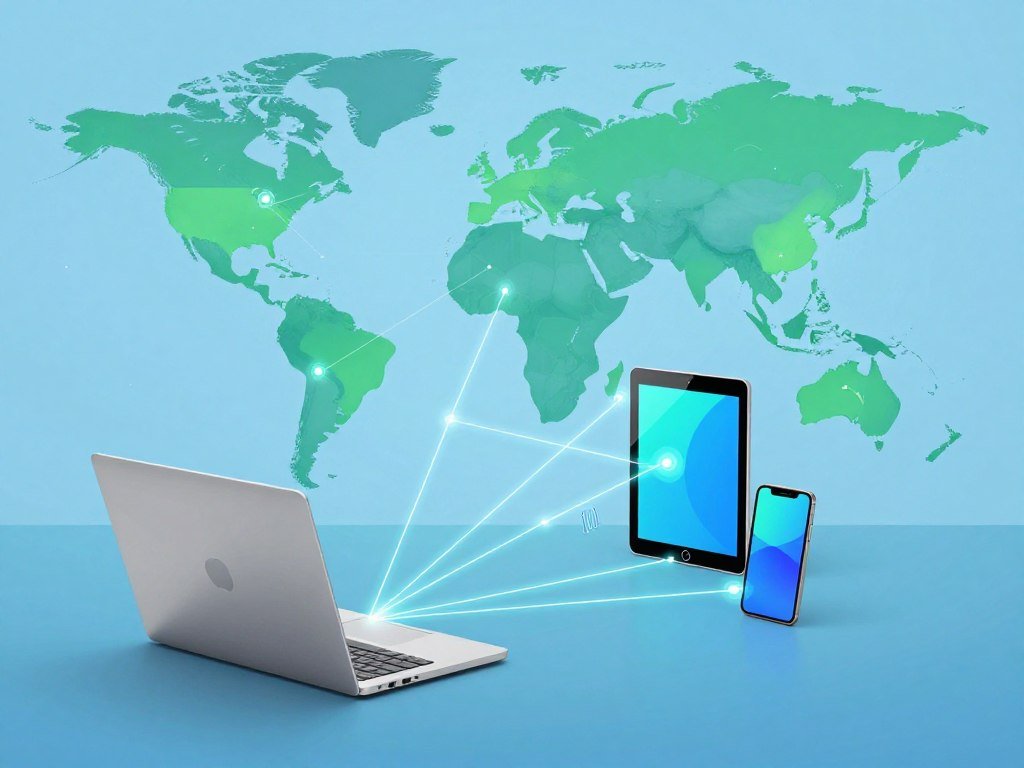
The free server countries were Canada, France, Germany, Hong Kong, the Netherlands, Norway, Romania, Switzerland, the UK, and the US. This range gives you more location options than plans with only a few free servers.
Unlimited simultaneous connections can help if you protect a laptop, phone, and tablet under one account. It does not increase the amount of monthly data you can use.
A 10GB monthly allowance suits short browsing sessions and occasional video better than routine streaming or large downloads. Video can use a large share of the allowance before the month ends.
Windscribe may appeal to streaming users, but its tested free plan blocked peer-to-peer traffic. Do not choose it for torrenting simply because its server network offers several countries.
The monthly cap is easier to manage if you use the VPN connection for selected tasks rather than every download. Keep track of monthly data use if you stream or download while connected.
Is PrivadoVPN a good free option for streaming?
PrivadoVPN is worth considering when you want streaming or P2P support on a free plan and can stay within a monthly allowance. Occasional use is a better fit than hours of daily video.
PrivadoVPN’s free plan offers 10GB of data per month and supports unlimited devices. It also supports P2P traffic and has a privacy-oriented logging policy.
That mix can suit a short streaming session or a modest file transfer. It does not mean that every streaming service will work each time you connect.
The data allowance limits how much streaming or downloading fits into one month. A single long video session can take a meaningful share of the available data, especially at high quality.
Unlimited device support can help if you use a phone, computer, and tablet. The same allowance still applies across those devices, so several users can use it up faster.
P2P support is a useful difference from free plans that block file sharing. Use it only for lawful transfers and remember that the monthly allowance also covers that traffic.
PrivadoVPN’s free plan can suit a person who knows their monthly habits and needs occasional streaming or P2P. Estimate your video and download use before relying on a 10GB monthly plan.
What does hide.me Free offer for privacy and control?
hide.me Free is a fit for someone who wants location choice and a privacy-focused app experience on one connected device. Control over location can matter for some browsing needs.
In 2026, hide.me’s free VPN offered a choice of eight server locations and one connected device at a time. You can select from its free locations, but cannot use the account on several devices at once.
hide.me says its free VPN has no ads or trackers and keeps no logs. Those are provider claims, not a guarantee that every part of your online activity is anonymous.
The number of server locations gives you more control than an automatically assigned connection. Still, the free selection is limited, so your preferred country may not be available.
Free-plan features and access to services can differ from paid access. A feature listed for the full service may not appear in the free app or may have different limits.
One connected device at a time is manageable if you use the VPN on one phone or computer. It can be inconvenient if you switch often between devices.
Choose hide.me when privacy features and server choice matter more than broad device use or streaming. Check the location you need before starting a session, since the free plan offers a limited selection.
What should you expect from Hotspot Shield Basic?
Hotspot Shield Basic is a simple option to assess, but its data practices deserve careful attention. Privacy deserves priority if that is your main reason for installing a VPN.
The free plan collects identifiable user data, including your IP address, visited domains, and approximate location. That collection may not fit your needs if you want to limit the personal data tied to your activity.
Hotspot Shield Basic offers free servers in three countries and allows one simultaneous connection. That small selection may be enough for straightforward use, but it offers little room to choose a location.
A SoftwareLab review of Hotspot Shield’s privacy practices discusses data collection and distinguishes the free version from its paid service.
A kill switch can help prevent traffic from escaping if the VPN connection drops. It only helps when the feature exists in your app and is enabled.
Do not assume the free version is a dependable streaming solution. A limited server selection and identifiable data collection make it important to know what you expect from the service.
Read the current logging policy before sending traffic through any free plan.
Does TunnelBear work for light everyday use?
TunnelBear is most appealing when simplicity and a broad set of server countries matter more than monthly data volume. An easy map can make it less confusing to choose a location.
TunnelBear’s free plan offers 2GB of data per month, servers in 47 countries, and unlimited simultaneous connections. The broad country coverage is useful, but the data allowance is small.
The map-based interface gives beginners a clear way to select a country. TunnelBear’s free service has also worked with several Netflix libraries in testing.
Streaming results do not remove the data limit. Two gigabytes is a tight fit for regular video, long video calls, or large downloads.
Unlimited device connections mean you can connect more than one device under the plan. They do not mean each device gets a separate data allowance.
For light browsing, the plan can be handy when you want a simple app and a wide choice of countries. Keep video use brief if you do not want to use the allowance quickly.
Save the allowance for short sessions and light browsing rather than routine video streaming.
Is ZoogVPN a practical free option for basic browsing?
ZoogVPN’s free plan is best treated as a basic single-device option, not an entertainment service. One device can be enough if you mainly browse on a laptop or phone.
The free plan has 10GB of monthly data, five server locations, and one device per account. Its small location choice and device limit shape how useful it is day to day.
The monthly allowance can cover browsing and other light tasks, but the five locations limit where you can connect. A person who needs a specific country may find that choice too narrow.
One device per account can be inconvenient if you switch between a laptop and phone. You may need to disconnect one device before using the other.
ZoogVPN’s free plan did not unblock tested streaming platforms. That makes it a poor match for watching shows through a VPN connection.
Use it only if its basic browsing features and available locations fit your routine. Avoid choosing it if access to streaming platforms is the main reason for installing a VPN.
Which free VPN fits each common use case?
Match the plan to your most important task first, because the same free tier rarely excels at every use. Start with your main need, then weigh the limit that matters most.
Proton VPN is the best fit here for everyday browsing without a data limit, while Windscribe and PrivadoVPN suit some streaming needs. Their allowances make them poor choices for unrestricted, high-volume use.
Everyday browsing with fewer data worries
Proton VPN suits everyday browsing if you value unlimited data and accept automatic server selection. It removes the need to track monthly traffic, but gives you less control over the country used.
Streaming and file sharing on a limited allowance
Compare Windscribe and PrivadoVPN for streaming-oriented use. A data cap makes both poor choices for unrestricted viewing or large, frequent transfers.
PrivadoVPN supports P2P traffic, while Windscribe’s tested free plan blocked it. Check that difference before choosing a plan for file sharing.
Protecting several devices with one account
Windscribe and PrivadoVPN allow unlimited simultaneous device connections. Several other free plans restrict use to one connected device, which can make switching between a phone and computer less convenient.
| Need | First option to compare | Main compromise |
|---|---|---|
| Everyday browsing | Proton VPN | Automatic server selection |
| Streaming | Windscribe or PrivadoVPN | Limited monthly data |
| P2P | PrivadoVPN | Monthly data allowance |
| Multi-device use | Windscribe or PrivadoVPN | Shared data allowance |
For a location-focused option, hide.me offers eight free server locations. People facing serious censorship or personal risk need a threat-model-specific assessment, not just a consumer free tier.
- Name the main task you need to protect.
- Estimate your monthly data use.
- Count the devices you plan to connect.
- Check whether the required locations are available.
If two plans fit, let the less restrictive limitation decide between them.
Which free VPN apps work on Android, PC, and iOS?
For Android, PC, or iOS, verify the app and the feature you need on that exact operating system. Apps can differ even when they share a provider’s name.
Proton VPN offers apps for Windows, Mac, iOS, Android, Linux, Amazon Fire TV, Android TV, Apple TV, routers, and Chrome. Router use protects devices connected through that router, but does not turn a one-connection account into unlimited app connections.
Free VPN apps for Android
For everyday Android browsing, compare Proton VPN with your privacy and location needs in mind. Windscribe or PrivadoVPN may suit you better when their specific free-plan features match your task.
Read the app listing and review its permissions before installation. An app’s rating alone does not tell you whether it offers the feature you need.
Free VPNs for PC
Check Windows and Mac as separate app choices, since their controls may differ. Confirm that the desired kill switch and split tunneling features exist on that specific app.
Split tunneling lets you choose which apps use the VPN connection, when the feature is available. Do not assume every platform includes the same controls.
| Device or platform | Proton VPN app availability | Check before use |
|---|---|---|
| Android | Available | Permissions and app features |
| Windows PC | Available | Kill switch and split tunneling |
| Mac | Available | Kill switch and split tunneling |
| iOS | Available | Mobile feature availability |
Free VPN apps for iOS
Mobile feature availability can differ from desktop apps. A setting you use on a computer may be missing or work differently on your iPhone or iPad.
Install only from the provider’s official app listing and test the connection before using public Wi-Fi.
Can free VPNs reliably stream Netflix and other services?
Windscribe is the strongest choice in this selection for breadth of tested streaming access, while PrivadoVPN is a useful alternative for US Netflix. Tested access can change by platform and library.
No free VPN can promise that a streaming service will always accept its VPN connection. Streaming also depends on having enough data and speed for the video you want to watch.
Netflix access depends on the service and library
In October 2026 testing, Windscribe unblocked five Netflix libraries but not US Netflix. Proton VPN did not unblock Netflix, Disney+, or HBO Max in those tests.
PrivadoVPN’s free plan has unblocked US Netflix, HBO Max, and Disney+ in testing. Those results do not promise the same access on another day.
Netflix testing examined 15 VPNs and selected six, checking libraries in the UK, Spain, Germany, Switzerland, and the Netherlands. The tested free VPNs were not good enough for streaming because of data and speed limits.
The Netflix VPN trick can still work in some cases, but Netflix detects and blocks VPN connections. No VPN can promise it will stay undetected across every library.
Other streaming platforms have different results
In October 2026 testing, Windscribe unblocked BBC iPlayer, Sky Go, DAZN, Hulu, and HBO Max. That breadth makes it a useful option to compare, but its 10GB monthly cap still limits viewing.
HD streaming can use several gigabytes per hour as a general rule of thumb. Video quality and the service affect the amount, so a 10GB allowance can disappear quickly.
| Provider | Tested streaming result | Important limit |
|---|---|---|
| Windscribe | Five Netflix libraries, not US Netflix | 10GB monthly allowance |
| Proton VPN | Did not unblock Netflix, Disney+, or HBO Max | Free plan not suited to streaming |
| PrivadoVPN | Unblocked US Netflix, HBO Max, and Disney+ | Monthly data allowance |
Streaming suitability depends on both unblocking and enough data and speed. Check the specific library and platform you need shortly before streaming, since access can change.
Is using a VPN legal in the United States?
VPN use for lawful purposes is legal for U.S. residents in 2026. The activity still matters, because a VPN does not change the laws that apply to what you do online.
Using a VPN does not make an otherwise illegal activity lawful. Federal and state laws still apply to activity carried out through a VPN connection.
A VPN can add privacy on a network, but it does not guarantee anonymity or erase provider records. You remain responsible for following the rules that apply to your actions.
- Follow applicable federal and state laws.
- Respect workplace or school network rules.
- Review the streaming service’s terms.
- Use a trustworthy app with clear data practices.
Network rules may limit which apps you can use at work or school. A streaming service may also set terms for how subscribers access its content.
A VPN changes how your traffic travels, not whether your conduct is allowed. Check the rules that apply to the activity and network you plan to use.
When should you switch from a free plan to a paid VPN?
Consider paying when a free plan’s data, location, or device restrictions regularly interrupt the task you need it for. Frequent interruptions can make avoiding a subscription less useful.
A paid VPN may suit you better when you need more data, wider server access, or steadier streaming and support. Free plans remain reasonable for occasional tasks when their limits fit your needs.
Large downloads and frequent streaming can use more data than a free plan allows. A paid plan may also give you more server countries or cover more devices.
Live customer support can matter if you need help when a connection fails. Consider how often you need that help before choosing a plan.
Use this short self-check to see whether a free plan still fits your routine.
- How much data do you use each month?
- Which server countries do you need?
- How many devices do you want to connect?
- How reliable must streaming access be?
- How much help might you need when a connection fails?
A free trial differs from a free plan because it lasts for a set time. Check its renewal and cancellation terms before signing up.
Before starting a trial, check its end date and cancellation terms so you know when billing could begin.
Check those terms before you enter payment details, not after the trial starts.
Conclusion
The best choice is the free plan whose limits fit the way you actually use the internet. For unlimited-data browsing, Proton VPN is a strong fit.
Readers focused on streaming should compare Windscribe and PrivadoVPN with their monthly data needs in mind. A plan that can reach a platform may still run short on data for long viewing sessions.
Start by choosing the task and device you need covered. Check the current plan and app details before installing the VPN you choose.
FAQ
Is there a VPN that is 100% free?
Yes, some providers offer ongoing free plans with no subscription charge. Those free tiers still restrict features, locations, connections, or data. Check whether the plan’s limits suit your use, and read how the provider pays for its service. A free price alone does not show how an app handles your information.
Can the FBI see through VPNs?
A VPN can mask your IP address from websites, but it cannot block lawful access to account, device, or provider information. Investigators may seek information through legal processes that apply to the case. A VPN also cannot stop a website from identifying you through an account you sign into or details you share.
What is the best truly free VPN?
Proton VPN is the strongest pick for unlimited-data browsing, while Windscribe or PrivadoVPN may suit some streaming needs. Proton VPN has automatic server selection on its free plan. Windscribe and PrivadoVPN have monthly data limits, so estimate your use before relying on either for regular video or downloads.
Will VPNs be banned in the USA?
U.S. residents can legally use VPNs for lawful purposes in 2026. A VPN does not make illegal activity legal, and federal and state laws still apply to conduct carried out through one. Rules can also apply to your workplace, school, or streaming account, so consider those terms alongside the law.
Which VPN is best for streaming?
Windscribe had the broadest tested streaming access in this selection, while PrivadoVPN is relevant for US Netflix. Both free plans have limited data, so a successful connection may not support long viewing sessions. Check the service and library you need shortly before watching, since streaming platforms can change how they handle VPN connections.
Does the Netflix VPN trick still work?
Sometimes, but Netflix detects and blocks VPN connections, and results depend on the service and library. One connection may work for a particular region and fail for another. Even when access works, a free plan’s data allowance or speed may limit how much you can watch.
Which VPN cannot be detected by Netflix?
No VPN can guarantee that Netflix will not detect it. Netflix’s detection can change, and a connection that works for one library may fail on another. VPNs can change the IP address websites see, but that does not make your account activity anonymous or ensure access to every show.



