
Clearing a crowded nightstand is useful only if the pad you choose actually works with your phone. In a mixed-device household, the right setup can cut down on tangled charging cables and keep your everyday gear in one place. The wrong one can leave a phone charging slowly or an accessory without a place to land.
This roundup compares single-device pads, stands and multi-device stations for iPhone and Android users. You will see what each setup can do, and why phone compatibility and your choice of power adapter matter. A charging spot should fit your routine, not just look neat on a shelf.
Key Takeaways
- Check your exact phone model before buying a wireless charger.
- Choose a pad, stand or charging station to suit your space.
- Qi2 25W and original Qi2 have different maximum charging rates.
- Some multi-device stations charge only certain watch brands.
- Check whether the box includes a power adapter and cable.
- Start with the devices you want to charge together.
Start by checking your phone model and the devices you want to charge together.
Best Wireless Chargers for iPhone & Android: Which Picks Fit Your Setup?
For a single station that handles an iPhone, earbuds and Apple Watch, the Anker MagGo 3-in-1 is the clearest all-around choice. ZDNET’s 2026 best-overall pick earned 4.0 out of 5 and supports Qi2 charging at 15W.
The MagGo 3-in-1 folds for transport and includes a wall adapter. It charges an iPhone, wireless earbuds and an Apple Watch. Its listed price is $80 at Amazon and $110 at Best Buy.
| Product | Best fit | Charging format | Price |
|---|---|---|---|
| Anker MagGo 3-in-1 Wireless Charging Station | iPhone, earbuds and Apple Watch | Qi2, 15W | $80 Amazon; $110 Best Buy |
| Apple MagSafe Charger | Simple iPhone pad | MagSafe and Qi2 | $49 for 2-meter version |
| Belkin UltraCharge Magnetic Charger | Stand-style phone charging | Qi2 25W | Not stated |
| Anker Zolo Wireless Charger | Budget phone pad | 15W iPhone charging | $16.79 |
| MagBak MultiCharger | Phone, watch and earbuds | Multi-device wireless | $79 |

Buy a charging station for the devices you use, not for empty spots that may never see a phone or watch.
Apple lists its MagSafe Charger at $49 for the 2-meter version. The Belkin UltraCharge Magnetic Charger suits anyone who prefers a raised phone screen. The Anker Zolo keeps the setup simple, while the MagBak station makes room for three device types.
These best wireless chargers cover different routines, not one universal need. Compare the charging format with your phone and accessory mix before weighing price. Match the shortlist to the devices you actually charge every day, rather than paying for an unused charging spot.
What Do Qi, Qi2 and Qi2.2 Mean?
Qi is the baseline wireless charging standard, while Qi2 adds magnetic positioning and a newer higher-power tier. The Magnetic Power Profile is Qi2’s magnetic alignment feature, which helps a compatible phone and charger snap into the correct charging position.
Original Qi2 supports wireless charging up to 15W, while Qi2 25W, also called Qi2.2, raises the maximum to 25W on compatible devices. A charger’s shape alone cannot tell you which tier it supports.
Qi Offers Standard Wireless Charging
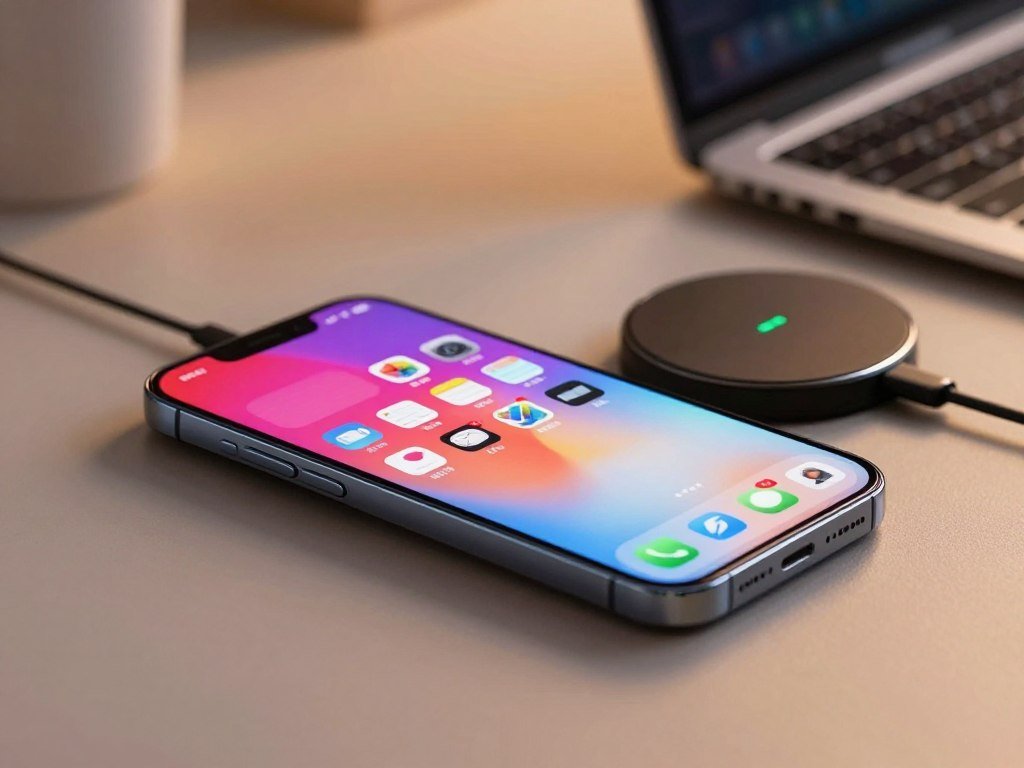
Qi is a widely used standard for wireless charging. Many phones and accessories use it, including products that do not attach with magnets. A Qi charging pad sends power to a compatible phone when you place it in the right spot.
The Wireless Power Consortium describes Qi and Qi2 in its official Qi wireless charging overview. Certification helps show that products meet the standard’s rules for compatibility and performance.
Qi2 Adds Magnetic Alignment and Higher Rates
Qi2 adds a Magnetic Power Profile, which uses magnets to help line up compatible devices and chargers. That positioning can make it easier to place a phone correctly, instead of hunting for the small charging zone on a pad.
MagSafe and Qi2 share magnetic alignment ideas, but a product label still matters. The original Qi2 ceiling is 15W. The newer Qi2 25W tier can reach 25W when both the phone and charger support it.
That distinction matters when comparing magsafe qi2 products and other wireless chargers. A Qi2 charger may offer the original 15W tier rather than the newer update. Check the exact standard printed for both your phone and charger, because the Qi2 name alone does not promise 25W.
Which Charger Shape Works Best on Your Desk or Nightstand?
A flat pad is the simplest choice when your priority is a clear surface and a place to set your phone down. A stand keeps the screen facing you, while a charging station can hold several devices at once.
Pick the shape that matches what you do while the phone charges. A stand can use more vertical space, while a pad needs more deliberate placement to keep the phone on its charging area.
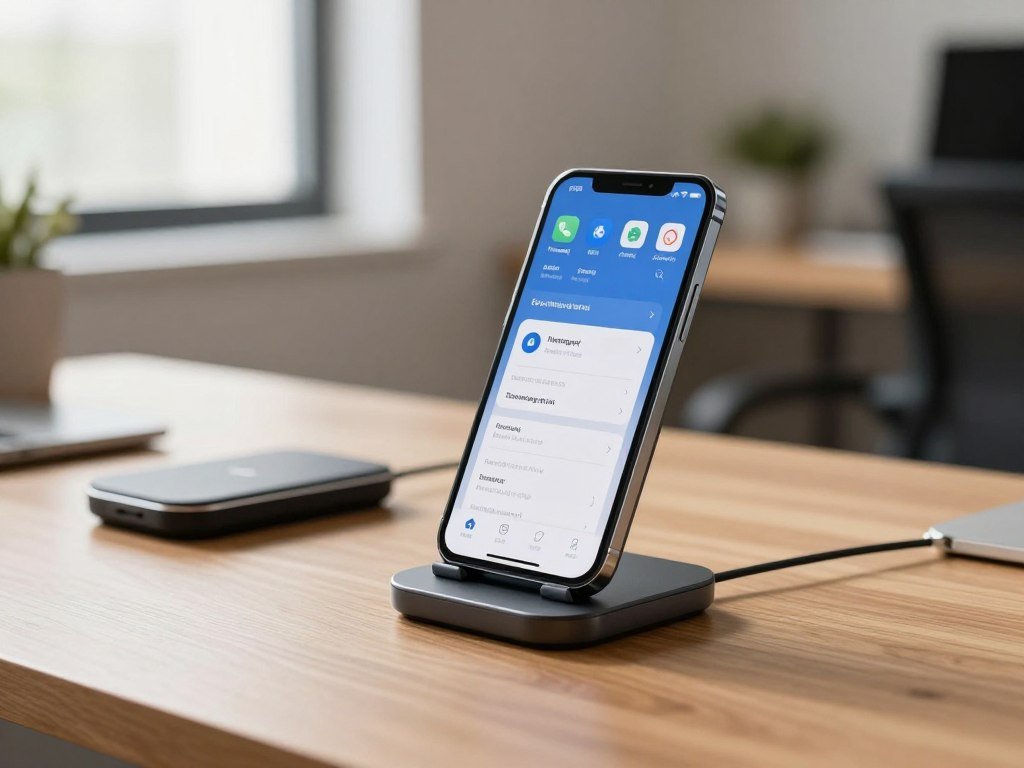
- Flat pad: Best for a clear surface and a quick place to set down one phone. It takes little room, but you need to place the phone carefully.
- Stand: Best when you want to see notifications or watch video while charging. The raised shape uses more vertical space than a pad.
- Multi-device station: Best when you charge a phone plus accessories in one spot. The Anker MagGo 2-in-1 Stand pairs an adjustable viewing angle with a separate wireless earbud pad.
A stand can suit a desk where you glance at messages during the day. A flat charging pad may suit a nightstand where the screen can face up without needing to stay visible. Choose based on how you reach for the phone, not only on the charger’s size.
The Anker MagGo 3-in-1 can fold into a pad-style configuration and includes a separate Apple Watch charger. That gives it more than one useful layout, though its extra charging spots need room when open. Measure the available surface and check whether the phone screen needs to stay visible while it charges.
Which Wireless Chargers Support Faster Qi2 Charging?
The fastest wireless choice depends on whether your phone can accept the charger’s higher Qi2 rate. The Apple MagSafe Charger, Belkin’s Qi2 25W charger and Anker MagGo Pad support different rates under their stated conditions.
A charger’s advertised maximum depends on the phone model, charging standard, case alignment and power source. A 25W label does not mean every phone will charge at 25W.
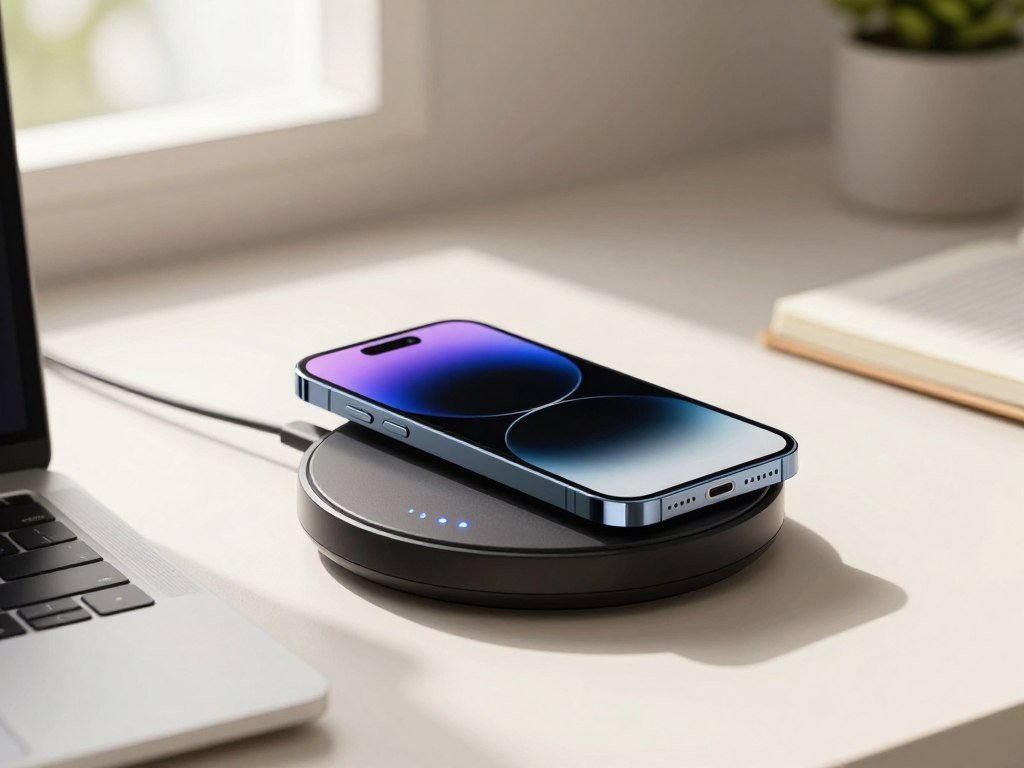
Apple’s MagSafe Charger is Qi2 25W- and Qi-certified. It provides wireless charging up to 25W with a 30W USB-C power adapter. That rate applies only to a compatible phone and setup.
Belkin lists different top rates on its Qi2 25W-certified charger. It lists 25W for iPhone 16 and later and Galaxy S26 Ultra, 20W for Galaxy S26+, and 15W for Galaxy S26 and Pixel 10.
The Anker MagGo Pad provides 15W iPhone charging. In comparative testing, it delivered 8.5W through a 3.2mm case. That result shows how a case can affect a measured rate, even when the phone and charger support wireless charging.
Fast charging is useful when the phone needs power during a short break, but the phone sets the limit. A charger rated above that limit cannot raise it. Compare the rate your specific phone supports, not just the largest wattage printed on the charger.
Which Charging Stations Handle a Phone, Watch and Earbuds?
A 3-in-1 station is most useful when the same phone, watch and earbuds need a regular overnight home. MagBak’s MultiCharger can charge a phone, Apple Watch and wireless-charging AirPods at once for a listed $79.
Check watch compatibility before buying a station with an Apple Watch charging module. These modules do not work as universal smartwatch chargers, so Samsung watch owners should confirm support first.
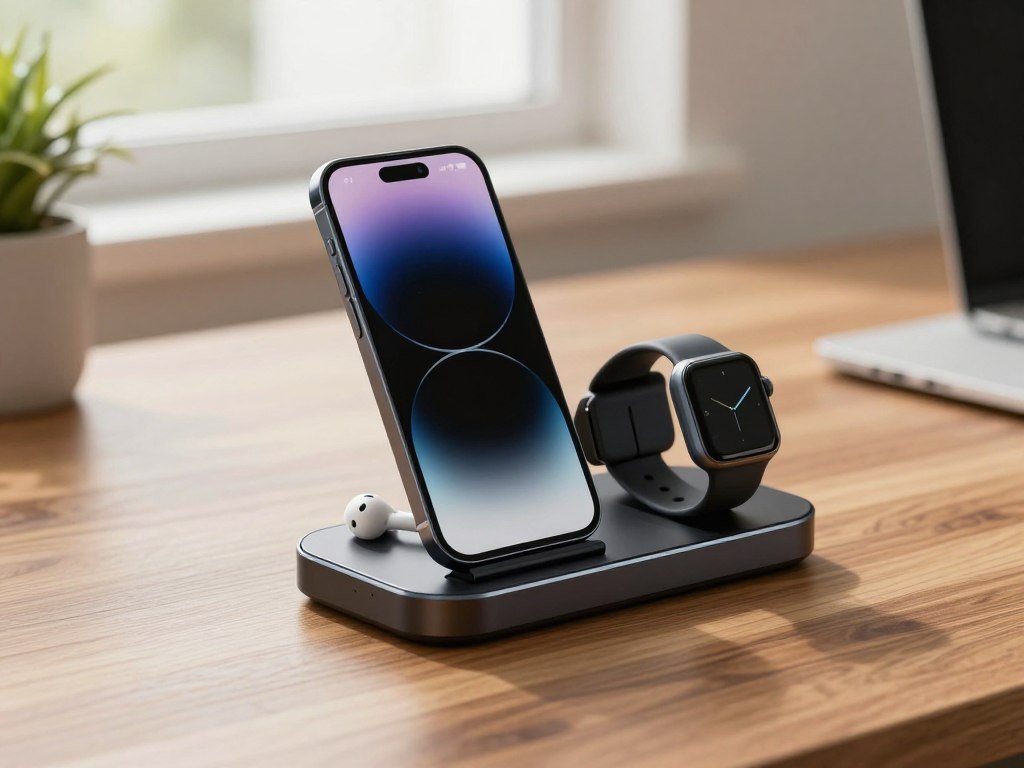
MagBak’s setup suits an Apple user who wants the phone, watch and earbud case together. It also keeps those devices from spreading across the nightstand. If you are choosing earbuds for that mix, compare wireless earbuds for Android by the features you need.
Some households need only a phone and earbuds. A simpler two-device station can take less space and avoid paying for a watch spot that stays empty. Check whether the earbud case supports wireless charging before expecting it to work on a charging pad.
The Belkin UltraCharge Pro 3-in-1 supports 25W. Other listed options include the ESR Qi2.2 25W HaloLock 3-in-1 with CryoBoost at $99.99 and the Anker Prime 3-in-1 MagGo Wireless Charging Station at $159.99.
Those options serve different budgets and device needs. Earbud cases may use wireless charging, USB-C or another method, so the station’s phone pad cannot charge every case by default. Confirm the watch brand and earbud charging method before choosing a station based on its number of charging spots.
What Wireless Charging Speeds Do iPhone, Pixel and Galaxy Phones Support?
A Galaxy S26 Ultra or a compatible iPhone 17 model can reach 25W wirelessly, while several other current phones have lower ceilings. These are maximum supported rates, not a promise that charging stays at that rate throughout a session.
The exact phone model sets the wireless charging limit. A compatible charger may support a higher rate than the phone can use.
| Phone model | Maximum rate | Standard or alignment condition |
|---|---|---|
| Galaxy S26 Ultra | 25W | Qi2 with magnetic case for alignment |
| Galaxy S26+ | 20W | Qi2 with magnetic case for alignment |
| Galaxy S26 | 15W | Qi2 with magnetic case for alignment |
| Pixel 10 | 15W | Qi2-certified Pixelsnap wireless charging |
| iPhone 17 models | Up to 25W | Qi2.2 charger on compatible models |
In 2026, iPhone 17, iPhone 17 Pro and iPhone 17 Pro Max support up to 25W on a Qi2.2 charger. The iPhone Air supports up to 20W on MagSafe and Qi2. The table groups the iPhone 17 models by the models that reach 25W.
In 2026, Galaxy S26 Ultra supports up to 25W on Qi2, Galaxy S26+ supports up to 20W, and Galaxy S26 supports up to 15W. Qi2 25W-certified chargers can still deliver different maximum speeds by device.
Pixel 10 supports Qi2-certified Pixelsnap wireless charging up to 15W. Pixel 10 Pro XL supports Qi2 wireless charging up to 25W. A charger’s label does not change these phone-specific limits.
Actual charging can shift during a session, so the listed rate is a ceiling rather than a steady promise. Use the row for your exact phone model when comparing advertised charger wattage.
Which Affordable Wireless Charging Pads Are Worth Considering?
A low-cost pad can be a sensible buy when overnight charging matters more than the highest possible rate. The Anker Zolo is an inexpensive iPhone-focused option, while the Yootech pad offers a basic alternative.
Low price does not mean every wireless charging pad performs alike. Phone model, alignment and the included accessories can change how useful a budget charger feels.
- Anker Zolo: Macworld lists it at $16.79. It provides 15W charging for iPhone and can also charge AirPods.
- Yootech 10W Max Fast Wireless Pad: In testing, it charged a Pixel to 21% and an iPhone to 24.5% in the first 30 minutes.
- Compact magnetic option: Anker MagGo Qi2 is a small single-device choice. It does not include a wall adapter, so budget for one if needed.
Android phones do not all share the same wireless charging limits, so a low-cost Qi pad may suit one model better than another. The INIU 15W Stand is another option for a phone that charges wirelessly. It supports cases up to 4.2mm and delivered a Pixel 26% charge in the first 30 minutes.
The testing figures describe specific phones and setups, not a guarantee for every Android phone. An adapter may also be a separate purchase, which can raise the real cost beyond the sticker price. Add the cost of a compatible wall adapter before deciding whether a low sticker price is the better value.
What Makes a Wireless Charger Good for Travel?
A fold-flat station makes sense for a trip when it replaces several separate charging accessories. The MagBak 3-in-1 Compact Travel Charger folds flat, supports Qi2.2 up to 25W on compatible devices, and lists at $129.
A compact charger still needs its power adapter and cable when they are not included. Packing the folding unit alone may leave your phone without a way to charge.
The MagBak travel model suits someone who brings a phone, watch and earbuds. Its foldable design takes less space than a fixed station, while its 25W ceiling applies only to compatible devices.
The Qdos SnapStand 3-in-1 charges an iPhone, AirPods and Apple Watch at 15W. It folds flat, but does not include a wall adapter. That matters when you are trying to pack one compact kit rather than gather extra gear at the last minute.
Travel also changes how many devices need power at once. A station can replace separate charging accessories, but only if its charging spots match the items you bring. A traveler with no Apple Watch may not need to carry a watch module.
Check the box contents before leaving home. Confirm which parts of the charging setup are included and which must come from home.
Which 2-in-1 Chargers Work Well for a Phone and One Accessory?
A 2-in-1 charger is the sensible middle ground when you regularly charge a phone and just one other device. The accessory matters: a watch owner may value a watch charger more than extra phone wattage.
Choose the second charging spot for the device you use most. A two-device setup can save space when you do not need a full phone, watch and earbuds station.
| Product | Phone charging rate | Second charging spot |
|---|---|---|
| Twelve South HiRise 2 Deluxe | Qi2, 15W | One additional device |
| Ugreen 2-in-1 MagFlow Qi2 25W Charger Stand | Qi2 25W | One additional device |
| Anker MagGo 2-in-1 Stand | Not stated | Separate wireless earbud pad |
The Twelve South HiRise 2 Deluxe is a 2-in-1 Qi2 wireless charger with 15W charging. The Ugreen 2-in-1 MagFlow Qi2 25W Charger Stand lists at $59.99 and offers a higher stated phone rate.
The Anker MagGo 2-in-1 Stand combines an adjustable phone viewing angle with a separate pad for wireless earbuds. That layout can work well at a desk where you want the phone screen visible and earbuds close by.
If you own an Apple Watch, a phone-and-earbuds charger may not solve your main need. Look for a model with an Apple Watch charging module rather than choosing by phone wattage alone. Choose the accessory you need to charge most often before prioritizing a higher phone wattage.
Do You Need a Magnetic Case for Wireless Charging?
A magnetic case is needed when a Qi2-ready phone lacks built-in magnets and you want the charger to snap into alignment. The Galaxy S26 series does not have built-in Qi2 magnets, so a magnetic phone case provides that alignment.
A Qi-compatible phone can still charge without magnetic alignment. Magnets help position a phone on a compatible charger, but they are not required for all wireless charging.
- Check for built-in magnets: The Galaxy S26, S26+ and S26 Ultra need a magnetic case for Qi2 magnetic alignment.
- Choose a Qi2-compatible magnetic case when needed: Samsung’s silicone, slim, rugged and clear magnet cases support fast wireless charging up to 25W and attach to magnetic accessories.
- Avoid metal attachments: Metal items can interfere with wireless charging, so remove them from the charging area.
A Qi2-ready Android phone may also need a Qi2-compatible case to use magnetic alignment. The case needs to fit the phone and the charging setup, not just have a ring of magnets on its back.
A standard Qi pad can still charge a compatible phone even if magnetic attachment does not work. Check the phone and case specifications together before assuming a magnetic ring will deliver the full advertised charging rate.
Which Power Adapter and Cable Do You Need?
A wireless charger cannot reach its advertised maximum if the power adapter supplying it is underpowered. The power source affects the rate, even when the charging pad itself supports more.
Match the adapter to the exact charger and phone setup. A USB-C cable carries power from the adapter to the pad, but the adapter’s output still sets a limit.
| Charging setup | Adapter requirement | Supported condition |
|---|---|---|
| Apple MagSafe at 25W | 30W USB-C power adapter | Compatible iPhone 17 models can reach 50% in about 30 minutes |
| Apple MagSafe at 15W | 20W USB-C power adapter | Up to 15W for iPhone 12 or later |
| MagBak MultiCharger, three devices | Minimum 40W USB power adapter | Recommended for full speed across all three devices |
Apple’s MagSafe Charger also supports Qi charging up to 7.5W for iPhone 8 or later with a 20W adapter. It comes with a 1-meter or 2-meter cable, so choose the length that reaches your outlet.
Pixel 10 supports wired charging up to 55% in about 30 minutes with a 30W USB-C PPS charger or higher. That is a wired condition, not a claim about wireless charging speed.
For a MacBook setup, the USB-C hub charging guide explains why a charger’s maximum input can differ from the power delivered to a laptop. Read the adapter requirement for the exact charging setup rather than relying on an old USB plug’s appearance.
Is Wireless Charging Slower Than Plugging In?
A cable is usually the better choice when you need the quickest top-up before leaving. Wireless charging is typically slower and less efficient than wired charging, which makes it better suited to a desk or nightstand.
Wireless charging efficiency is about 60%-75% for original Qi and 75%-80% for Qi2, compared with 85%-95% for wired charging. These are broad ranges, not a promise for one phone’s charging time.
Wireless charging can be convenient when you can leave the phone in place. A cable is more direct when you need power quickly, and the phone does not need to stay centered on a pad.
Alignment affects how well a wireless charger transfers power. Heat can also affect performance, so a phone that shifts off its charging area may not behave like one placed correctly.
Battery size is another part of charging time. Google lists the Pixel 10’s typical battery capacity as 4,970mAh and its minimum capacity as 4,835mAh. A percentage gained in a test does not translate into the same time for every phone.
Wireless charging suits a long desk session or an overnight spot where speed is less important than convenience. Use wireless charging for convenience when you can leave the phone undisturbed, and switch to a cable when time is tight.
Can Wireless Charging Make a Phone Too Hot?
Mild warmth can occur during wireless charging, but excessive heat is a reason to stop. If the phone feels excessively hot, remove it from the charger and contact the manufacturer for guidance.
Stop charging if the phone feels excessively hot. Wireless charging creates heat, and cooling features do not replace that basic response.
- Center the phone on the charging area.
- Remove an object caught between the phone and charger.
- Check whether the phone case is unusually thick.
- Stop charging if the phone feels excessively hot.
Small placement problems can affect charging and warmth. Move the phone back to the center, then check for an object between the device and charger before trying again.
Cooling-oriented products include the Torras PolarCircle wireless charging accessory and the ESR Qi2.2 25W HaloLock 3-in-1 with CryoBoost, listed at $99.99. These are options to consider, not a reason to keep charging an overheated phone.
If the phone still feels excessively hot after charging stops, contact its manufacturer for guidance.
How Should You Choose the Right Wireless Charger?
The right choice starts with the phone model, not the charger’s headline wattage. First match the phone to Qi, Qi2 or MagSafe compatibility, then decide what kind of charging setup suits your day.
A Qi2 charger can work with a Qi phone, but magnetic alignment or maximum speed may not carry over. Check the phone’s specifications for wireless charging before buying an accessory.
Match the Charger to Your Phone
Qi is the common wireless charging standard used by many phones and accessories. Qi2 and MagSafe add magnetic alignment for compatible devices. The exact model matters, especially when you are comparing Android phones with different wireless features.
A 2026 phone buying guide can help you compare phone features, including whether a model supports the charging method you plan to use. Check the specification for your own phone before choosing a pad or stand.
Check the Adapter and Daily Setup
Next, decide whether magnetic alignment matters and whether you need a stand or a multi-device station. A flat pad can suit a simple phone setup, while a station can reduce the number of charging spots spread across a nightstand.
Finally, confirm that you have the required power adapter and cable. If two options meet the same needs, choose the one that requires fewer extra accessories.
How to Judge Wireless Charger Reviews and Test Results
A useful charger review tells you what phone was tested and how the charging result was measured. Look for specific test conditions, not just a list of features or the largest speed printed on the box.
A charging-time comparison means little unless the phone and test conditions are named. A different starting charge, case or power adapter can change the result.
- Charging time: Check the starting and ending battery levels, plus the phone model.
- Stable alignment: Look for tests that show whether the phone stays in the right place.
- Case use: Check whether the charger worked through a case and note its thickness.
- Included gear: Confirm whether the adapter and cable came with the charger.
- Build quality: Look for checks of materials and parts after repeated use.
The Independent measured a phone’s charging time from 25% to 100% and assessed features, design, build quality and portability. TechRadar tested more than 30 wireless chargers and spent over 50 hours testing charging speeds.
TechRadar also checked speed, stability, configuration, cables, adapters, build, materials, durability and cleaning. Its ESR Qi2 Mini tests recorded 128 minutes for an iPhone and 193 minutes for a Xiaomi 14.
Prefer test results that name the phone, starting charge and accessories used.
A result from one phone cannot promise the same timing on another model. Prefer results that name the device, starting charge and accessories used.
Conclusion
The best choice is the one that supports your phone’s actual wireless standard and fits the way you charge. A pad, stand or charging station can each work well when it matches your daily use.
Compatibility matters more than a charger’s largest advertised number. Check whether your phone supports wireless charging, then match the charger’s standard and layout to the devices you keep nearby.
Look up your exact phone model’s wireless charging specification, then choose the charger configuration that fits your routine.
FAQ
Do all Android phones support wireless charging?
No, Android phones do not all support wireless charging. Check the exact model’s specifications for Qi support before choosing a pad, since features can differ even among phones from the same brand. A phone that lacks Qi charging will not gain that feature from a wireless pad. Also check whether its case or accessories affect how it sits on the charger.
Can I use a Qi2 charger with a Qi phone?
Yes, a Qi phone can charge on a Qi2 charger when the phone and charger support compatible wireless charging. The phone may charge more slowly than a Qi2 phone, and magnetic alignment may not work. Without compatible magnets, the phone will not snap into the right position. Place it carefully and use the rate supported by the phone.
Do I need a magnetic case for a Galaxy S26?
Yes, you need a magnetic case for magnetic alignment because the Galaxy S26 series does not have built-in Qi2 magnets. A compatible case lets the phone attach to magnetic accessories and line up with a Qi2 charger. The phone can still use Qi wireless charging without magnetic alignment. Check that the case supports the charging features you want.
Is it safe to leave a phone on a wireless charger overnight?
Generally, yes, when you use a compatible charger and the phone remains in normal condition. Wireless charging can make a phone warm, so remove it if it feels excessively hot. Stop the charge and contact the phone’s manufacturer for guidance if the heat continues. A charger’s overnight convenience does not make unusual heat something to ignore.
What is the difference between Qi2 and Qi2.2?
Original Qi2 supports wireless charging up to 15W, while Qi2 25W, also called Qi2.2, supports up to 25W on compatible devices. The higher tier needs a phone and charger that both support it. A Qi2 label alone does not mean the charger can reach 25W. Check the precise standard and rate listed for each product.
Why is my wireless charger charging slowly?
A phone’s maximum rate, adapter wattage, alignment and case can all limit wireless charging speed. Check whether the phone supports the charger’s advertised rate and whether the power adapter meets the charger’s needs. Center the phone on the charging area, then check for a thick case or obstruction. Any one of these factors can reduce the rate you see.


