
Choosing a cloud security platform is easier when the team starts with its own cloud footprint and risk priorities, not a vendor’s feature count. Security teams must weigh broad cloud risk visibility against useful prioritization, fit with daily workflows, and procurement limits. A cloud-native application protection platform, or CNAPP, brings multiple cloud security capabilities into one platform.
This orca security vs wiz comparison looks at what each product can do and how those features may fit your environment. A longer feature list does not automatically make one platform the better buy. The value depends on whether its findings help your team act, and whether its coverage matches the systems you need to protect.
Some teams need broad visibility across many cloud providers. Others have a focused cloud footprint, a specific compliance need, or limited time for new tools. Those differences can shape both day-to-day use and the total cost of a purchase.
The comparison weighs platform capabilities against the environment, security goals, and work habits of each team. It also considers the steps needed to test a product before a contract. The practical choice is the platform that helps your team act on the risks it actually owns.
Key Takeaways
- Wiz is a strong starting point for broad cloud coverage and linked attack paths.
- Orca is a strong starting point when FedRAMP Moderate authorization matters.
- Both platforms offer agentless-first CNAPP capabilities.
- Teams using AWS, Azure, and GCP should test both against their own workloads.
- Custom quotes make equal scope important during pricing comparisons.
- Optional runtime sensors add live workload activity data.
Orca Security vs Wiz: Which CNAPP Fits Your Team?
For most teams, the first decision is whether broader attack-path and code coverage or a federal authorization requirement matters more. Wiz is the stronger starting point for attack-path analysis, developer-focused code-to-cloud workflows, or cloud coverage beyond the three major hyperscalers.
Orca is the stronger starting point when FedRAMP Moderate authorization or a focused platform is a deciding constraint. Both products are agentless-first CNAPPs with CSPM, CWPP, CIEM, DSPM, and AI-SPM capabilities. These labels cover cloud posture, workload, identity, data, and AI security.

| Buyer priority | Starting fit | Reason |
|---|---|---|
| Cloud breadth beyond AWS, Azure, and GCP | Wiz | Listed support includes OCI, Alibaba Cloud, and VMware vSphere. |
| Federal civilian workloads needing FedRAMP Moderate | Orca | Orca holds FedRAMP Moderate Authorization. |
| Developer-focused code-to-cloud workflows | Wiz | Wiz connects code, cloud, and runtime context. |
| AWS, Azure, and GCP posture plus vulnerability management | Compare both | Both cover the three major cloud providers and core CNAPP areas. |
Use this table to build a shortlist, not to declare a universal winner.
Teams with AWS, Azure, and GCP that mainly need posture and vulnerability coverage should compare both in a proof of value. The table points to likely fit, but it cannot show how well a platform handles your naming rules, account layout, or alert volume.
Evaluate findings in the context your analysts and cloud owners need. A platform that spots a risk but leaves teams unsure who should fix it may add work instead of reducing it.
Test one real workflow from alert to assigned fix, then count the handoffs it takes. Treat the first-pass verdict as a shortlist, then test the platforms against your own assets and workflows.
How do Wiz and Orca scan cloud workloads?
A workload inventory and an attack-path view answer different questions, even when both start with agentless cloud data. Orca SideScanning describes how Orca reads workload data, while Wiz’s Security Graph connects findings into possible paths to valuable resources.
SideScanning helps answer what is inside a workload; the Security Graph helps show how linked exposures could be exploited. Both approaches can give security teams context without requiring an agent for every core scan.

Wiz Security Graph and attack paths
Wiz’s Security Graph correlates misconfigurations, identities, vulnerabilities, and network exposure. It can connect those findings into an attack path, a chain of linked exposures that may lead to a valuable resource.
For example, a public-facing virtual machine might have a known flaw and access to a sensitive cloud role. Looking at each finding alone can hide the combined risk. The graph links the weaknesses so analysts can judge whether the path deserves urgent attention.
Wiz’s Security Platform connects code, cloud, and runtime into shared context for identifying exposure and exploitable attack paths. That shared view can help teams trace an issue from development into a live environment.
A shared code, cloud, and runtime view can help security teams understand where an exposure began and what it can reach. It does not remove the need to confirm the asset’s value and ownership.
Orca SideScanning and workload detail
Orca SideScanning reads workload file systems and memory snapshots out of band through cloud provider APIs. It can show installed packages, running processes, file permissions, network connections, and configuration state.
That detail supports an inventory question: which packages and processes are present on a particular workload? For example, teams can check whether an unexpected process runs or whether a package version appears across several virtual machines.
Agentless-first does not mean every capability works without optional sensors. Those sensors can add live signals, while the core methods focus on cloud data and workload snapshots.
Use a representative workload to compare the depth of Orca’s inventory with the connections Wiz reveals. Compare the detail each platform exposes on a representative workload, not just the name of its scanning method.
Which cloud platforms and features does each cover?
Cloud footprint is the clearest feature difference for teams operating beyond AWS, Azure, and GCP. Wiz’s listed coverage is broader, while Orca’s native multicloud coverage centers on those three providers.
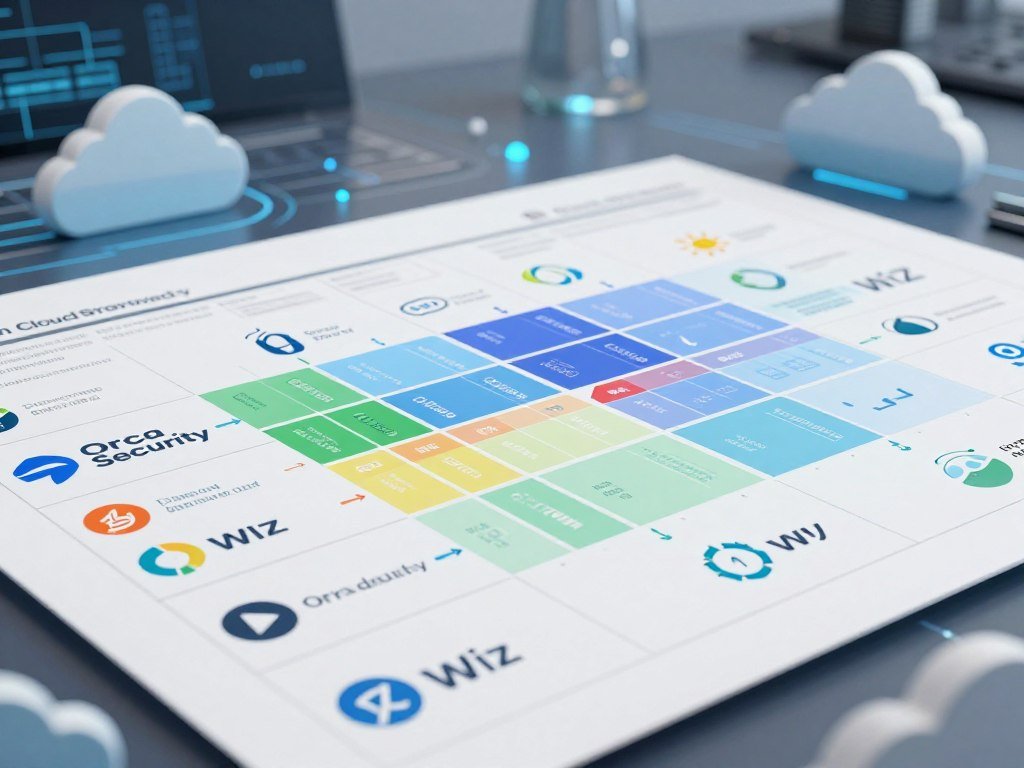
Provider fit matters before feature depth: both platforms include CSPM, CWPP, CIEM, DSPM, AI-SPM, and Kubernetes support. Wiz’s 2026 listed coverage also includes OCI, Alibaba Cloud, VMware vSphere, Kubernetes, and OpenShift.
| Coverage area | Wiz | Orca |
|---|---|---|
| Native cloud providers | AWS, Azure, GCP, OCI, Alibaba Cloud | AWS, Azure, GCP |
| Kubernetes and OpenShift | Kubernetes, OpenShift | Kubernetes |
| Posture and workload protection | CSPM, CWPP | CSPM, CWPP |
| Identity and data security | CIEM, DSPM | CIEM, DSPM |
| AI security posture | AI-SPM | AI-SPM |
Wiz also lists VMware vSphere support, which may matter to organizations with on-premises virtual machines alongside cloud accounts. Orca’s three-provider native coverage can suit teams whose estate stays within AWS, Azure, and GCP.
Shared capability names do not guarantee identical workflows or depth. A buyer should test how each security platform handles the services and account structures in use, including Kubernetes clusters and data stores.
A provider that is not in use today may enter through an acquisition or future infrastructure plan. Check every production and planned environment against the native coverage row before comparing lower-priority features.
How do they prioritize vulnerabilities and exposure?
A critical vulnerability matters most when the affected asset is reachable, valuable, or connected to other exploitable weaknesses. Risk context helps security teams sort scan findings by likely impact instead of treating every alert as equal.
Risk-based triage can combine CVSS, EPSS, CISA KEV entries, asset criticality, and attack-path analysis. CVSS scores technical severity; EPSS estimates the chance of exploitation, and CISA KEV lists vulnerabilities known to be exploited.

Contextual risk and attack paths
Vulnerability scanning can find known flaws, missing patches, misconfigurations, and exposed components. Cloud scan targets may include exposed object storage, overprivileged IAM roles, misconfigured services, and weak authentication.
Active scans send simulated attacks, queries, or requests to test a target. Passive scans analyze traffic without probing the target. Each method offers a different view, and teams should know which scan types apply to their assets.
Container and cloud-native scanning can check images before deployment, scan registries for newly disclosed CVEs, and inspect containers or virtual machines at runtime. Timing matters: an image scan asks whether a build is safe to release, while runtime scanning asks what is happening in a live workload.
For teams tracking web workloads, a PHP exposure monitoring guide shows how version checks and process logs can support investigation. Monitoring helps detect suspicious activity, but teams still need to apply fixed releases and sound access controls.
From discovery to validated fixes
Vulnerability management has five steps. A repeatable process helps teams move a finding from initial detection to a report that shows whether the fix worked.
- Discover vulnerabilities and cloud exposures.
- Prioritize findings by severity, exploit signals, asset value, and reachability.
- Remediate the issue through a patch or configuration change.
- Validate that the change removed the risk.
- Report status, ownership, and remaining exposure.
A severe CVSS score alone may not show whether a flaw is reachable or tied to sensitive data. Attack-path analysis can raise the priority of a flaw linked to a public service and a privileged identity.
Ask whether a finding is exploitable in context and whether the fix can be validated, not just whether a scan returned a CVE.
What changes when you add runtime sensors?
Agentless onboarding can make the first inventory simpler, but live workload visibility is a separate decision. Both platforms promise a full cloud risk profile within 24 hours of connecting cloud accounts, though that promise may not fit every environment.
Periodic snapshots and live sensor telemetry answer different questions. Snapshots show workload state at a point in time, while runtime sensors observe activity as it occurs.
Agentless onboarding and first inventory
Teams usually start by connecting cloud accounts through read-only access. The platform then gathers cloud configuration and asset details to build an initial inventory and risk profile.
Read-only access can reduce changes to production systems during setup. Still, the time needed for a useful first view depends on account size, service mix, and how teams organize their cloud resources.
The 24-hour profile promise gives buyers a useful benchmark for onboarding discussions. Treat it as a stated target, not a guarantee that every account will show complete and useful findings within one day.
Optional sensors for live protection
Both vendors offer optional eBPF-based sensors for runtime protection. eBPF is a way for software to observe activity inside a workload, such as process behavior or network events.
Wiz Defend uses an optional eBPF-based sensor for real-time workload protection. Teams can deploy sensors selectively on workloads where live detection matters most, rather than adding them everywhere by default.
That choice affects deployment effort, telemetry volume, and the signals available to analysts. Periodic cloud scans can show a vulnerable package, while a runtime sensor may show whether a process uses it during live activity.
Some workloads may need only posture checks, while exposed production services may call for live detection. Decide which workloads need real-time telemetry before making an optional sensor part of the deployment plan.
How do developer tools and integrations compare?
A finding is easier to fix when it reaches the developer or operations workflow that can resolve it. Wiz puts more emphasis on code-to-cloud work, while Orca offers shift-left checks and native API discovery.
Wiz Code supports repository, IDE, and CI/CD workflows, while Orca’s shift-left checks do not amount to dedicated SAST. Shift-left means checking code or builds earlier, before software reaches production.
Shift-left code coverage
Wiz Code offers one-click fix pull requests, IDE plugins, and CI/CD capabilities. Those tools can connect a cloud risk to code changes and build steps, helping developers address issues earlier.
Orca offers shift-left checks, but it was not described as having dedicated static application security testing, or SAST. Teams should compare the exact code checks they need instead of assuming both products cover the same development tasks.
IDE and code tools can overlap with products already used by developers. Teams that also review AI coding products can compare workflows in this AI and coding tool overview, though those tools serve a different purpose.
API discovery and workflow integrations
Orca includes native API discovery and drift detection. That can help teams find APIs and track changes in their behavior or setup.
Wiz API security is available through partners or the Wiz Integration Network, rather than the same native feature described for Orca. The Wiz Integration Network includes more than 200 integrations for connecting the platform with other systems.
Integrations can route findings into ticketing, messaging, and security tools already used by a team. This can reduce manual copying, but it also makes ownership rules and alert routing important.
Check whether each finding can reach the right developer or cloud owner with its evidence intact. Map the integrations and code checks your team already relies on before paying for overlapping workflow features.
What should teams expect from pricing?
Neither platform provides a public list price that lets a buyer calculate a reliable total from a website. Custom quotes are the norm, and both vendors require a sales conversation to scope a purchase.
Quote scope can depend on cloud workload count and selected features or modules. Annual contracts are typical for these enterprise purchases, so the subscription is only one part of the cost picture.
| Pricing detail | Wiz | Orca |
|---|---|---|
| Published list pricing | Not published | Not published |
| How buyers obtain a quote | Sales conversation and custom quote | Sales conversation and custom quote |
| Trial or free-tier availability | 14-day trial | No free tier |
The quote can change with the number of cloud workloads and the capabilities selected. Request equivalent scope from each vendor, then confirm in writing what the quote includes.
Compare more than the subscription amount. Internal effort for deployment, alert triage, and ongoing ownership can affect the cost of running either platform.
Annual commitments are typical, so contract length and renewal terms belong in the same review as module scope. A short trial can help test workflows, but it does not replace a full proof of value.
Keep account counts and feature selections consistent when comparing the offers. Compare like-for-like quotes with the same workload scope, modules, and contract assumptions.
How do ownership and compliance affect the decision?
Vendor ownership and authorization can decide a shortlist even when two platforms appear technically suitable. For federal buyers, Orca’s FedRAMP Moderate Authorization can make it eligible for civilian workloads where Wiz is not on that boundary.
Google completed its $32 billion acquisition of Wiz on March 11, 2026. Wiz joined Google Cloud and kept its brand, while Google said Wiz products would continue to work across AWS, Google Cloud Platform, Microsoft Azure, and Oracle Cloud.
Google said Wiz was trusted by 50% of the Fortune 100 when it announced the acquisition in 2026. That figure gives market context, but it does not prove that Wiz fits a particular organization’s controls or risk needs.
Google’s stated multicloud commitment describes the product direction, not a buyer’s governance decision. Organizations still need to assess ownership, data handling, roadmap risk, and internal policy for themselves.
When Wiz is the stronger fit
Wiz may suit organizations that value its broader cloud support and want to assess its Google Cloud ownership as acceptable. Google said products would continue to work across major cloud providers, including AWS and Oracle Cloud.
The acquisition announcement also reported the 50% Fortune 100 figure. That customer context may inform vendor review, but it cannot replace a check against your own security and procurement rules.
When Orca is the stronger fit
Orca received FedRAMP Moderate Authorization in February 2025. Civilian federal buyers may need that authorization to meet workload eligibility rules, while Wiz is not on the civilian FedRAMP boundary.
Use a short governance checklist before choosing a platform:
- Confirm acceptable ownership and roadmap risk.
- Verify applicable compliance boundaries.
- Document required cloud-provider coverage.
- Involve procurement and governance reviewers early.
Ask procurement and compliance teams to confirm their requirements before treating either platform as eligible.
What should a proof of value test before a purchase?
A useful proof of value uses the cloud assets, identities, and workflows your team actually has. Realistic tests show whether a platform can find important risks and help the right people act on them.
Set pass-or-fail measures before testing begins, including which findings must appear and how quickly teams must respond. A clean demo account may not reveal how the product handles your real account structure or alert volume.
Run a workload-specific proof of value
Use a short checklist to keep the test tied to daily security work:
- Use representative AWS, Azure, and GCP accounts.
- Include a public exposure and an overprivileged identity.
- Test a vulnerable container image.
- Measure alert context and analyst triage effort.
- Check ticketing and developer handoffs.
Ask each vendor to show how an analyst moves from a finding to a clear owner. Record whether the platform gives enough context to rank the issue without several separate searches.
Include both a build-time test and a live workload test if containers are part of your environment. The two checks answer different questions: whether an image should ship and whether a running workload is exposed.
Keep SIEM and CNAPP roles distinct
A CNAPP focuses on cloud-native application and infrastructure risk. A security information and event management system, or SIEM, collects and analyzes security events across systems.
Many organizations can use both tools, since cloud risk posture and event analysis serve different jobs. A SIEM may help investigate activity across a wider security environment, while a CNAPP focuses on cloud assets and their relationships.
Other CNAPP options to evaluate include Orca, Prisma Cloud/Cortex Cloud, and FortiCNAPP. CrowdStrike Falcon’s Next-Gen SIEM Express is an adjacent SIEM capability, not a like-for-like CNAPP comparison.
Do not treat a SIEM feature as proof that a product replaces a CNAPP, or the reverse.
Before the test, name the findings that must be detected and the people who must receive them. Set pass-or-fail criteria before the evaluation starts, including which findings must be detected and how quickly a team can act on them.
Conclusion
Choose the platform that fits your highest-priority constraint, not the one with the longest checklist. Wiz fits teams prioritizing breadth, attack-path correlation, and developer tooling. Orca fits teams whose federal authorization needs or focused agentless approach are decisive.
When neither profile clearly wins, compare both in a proof of value. Write down the cloud accounts, high-priority risks, compliance needs, and integrations each finalist must support.
That list gives your team a test plan based on real work, not vendor claims alone. Take that shortlist into a scoped proof of value using your own cloud accounts.
FAQ
Does Wiz have a vulnerability scanner?
Yes, Wiz scans for known vulnerabilities, missing patches, misconfigurations, and exposed components. Cloud and container findings can be assessed before deployment and at runtime, which helps teams see risk at different stages. A scan result still needs context, such as reachability, asset value, and links to other exposures. Teams can use those details to set a sensible fix order.
Is Orca Security a good company?
Orca can be a good product-fit option for teams using AWS, Azure, and GCP, especially when FedRAMP Moderate authorization matters. That is a platform-fit judgment, not an employer or investment rating. Buyers should test how its findings match their workloads and daily processes. A proof of value can show whether the platform gives analysts enough context to assign and validate fixes.
Who are Wiz security’s main competitors?
Orca, Prisma Cloud/Cortex Cloud, and FortiCNAPP are adjacent CNAPP options to evaluate. CrowdStrike Falcon also includes Next-Gen SIEM Express, but that is a SIEM capability, not a direct CNAPP comparison. A shortlist should match the product category to the team’s main needs. Compare cloud risk coverage separately from tools built to collect and analyze security events.
Is Wiz considered a SIEM?
No, Wiz is a CNAPP focused on cloud risk and protection. SIEM products collect and analyze security events from systems across an organization. The tools can serve different jobs, so some teams use both. A CNAPP can show cloud exposures and connected risks, while a SIEM can help analysts review events from a wider set of sources.
Is Wiz owned by Google?
Yes, Google completed its $32 billion acquisition of Wiz on March 11, 2026. Wiz joined Google Cloud and kept its brand. Google said Wiz products would continue to work across AWS, Google Cloud Platform, Microsoft Azure, and Oracle Cloud. Buyers should still review ownership and product governance against their own policies and procurement needs.
Does Orca Security require an agent?
Orca’s core SideScanning approach is agentless, but the platform also offers an optional eBPF-based sensor for real-time runtime protection. That means agentless-first does not mean every capability works without sensors. Teams can decide whether live workload signals are important for selected systems. The core snapshot approach can still provide workload detail without installing an agent on every workload.



