You can get useful everyday protection without paying, but the right free option depends on the device you use and the protection you expect. Real-time protection is security software that monitors activity continuously and blocks threats as they appear, instead of waiting for a manual scan. That can help reduce risks from malware and phishing while you browse the web.
Your choice also depends on whether you need ongoing monitoring, which operating system you use, and how you feel about optional extras. Free versions can offer less than paid plans, and some add tools you may never use. This comparison will help you weigh protection, privacy, and ease of use without treating every app as the same.
Key Takeaways
- Choose an app that supports your operating system.
- Check whether the free version provides real-time protection.
- Extra tools may have limits or require payment.
- A cleanup-only app cannot replace ongoing threat blocking.
- Review privacy settings before keeping a security app.
Start by checking whether your device already has active security before installing another app.
Best Free Antivirus for Most Users
For most people who want free, ongoing protection on a Windows PC, Bitdefender Antivirus Free is the clearest starting point. It focuses on core protection, while your platform and need for extra tools can point to a different choice.
Bitdefender Antivirus Free is the main Windows pick for real-time protection. Avast One Free and AVG AntiVirus Free are alternatives when you want broader platform coverage. Microsoft Defender Antivirus is already built into Windows, so you can use it without adding another app.
For the best free antivirus for Windows, start with Bitdefender if core monitoring is your priority. The best free antivirus for Windows 10 also depends on which version you use and whether you want added features. There is no single best antivirus in 2026 for every device, but this is a practical Windows starting point.
| Product and version | Protection out of 6 | Performance out of 6 | Usability out of 6 |
|---|---|---|---|
| Avast Free Antivirus 26.6 | 6/6 | 6/6 | 6/6 |
| AVG Antivirus Free 26.6/26.7 | 6/6 | 6/6 | 6/6 |
| Microsoft Defender Antivirus (Consumer) 4.18 | 6/6 | 5.5/6 | 6/6 |
AV-TEST’s July and August 2026 Windows 11 home-user test gave these products the scores shown above. Those results describe the tested versions, not every free antivirus program or every computer.
Choose a Windows product for the device and features you need, not for a universal “best” label.
The scores give you a useful comparison, but they do not decide which app feels right on your PC. A reader who wants a quiet tool may prefer a focused antivirus, while someone seeking added utilities may accept a larger suite. Match the shortlist to your operating system before downloading anything.
How Should You Compare Free Antivirus Programs?
A useful free option must block threats reliably without making everyday work frustrating. Compare protection and performance together, then check whether the software is easy to use and clear about paid features.
A high protection score alone cannot show whether a program suits an older PC or a reader who needs a particular platform. AV-TEST’s August 2026 Windows home-user evaluation covered 15 security products with default settings and current public versions. Its TOP PRODUCT label requires at least 17.5 points out of 18 across protection, performance, and usability.
Independent detection and real-time blocking
Check whether antivirus software watches activity as it happens, rather than only scanning when you start a check. Good detection should help block malware, while removal tools should help clear threats already on the system.
Test results can show how products handled a set of threats under specific conditions. For example, AV-Comparatives tested 200 live malicious URLs on an up-to-date Windows 11 system in July and August 2026. Its Real-World Protection Test factsheet reports results for that test, not a promise about every web threat.
System impact and everyday use
Performance matters during background activity and scans. A program that slows an older PC may be a poor fit, even if its detection scores look strong. Notice whether common tasks, such as opening files or browsing, still feel smooth.
Also check what happens during a full scan. Some scans use more system resources than background protection, so the timing and frequency can affect your daily work.
Usability, updates, and trust
Setup should make it clear which protections are active and what needs attention. Regular updates help the software respond to new threats. Look for simple update controls and plain descriptions of optional paid features.
- Real-time protection that monitors activity.
- Detection and removal for malware.
- System impact during scans and background work.
- Ease of use, including clear settings.
- Regular updates to the software and threat definitions.
Free antivirus programs can have similar feature lists but very different effects on your system. A detailed test can help, yet it cannot replace checking your own needs. Compare protection, performance, and usability together rather than treating one test result as the whole decision.
Is Bitdefender Antivirus Free a Good Windows Pick?
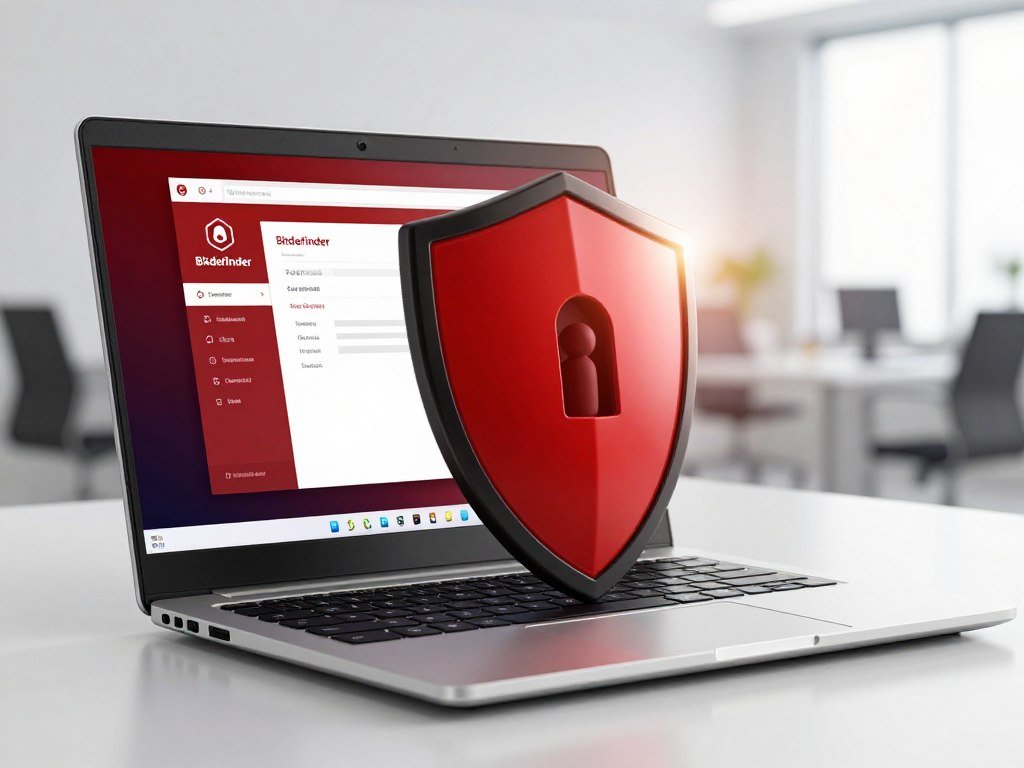
A Windows user who wants quiet, ongoing protection and few extra tools will find Bitdefender Antivirus Free a focused option. It offers basic protection against viruses and cyber threats on Windows 10 and Windows 11.
The free product has no validity due date and can be used permanently at no cost. Its lean feature set suits users who want antivirus software without a large suite of extras. Bitdefender Antivirus Free is a separate product from Bitdefender Total Security, which has a different feature set.
The free app also includes a basic VPN for encrypted traffic. It allows up to 200 MB per device per day. That limit can work for a brief task on public Wi-Fi, but it is not a full-day data allowance.
Unlimited traffic and the ability to select a server location require a paid VPN plan. The VPN is a separate service, so the free antivirus does not include full VPN access. Check the feature names carefully when comparing Bitdefender antivirus products, since the free and paid plans do not offer the same tools.
Some users want a security app that stays in the background and keeps its attention on threats. Others may prefer a larger set of features in one place. The free app’s narrower scope can be a benefit if you do not need extras and want a straightforward Windows option.
Treat the 200 MB daily VPN allowance as occasional encrypted browsing, not a replacement for unlimited VPN service.
How Do Avast One Free and AVG AntiVirus Free Compare?
Avast’s free option leans toward added security tools, while AVG’s free version emphasizes browsing, email, and system checks. Their extras differ, so choose based on which ones you will use and what limits you can accept.
Avast One and AVG both add features beyond core antivirus protection, but some tools have limits or ask you to upgrade. PCMag named Avast One Free and AVG AntiVirus Free Editors’ Choice winners in the free antivirus category in 2026. Those recommendations do not mean their features or system impact are identical.
Avast One Free for extra security tools
Avast One Basic includes file ransomware protection, which can help guard selected files against ransomware. Its VPN is limited to 5 GB per week, with no server choice in the free edition. That limit applies to Avast One Basic, not as a blanket rule for every product named Avast One Free.
The added tools may appeal if you want more than basic antivirus features in one app. Still, check which edition you are installing and what its VPN allows. A weekly data cap can be useful for occasional encrypted browsing, but it does not provide unlimited VPN use.
PCMag’s Avast One review describes differences between its free and paid editions. Use the edition name when comparing features, since similar product names can refer to different plans.
AVG AntiVirus Free for browsing and email
AVG AntiVirus Free includes Email Shield and safe-browsing tools. These can add checks for email and web threats. AVG also offers a performance-tuneup scan that points out issues on your device.
Fixing issues found by that tune-up scan requires an upgrade. The scan can still help you spot areas to review, but the free version does not resolve every finding for you. AVG also gives free users limited support through community resources.
CNET named AVG its best antivirus for device optimization in 2026 and scored it 7.8 out of 10. CNET lists safe-browsing and device-optimization features, along with high system-resource use as a drawback. That caveat matters if you run an older computer or already notice slowdowns.
AVG’s added email and browsing tools may suit someone who wants those checks in one antivirus program. The tune-up scan is less helpful if you expect it to repair every issue without payment. If your PC already feels sluggish, weigh AVG’s optimization features against its reported resource use before choosing it.
Is Microsoft Defender Enough for Windows?
If you use Windows 10 or 11 and want protection without installing another app, Microsoft Defender is the simplest place to start. It is built into Windows and runs when no other antivirus is present.
Microsoft Defender Antivirus scored 6/6 for protection and usability, and 5.5/6 for performance. That was its result in the July and August 2026 Windows 11 home-user test. Its built-in status makes it a convenient choice, though it has a more limited set of extras than some dedicated free products.
Defender offers a solid starting point if you want antivirus protection without another download or account. It can be enough for someone who values a simple setup and needs core security features. A separate app may make sense if you want specific tools that Defender does not provide.
Defender versus AVG comes down to convenience and extras. Defender is the simpler no-install choice. AVG suits someone who specifically wants its email and browsing tools and accepts its reported system-resource use.
Running two real-time antivirus tools at once can cause conflicts or slowdowns. Windows usually manages the active antivirus status when another product is installed. Check Windows Security to confirm which antivirus is active before adding another real-time tool.
When Do Avira, Malwarebytes, or Panda Make Sense?
Choose Avira when its bundled utilities matter, Malwarebytes when you need an on-demand cleanup tool, and Panda when its limited VPN or recovery option fits your use. These tools serve different roles, especially when you need ongoing protection.
Malwarebytes Free does not provide real-time protection, so it cannot replace an active antivirus that blocks threats continuously. Avira Free Security offers a different mix of utilities, while Panda adds a limited VPN and recovery tool.
Avira Free Security for extra utilities
Avira Free Security includes a VPN and a password manager. The VPN limit is 500 MB per month, and many features need payment for full functionality. Check which tools work in the free version before relying on them for daily use.
ZDNET named Avira Free Security its best free antivirus software in its 2026 recommendations. ZDNET described it as resource-light, with fast scans and a limited VPN. Those points may appeal if you want extra utilities without a large system load.
Malwarebytes Free for on-demand cleanup
Malwarebytes Free is suited to on-demand malware removal. It scans when you choose to run it, rather than monitoring activity in real time. That makes it a possible companion to an active antivirus, not a substitute for continuous threat blocking.
Malwarebytes Premium has a 14-day trial. When the trial ends, the app reverts to the free version. If you rely on it after that change, remember that its free version no longer provides the Premium features.
Bitdefender and Malwarebytes received joint 8.8 out of 10 best-overall recommendations in 2026 for paid products. That recognition applies to paid products, so it does not establish the quality or feature set of Malwarebytes Free.
Panda for a limited VPN and recovery tool
Panda’s free VPN allows 150 MB per day. The free tools include Windows and Android apps, plus a recovery tool. That tool may help when a device has a serious problem and normal startup or cleanup is difficult.
These three options can fill a narrower need, such as a password manager, a manual scan, or a recovery aid. Before you install one, decide whether you need it to watch for threats continuously or only help with a specific task. Do not leave a device relying only on Malwarebytes Free if you need continuous threat blocking.
Which Free Antivirus Fits Your Device?
The first compatibility check is whether the free app protects the exact device and operating system you use. Mobile coverage can differ from desktop protection, even when the product name stays the same.
Do not assume that a desktop feature works the same way on a phone. The options below show which apps are listed for each platform, but each version can offer a different set of tools.
Windows PCs
Windows users can choose Bitdefender Antivirus Free, Avast One, AVG, Avira, or Microsoft Defender. Defender is built into Windows, while the other options require you to install their app. The right pick depends on your needs, not just the number of features.
Mac, Android, and iPhone
Avast One Free is listed for macOS, Android, iOS, and Windows, with limited protection on iOS. AVG AntiVirus Free is available for Windows, Mac, Android, and iOS. Their phone features may not match their desktop tools.
| Platform | Free options in this guide | Practical note |
|---|---|---|
| Windows | Bitdefender Antivirus Free, Avast One, AVG, Avira, Microsoft Defender | Defender is built into Windows 10 and 11 |
| macOS | Avast One, AVG, Avira, Malwarebytes | Check the Mac app’s included features |
| Android | Avast One, AVG, Avira, Malwarebytes, Panda | Phone tools may differ from desktop tools |
| iOS | Avast One, AVG | Avast One protection is limited on iOS |
Bitdefender Total Security is a separate paid option for Windows, Mac, Android, and iOS. It covers up to 10 devices, but its features are not the same as Bitdefender Antivirus Free.
- Operating system: Does the app support your exact system?
- Number of devices: How many devices need coverage?
- Real-time protection: Do you need continuous monitoring?
- Mobile features: Do they match the desktop version?
Check the app’s scope before you judge its protection by its brand name. On iPhone, confirm the app’s specific protection scope instead of assuming it offers desktop-style scanning.
How Can You Install Free Antivirus Safely?
Download antivirus software only from the provider’s official site or a trusted app store, then check what runs in the background. A safe setup also includes current updates and a clear look at privacy settings.
Use an official download, automatic updates, and a first full scan as your basic setup routine. A weekly full scan is a practical schedule for many users, not a universal rule for every device.
Download, update, and scan
- Download the app from the provider’s official site or a trusted app store.
- Follow the installation prompts and review any optional settings.
- Enable automatic software and threat-definition updates.
- Run an initial full scan, then set a regular scan schedule.
Automatic updates help keep the software and its threat definitions current. A weekly full scan can fit a home routine, while your device use and app settings may call for a different schedule.
Check privacy and account security
Review the app’s permissions and privacy settings before you keep it. Use unique passwords for accounts and turn on two-factor authentication when available. Avoid unexpected email attachments and links, even when a message looks familiar.
In 2024, the FTC settlement with Avast required a $16.5 million payment and barred selling, disclosing, or licensing browsing data for advertising. The settlement resolved allegations that Avast and its subsidiary Jumpshot sold browsing data to more than 100 third parties.
A security app should protect your device without leaving you unsure about how it handles browsing data.
The settlement covered consumers who bought Avast antivirus between August 2014 and January 2020. Around February 24, 2025, the FTC began emailing notices to 3,690,813 potentially eligible consumers. The claim-form deadline was June 5, 2025, so that deadline has passed.
Before keeping any free security app, review its privacy settings and make sure automatic updates are enabled.
Conclusion
The best fit is the one that protects your device consistently without adding features you will not use. Start with one real-time product that matches your operating system and offers the kind of monitoring you need.
A cleanup-only tool can remove malware during a scan, but it does not replace continuous protection. Keep your setup simple enough that you can see which app is active and whether it stays updated.
Check which security app is active on your device, then install one suitable free option from its official source if you need a change.
FAQ
Do I need antivirus on my phone?
Yes, your phone still benefits from security protections, but choose an app built for its operating system. Mobile apps may scan links or warn about unsafe sites instead of scanning files like desktop software. Check the app’s exact features and permissions before installing it. Keep your phone’s operating system updated, and use its built-in privacy and security settings as well.
Which is better, Windows Defender or AVG Free?
Microsoft Defender is the convenient built-in choice, while AVG adds email and browsing features. Defender runs when another antivirus is not present, so you can get protection without installing another app. AVG may suit you if you want its extra tools, but high system-resource use is a listed drawback. Pick the one that fits your PC and habits.
Is Avast Free Antivirus safe?
Avast Free Antivirus offers protective features, while its privacy record raises a separate concern. The FTC’s 2024 settlement resolved allegations about Avast and Jumpshot’s handling and sale of browsing data. It required a payment and barred selling, disclosing, or licensing browsing data for advertising. A settlement resolves allegations; it does not prove every allegation as a separate finding of fact.
Why is Avast so shady?
Concern centers on FTC allegations that Avast and its subsidiary Jumpshot collected and sold browsing data to third parties. The 2024 settlement resolved those allegations and restricted Avast from selling, disclosing, or licensing browsing data for advertising. That history may affect your comfort with the product, even as you assess its antivirus features separately. Review privacy settings before deciding.
What is better, Norton or Avast?
This free-focused comparison does not establish a winner between Norton and Avast. Both brands offer products with different features, prices, and device limits, so compare the specific paid plans you are considering. Check current independent test results and see whether each plan supports your devices. Then weigh its extra tools against what you will actually use.
What are the top 3 antivirus?
For free Windows protection, compare Bitdefender Antivirus Free, Avast One Free, and AVG AntiVirus Free. Bitdefender is a focused starting point for real-time protection, while Avast and AVG offer different extra tools. Your choice should reflect platform fit, the features you want, and tradeoffs such as resource use or limited tools. A single ranking cannot fit every user.
Is Avast worth it anymore?
Avast One Free may suit you if you want protection across several platforms, but its iOS protection is limited. Its added tools may be useful if they match your needs, while the privacy history may affect your comfort with the product. Check the features for your exact device and review privacy settings before you decide to keep it.
Is Avast or McAfee better?
This comparison does not establish a head-to-head winner between Avast and McAfee. Compare current independent test performance, device coverage, and the features in the specific plans you are considering. Paid extras may matter if you need them, but they can add cost without helping your daily use. Check that each plan supports every device you want to protect.



