
A quick browser game can turn a few spare minutes into a race, a drift challenge or a relaxed drive. You might want a burst of speed between tasks, or a longer adventure that rewards practice. The right choice depends on the pace you enjoy, the challenge you want and the time you have.
Players can choose more than a race against the clock. Some games test careful driving, while others focus on stunts, traffic or setting a new score. This directory helps you compare those goals and find a good fit for your device and mood. You can start with a quick run, then move to a deeper challenge when you have more time.
Choosing a play style first makes it easier to find a game that fits your time and mood.
Key Takeaways
- Match the game’s pace to the time you have.
- Pick a goal, such as racing, drifting or careful driving.
- Check the game’s controls before starting a long session.
- Choose a title that suits your device and preferred challenge.
- Try a short run before settling into a longer game.
How to Play Free Online Auto Games in a Browser
Many free car games launch in a browser, so you can try a title without first installing an app. Free online auto games without downloading are available through sites such as Poki, CrazyGames and Coolmath Games. The title and platform determine whether browser play works on your device.
Browser-game collections include free titles, and advertisements may help pay for access. For example, now.gg lets users play Android racing games from a PC or mobile browser without downloading or installing them. A site’s game collection and launch options can differ by title.
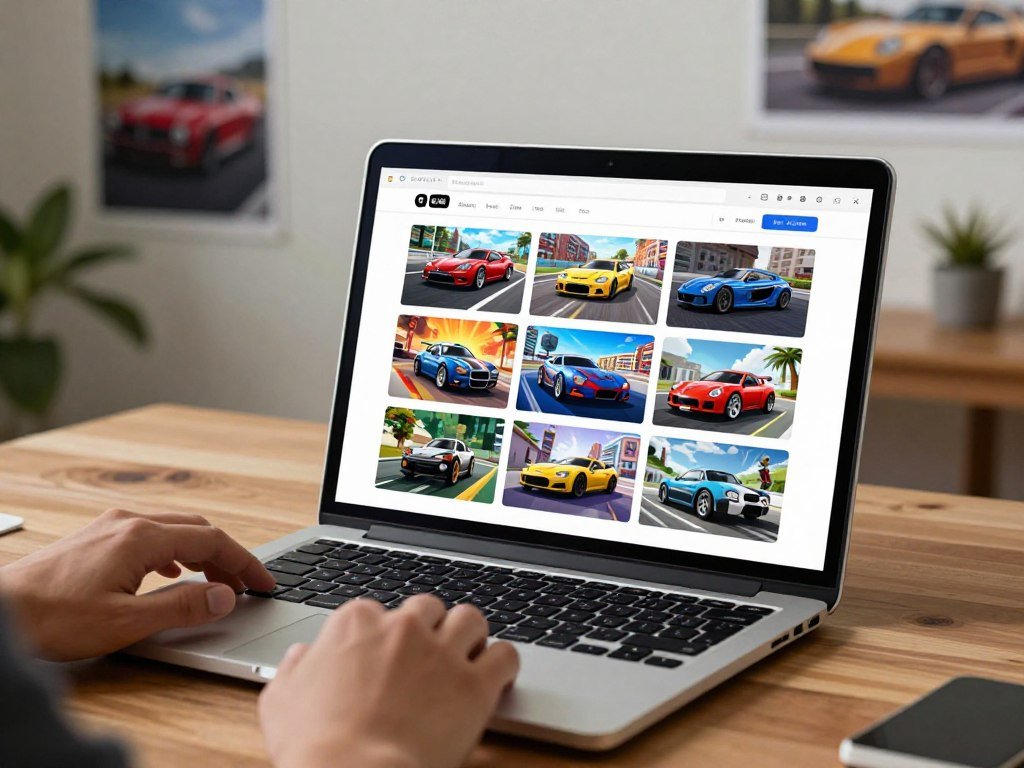
A browser listing does not guarantee that every game runs on every device.
Use this quick process to play car games without adding an app first:
- Open a browser-game directory on your device.
- Choose a driving or racing title that suits your mood.
- Let the game load, then confirm it responds before starting a longer session.
A website may show ads before or during play because advertising can support free access. The ad setup differs between sites, so a game may feel less interrupted than another. If a title needs an account or special settings, its launch page should explain that before you begin.
Check the game’s launch page on your device before committing to a longer session.
Which Type of Car Game Matches Your Play Style?
If crossing the finish line matters most, start with a racing game; choose a platform challenge when precision matters more than speed. Car racing games online range from short races to traffic runs, so pick the goal you want to practice. Racing games reward clean turns and steady pace.
Each car game tests a different skill, from timing a turn to handling a crowded road. The cars, track design and win condition shape the feel of a run. A high-speed race may suit you one day, while a careful driving challenge may fit another.

Racing and battles with a finish line
Grand Prix Hero and Cyber Cars Punk Racing put the finish line at the heart of the race. Smash Karts and Demolition Derby Crash Racing pit drivers against other players, adding battles to the competition. In each format, the main goal is clear: reach the finish or outlast a rival.
Busy roads call for a different kind of focus. Rush Hour centers on navigating heavy traffic, while MR RACER asks you to weave through traffic. Racing Limits adds highway racing, where quick choices matter as cars fill the road.
Drifting, stunts and open-world driving
Drifting rewards turn timing, while platform games such as Drive Mad and Monster Tracks test control over tricky routes. Sling Drift focuses on drift timing, and Rally Racer Dirt offers drift races on dirt and asphalt. For more drift picks, compare drifting games by style.
Open-world games such as Crazy Cars and City Rider let you explore instead of chasing one fixed race. Parking missions and vehicle customization also give car games goals beyond racing. These options can suit you when you want a task with less focus on raw speed.
Pick the goal you want to repeat, whether that is a clean lap, a well-timed drift or a successful parking run.
Which Racing and Drift Games Are Worth Trying?
For a quick score run, try Drift Boss; choose Drift Hunters Pro when earning and unlocking rides is the draw. Drift Hunters MAX is the highway-focused alternative, with Highway Mode and a campaign. These picks suit different players, from short runs to longer progression.
Choose Drift Boss for quick timing, Drift Hunters Pro for career progress, or Drift Hunters MAX for highway drifting. The table compares each car game by its main appeal and standout feature. That makes it easier to find the best car games for the kind of session you want.

| Game | Best fit | Mode or progression | Standout feature |
|---|---|---|---|
| Drift Boss | Short score runs | One-button drifting challenge | 50-coin Car Insurance |
| Drift Hunters MAX | Highway drifting | Highway Mode and campaign | Lane-splitting and multipliers in 2026 |
| Drift Hunters Pro | Career progression | 40-level career | Earn cash and unlock rides |
Drift Boss challenges you to guide a car through twists and turns, then set a record. Its 50-coin Car Insurance costs 50 coins. That purchase is a specific in-game feature, not a promise of real-world coverage.
Drift Hunters has keyboard-optimized controls and realistic weight transfer, which suits players who want more deliberate control. Drift Hunters Pro offers a 40-level career where players earn cash and unlock rides. Drift Hunters MAX adds lane-splitting, or driving between lanes of traffic, along with multipliers in 2026.
In Drift Boss, stay near the center of the track and anticipate each corner before tapping.
Which Driving Simulators Offer More Control?
For structured vehicle practice, Car Driving School : Car Games offers more than one control style and several vehicle types. Its broad practice setup includes traffic systems, separate licenses and a damage system. Lambo Driving Simulator is a single-player choice for driving a Lamborghini across several device types.
Car Driving School : Car Games includes 25 vehicles and three in-game control options. Those details make it a more structured simulator than a simple score run. The two titles suit different interests, from varied vehicle practice to a Lamborghini-focused drive.

Car Driving School : Car Games and its practice features
The 25 vehicles include cars, buses, trucks and jeeps. You can choose Button, Tilt or Steering controls, then drive around AI traffic and AI traffic lights. Separate licenses cover cars, buses, trucks and jeeps, giving each vehicle type its own practice path.
The game also has a realistic damage system, detailed vehicle interiors and realistic 3D environments. Those features add detail to each drive, while the traffic systems create more to manage than an open track. A truck run, for example, gives you a different vehicle to handle than a car trip.
Searches for car games with a steering wheel and free downloads can mix up three different things: an in-game control choice, a physical steering-wheel peripheral and a downloaded app. The game’s Steering setting describes an in-game option. It does not confirm support for a physical wheel or promise free downloadable access.
Lambo Driving Simulator across devices
Lambo Driving Simulator is a single-player game for phones, tablets and desktop devices. Its listed update date is December 15, 2025. Its Google Play listing had a 3.5 rating from 3.72K reviews.
That device range may interest you when looking for Lamborghini games free online, but it does not confirm browser play. The title is a simulator-style option focused on one player and Lamborghini driving. Check its launch page to see how it starts on your chosen device.
A car driving simulator can feel more involved when you use its traffic, vehicle and license systems. The right setup still depends on how you want to control the car. A listed setting named Steering is not the same as a physical peripheral.
Treat an in-game Steering setting as a control option, not proof that a physical wheel is supported.
What Works Best on a Phone, Tablet, or PC?
A keyboard-driven PC game and a touchscreen game can feel very different even when both put you behind the wheel. Choose a device that suits the input you find comfortable and the kind of driving you want. A PC often uses a keyboard, while phones and tablets use touchscreen controls.
Game controls and device compatibility depend on each title’s own setup. A table can help you compare common inputs, but a game may handle them in a different way. A parking task, a police category or a race can also call for different skills.
| Device | Common input | A useful fit |
|---|---|---|
| PC | Keyboard | Acceleration and braking |
| Phone | Touchscreen | Quick touch-based play |
| Tablet | Touchscreen | A larger touch display |
Touchscreen controls suit a quick phone run, while a larger tablet display gives you more room to see the track. For more options across phones and tablets, browse mobile games for different play styles. The best category for you may depend on whether you want parking, racing or a police-themed drive.
Before you start, use this three-item checklist:
- Read the game’s control instructions.
- Test the inputs in a short run.
- Confirm the game supports the device you are using.
Test the controls in a short run before investing time in a longer challenge.
Can You Play Alone or Race With Friends?
A solo run suits players chasing their own progress, while a multiplayer mode adds competition with other people. Your session format can change how a race feels, even when the track stays the same. Some games offer a career, while others focus on head-to-head play.
A two-player label does not tell you whether a game is local or online. Many free browser car games offer two-player modes, but the exact setup differs by title. Check the mode before inviting someone to join.
Solo runs and career progress
A solo player can practice a course, chase a better result or work through a career. Crazy Grand Prix combines online multiplayer with a 20-race career, cockpit-view battles and upgrades. That mix gives players both a structured goal and a way to compete online.
Some games make a single run the main event, while others reward steady progress over several races. A finish line gives you a clear result, but a career can offer another reason to return. Choose based on whether you want a quick match or a series of goals.
Online races and two-player modes
Online play connects you with other players, while local two-player play keeps both players on the same device or setup. The game’s mode label may explain which one it offers. For bigger console races, compare PS5 racing games by play style.
Use these questions to choose a session:
- Do you want to play alone or with another person?
- Does the game offer online play or local two-player play?
- Are you aiming to race, battle or progress through a career?
A career gives a solo player a goal beyond winning one race.
Check whether the game’s two-player option is online or local before setting up a session.
Conclusion
The right pick is the one that matches the kind of driving challenge you want today. Think about your available time, the device in front of you and the controls that feel comfortable. A quick score run and a longer career can suit very different moods.
Start with a title that fits your session, then give its controls a brief test before committing. A short run can show whether the pace and input feel right. Choose a title, launch it on your device and try a short run before settling in.
FAQ
Do free online car games work offline?
Most browser car games need an internet connection to load, so they usually do not work offline from the start. Offline access depends on the specific game and whether it supports it. A game that loads in a browser may still need a connection during play. Check its settings for an offline mode before leaving a network.
How do free browser car games make money?
Advertising can support free access to browser car games. Sites may show ads before a game starts or during play, and placement and frequency depend on the site. Some titles may use other ways to earn money, such as optional in-game purchases. Check a game’s page if you want to know what appears during play.
Do browser car games save progress between visits?
Some browser car games save progress between visits, but saving depends on the title and its settings. A game may use an account or browser storage to keep a profile or score. Clearing browser data can affect stored progress. Check the game’s save options before closing if you want to keep a run or career record.
Can I play browser car games on a Chromebook?
Some browser car games may work on a Chromebook, but each title has its own device needs. Check the game’s compatibility and whether your network allows access. A browser title is not automatically available on every school network. If the page loads but play fails, the game or network may not support your setup.
Can I play browser car games without creating an account?
Some browser car games let you start without signing in. An account may be needed for features such as saved profiles or online rankings. The game’s launch page usually shows whether sign-in is required before you play. If you only want a quick run, choose a title that offers guest play or starts without a profile.



