

What good is a 47 TOPS neural processor if you cannot add memory three years later? That question drives every AI PC buying decision heading into 2027, and the answer differs sharply depending on which machine you pick. Some laptops are sealed shut, with RAM soldered to the package and nothing to upgrade but the SSD. Others were redesigned around replaceable modules, scoring 9/10 on iFixit’s repairability scale. Both can carry the same Copilot+ sticker. This comparison lists the trade-offs by design type, so you can match a machine to how long you actually plan to keep it. (Zendesk ai vs freshdesk freddy 2027 helpdesk ai comparison)
2027 Upgradeability at a Glance
The market has split into three camps. Soldered and sealed machines glue memory into the processor package for speed and efficiency. Slot-based machines keep SO-DIMM or CSO-DIMM slots so you can add RAM later. Modular machines go further, letting you swap whole mainboards or compute modules.
| Design type | Memory upgrade | Storage upgrade | NPU upgrade | Best for |
|---|---|---|---|---|
| Soldered / on-package (Lunar Lake, Apple Silicon, Strix Halo) | No | Usually yes (M.2) | No | Buyers who pick max RAM upfront |
| Slot-based (SO-DIMM / CSO-DIMM) | Yes, up to platform ceiling | Yes | No | Budget-conscious buyers, LLM tinkerers |
| Modular (Framework-style, select Dell lines) | Yes | Yes | Yes, via module swap | Long-term owners, fleet buyers |
The key insight: NPU upgradeability barely exists in mainstream laptops. You buy the neural engine you will live with. Memory and storage are where flexibility actually lives, and that is where the comparison should focus. (Best ai loan comparison apps 2027 actually works)
Why RAM Is the Real Battleground
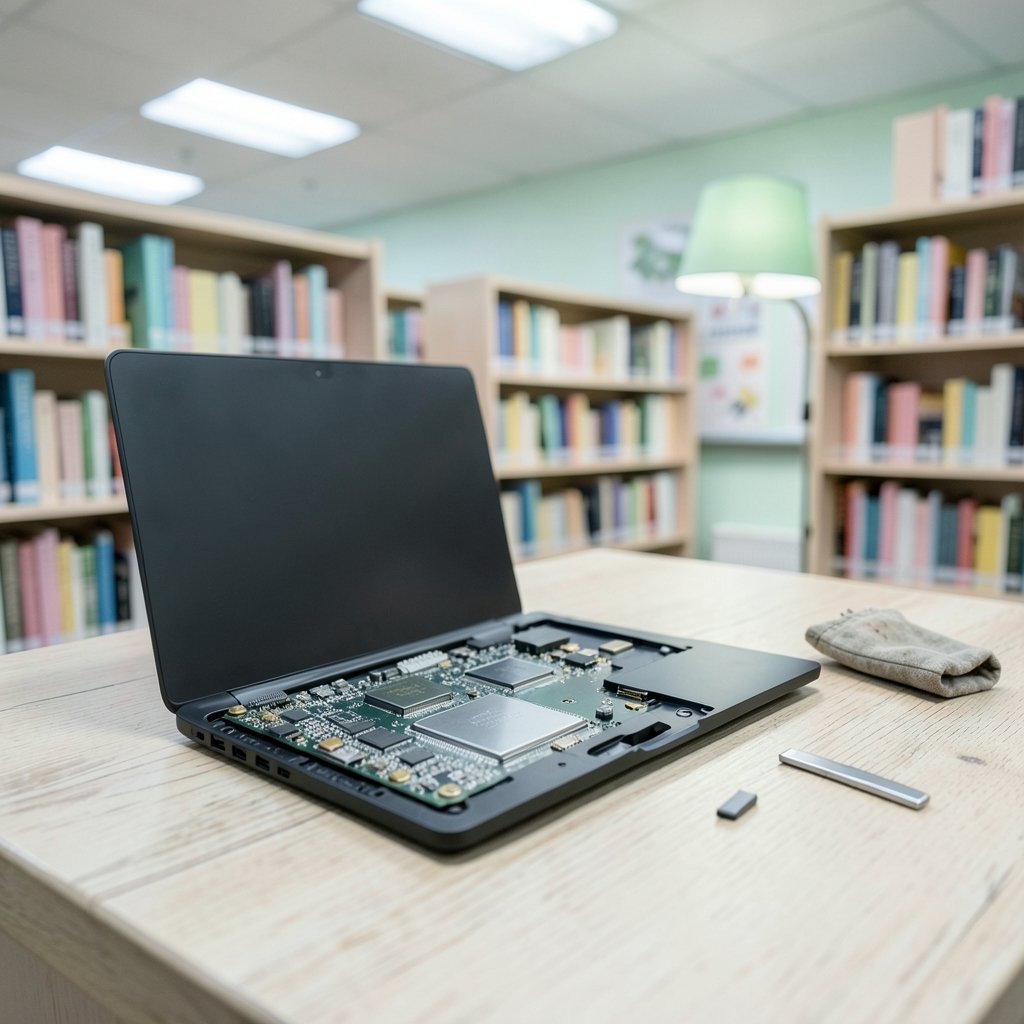
Vendors have a strong technical reason to solder memory. Local AI workloads lean hard on memory bandwidth, and the closer RAM sits to the processor, the lower the latency and power draw. Intel’s Lunar Lake platform puts memory on package with a maximum of 32GB. AMD’s Ryzen AI Max+ 395 uses 256-bit LPDDR5x with up to 128GB, and AMD’s technical documentation notes the GPU can claim up to 112GB of that pool.
That is genuinely fast. It is also genuinely fixed. As one analysis of the shift puts it, buying the wrong capacity is no longer a matter of adding a stick later; it becomes a decision you live with for the machine’s whole life. Apple demonstrated the model years ago: unified memory is chosen at purchase and never upgraded.
The practical consequence for 2027 buyers is simple. If you plan to run local models, decide your RAM ceiling before you pay, not after. A machine with 16GB soldered will still be a 16GB machine when larger local models arrive.
The Slot-Based Alternative: Slower Bandwidth, Bigger Ceiling
Slot-based designs accept a bandwidth penalty in exchange for a much higher ceiling. A documented comparison of two AI development workstations makes the trade-off concrete. One configuration uses on-package memory capped at 96GB with very high transfer speeds (9600). The other uses two CSO-DIMM slots running DDR5-7200, slightly slower, but capable of 64GB per module for 128GB total.
For anyone running large local language models, that 32GB gap matters more than the bandwidth difference. The analysis concludes that if 128GB is a hard requirement for the next five years, the slot-based machine with user-installed modules is the correct pick. If raw compute speed is everything, the sealed 96GB design wins.
This is the single most useful upgradeability lesson for 2027: check whether the memory ceiling is a wall or a door. A 32GB soldered laptop and a 32GB slotted laptop look identical on the spec sheet and behave completely differently in year four.
What the Business Laptop Shortlists Reveal
Business buyers face the same split. A five-model shortlist of AI laptops for 2027 purchases shows how inconsistent the market is:
- The HP EliteBook X G1i offers 16GB or 32GB onboard memory, not upgradable.
- The Lenovo X1 Carbon Gen 13 with the 258V chip reaches up to 47 NPU TOPS and qualifies as a Copilot+ PC, while the 255U variant manages roughly 12 NPU TOPS.
- The Surface Laptop for Business 8 offers 16GB, 32GB or 64GB LPDDR5x and starts at $2,299.99 with a one-year limited hardware warranty.
- The ASUS AI ExpertMeet needs 12GB of RAM or more for its AI features.
Notice the pattern. Two machines in the same shortlist differ by nearly four times in NPU performance, and none of them let you add memory later. For fleet buyers, that means the purchase decision is effectively a five-year commitment made on day one. It also means the NPU tier you choose is permanent, so buying the 12 TOPS variant to save money locks out Copilot+ features for the machine’s entire service life.
The Copilot+ Floor and Why It Matters for Upgrades
Microsoft’s Copilot+ standard requires a 40+ TOPS NPU, at least 16GB of DDR5 or LPDDR5x memory, and 256GB of SSD or UFS storage. The approved processor list names AMD Ryzen AI 300 and 400, Intel Core Ultra 200V and 300V, and Snapdragon X series.
Two upgradeability traps hide in that standard. First, a PC with a 40+ TOPS NPU but less than 16GB of RAM is not a Copilot+ PC and misses features like improved Windows search and Click to Do. Trimming RAM to offset memory prices removes the very features the NPU was bought for. Second, because the Intel entry names the V series, each Core Ultra Series 3 model needs confirmation with the OEM before you treat it as Copilot+.
If you are weighing platform choices more broadly, the honest Mac versus PC comparison and the AI PC label versus hardware reality breakdown are both worth reading before you commit. The label on the box tells you less than the memory configuration inside it.
Modular Machines: The Only True NPU Upgrade Path
A small but growing category treats the laptop as a puzzle. Framework and new Dell workstation lines ship chassis designed to last while key components come out as removable modules. The pitch is straightforward: the AI race moves faster than laptop refresh cycles, so a fixed NPU in a 2025 machine may struggle with 2027’s local models. Swapping just the compute module solves that.
The repairability trend backs this up. After a decade of laptops becoming more sealed with each generation, Lenovo redesigned the ThinkPad X1 Carbon’s internal structure to earn a 9/10 iFixit score. The argument from repairability advocates is that an AI-native laptop is only worth buying if it stays functional long enough for the AI software ecosystem to catch up to the silicon, which means a new battery and more RAM in three years rather than a whole new machine.
Modular designs are not cheap, and the module roadmap is only as good as the vendor’s follow-through. But they are the only mainstream path to upgrading the AI engine itself.
Desktop Buyers Have It Easier
Desktop AI PCs preserve far more flexibility. Comparison tables of NPU-equipped desktops show configurations with 50 TOPS NPUs, 32GB installed memory, and maximum capacities of 64GB or even 128GB across two memory slots. Some list zero free slots, meaning the ceiling is already reached; others show one open slot, meaning a cheap upgrade remains available.
The lesson for desktop shoppers is to read the maximum memory column alongside the installed figure. A 32GB machine with a 128GB ceiling and an open slot is a far better long-term buy than a 32GB machine capped at 32GB. If you are also weighing processor platforms, the AMD versus Intel compatibility check covers what to verify before an upgrade.
Common Mistakes That Cost Real Money
A few errors show up again and again in AI PC purchases:
- Buying 16GB to save money on a Copilot+ machine. This drops you below the standard and removes features you paid the NPU for.
- Assuming a 40 TOPS NPU guarantees Copilot+ status. Check the exact processor model with the OEM, especially on Intel V-series chips.
- Confusing installed RAM with maximum RAM. The second number determines your upgrade path.
- Ignoring the SSD slot. Most sealed laptops still allow storage swaps, which is the cheapest way to extend life.
- Buying the low-TOPS variant of a business laptop. The 12 TOPS configuration and the 47 TOPS configuration may share a chassis but not a future.
Verdict by Use Case
Choose a sealed, on-package design if you want maximum memory bandwidth, run AI features mostly through cloud services, and are willing to buy 32GB or 64GB upfront. The Surface Laptop for Business 8 with 64GB LPDDR5x fits this profile.
Choose a slot-based machine if you run local models and need a 128GB ceiling, or if budget pressure means buying 32GB now and adding more later. Accept slightly lower bandwidth as the price of flexibility.
Choose a modular machine if you keep laptops for four or more years and want the option to upgrade the NPU itself. This is the only category where the AI engine is not a permanent decision.
Choose a desktop if upgradeability is a priority at all. Desktops still offer open memory slots, replaceable storage, and in some cases headroom to 128GB.
Whichever route you take, verify three numbers before paying: the NPU TOPS rating, the installed RAM, and the maximum RAM. If you are building software for these machines, the no-code app builder comparison for startups offers useful context on what runs well on modest hardware.
Conclusion
The 2027 AI PC market rewards buyers who read past the sticker. NPUs are effectively permanent in almost every laptop, so the TOPS rating you choose is the one you keep. Memory is the real dividing line: soldered designs deliver bandwidth but lock your ceiling, while slot-based and modular designs trade a little speed for years of flexibility. Match the design to your horizon. Buy sealed if you will replace in three years and want peak efficiency. Buy slotted if you run local models and need room to grow. Buy modular if you intend to keep the chassis and upgrade the brain. Get those three numbers right, and the machine will still make sense long after the launch reviews are forgotten.
FAQ
What does upgradeability mean for an AI PC?
It means the ability to change key components after purchase. In practice, memory and storage are the parts you can usually upgrade, while the NPU is soldered into the processor and cannot be swapped except on modular designs that let you replace the whole compute module.
Can I add RAM to a Copilot+ laptop?
Only if it has memory slots. Many AI laptops use onboard or on-package LPDDR5x memory that cannot be upgraded, including the HP EliteBook X G1i, which offers 16GB or 32GB onboard and no upgrade path. Check the maximum memory figure before buying.
Is a 40 TOPS NPU enough for Copilot+ features?
It is necessary but not sufficient. Microsoft also requires at least 16GB of RAM and 256GB of storage. A machine with a 40+ TOPS NPU but only 8GB of RAM does not qualify and misses features like improved Windows search and Click to Do.
Why do some AI laptops solder their memory?
Because local AI workloads need memory bandwidth, and placing RAM closer to the processor lowers latency and power use. Intel’s Lunar Lake caps on-package memory at 32GB, while AMD’s Ryzen AI Max+ 395 offers up to 128GB of LPDDR5x. The speed gain comes at the cost of future upgrades.
Which AI PC design is best for running local language models?
A slot-based design with a high memory ceiling. A documented comparison shows a CSO-DIMM configuration reaching 128GB via two 64GB modules, versus a sealed design capped at 96GB. If large models are the goal, the higher ceiling usually beats the faster bandwidth.
Can I upgrade the NPU in an AI PC?
Generally no. The NPU is part of the processor package. The exception is modular laptops from vendors like Framework and select Dell workstation lines, where the compute module can be replaced, effectively upgrading the AI engine without buying a new chassis.



