A short script can become a usable narration in minutes, but the right result depends on more than choosing a pleasant-sounding speaker. An AI voice generator for realistic speech can help creators make voiceovers for a video, lesson, podcast, or business project. The goal is clear audio that fits your audience and work.
Prosody means the patterns of stress, rhythm, pauses, and pitch that shape how speech sounds. A suitable voice depends on delivery, language, controls, and intended use. A voice that fits a lively social clip may not suit a careful course lesson.
This page offers a practical way to turn written content into audio and judge whether the result fits your project. Start by deciding where the audio will be used and what listeners need to hear clearly.
Key Takeaways
- Test a complete phrase, not just a voice preview.
- Prepare names and wording before generating long scripts.
- Check free limits, downloads, and account rules.
- Confirm commercial rights and voice-cloning consent separately.
- Match the model’s limits to your script and use.
How Can You Tell When Speech Sounds Natural?
A natural-sounding sample keeps its rhythm through a full sentence instead of stressing every word equally. Listen for believable pauses, clear pronunciation, steady tone, and emphasis that fits the meaning. Compare the same 10-15-second script across voices at the same playback level.
A preview can sound smooth on one short line and falter in a longer passage. Try a sentence with a question, a name, and a few longer words. Then listen to the voiceover inside the video, lesson, or other project where people will hear it.
Compare complete phrases, because an isolated word can hide awkward pacing.
Check whether intonation rises and falls in a way that suits the script. A flat read can make a warm welcome sound cold, while too much emphasis can make a simple instruction feel like an ad.
A 2026 blind-listening comparison of eight TTS APIs used Artificial Analysis Speech Arena and Hugging Face TTS Arena quality rankings. Rankings can help narrow a test, but they cannot guarantee a natural long-form read.
One well-spoken sentence does not show how a voice handles repeated names, sentence breaks, or changes in mood. The same sample may also sound different through phone speakers than through headphones.
For more tool choices, compare the options in this AI voice generator comparison. Keep your test script unchanged so differences in speech, not wording, guide your choice.
How Does Our AI Voice Generator for Realistic Speech Work?
SpeechGen turns text entered in a browser into a voiceover after you select a voice and language. You can enter or paste text, choose an option, generate audio, and listen to the result. The generator works in a browser, so you can start without installing a desktop program.
SpeechGen lists more than 5,000 voices across 150 languages, and its text-to-speech page lists a library of more than 10,000 voices. Those numbers describe different listings, so use the library to find choices that fit your needs.
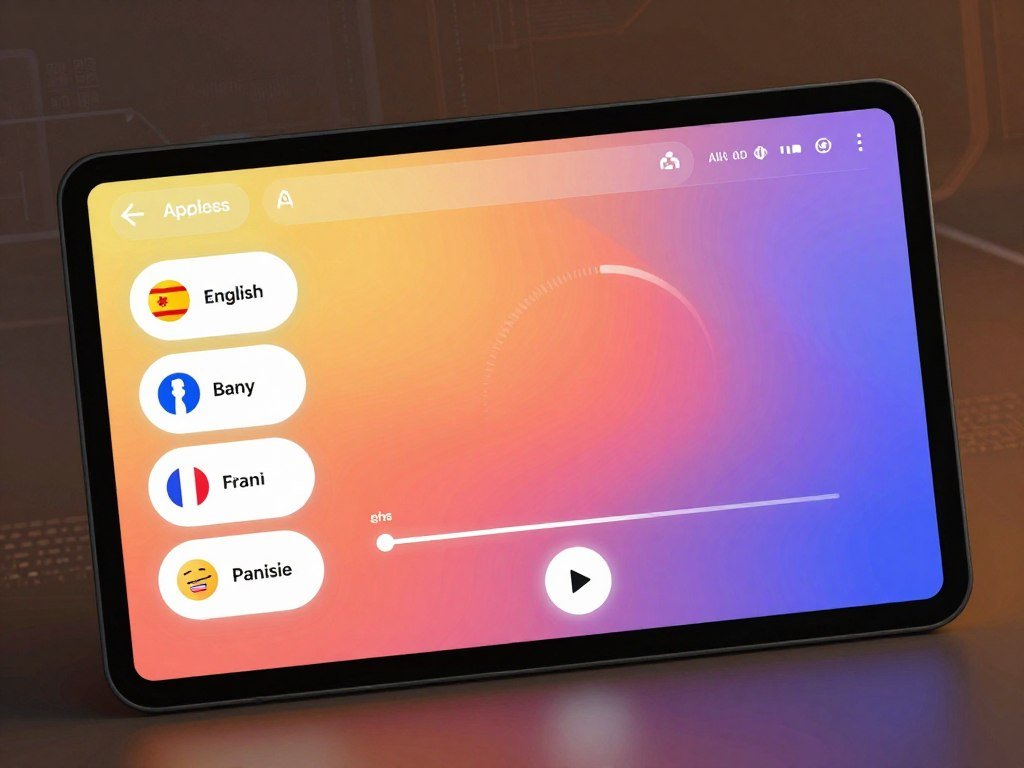
An AI voice generator for realistic speech online lets you test voice and language options in a browser. Use the library to look for an accent, style, and delivery that suit your intended narration, rather than choosing by voice count alone.
Many voices can make it easier to find a possible fit, but they cannot confirm how a speaker will handle your words. Your script may include place names, product terms, or phrases that need a closer listen.
For a general view of how apps and models differ, see this comparison of AI chatbots. An app provides the interface, while the model helps shape the capabilities behind it.
Preview a sample of your own script before committing to a voice for a full project. That small test can expose a mismatch before you build the rest of the narration around it.
How Do You Turn a Script Into Audio?
Prepare the spoken wording first, because the generated audio follows the text you provide. A clean script gives the voice generator fewer chances to misread a name or pause in the wrong place. Fix errors before generating every segment of a long script.
Read the text aloud and mark where a speaker change belongs. For a lesson, that might be between an instructor’s explanation and a learner’s question. SpeechGen accepts DOCX, PDF, and SRT uploads when those formats suit your workflow.

Prepare text and assign speakers
Use a consistent format for dialogue so each speaker’s lines are easy to spot. SpeechGen’s dialogue workflow supports multiple speakers in one file, which can help with interviews or scenes with several voices.
SSML, a way to add speech instructions to text, can mark a pause or sound effect. For example, a 1-second pause can separate two ideas. The W3C pronunciation analysis discusses gaps in tools for authoring spoken presentation and pronunciation guidance.
If you use AI to revise a script, check every change against the original meaning. A plain-language editing guide can help you shape sentences that sound more natural aloud.
Generate, review, and segment
Use this three-step workflow to create and check a voiceover:
- Enter or upload the text you prepared.
- Choose a voice and assign each dialogue speaker.
- Generate the audio, listen, and revise the script.
A segment is a portion of a long script generated separately. Breaking narration into sections makes it easier to review a chapter, lesson, or scene without replaying the full file.
Listen once for meaning and once for delivery before treating a segment as final. A typo or mispronounced name can affect every later part if you produce all segments first.
Which Voice Controls Make Delivery More Natural?
A calm training lesson and an upbeat ad can use the same words but need different delivery. Match the voice, language, and accent to the audience before changing settings. Preview a female voice on the intended script instead of judging it from a sample phrase.
For example, YourVoic lists US, UK, Canadian, and Australian female-voice accents. These options show how accent choices can help you fit a voice to the audience. The same accent may still sound different across speakers.
Match the voice, language, and accent
Start with the language and accent your listeners expect. Then check whether the tone fits the script’s role, such as a friendly product demo or a steady safety lesson.
A female voice generator for text-to-speech can offer several accents, but the label does not tell you how a voice will read your words. Put the full name, slogan, or key line into the preview before choosing.
Cloning is a separate option from selecting a voice in a library. Cartesia’s instant voice cloning can start from 10 seconds of clean speech from one speaker. Inworld offers zero-shot cloning from 5-15 seconds of audio at no charge.
A clean recording from one speaker matters because noise or several speakers can make a clone less consistent. For more on the process, see this guide to making an AI voice model.
Tune emotion, speed, and pronunciation
Small changes to speed, volume, and emotion can make a read easier to follow. Cartesia’s Playground and API offer controls for these settings. Try one change at a time so you can hear what each adjustment does.
Slow a dense instruction slightly, or add a little energy to a short invitation. Too much emotion can sound forced, while a fast read can blur important steps.
Check names and uncommon terms before generating a full narration. Speech tools can misread an acronym or a brand name even when the rest of the line sounds right.
Keep adjustments modest, then replay the entire sentence to make sure the tone still sounds believable. The model-building guide can help explain how voice selection differs from cloning.
What Can You Create With Text-to-Speech Audio?
Generated narration is useful when a project needs clear spoken content without scheduling a recording session. It can support many kinds of content, from a quick clip to a longer lesson. Choose a pace that fits the project, not just the tool’s default speed.
A single workflow can serve several projects, but each one needs a different review. A short promotional clip has little room for slow openings, while a long lesson needs enough pauses for learners to follow along.
Common uses include:
- Video explainers and social clips.
- Podcast or audiobook narration.
- Training and course materials.
- Phone greetings and product demos.
Canva presents ads, promo videos, podcasts, demos, and audiobooks as voiceover uses. Adobe Firefly points to YouTube scripts, course videos, phone systems, and presentations. Choose a format that suits the person listening, not simply the type of content.
For a short social video, a clear first line may matter more than a long introduction. A course voiceover can take more time to explain a term or show each step.
If you create property content, a voiceover can add narration to a listing clip or social post. This guide to AI for real estate work covers related ways to make marketing content.
Voiceovers and video production can also support paid creative services, with human review and client-specific judgment. Learn about ways to earn with AI work before building a service around generated content.
Match the amount of narration to the visuals or listening context instead of filling every available second. A pause can give a chart, product, or instruction time to register.
Which Free AI Voice Generator Fits Your Needs?
For a fast no-account test, compare the tools that let you generate a short sample before registering. SpeechGen offers 1,000 free characters without an account, and Cartesia’s online demo allows a 500-character preview. Free access differs in character limits, downloads, and account rules.
You can use an AI voice generator for realistic speech online for free through browser tools, but some may ask you to log in. Canva allows up to 1,000 characters per conversion and may prompt you to sign in or create a free account.
Try a short sample without an account
A free AI human voice generator may let you test a voice without payment, but that does not mean it supports a full project. Camb.ai allows 500 characters per generation without an account. NoteGPT offers more than 100 voices across 40 languages without an account.
Microsoft Edge is described as having no character cap, with more than 300 neural voices across 70 languages. Google AI Studio Gemini TTS has free-tier rate limits. These tools suit different tests, so read the limits attached to your chosen access method.
A quick preview is most useful when it uses the same line you plan to publish. Some services allow listening but block downloads, while others limit each conversion or require an account.
Compare free plans for ongoing use
For recurring work, compare what resets, what ends, and what the free plan lets you keep:
| Tool | Free allowance | Additional limit |
|---|---|---|
| SpeechGen | 1,000 characters without an account; 3,000 daily for 7 registered days | No watermark |
| Canva | 1,000 characters per conversion | Free account if prompted |
| Murf AI | One-time 10 minutes | Downloads blocked |
| ElevenLabs | 10,000 credits monthly | No voice cloning |
| Speechify | Around 10 basic voices | Playback capped at 1.5x |
Credits and characters are not interchangeable units. ElevenLabs’ paid plans list Starter at $6 per month for 30,000 credits, Creator at $22 for 121,000, and Pro at $99 for 600,000.
For a best free AI voice generator, match the choice to your workload: use a no-account preview for a quick test, a daily or monthly plan for recurring practice, or a larger stated quota for longer experiments. Inworld offers new users a free tier of 2 million characters, while Play.ht offers 12,500 characters per month.
SpeechGen’s registered trial provides 3,000 characters daily for seven days. Purchased credits start at $4.99, are listed from $0.008 per 1,000 characters, and expire after 365 days. ElevenLabs’ plan prices show how a paid allowance can differ from free access.
Check whether downloads are allowed before building a project around a free tier. A free preview that cannot be saved may not fit a workflow with deadlines.
Can You Use Generated Audio Commercially?
Before using generated speech in a paid campaign, confirm that the plan grants the rights your project needs. Commercial permission depends on the tool and plan, not just the voice or model. A free tier may have tighter terms than a paid plan.
ElevenLabs’ free tier is limited to non-commercial use, while its Starter plan includes a commercial license. Google AI Studio’s free-tier audio is not cleared for commercial use. Paid Cartesia plans include a commercial-use license.
| Tool or model | Plan or access condition | Commercial-use condition | Check before publishing |
|---|---|---|---|
| ElevenLabs | Free tier | Non-commercial only | Confirm the plan matches the project |
| Google AI Studio Gemini TTS | Free tier | Audio not cleared for commercial use | Check rights for client or paid-media use |
| Cartesia | Paid plan | Includes a commercial-use license | Verify the applicable plan |
| Adobe Firefly Speech Model | Firefly Speech Model output | Described as commercially safe | Distinguish it from any partner model |
Adobe Firefly describes its Speech Model output as safe for commercial use. That statement applies to the Firefly Speech Model, so identify which model made the audio before relying on that claim.
Use these checks before adding a voiceover to an ad, client job, or business product:
- Confirm the plan license.
- Confirm voice-cloning consent.
- Review platform rules for the intended channel.
- Keep a record of the applicable terms.
Commercial rights and cloning permission are separate matters. ElevenLabs offers voice cloning on paid plans and requires consent verification.
The U.S. Copyright Office’s digital replicas report reviews legal protections for realistic copies of people’s voices and appearances. It also recommends safeguards; those proposals are not a statement that a new federal law is already in force.
YourVoic states that generated female-voice audio may be used for commercial projects. YourVoic’s commercial-use terms are one example of why you should read the rules for the specific service you use.
Treat consent for a cloned voice as a separate requirement from commercial-use permission. A paid plan does not replace the speaker’s consent.
How Do You Export Audio and Use It in Other Apps?
Choose the export format to fit the next step, such as dropping a voiceover into a video editor or sharing it from a mobile app. MP3 is a practical delivery format, while WAV can help when an editor needs uncompressed audio. Listen to the exported file in the app where you plan to use it.
SpeechGen supports MP3, WAV, FLAC, OGG, and OPUS output, with bitrate options from 8 to 320 kbps. Canva downloads generated voiceovers as MP3. You do not need every format for every project.
Voice AI speech-to-text tools work in the reverse direction from TTS. They turn recorded audio into written text, which can support captions, transcripts, or notes. SpeechGen’s audio-to-text transcription supports 140 languages.
An AI voice generator for realistic speech APK is not the only way to use voice tools on Android. Use official app listings or browser access rather than unofficial installation files.
The ElevenLabs Android app listing supports audio export and direct sharing to CapCut, TikTok, Instagram, and YouTube Shorts. It supports more than 70 languages, which can help when a project moves from recording to social publishing on a phone.
Check that the destination app handles the file type you export. A format that works in one editor may need conversion before another app can open it.
Listen to the exported file in the destination app to catch clipping, level changes, or timing problems. A quick playback can reveal issues that were not clear in the generator’s preview.
Which Speech Models Fit Long, Multilingual, or Live Projects?
For a long script, start with the model’s character limit; for live dialogue, start with latency. Match the limit or response speed to the task before weighing extra features. A model that suits a long narration may not suit a live exchange.
Character limits set how much text you can generate at once. Latency measures delay in a live system, while language coverage matters when you need speech in several languages.
Compare language coverage and character limits
These model details help narrow options for longer scripts and multilingual work:
| Model | Languages | Maximum characters per generation | Notable capability |
|---|---|---|---|
| Eleven v3 | 70+ | No limit stated here | Multi-speaker dialogue |
| Multilingual v2 | 29 | 10,000 | Multilingual generation |
| Flash/Turbo v2.5 | 32 | 40,000 | Approximately 75ms latency |
| Eleven v4 | 90+ | 5,000 | Multilingual generation |
Gemini TTS supports more than 100 languages and native two-speaker dialogue. Cartesia Sonic 3.6 supports 44 languages. These are alternatives when broad language coverage matters to a project.
ElevenLabs lists more than 10,000 voices across its offering. A large library can help with choice, but the model’s language and script limits still shape what you can generate in one pass.
Balance latency, quality, and cloning needs
Low latency matters for live interaction, where a long wait can disrupt a conversation. A higher character limit matters more for long narration because it can reduce how often you split a script into segments.
Inworld Realtime TTS-2 has under 100ms P99 time to first byte, measured server-side. P99 describes the response time that 99 percent of requests meet or beat in that test. Cartesia Sonic 3.5 Turbo has approximately 40ms time to first byte.
Server-side P99 time to first byte is not the same as a general listening-quality judgment. It measures system response, not whether the speech sounds natural in your finished project.
A 2026 report put the quality gap between the top- and fifth-ranked Artificial Analysis Speech Arena models under 20 ELO points, while the price gap reached 20 times. The reported model comparison is useful context, not a universal buying rule.
A small ranking gap does not mean a small price gap, so test the fit before paying for scale.
Voice cloning adds a separate choice: build from a consenting speaker’s clean recording or select a library voice. Compare that need with the model’s supported features and the project’s response-time demands.
Test the actual language, script length, and interaction speed your project requires before settling on a model. A short sample in the target language can expose problems that a general demo will miss.
Conclusion
A useful voiceover is the one that fits your audience and project, not simply the one with the largest voice library. A suitable voice, a well-prepared script, and a careful listen in context shape the final result.
Test a short passage from the real project before building a full production workflow. Paste a representative passage into the generator, compare a few deliveries, and keep the version that sounds clear when played where your audience will hear it.
FAQ
How many credits does an AI voice generator use per character?
There is no fixed credit-per-character rate across AI voice generators. Credits and characters are not interchangeable units, and each product or model may count usage differently. Compare the plan’s stated allowance with a test generation of your own script. That gives you a practical estimate for the tool you plan to use without assuming another service counts the same way.
Can I use a free AI voice generator for a paid ad?
Sometimes, but the tool and plan terms decide whether a paid ad is allowed. ElevenLabs’ free tier is for non-commercial use, while its Starter plan includes a commercial license. Google AI Studio’s free-tier audio is not cleared for commercial use. Check the terms that apply to the exact plan and model before using the voice in paid media.
Can AI speech pronounce names and acronyms correctly?
AI speech can pronounce names and acronyms correctly, but it may need pronunciation edits or phonetic guidance. Put the word in a full sentence and preview it before generating the entire script. A voice may handle the same name differently in another language or context. Check product names, people’s names, and uncommon terms closely in the finished read.
Do I need an account to generate a short voice sample?
No, some tools let you make a short voice sample without an account. SpeechGen offers a 1,000-character trial, and Cartesia allows a 500-character online preview. Other tools may ask you to sign in before generating or saving audio. Check whether the preview can be downloaded, since listening in the browser may not give you a file for editing.
Is WAV better than MP3 for a voiceover?
WAV is useful when an editor needs uncompressed audio, while MP3 is often easier to share and deliver. The better choice depends on the next step in your workflow. If you plan to edit or mix the voiceover, WAV can suit that work. For a simple upload or message, MP3 is often a practical choice.
Can I clone someone else’s voice for a project?
You can clone someone else’s voice only with the speaker’s consent and in line with the service’s rules. Some services require consent checks, and commercial-use permission is a separate issue. A paid plan does not grant permission to copy a person’s voice. Keep the speaker’s agreement and the plan terms clear before creating or sharing a clone.
What is the difference between text-to-speech and speech-to-text?
Text-to-speech turns written words into spoken audio, while speech-to-text turns recorded audio into written words. TTS can create narration from a prepared script. Speech-to-text can produce a transcript that may help with captions, notes, or edits. They work in opposite directions, so choose the one that matches whether you start with text or a recording.



