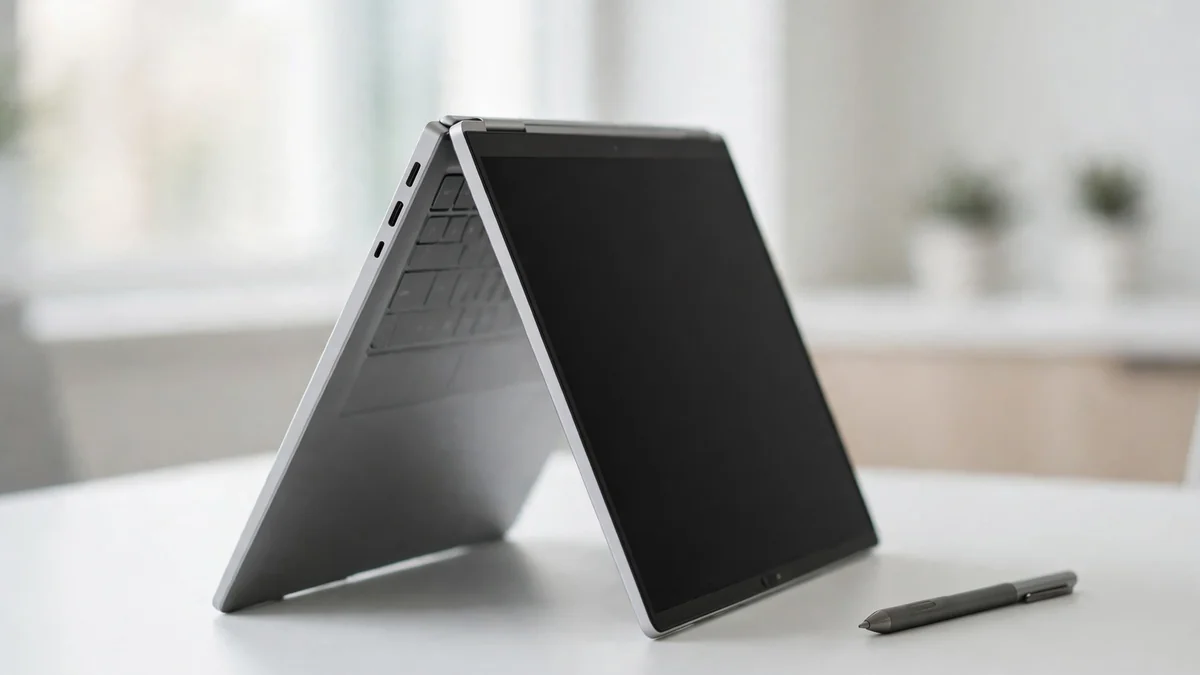
The best 2-in-1 laptops in 2027 are the most flexible computers you can buy, because one machine covers the jobs of a laptop and a tablet. Fold the screen back and you have a touchscreen tablet for reading, sketching, and presenting; flip it forward and you have a full keyboard for writing and spreadsheets. That flexibility makes 2-in-1 laptops a strong choice for students, professionals, and anyone who works in more than one place.
The category has matured well beyond its early gimmicks. Modern convertibles use the same fast processors as premium ultrabooks, their hinges survive thousands of folds, and stylus support is now standard on most models. Prices below are approximate starting prices; check current pricing before buying, because premium convertibles go on sale often and the gap between models can shrink to almost nothing during promotion events.
We compared current 2-in-1 laptops on hinge quality, touchscreen accuracy, stylus support, processor speed, battery life, weight, and display quality. The shortlist below covers full convertibles and one detachable, from an affordable everyday model to a premium flagship. Every pick here works properly as both a laptop and a tablet, not just as a laptop with a touchscreen.
Key takeaways
- The HP Spectre x360 14 is the best overall 2-in-1 laptop, with a superb display, a solid hinge, and strong all-day battery life.
- A good 2-in-1 hinge should feel firm at every angle and hold the screen steady while you write on it.
- The Lenovo Yoga 7i is the best value convertible, offering most of the flagship experience for several hundred dollars less.
- Stylus support varies widely, so check whether the pen is included, how it charges, and how accurate it feels before buying.
- Detachables like the Surface Pro are best for tablet-first use, while convertibles are better for long typing sessions.
At a glance: the shortlist
| Product | Best for | Starting price | Standout limit |
|---|---|---|---|
| HP Spectre x360 14 | Best overall | From $1,199 | Premium price |
| Lenovo Yoga 7i 14 | Best value | From $849 | Heavier than flagships |
| Microsoft Surface Pro 11 | Best detachable | From $999 | Keyboard sold separately |
| Dell XPS 13 2-in-1 | Best ultraportable | From $1,099 | Fewer ports |
| ASUS Zenbook 14 Flip | Best OLED display | From $999 | Shorter battery life |
| Acer Spin 5 | Best affordable convertible | From $799 | Plastic build |
| Samsung Galaxy Book5 Pro 360 | Best big screen | From $1,299 | Large and heavy |
HP Spectre x360 14 — Best overall
The HP Spectre x360 14 is the most complete 2-in-1 laptop you can buy. Its high-resolution touchscreen is bright, sharp, and accurate, the 360-degree hinge feels firm at every angle, and the included stylus charges in its own slot, so it is always with the machine. A modern Intel Core Ultra processor, 16GB of memory, and a fast 512GB solid-state drive keep it smooth through office work, creative apps, and heavy multitasking.
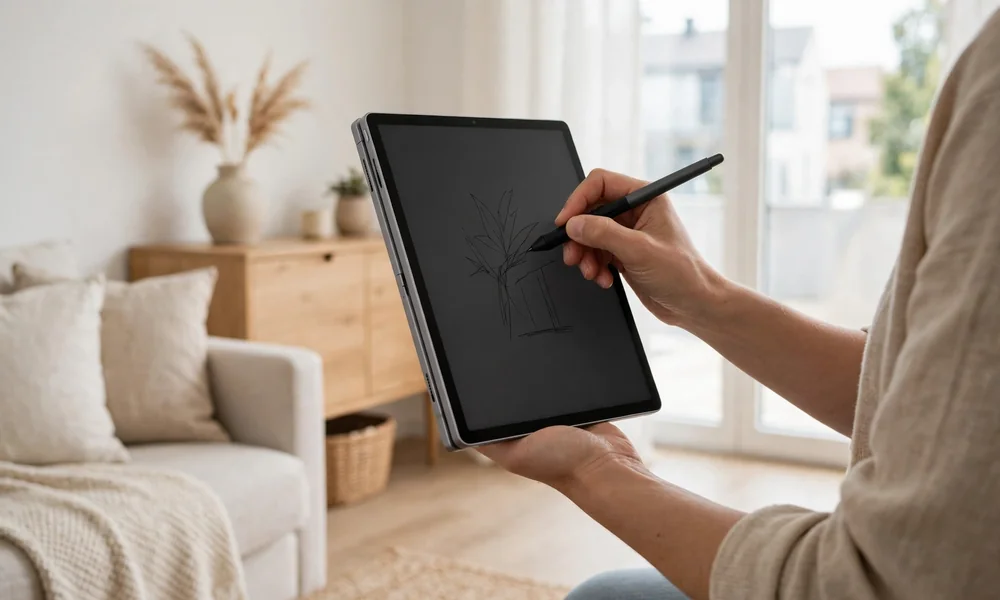
Battery life reaches around 12 hours of mixed use, and the keyboard is one of the best on any convertible, with deep travel and a large trackpad. It is expensive, but it is the machine most buyers will be happiest with for longest. Students comparing flexible machines should also read our guide to the best laptops for students in 2027 for lighter, cheaper options.
Pros: Superb touchscreen and stylus; firm hinge; 12 hour battery life
Cons: Premium price; heavier than ultraportables; fingerprint-prone finish
Lenovo Yoga 7i 14 — Best value
The Lenovo Yoga 7i 14 delivers most of the flagship convertible experience for several hundred dollars less. Its 14-inch touchscreen is bright and accurate, the hinge is smooth and stable, and the keyboard has the comfortable travel Lenovo is known for. A modern Intel Core Ultra processor, 16GB of memory, and a 512GB solid-state drive handle everyday work and creative apps with ease.
The compromises are modest: the chassis is a little heavier than the Spectre, the speakers are good rather than great, and the stylus charges over USB-C instead of in a built-in slot. Battery life is strong at around 11 hours.
Pros: Excellent value; bright touchscreen; comfortable keyboard
Cons: Heavier than flagships; stylus charges over USB-C; average speakers
Microsoft Surface Pro 11 — Best detachable
The Microsoft Surface Pro 11 is the best 2-in-1 laptop for people who use tablet mode most of the time. The keyboard detaches completely, leaving a slim 13-inch tablet with a superb high-resolution touchscreen, and the optional Slim Pen is one of the most accurate styluses available. The latest Snapdragon or Intel processors deliver fast performance and, in the Snapdragon models, outstanding battery life of up to 14 hours.
The catch is the price of the full package: the keyboard and stylus are sold separately, which can add $200 or more. It is also less stable on a lap than a true convertible, because the kickstand needs a flat surface behind it.
Pros: Best tablet experience; superb stylus; up to 14 hour battery life
Cons: Keyboard and pen sold separately; unstable on a lap; expensive when fully equipped
Dell XPS 13 2-in-1 — Best ultraportable
The Dell XPS 13 2-in-1 is the lightest convertible here, at around 1.2 kg, and the easiest to carry all day. Its edge-to-edge display is bright and sharp, the aluminum chassis feels premium, and the latest Intel Core Ultra processor with 16GB of memory handles office work, browsing, and light creative tasks smoothly. It is the convertible to buy when portability matters most.
The trade-off for that slimness is ports: two USB-C ports and little else, so a small hub is almost essential. The keyboard is good but shallower than the Spectre or Yoga, and the price sits at the premium end.
Pros: Lightest in the shortlist at 1.2 kg; premium build; sharp display
Cons: Only two USB-C ports; shallow keyboard; premium price
ASUS Zenbook 14 Flip — Best OLED display
The ASUS Zenbook 14 Flip has the most striking screen in this roundup, a vivid OLED panel with deep blacks, accurate colors, and a smooth high refresh rate that makes everything from spreadsheets to films look better. The 360-degree hinge is firm, the stylus support is accurate, and the latest Intel Core Ultra processor keeps the machine fast through demanding work.
OLED screens use more power at high brightness, so battery life is shorter than the leaders here, at around 9 hours. The laptop is also a little thicker than the XPS 13, and the glossy screen reflects light in bright rooms.
Pros: Superb OLED display; accurate stylus; fast processor
Cons: 9 hour battery life; glossy screen reflects light; slightly thicker
Acer Spin 5 — Best affordable convertible
The Acer Spin 5 proves that a good convertible does not need a four-figure price. It has a bright 14-inch touchscreen, a firm hinge, an included stylus that stores in the chassis, and a modern Intel Core i5 or Core Ultra processor with 16GB of memory. Everyday performance is smooth, and the keyboard is comfortable for long writing sessions.
The compromises are visible in the build: the chassis is plastic rather than aluminum, the speakers are modest, and the design is plain. Battery life is respectable at around 10 hours.
Pros: Lowest price here; stylus included and stored; comfortable keyboard
Cons: Plastic build; modest speakers; plain design
Samsung Galaxy Book5 Pro 360 — Best big screen
The Samsung Galaxy Book5 Pro 360 is the convertible to buy when you want a large canvas. Its 16-inch touchscreen is bright, sharp, and accurate, with plenty of room for side-by-side windows, timelines, and large documents. The included S Pen is precise and stores in the chassis, and the latest Intel Core Ultra processor with 16GB of memory handles demanding creative work well.
At 16 inches it is the largest and heaviest machine here, so it suits a desk or a large bag better than a small backpack. Battery life is strong at around 11 hours despite the big screen.
Pros: Large 16-inch touchscreen; precise S Pen included; strong performance
Cons: Largest and heaviest here; highest price; needs a large bag
How to choose
Start by deciding how you will actually use tablet mode. If you sketch, annotate documents, or present to clients, a convertible with an included stylus and a firm hinge is essential; if you mostly type, a standard laptop may serve you better for less money. Next, check the hinge in a store if you can: it should hold the screen steady at every angle and feel smooth rather than loose or stiff.
Then weigh size against portability. A 13 or 14-inch convertible is the sweet spot for most people, while a 16-inch model suits desk work and creative tasks. Insist on 16GB of memory and a 512GB solid-state drive at this price level, and check whether the stylus is included, since a good pen can cost $100 separately. Buyers who need a machine mainly for office work should compare these picks with the best laptops for business in 2027, which covers models with stronger security and manageability.
Checklist: before you buy
- Confirm the stylus is included, and check how it charges and where it stores.
- Test the hinge at several angles and check the screen stays steady while you write on it.
- Verify 16GB of memory and a 512GB solid-state drive in the configuration you are buying.
- Check the touchscreen supports palm rejection so your hand does not leave stray marks while sketching.
- Compare battery life in tablet mode and laptop mode, since the two can differ.
- Confirm the warranty covers the hinge, which is the part most likely to wear on a convertible.
Frequently asked questions
Are 2-in-1 laptops as durable as normal laptops?
Yes, modern convertibles are built for thousands of hinge cycles. The hinge is still the part most likely to wear first, so check the warranty covers it and avoid forcing the screen past its stopping point.
Do I need a stylus with a 2-in-1 laptop?
Only if you sketch, annotate, or take handwritten notes. For browsing and media, touch alone is enough. Programmers and writers who use a convertible mainly as a laptop can skip the pen entirely, as our guide to the best laptops for programming explains for keyboard-first buyers.
Is a detachable or a convertible better?
A detachable is better if you use tablet mode most of the time and want the lightest possible tablet. A convertible is better if you type for long periods, work on your lap, or want a keyboard that is always attached and never needs charging.
Can a 2-in-1 laptop replace a tablet?
For most people, yes. A convertible covers reading, video, note-taking, and sketching, and it runs full desktop software that tablets cannot. A dedicated tablet is still lighter, but the gap is small.
How much should I spend on a 2-in-1 laptop?
Expect to pay $800 to $1,300 for a good convertible in 2027. Cheaper models exist, but they often cut corners on the hinge, the screen, or the stylus. Premium models above $1,300 add better displays and materials rather than essential performance.
Do 2-in-1 laptops have worse battery life?
Not necessarily. Modern convertibles last 9 to 14 hours of mixed use, similar to standard ultrabooks. Touchscreens and OLED panels use slightly more power, so check independent battery tests rather than the manufacturer’s figure.
The bottom line
The HP Spectre x360 14 is the best 2-in-1 laptop for most people, because it combines a superb display, a firm hinge, an included stylus, and all-day battery life in one polished machine. If the price is too high, the Lenovo Yoga 7i gives you most of the same experience for much less, and the Acer Spin 5 is the best affordable convertible.
Choose based on how you will use tablet mode: detachables suit tablet-first buyers, convertibles suit typists, and a big screen suits creative work. Get the hinge, the stylus, and the display right, and a 2-in-1 will replace two devices with one that does both jobs well.