A creator making a thumbnail, a product image, or a research-backed post may need a different AI tool for each job. The best ai generators can help with image creation, writing and research, design, and workflows that include video. Your choice can save time, but only when it fits the work you already do.
A diffusion model is an image-generation model that starts with noise and refines it step by step into a visual. A tool’s reputation matters less than its quality, control, ease of use, and fit with your process. Start with the task you need to finish, not a leaderboard position.
Pick the tool that solves the next concrete task, not the one with the most familiar name. A user who needs a clean product shot has different needs from one creating a researched social media post.
Key Takeaways
- Match the platform to the image, writing, research, or design task.
- Test output quality and editing control with a real brief.
- Use more than one tool when your workflow needs different strengths.
- Check access, privacy, and terms before using work commercially.
- Build a small test set before adopting a tool for recurring content.
Best AI Generators for Creators
For most creators who want a fast first image and simple edits, start with ChatGPT Images 2.5. Its conversational image creation helps you describe a result, then refine it with plain-language changes. As a general starting point, it keeps the first test simple.
ChatGPT Images 2.5 is the easiest broad entry point, but the best fit depends on what must work in your image. The strongest models can still miss an exact layout or text request, even when their visual quality is excellent.
- Nano Banana: Try it for realistic images and faces that need to stay consistent.
- Midjourney: Choose it for a distinctive artistic style and visual direction.
- Ideogram: Start here when readable words matter inside the image.
- Adobe Firefly: Use it for workflows built around Photoshop or Adobe Express.
- Recraft: Try it for vector graphics, SVG export, and brand assets.
- FLUX: Explore its model family when you want model-level control.
Nano Banana is available through Google Gemini. FLUX is the model family from Black Forest Labs, with multiple variants for different needs.
Choose a tool for the feature your project cannot lose. A strong image can still fail if its layout or wording misses your brief.
You may use one platform to make a first image, then move it into a design app for final layout. That split can work better than expecting one platform to handle every stage.
Try the same brief across a few image generators if your first result misses a key detail. For a recurring series, choose based on the feature that must stay consistent, whether that is a face, a visual style, or the words in the image.
What Can Different AI Generators Create?
A prompt can produce a new image, transform a supplied image, or guide edits to a result you already have. Most image generation platforms offer one or more of these workflows. Choose by the change you want to make.
A model makes the image, while a platform gives you access to that model and its tools. One platform may offer its own model or provide several models from different companies.
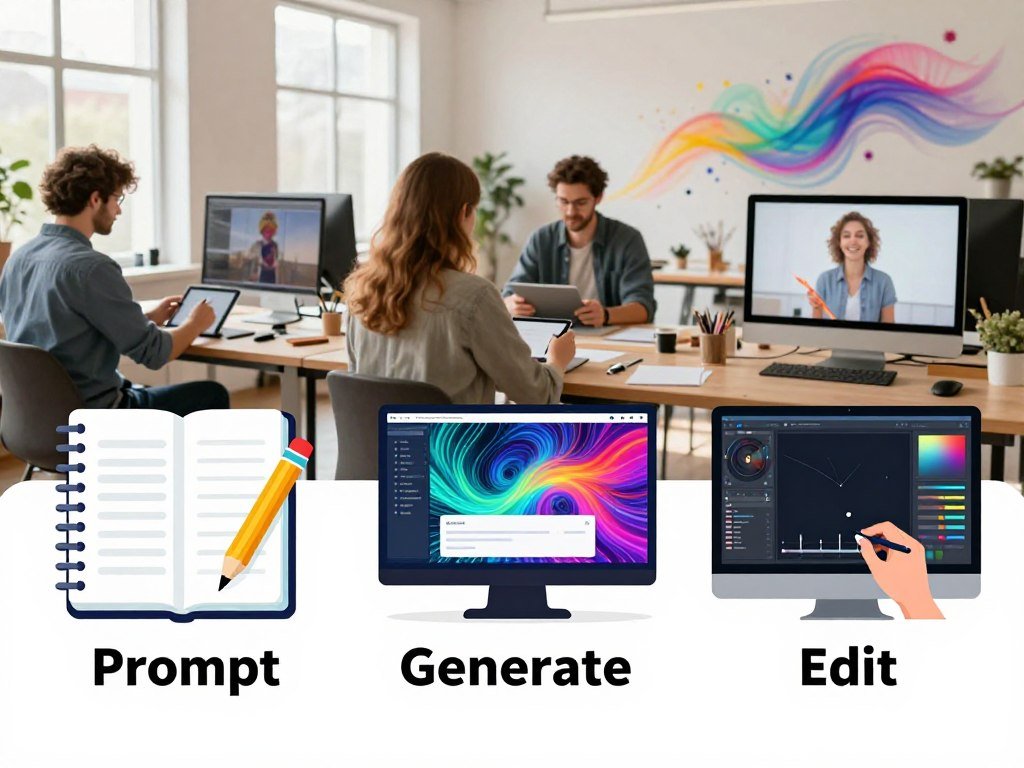
- Text-to-image: A written prompt turns into a new visual.
- Image-to-image: A reference image guides a transformation or rework.
- Edit-and-iterate: You ask for changes to an image you already have.
Diffusion models refine noise in steps, while autoregressive models build an image in chunks. You do not need to know the model’s inner workings to choose a workflow, but the difference can shape how a platform creates an image.
Image-to-image can help when you want to keep a pose, product, or mood while changing other details. Still, a model that accepts a reference image may not offer precise selection or layer controls.
For a small change, editing an existing image may be faster than starting over. For a fresh concept, text-to-image gives you a clean start. Check whether you need a new visual, a transformation, or a targeted edit before choosing a platform.
How Should You Compare AI Image Generators?
Start with the task, then check whether a model follows your prompt and makes a usable output. Leaderboard scores are one signal, not a promise that a model will suit your project.
In December 2025, GPT Image 1.5 led this group with a score of 1264. Gemini 3 Pro Image scored 1235, and Flux 2 Max scored 1168 on the LM Arena Image Generation Leaderboard.

| Model | December 2025 score | Score note |
|---|---|---|
| GPT Image 1.5 | 1264 | Highest listed score |
| Gemini 3 Pro Image | 1235 | Second in this group |
| Flux 2 Max | 1168 | Higher than Flux 2 Flex |
| Flux 2 Flex | 1157 | Below Flux 2 Max |
| Hunyuan Image 3.0 | 1152 | Below both FLUX variants |
Seedream 4.5 scored 1147, estimated Midjourney v7 scored 1138, and estimated DALL-E 3.5 scored 1125. Estimated scores are marked as estimates, so read them with that limit in mind.
- Prompt adherence: Does the image follow the requested details?
- Text rendering: Are letters and words clear and correct?
- Image realism: Do faces, objects, light, and shadows look believable?
- Ease of editing: Can you fix a miss without restarting?
Some models score well across many prompts, while others suit a narrow use better. A high overall score may not reflect typography, brand control, or workflow needs. The test prompt and scoring method shape the result.
For a fair check, compare the same prompt and output size across platforms. Treat leaderboard scores as a shortlist aid, then judge the actual result against your own brief.
Which Image Generators Perform Well Across Tests?
A model can lead overall and still lose on the quality your project depends on. Curious Refuge’s 2026 comparison scored Nano Banana 2 highest overall among these three image generators. Category scores tell more about a particular job.
Nano Banana 2 scored 8.82/10 overall, while Flux 2 scored 9.65 for prompt adherence. Midjourney v8.1 had the strongest prompt-adherence score, at 9.72.
| Model | Overall | Prompt adherence | Visual fidelity | Style and realism |
|---|---|---|---|---|
| Nano Banana 2 | 8.82 | 9.00 | 8.80 | 8.66 |
| Flux 2 | 8.78 | 9.65 | 8.51 | 8.17 |
| Midjourney v8.1 | 8.63 | 9.72 | 8.41 | 7.75 |
Prompt adherence and visual fidelity
Prompt adherence measures how closely an image follows the written request. Flux 2 and Midjourney v8.1 scored higher on this measure than Nano Banana 2.
Visual fidelity gives a different view of the result. Nano Banana 2 scored 8.80 in that category, ahead of Flux 2 at 8.51 and Midjourney v8.1 at 8.41.
Style and realism
Nano Banana 2 also led the style and realism category, with a score of 8.66. Flux 2 scored 8.17, and Midjourney v8.1 scored 7.75 in this test.
An overall score can hide a strength in one category and a weaker result in another. These test results apply only to the prompts and criteria used in that comparison, not every image task.
Curious Refuge’s 2026 test scores show why category results can change your pick. Compare the scoring category closest to your brief instead of choosing by the overall score alone.
Which AI Image Generator Is Best for Realistic Photos?
For realistic people and lifestyle scenes, start by testing Nano Banana in Gemini against your own reference images. The Nano Banana model family is available through Google Gemini. Reference images can help hold a recurring face or product in view.
Try FLUX.2 when control over references and details matters more than a quick default workflow. Black Forest Labs offers FLUX.2 in variants with different levels of control.
Product and lifestyle scenes
Check product visuals for accurate shape, labels, and small features. In lifestyle images, inspect people, lighting, and reflections rather than assuming they look real.
A polished photo can still show a warped package edge or a strange reflection in glass. ChatGPT Images supports reference-image editing, which can help when you want to change a scene around a supplied visual.
Consistent people and characters
Use a clean set of reference images when a face needs to recur in a campaign or story. Clear views from a few angles give you more to compare than a single cropped portrait.
No reference workflow guarantees perfect identity across a long series. Successive edits can change details that were already right, including a face, clothing, or product shape.
Compare each new image with the reference set before using it. Keep a clean set of reference photos and compare the face, product details, and lighting after each edit.
Which Tool Handles Text in Images Best?
For a thumbnail or poster where the headline must be legible, try Ideogram first. It is designed for readable typography in generated images. Readable words are the goal, but every result still needs a close check.
Small text and long copy can remain unreliable, even when the model focuses on typography. ChatGPT Images and Nano Banana can also create image text, but long or complex wording needs review.
Use a generated image for the visual, then place the final wording in a design tool when exact brand copy matters. Canva can add editable text after image generation, so a typo does not require a new image.
Actual text is easier for readers to adjust than text embedded in an image. The W3C explains this in its guidance on images of text, including font, size, color, spacing, and alignment.
A thumbnail title can be short and large, while a legal line or product claim needs exact wording. Keep small print out of the generated visual when readers must read it clearly.
Proofread every generated word and set legally or commercially important copy separately when accuracy is essential.
Which AI Generator Fits Art Direction and Graphic Design?
If visual atmosphere matters most, test Midjourney; if the deliverable must scale and remain editable, try Recraft. Midjourney is known for distinctive artistic styles and supports style references. Start with the file you need, not just the look.
Recraft can export SVG files, while Adobe Firefly fits workflows built around Photoshop and Adobe Express. FLUX.2 models are available through platforms and APIs for creators who want control across variants.
Stylized images and visual direction
Midjourney can help set a strong mood across a campaign. Style references give you a way to guide later images toward a chosen visual direction.
A style-led image may be hard to fit into an exact brand layout. A beautiful background does not automatically leave room for a headline, product label, or consistent margin.
Vector assets and brand systems
Recraft is a fit for scalable design assets and brand graphics that need to remain editable. An image that looks like a vector is not automatically an editable SVG, so check the actual export.
Adobe Firefly connects image creation with Photoshop and Adobe Express, which may suit a design process already built around Adobe apps. FLUX.2 offers another path when you want to compare control across model variants.
Choose a tool that produces the file your next step can use. Confirm the export format in the finished file before building a workflow around it.
Best AI Generators for Free: What Can You Make Without Paying?
For occasional free image creation, Magic Hour offers 10 images a day without requiring an account. That makes it easy to test a quick concept. Krea and Leonardo AI offer daily allowances through their free plans.
Free access can work for testing, but it may not support a steady publishing cadence. Each service counts use differently, so a number of tokens does not equal the same number of images elsewhere.
Daily image allowances
| Tool | Free allowance | Condition |
|---|---|---|
| Krea | 100 compute units per day | Includes Krea 3 image generation and editing |
| Leonardo AI | 150 fast tokens per day | Daily token allowance |
| Ideogram | About 10 slow credits per day | Free images are public by default |
| Canva | About 20 premium AI image credits per month | Free tier allowance |
| Magic Hour | 10 images per day | No account required |
Krea’s daily compute units include image creation and editing. Leonardo AI counts fast tokens, while Ideogram gives slow credits, so the totals are not direct comparisons.
Monthly credits and account conditions
In 2026, Microsoft Copilot gives 15 fast image-generation boosts before requests move to a slower queue. That can suit a few quick social media drafts, but the pace changes after the boosts run out.
Canva’s free tier offers roughly 20 premium AI image-generation credits each month in 2026. Ideogram’s free images are public by default, which matters if you are testing a private client concept.
Krea’s 100 daily compute units and other plan limits can make a useful trial. Before making a free plan part of a publishing routine, check both its allowance and the visibility of generated work.
What Do Paid AI Generator Plans Cost?
The supplied monthly entry prices range from $4.99 for Google AI Plus to $10 for Midjourney among these four options. The price is only one part of the decision, since plans may bundle features beyond image creation.
Adobe Firefly’s paid plans start at $9.99 per month for unlimited Firefly image generation. “Unlimited” refers to image generation in Firefly, not unlimited access to every Adobe product.
| Plan | Starting price | Included image-generation detail |
|---|---|---|
| ChatGPT Go | $8 per month | Image creation access |
| Google AI Plus | $4.99 per month | Includes Nano Banana access |
| Midjourney | $10 per month | About 200 images per month, commercial usage rights |
| Adobe Firefly | $9.99 per month | Unlimited Firefly image generation |
ChatGPT Go starts at $8 per month, and Google AI Plus starts at $4.99 per month in 2026. Midjourney starts at $10 per month for about 200 images, with commercial usage rights.
Google AI Plus starts at $4.99 per month and includes Nano Banana access. A paid tier may bundle other platform features, so compare the parts you will use rather than the image allowance alone.
Firefly’s image-generation offer does not mean every Adobe app is unlimited. Compare the allowance and the bundled features, not just the monthly price.
How Do You Get Better Images From Text Prompts?
A useful text-to-image prompt names the subject, describes where it sits in the frame, sets the visual treatment, and specifies the format. ChatGPT Images and Nano Banana are straightforward natural-language choices. Midjourney suits art-directed prompts that call for a strong visual style.
Build each prompt from four parts, then change one major detail at a time. Adding more descriptive words does not guarantee better adherence when instructions conflict.
- Subject: Name the person, object, or scene.
- Composition or perspective: State where the subject sits and the camera view.
- Style and lighting: Describe the visual treatment and light source.
- Format: Name the intended shape, such as a vertical story image.
You can state aspect ratio in ordinary language, such as “vertical 9:16” or “wide 16:9.” A product brief might request a glass bottle centered on a pale table, viewed at eye level, in soft morning light.
Google AI Studio and the Gemini API offer different ways to experiment. Google AI Studio is free to use in available countries in 2026, while Gemini API’s free tier has lower rate limits for testing.
An unpaid Gemini API key can access the Flash model for up to 250 requests per day, with a limit of 10 requests per minute in 2026. Those limits apply to API testing, not a general image allowance.
Keep the main subject and composition steady while testing changes to light or style. Change one major prompt detail at a time so you can tell which instruction improved the result.
Top 10 Generative AI Tools for Creators
A useful generative AI toolkit combines tools for making, editing, researching, and delivering content. Different tasks need different outputs, so an image tool should not stand in for research or video work.
An integrated suite may save you from switching apps, but it may not be the best specialist for each task. Pair tools by the stage of creator work they support.
| Task | Two tools to consider | Practical role |
|---|---|---|
| Image creation | ChatGPT Images, Nano Banana | Make and revise visuals |
| Art direction and design | Midjourney, Recraft | Create styled images and scalable assets |
| Source-based work | NotebookLM, Consensus | Organize documents and search papers |
| Creator production | Canva, Melius | Build designs and image-to-video work |
| Development | Google AI Studio, Gemini CLI | Test models and build with code |
The image tools make visuals, while NotebookLM and Consensus support research with text and sources. Canva helps assemble content, and Melius supports image-to-video workflows.
In 2026, Gemini CLI’s free tier allows up to 1,000 model requests per day with a Google account. Google Cloud’s free tier includes several services with monthly limits and no expiration.
Those limits include 500,000 characters for Translation Basic, 60 minutes for Speech-to-Text, and 4 million characters for standard Text-to-Speech each month. WaveNet Text-to-Speech includes 1 million characters monthly, while Cloud Vision includes 1,000 units and Natural Language API includes 5,000 units monthly.
These Google Cloud quotas have no expiration in 2026. Choose one tool for the bottleneck you face most often before adding another subscription or platform.
Best Generative AI Tools for Research
For a project built around a set of documents, NotebookLM is the most direct place to organize and query those sources. Elicit and Consensus suit searches across research papers. Start with the type of evidence you need.
NotebookLM works with supplied sources, while Elicit and Consensus search papers and structure findings. Check important claims against the original paper, especially when a study could shape your work.
Organizing source material
| Tool | Best use | Concrete capacity or feature |
|---|---|---|
| NotebookLM | Query supplied documents | 100 notebooks, 50 sources each, up to 500,000 words per source |
| Elicit | Search papers and extract findings | Searches more than 138 million papers |
| Consensus | Compare evidence across papers | Searches more than 200 million papers; Consensus Meter shows agreement |
NotebookLM’s free plan includes 100 notebooks in 2026, with up to 50 sources in each notebook. Each source can contain up to 500,000 words.
Finding and comparing evidence
Elicit searches a corpus of more than 138 million papers and extracts findings into structured tables. That can help you compare details across a set of studies without reading each abstract separately.
Consensus searches more than 200 million papers and includes a Consensus Meter that visualizes agreement across papers. Treat that view as a starting point, not proof that a finding applies to your project.
An AI-generated summary is not a substitute for reading a source when its method or limits matter. Open the original study for any finding that will shape a consequential decision.
How Can Creators Fit AI Images Into a Workflow?
Set the destination and aspect ratio before generating, because a story cover and a thumbnail need different compositions. Plan the crop first to keep the subject where viewers will see it.
Use 9:16 for stories and Reels, 4:5 for feed posts, and 16:9 for thumbnails. A square image cropped later can cut off a face or headline.
From first image to usable asset
- Define the platform and aspect ratio before you generate.
- Gather reference images for the subject, product, or visual direction.
- Generate variations and review them against the brief.
- Finish the layout or move the still into a video workflow.
Canva can take a generated image into a template, where you can resize it for different placements. That step can help when a campaign needs a post, story, and thumbnail from one visual idea.
A still image can also move into a video workflow when the platform supports image-to-video. That gives you a way to animate a selected visual without treating a new video as the only route.
Keeping a series consistent
Keep the same references and visual direction when you make a series. Then compare the face, product, and framing across images before building the final layouts.
A crop that works in a wide thumbnail may not work in a tall story. Review the final crop at the size and placement where your audience will actually see it.
What Should You Check About Image Rights and Privacy?
Before using an image for a client or campaign, check the exact model’s terms and whether the work will be public. Permission, ownership, and safety are different questions, so do not treat one as an answer to all three.
Commercial-use permission does not guarantee that an image is unique or free of every rights concern. A provider’s commercial-safety position also does not define copyright ownership.
Commercial use and model terms
Midjourney requires a Pro or Mega plan for businesses that gross more than $1 million a year. Read the plan condition as part of the service terms before using images in business work.
Adobe Firefly’s commercial-safety position applies to Adobe’s own models, not partner models. The model behind an image can change which terms apply, even when you use it through one platform.
Commercial-use permission, copyright ownership, and a company’s safety position do not mean the same thing. Check each question against the model and plan involved in your project.
Public galleries, watermarks, and references
Gemini images may carry a visible watermark and an invisible SynthID mark. Midjourney images are public by default, so consider visibility before creating sensitive work.
A service may store an uploaded reference or show generated work to others under its settings and terms. Keep private reference images out of any service whose upload and retention terms you have not checked.
What Is the Best AI Image Generator With No Restrictions?
No hosted image generator is literally restriction-free; open-weight models offer more control, not an absence of responsibilities. More control comes with more work, including setup and care with the rules that apply to your use.
FLUX.2 [klein] 4B is available with open weights under the Apache 2.0 license in 2026. Stable Diffusion is another open-source option for local customization.
Hosted tools and content filters
Hosted platforms set content filters and service rules around the models they provide. A platform’s limits are separate from a model’s design and license.
Those hosted controls can make setup easier, but they do not disappear because a model performs well. No hosted generator should be treated as having no restrictions.
Open-weight models and local control
Open weights let you run or adapt a model with more configuration control. FLUX.2 [klein] 4B has a reference setup that lists roughly 13 GB of VRAM, though hardware needs depend on how you run it.
Local use shifts responsibility to you for hardware, setup, and compliance with applicable terms and laws. Open weights do not remove the need to follow the model license or rules that govern your work.
Local models give you more control over setup and use, not permission to ignore laws or license terms.
Choose local generation only if the added control is worth managing the hardware and setup yourself.
Conclusion
The right generator is the one that reliably turns your brief into an asset you can actually use. Let the task that matters most guide your choice, whether that is realism, typography, style, or control.
Test your preferred tool with one real brief and judge the output against its intended use. A small test set can reveal whether the results hold up across recurring work.
Try one real project in your leading tool, then decide whether its output and workflow earn a place in your routine.
FAQ
Can I use AI-generated images in a commercial project?
Yes, if the exact tool, model, and plan terms allow your intended use. Commercial permission, ownership, and a provider’s safety claims are separate issues. Adobe Firefly’s commercial-safety position applies to Adobe’s own models, while partner models have separate conditions. Keep a record of which model made each image when a campaign uses more than one service.
Which AI image generator is best for adding words to a poster?
Ideogram is a strong first choice for a poster that needs readable words. Generated text can still contain spelling errors or awkward letter placement, so proofread the full image. For exact final copy, place editable text in a design tool after generating the visual. This also lets you change font size and spacing without remaking the image.
How do I keep a character looking the same across several images?
Reuse a clean set of reference images and compare the character after each edit. Reference support can help keep a face or outfit in view, but it does not guarantee perfect consistency. Use similar views and lighting in your references, then check key details before publishing. A small change to a prompt can still alter features that looked right before.
Are free AI-generated images private?
No, free AI-generated images are not always private. Ideogram’s free images are public by default, and other platforms may have different gallery and privacy settings. Check those settings before uploading client references or developing a private campaign concept. If you cannot confirm how an image or upload is handled, do not use sensitive material there.
Can I generate AI images without an internet connection?
Yes, some local open-weight setups, such as Stable Diffusion, can generate images without an internet connection once installed. You need compatible hardware and must handle setup yourself. Check the model’s license and any terms tied to the files you use. Local generation gives you more control, but it does not remove legal duties or hardware limits.
Does a higher leaderboard score mean a tool is best for my project?
No, a higher leaderboard score does not prove a tool is best for your project. Scores reflect the prompts and criteria in a particular test, not every task creators face. Compare the quality you need, such as prompt adherence, readable text, or realism. Then test the image against your own brief and intended use before choosing a platform.



