A product listing, a social graphic and a cinematic concept image can call for three different generators. The best AI image generators 2026 should match the job, whether you need a realistic product image, an illustrated concept or text inside a poster. Prompt adherence means how closely a generated image follows the details you requested.
Image quality matters, but so do editing options, cost and privacy. A tool that creates a striking picture may still struggle with small lettering or a precise layout. Your workflow also matters: you might want a guided design app, a chat-based editor or local control. This comparison offers an overall recommendation and picks for distinct creative needs, so you can focus on what the finished image must do.
A useful first filter is whether your next image needs realism, readable text, or a distinctive visual style.
Key Takeaways
- Nano Banana 2 is a balanced starting point among the scored models.
- ChatGPT Images supports edits through a conversation.
- Midjourney is a strong fit for cinematic scenes and artistic styles.
- Ideogram is worth testing for graphics with prominent text.
- Canva puts image generation inside a guided design workflow.
- Stable Diffusion offers more control when you can handle setup.
How We Compare Image Generators
A fair comparison starts by giving each tool the same job, not by choosing its most impressive showcase image. The five tasks below test common creative needs, from small marks to larger promotional art. Same brief means each model gets an equal chance to solve the same problem.
Judge the result against the task, not a single attractive sample. For each image generator, compare prompt accuracy, visible defects, speed, editing options and whether the first result is usable. Keep notes on what required another attempt or manual repair.
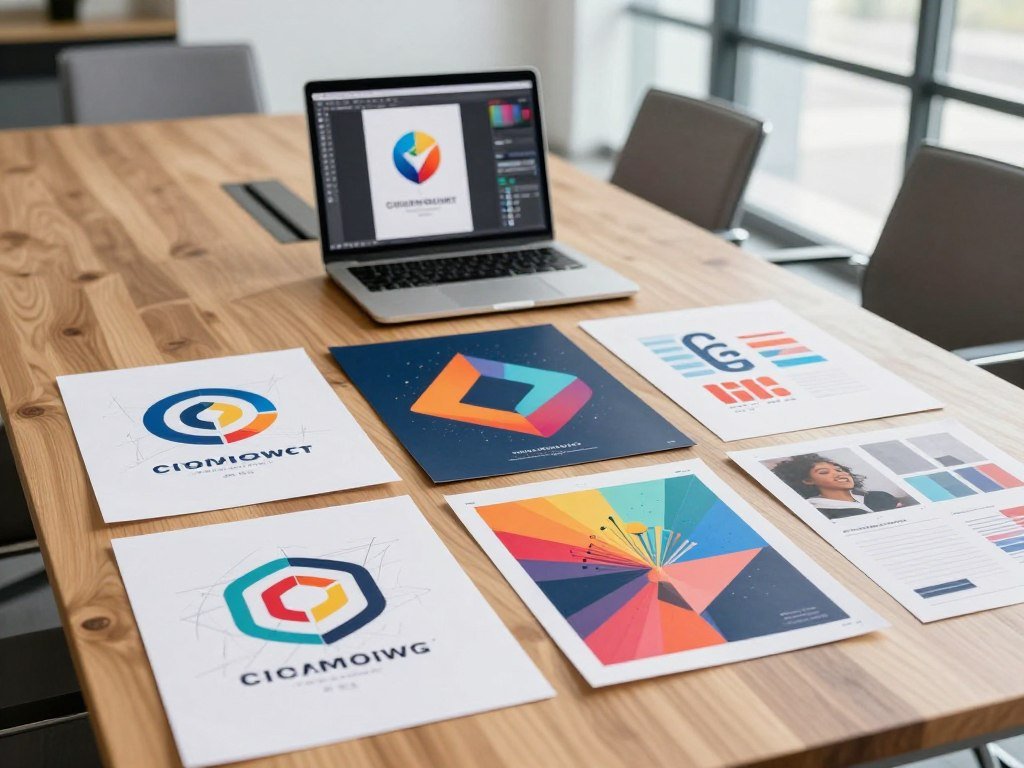
- A logo with a clear shape and simple lettering.
- A product image with a specified object and setting.
- A YouTube thumbnail with a strong focal point.
- A business card with readable details and a set layout.
- A restaurant advertisement poster with a menu message.
Look closely at hands, edges, repeated objects and text. Speed matters when you need several options, but a fast result is less useful if every version needs repair. Editing tools can save time when they fix one detail without changing the rest of the scene.
A thumbnail can look convincing at a glance while failing a business card test. Small text may blur, shift or turn into made-up lettering. An image that looks good as a thumbnail may fail when the brief requires legible small text.
Keep the prompt, aspect ratio and evaluation criteria consistent when you test a shortlist.
For a separate blind-comparison benchmark, the Artificial Analysis leaderboard uses pairwise image comparisons and Elo ratings. Those results are distinct from hands-on ratings, so treat them as another measure rather than a matching scorecard.
Best AI Image Generators 2026: Quick Picks
If you want one balanced place to start, try Nano Banana 2; choose a different tool when a specific requirement matters more than the overall score. It earned the highest overall score among the listed models, with strong results across several measures. Balanced pick does not mean best for every kind of image.
Scores are comparison points, not promises about every prompt. ChatGPT 2.0 led prompt adherence, while Midjourney suits cinematic style and Ideogram fits text-heavy graphics. Adobe Firefly works well in professional Adobe workflows, and Stable Diffusion gives you open-source control.
| Tool | Best fit | Overall score | Standout score |
|---|---|---|---|
| Nano Banana 2 | Balanced image work | 8.82/10 | Visual fidelity 8.80 |
| Nano Banana Pro | Following detailed prompts | 8.8/10 | Prompt adherence 9.20 |
| Flux 2 | Precise prompt details | 8.78/10 | Prompt adherence 9.65 |
| ChatGPT 2.0 | Following prompt details | 8.55/10 | Prompt adherence 9.89 |
ChatGPT 2.0’s prompt score stands out, but its overall score trails the other three entries. Nano Banana Pro is close to Nano Banana 2 overall, with a higher prompt adherence score. The best image generator for your project depends on which quality matters most.
When you compare results, note the exact prompt and output you received. A strong score can help narrow a shortlist, but a specific layout, style or subject may change the outcome. For a longer tested comparison, see tested image generator picks.
Use the pick that matches your hardest requirement, not the one that wins by a fraction of a point.
Which Tool Makes the Most Realistic Images?
For realistic people and natural poses, Nano Banana 2 is the clearest starting point among these picks. It produced believable people with precise anatomy and relaxed poses. Realistic scenes still need a careful look before you use the output.
Check anatomy, reflections and background details before treating an image as finished. Nano Banana Pro can make detailed changes to lighting, style and angle. A generation can take up to two minutes, so allow extra time when you need several versions.

Nano Banana Pro suits a brief that needs more control over a scene. You might ask it to soften a hard light, shift the camera angle or adjust the overall look. Its slower generation can be a trade-off when you are testing many ideas under a deadline.
Flux 2 scored well on prompt adherence, but it can over-sharpen images. Intricate prompts can also lead to artifacts, which makes it less safe as a default realism choice. Fine texture may look crisp at first and then seem unnatural when you zoom in.
For the best image of a person, check the details that stand out in your intended use. A face can look natural while a hand or reflection reveals a flaw. Products need their own review: inspect labels, edges and the way the object meets its background.
Inspect hands, reflections and background details at the size where the final image will be used.
Is ChatGPT Images Best for Text and Editing?
If you already work in ChatGPT, the main advantage is being able to refine an image in the same conversation. You can generate a first image, request a targeted change and ask the model to preserve the rest of the scene where possible. Conversation-based editing can make revisions feel direct.
Review text and layout in the finished image instead of assuming they are correct. A model may alter nearby details when you request an edit, even when you name just one part. Check whether the change fixed the issue without shifting the composition.
ChatGPT Images 2.5 is a model name distinct from ChatGPT 2.0, the comparison result in the quick-picks table. CNET rated OpenAI’s ChatGPT Images 2.5 7.0/10 and named it its pick for ChatGPT users. That rating describes an editorial choice, not a promise about every image generation.
In 2026, ChatGPT Go costs $8 per month and includes GPT Image 2.5. The plan does not mean you can generate without limits. Your access can depend on current product rules, so do not treat a subscription as unlimited image generation.
A chat workflow can help when you need to change a color, adjust an object or try a new crop. It is less certain when every word must stay exact. A poster or label needs a final proofread after you download it, even if the preview looks right.
For a poster or label, proofread every word in the final downloaded image before publishing it.
Is Midjourney the Right Pick for Cinematic Art?
Choose Midjourney when the mood and composition matter more than strict photographic realism. It is a good fit for atmospheric scenes, dramatic lighting and a wide range of art styles. Visual direction is its main draw.
Midjourney is a poor first choice when exact text or natural skin is essential. Skin texture can look stylized, and natural-looking lettering can be hard to get. Detailed images may be intentionally non-realistic rather than faithful photographs.
Midjourney v8.1 scored 8.63/10 overall, with 9.72 for prompt adherence, 8.41 for visual fidelity and 7.75 for style and realism. These are separate measures, and they do not mean every image will have the same look. A strong prompt score can coexist with a more stylized finish.
CNET rated Midjourney 6.5/10 and named it its creative AI image generator pick in 2026. That editorial pick points to its art strengths, while the scorecard offers another way to compare its output. Your brief should decide which matters more.
For a cinematic concept image, you can keep the scene and lighting in Midjourney, then add precise lettering in a design app. That split is useful for posters, covers and campaign graphics where type must remain exact.
For a design with required wording, generate the artwork separately and add final type in a design editor.
How Do Flux 2, UNI-1, Recraft v4 and Ideogram Compare?
Flux 2 is worth considering for precise prompts, while UNI-1 is a balanced alternative when you want fewer obvious weaknesses across categories. Recraft v4 and Ideogram are useful options for designed graphics. Best fit depends on whether the task needs detail, a visual system or lettering.
Flux 2’s 8.78/10 overall score comes with over-sharpening and artifact risks on intricate prompts. Its prompt adherence score is high, but a score does not remove the need to inspect the image. The alternatives below have different strengths.
Flux 2 and UNI-1 for detail and balanced output
Luma AI’s UNI-1 scored 8.68/10 overall, with 9.24 for prompt adherence, 8.48 for visual fidelity and 8.31 for style and realism. Its results are even across those categories. That balance can help when you need a model without one glaring weak point.
Midjourney v8.1 scored 8.63/10 overall, with 9.72 for prompt adherence, 8.41 for visual fidelity and 7.75 for style and realism. Its high prompt score does not mean it is the most photographic choice. Match the model to the mood and finish you want.
Recraft v4 and Ideogram for designed graphics
Recraft v4 scored 8.56/10 overall, with 8.97 for prompt adherence, 8.45 for visual fidelity and 8.28 for style and realism. Its design-oriented workflow is a natural fit for graphic assets. Ideogram scored 8.51/10 overall, with 9.51 for prompt adherence, 8.24 for visual fidelity and 7.79 for style and realism.
Ideogram can suit simple requests that need text-heavy graphics. Complex layouts still need review, since the lettering or spacing may not match your brief. Recraft offers a different route when your task feels more like designed artwork than a general scene.
| Model | Overall score | Prompt adherence | Best use or caveat |
|---|---|---|---|
| UNI-1 | 8.68/10 | 9.24 | Even performance |
| Midjourney v8.1 | 8.63/10 | 9.72 | Stylized scenes |
| Recraft v4 | 8.56/10 | 8.97 | Design-oriented work |
| Ideogram | 8.51/10 | 9.51 | Simple text-heavy requests |
Use a short, clear prompt for a complex graphic before adding secondary details.
Which Tools Suit Beginners and Open-Source Work?
Canva is easier to start with when your image needs to sit inside a finished design, while Stable Diffusion suits people who want more control. Canva keeps image generation close to layouts for social posts and presentations. Guided design can save setup time.
Stable Diffusion offers more options, but setup complexity is the trade-off. You can run it locally, use it through third-party interfaces or add it to custom workflows. Its availability depends on how you access it.
Easy design workflows for beginners
Canva suits a beginner who wants to place an image in a ready-made layout. You can work on a social post or presentation without moving between several apps. CNET rated Canva 7.5/10 and named it its beginner-friendly AI image generator pick in 2026.
Its free plan has a hard generation limit, so it may not support long rounds of testing. The benefit is the guided interface, especially when the image is one part of a larger design. You can focus on the whole page rather than the model alone.
Local control and open-source generation
Stable Diffusion gives you more ways to shape a workflow. You can use a local setup, choose a third-party interface or connect it to custom tools. CNET rated Stable Diffusion 7.0/10 and named it its open-source AI image generator pick in 2026.
Choose between these options using the practical cues below. Your comfort with setup matters as much as the final output. A guided tool can be the better choice when you need a finished layout quickly.
- How willing are you to configure tools?
- Do you need local control over generation?
- Do you prefer a guided interface?
- Do you need to design inside a layout?
Canva puts generation near templates and page elements. Stable Diffusion fits a person who wants to adjust more parts of the image process. Each tool has a clear use, but the right one depends on how much control you need.
Choose the simplest workflow that still gives you the level of control your project requires.
How Much Do AI Image Generators Cost?
A monthly subscription can be easier to budget, but a credit balance does not by itself tell you how many finished images you will get. Compare the price, the included allowance and the cost of the model you plan to use. Image-cost estimates are useful only when the settings match.
One credit does not always buy one image. Some plans use different amounts for different models, sizes or quality levels. Check the allowance before you estimate your monthly spend.
Subscription plans and included credits
The table shows monthly plans and the listed image-cost details. A credit balance may cover very different numbers of outputs, depending on the tool and model.
| Plan | Monthly price | Included allowance | Image-cost detail |
|---|---|---|---|
| Higgsfield Starter | $15 | 200 credits | 2K Soul 2.0: 0.125 credits, under $0.01 estimate |
| Midjourney Basic | $10 | 200 Fast GPU minutes | Image count varies with settings |
| ChatGPT Go | $8 | GPT Image 2.5 included | No exact generation cap published |
| Adobe Firefly Standard | $9.99 | 2,000 credits | Unlimited standard image generation |
| Ideogram Plus | $20 | 2,400 credits | Ideogram 4.5 high quality: about $0.08 per image |
For Ideogram Plus, the high-quality estimate uses 10 credits per image. Adobe Firefly Standard includes unlimited standard image generation alongside its credits. Midjourney uses Fast GPU minutes, and its image count changes with settings.
Pay-per-image API pricing
The Google Gemini API price listed in October 2026 for Nano Banana 2.1 is $0.0336 per 1K image and $0.113 per 4K image. The Gemini API image rates give a size-based price rather than a monthly credit balance.
Ideogram’s API price listed in October 2026 for Ideogram 4.5 is $0.03 per low-quality image, $0.06 per medium-quality image and $0.10 per high-quality image. The price changes with the quality setting.
Costs that depend on generation settings
Dreamina Basic costs $15 per month and includes 1,575 credits. A 2K Seedream 5.0 Pro image is estimated at about $0.15 using 16 credits. Runway Standard costs $15 per month with 625 credits, and a Nano Banana Pro image is estimated at about $0.48.
Magnific Premium costs $20 per month with 20,000 credits. Magnific One images at 2K-4K are estimated at $0.18-$1.00, depending on credit use. Actual image count depends on model, resolution, quality setting and credit use.
Estimate a month of work using the exact model and output settings you plan to use.
Which AI Image Generators Are Free to Use?
Krea is a useful free starting point if you want both image generation and basic upscaling in one place. Its free plan includes 100 compute units per day, including Krea 3 image generation and editing. Daily access can be enough to test a real project.
Free access does not mean unlimited or consistently fast image generation. Limits and wait times differ by service, so test the tool with a prompt you expect to use. Basic upscaling and paid enhancement features are not the same thing.
Free plans with daily or monthly allowances
Krea’s basic free-plan upscaling reaches 2K, while its 8K-class Enhancer is paid. Canva’s free tier includes roughly 20 premium AI image credits per month. Adobe Firefly’s free plan provides limited daily generations.
These options differ in how they support a project. Krea includes generation and editing in its free access. Canva puts its tools near design layouts, while Firefly offers limited daily use for trying its image features.
Free tools with variable limits
ChatGPT’s free tier caps image generations per day and may slow under load. Microsoft Copilot gives 15 fast image-generation boosts, followed by a slower queue with no hard cap. One service sets a daily cap; the other changes speed after its boosts.
Free plans can also change how long you wait or which features you can use. A slower queue may still work for a one-off graphic. A daily cap can be a better fit when you prefer a more predictable test window.
What free access does and does not cover
For a starting list, compare these five tools before choosing a regular workflow:
- Krea for generation, editing and basic upscaling.
- ChatGPT for image generation inside a chat.
- Copilot for fast boosts and a slower queue afterward.
- Canva for images inside a design layout.
- Adobe Firefly for limited daily generations.
Krea is a practical free choice when you want generation and basic editing together. For more free options and changing limits, see this free image generator comparison. A free plan can help you judge the workflow before paying, but it may not support daily production at your preferred speed.
Test the free tier with a real project before building a regular workflow around it.
Which Tools Make Editing and Downloads Easier?
A strong first generation is only part of the job if you still need to add text, remove an object or change the layout. Canva lets you edit generated images inside its design workspace, while ChatGPT supports comment-based edits. Targeted changes can save time when they preserve the parts that already work.
Changing part of an image is different from regenerating the whole scene. A focused edit may still affect nearby details, so compare the new result with the original. A full regeneration can shift the subject, background or composition.
Refine an image without starting over
Canva keeps image generation and layout work in one place. That helps when you need to add type, move an element or prepare a social graphic. ChatGPT uses comments to request changes in conversation, which can be convenient for a quick revision.
Set the aspect ratio before generating, then check that the output fits the intended use. A square image may crop badly in a wide banner. The right ratio can prevent extra edits and protect important details near the edge.
Check file formats before downloading
In a hands-on comparison, ChatGPT, DeeVid AI and Manus AI exported PNG images, while Meta AI exported WebP images. The actual download and available format options can vary by tool, so inspect the saved file before using it.
A file extension alone does not guarantee print-ready quality. The image’s size and detail matter for its final use. Open the download and confirm it looks clear at the display size you need.
Open the downloaded file at its intended display size before sending it to print or publication.
How Can You Keep Images Consistent Across a Workflow?
A consistent visual series comes from reusing clear references and changing one major instruction at a time. Save a reference image and keep the prompt and aspect ratio with it. Repeatable details help a new image feel connected to the last one.
Changing the model, reference and prompt at the same time makes a mismatch harder to diagnose. A controlled process gives you a better chance of seeing which change affected the result. Keep each revision focused.
Start with repeatable visual references
Recraft V4 offers brand-consistency features and vector output. Midjourney offers character-reference workflows. Both can help when you want related assets to share a recognizable look, though each uses a different approach.
A useful workflow makes images in three passes: subject and composition, style and lighting, then final details. This order helps you settle the main idea before tuning small touches. You can also see whether a style change affects the composition.
Make changes in controlled passes
Use these steps to keep the visual brief steady:
- Save a reference image.
- Record the prompt and aspect ratio.
- Change one visual variable at a time.
- Review the final set side by side.
A research paper on Nano Banana Pro tested a structured prompting method across 621 prompts, with reported compliance results for required and prohibited elements. Its findings apply to that method and model, not to all generators. The SCHEMA prompting study also describes tests of batch consistency and layout control.
Save the final prompt and reference alongside the approved image so the next asset starts from the same visual brief.
Which AI Image Generators Offer More Privacy or Fewer Restrictions?
ComfyUI is the clearest choice here for keeping prompts and outputs on your own machine, provided you run it locally. It is a free, locally run image-generation interface. Local generation keeps the work on your device unless you export it.
Local privacy and a cloud service’s safety settings are different issues. A local setup controls where prompts and outputs stay, while a hosted service sets its own content rules. Neither choice means every kind of image is allowed.
Local generation and cloud privacy
ComfyUI can keep prompts and outputs on your machine when you run it locally. That gives you more direct control over where the files go, but requires a local setup. Once you export an image, its later handling depends on where you send it.
Cloud tools have their own data and visibility settings. Gemini images carry visible and invisible SynthID watermarks. Ideogram free-tier images are public by default, and Leonardo AI’s free creations are public.
Leonardo AI’s free plan provides 150 fast tokens per day. That allowance does not change the public-by-default status of free creations. Review visibility settings before using a hosted service for work you intend to keep private.
Safety settings and content limits
Venice allows some NSFW generation within model capabilities and has adjustable safety settings. Its free tier includes 15 image prompts per day, and its Pro plan costs $18 per month with 1,000 images per day. Venice still prohibits illegal content, so it is not unrestricted.
xAI’s acceptable-use policy prohibits real-person sexual content, including in Grok Imagine. The rules differ across services, and an adjustable setting does not remove every limit. Read the specific rules before choosing a tool for sensitive work.
For an AI image generator with no restrictions and free use, there is no option here that meets both claims. Venice allows some NSFW images but prohibits illegal content. Local access changes where your work is stored; it does not erase a platform’s content rules when you use one.
Check a service’s current content and data controls before entering sensitive material or creating an image for a public campaign.
How Should You Choose an Image Generator for Your Needs?
Start with the part of the brief that would be hardest to fix by hand, then choose a tool around that requirement. Nano Banana 2 fits realistic photos, while Midjourney suits cinematic art. Hardest-to-fix details give you a practical first filter.
Choose based on image type, text needs, editing workflow, budget and privacy. A creator who needs both reliable lettering and photographic realism may reasonably use two tools rather than force one model to do both jobs.
| Main need | First tool to try | Why it fits | Check before committing |
|---|---|---|---|
| Realism | Nano Banana 2 | Believable people and poses | Anatomy and scene details |
| Cinematic art | Midjourney | Atmosphere and visual style | Natural skin and exact text |
| Text in images | Ideogram | Simple text-heavy requests | Lettering and layout |
| Beginner design | Canva | Generation beside layouts | Free generation limit |
| Local control | Stable Diffusion | Open-source workflows | Setup and access method |
Use this short checklist to narrow the choices:
- What image type do you need?
- Does the image need exact text?
- How will you edit the result?
- How many images will you make each month?
- How much privacy does the work need?
Your best image generator may not be the same for every task. A product photo and a poster with exact copy make different demands. Try the leading option on a real deliverable before paying for a longer-term plan.
What Should You Check Before Using Images Commercially?
A tool’s commercial-use terms and the question of who owns copyright are related, but they are not the same check. Adobe Firefly is a professional-creators pick, with commercially safe outputs and Adobe-program integration relevant to production workflows. Terms and ownership answer separate questions.
Check the service’s current terms, and get legal advice for high-stakes use. A platform may allow commercial use under its terms, but that does not decide who owns copyright. CNET rated Adobe Firefly 8.0/10 and named it its professional-creators pick in 2026.
Adobe integration can help when your work already moves through its creative programs. The platform’s commercial-use terms matter for client projects, ads and brand materials. Read the terms that apply to the model and plan you use.
The U.S. Copyright Office applies a human-authorship requirement to copyright protection for AI-generated work. That does not mean every image made with AI receives copyright protection. The human contribution and the final work both matter.
For a high-stakes campaign, do not treat a tool label as legal advice. Keep records of the human work that shaped the final output, including edits and design choices. Before delivery, confirm both the service terms and the human contribution behind the final work.
A platform’s permission to use an image commercially does not settle copyright ownership.
Conclusion
For a balanced first test, start with Nano Banana 2; switch tools when your project has a more demanding specialty. It is the strongest balanced starting pick among the scored models. The right choice can change when a project depends on cinematic art, typography, guided design or local control.
That distinction matters when your first result must do a specific job. An attractive image can still miss the required words, crop or level of detail. A specialist tool may be a better fit than asking one model to handle every part.
Pick the free or lowest-commitment option that fits your workflow, then test one real prompt and one edit. Check whether the output works at its final size and whether revisions keep the details you need. That small trial gives you a practical answer before you build a routine around the tool.
Choose one upcoming image, run a small trial, and keep the tool that produces an output you can actually use.
Conclusion
The best result is the one that meets your brief without creating extra work. A leaderboard can narrow your choices, but it cannot predict every image or editing task. Judge the result by the job it needs to do.
Start with one real prompt and a focused revision. Check the subject, layout and final file, then decide whether the tool makes your work easier. Keep your test small enough to compare results without spending time on a full project.
Run one small test, inspect the file, and decide whether the tool belongs in your workflow.
FAQ
What is the #1 AI image generator?
Nano Banana 2 is the strongest balanced starting pick among the scored models, with an 8.82/10 overall score. That rating makes it a sensible first test for a broad range of images, but it does not make it the best choice for every task. Ideogram may suit prominent text, while Midjourney may better fit a highly stylized scene.
What is the best AI photo editor in 2026?
Adobe Firefly is a strong professional choice when you need integration with Adobe programs. Canva is more convenient when you want to edit an image inside a finished design layout. ChatGPT can also support comment-based changes in a conversation. The best fit depends on whether you need a photo edit, a page design or a quick targeted revision.
What is the newest trending AI image generator?
Nano Banana 2 is a prominent 2026 option, but it should be described as a current pick rather than definitively the newest release. New model versions can arrive, and “newest” can mean a different thing than best fit. Compare the model’s results on your own prompt, especially if the image needs exact text, a set aspect ratio or fine detail.
What AI has no restrictions and is free?
No AI image tool is both free and unrestricted. Venice offers 15 free image prompts per day and allows some NSFW generation within its model capabilities, but it prohibits illegal content. Other free tools also set usage or content limits. Check the rules for the specific service and the type of image you intend to make.
Which AI is the least censored?
Venice has adjustable safety settings and allows NSFW generation within its model capabilities, while still prohibiting illegal content. That makes it a more flexible option for some prompts, not an unrestricted one. A service’s settings and rules can affect what it will generate, so check its current limits before relying on it for a project.
What not to tell ChatGPT?
Do not enter passwords, payment credentials or sensitive personal information into an AI chat. Those details can put your accounts or privacy at risk if you share them in the wrong place. Check ChatGPT’s current privacy controls before sharing confidential work, client material or private records. When in doubt, remove identifying details before asking for help.
Which AI is the best for private use?
ComfyUI can run locally, keeping prompts and outputs on your machine unless you export them. That makes it a strong choice when you need more direct control over where files stay. Local setup is required, and exported images can leave your device. Cloud services have their own data controls, so compare those settings with your privacy needs.



