
A student tightening an essay, a marketer revising a caption, and a writer cleaning up a draft all need different kinds of help. The right writing tool can make wording clearer, help you set a tone, or speed up routine edits. But a student may need to keep a source’s meaning intact, while a marketer may need to match a brand voice.
This comparison looks at task fit, useful features, and price. You will see options for students, marketers, social media posts, blog posts, and other projects. Paraphrasing can support revision, but it does not replace checking meaning or giving proper credit. The right pick is the one that preserves your point while fitting the length and workflow of the work in front of you.
Key Takeaways
- Match a paraphraser to your main writing task.
- Check meaning, sentence structure, tone, and text limits.
- Review names, numbers, and claims before using a rewrite.
- Give credit for borrowed ideas, even after changing the wording.
- Choose a free tool only if its limits fit your work.
What should writers compare before choosing a paraphraser?
A paraphrase changes the wording without changing the idea, while a summary deliberately makes the source shorter. A useful comparison checks what changes and what stays the same, rather than judging a tool by how different its words look.
Sentence structure is the order and arrangement of clauses and phrases within a sentence. A useful rewrite keeps the key meaning while changing only what your task allows. These checks also help you compare writing tools that serve different jobs.

| Approach | What changes | What stays the same | Best use |
|---|---|---|---|
| Paraphrasing | Wording and often sentence structure | Main idea | Restating a passage |
| Rewriting | More of the passage | Purpose or key points | Changing style or flow |
| Summarizing | Length and detail | Main ideas | Condensing a text |
Rewriting can alter more than individual words, so its result may need more review. A summary leaves out detail by design. A paraphrase aims to retain the original idea in fresh wording, though a tool can still miss the mark.
Paraphrasing, rewriting, and summarizing do different jobs
Choose the approach that fits the result you need. A student restating one source idea may need a paraphrase, while a reader seeking the main points may need a summary.
Four checks reveal whether a rewrite is useful
Review these four dimensions before accepting the text. They apply whether you are revising one line or a longer passage.
- Meaning: does the wording keep the original claim?
- Sentence structure: does the new order read clearly?
- Tone: does the style fit the reader and purpose?
- Output limit: can the tool handle the length you need?
The UNC Writing Center’s draft revision tips also call for checking focus, evidence, accuracy, and sentence clarity. Before accepting any generated wording, compare its names, numbers, negations, and central claim with the original.
A rewrite is useful only when it preserves the idea and fits the job you need it to do.
That review gives you a better measure of quality than word changes alone. You can also compare tools by their controls and workflow, much as you would when choosing an AI assistant for a recurring task.
Best AI Paraphrasing Tools for Writers: Which One Fits Your Work?
For most writers who want a dedicated paraphraser, start with QuillBot; choose Wordtune for sentence-by-sentence editing, Grammarly for proofreading-led refinement, Walter Writes AI for batch and language needs, and Jasper for branded campaigns. Task fit is the fastest way to narrow your choice, since each tool handles text through a different workflow.
QuillBot is the best free pick among these options for short, controlled rewrites, though its run limit matters. If you want the best paraphrasing tool for a longer request, compare its limits with the length of your draft before starting.

| Tool | Best fit | Useful distinction | Good reason to compare another option |
|---|---|---|---|
| QuillBot | General paraphrasing | Dedicated paraphrasing workspace | Long drafts may exceed a run limit |
| Wordtune | Sentence-level revision | Works with individual lines | Whole-document edits need many choices |
| Walter Writes AI | Batch and language needs | Defined request sizes | Review output in your subject area |
| Grammarly | Tone and grammar refinement | Proofreading-led workflow | Long passage paraphrasing is not its focus |
| Jasper | Branded marketing work | Content for campaigns and brands | May be more than a one-line edit needs |
Among the best AI paraphrasing tools for writers that are free, QuillBot is a practical choice for a short passage. Its limited run size can make it less convenient for longer content. Compare a tool’s workflow with your projects, not just its first output.
For JustDone AI, compare its current modes, request cap, and billing terms using the same criteria. Avoid assuming that its workflow or limits match another product’s.
A wider comparison of ChatGPT apps and other AI tools can help when your work extends beyond paraphrasing. Make the first choice by matching the task to the tool’s workflow, then confirm that its limits suit the length of your draft.
Does QuillBot give writers enough control?
QuillBot is a strong starting point when you want a dedicated paraphraser with mode choices and direct word-level control. Standard and Fluency are its two free paraphrasing modes in 2026, and synonym controls let you choose replacement words.
QuillBot Free allows up to 125 words per run, a limit that suits short passages better than long sections. Its free summarizer allows 1,200 words per use.

The service also includes a grammar checker, AI detector, citation generator, and translator. You can work with Google Docs, Microsoft Word, and Chrome, which can make it easier to move text into your usual writing setup.
Use a short, repeatable process to keep control of the result. The tool offers suggestions, but you decide whether each change keeps the intended meaning.
- Paste or upload the text you want to revise.
- Select a paraphrasing mode for the passage.
- Review the suggested wording and any synonyms.
- Check the result, then copy or export it.
The 125-word free run limit can mean splitting a longer passage into pieces. That makes continuity harder to review, since each block may treat nearby sentences as separate text.
The interface gives you more say over individual words than a one-click rewrite does. Still, a synonym can sound natural while shifting a claim or changing its emphasis. Read the revised passage as a whole before using it in a larger draft.
For a long passage, review each generated block against the surrounding argument before joining the edits.
Is Wordtune a better fit for sentence-level edits?
If you usually notice awkward wording while drafting in Google Docs, Wordtune’s sentence-level approach can fit naturally into that edit. Its writing companion suggests alternatives for one sentence at a time, which gives you closer control over a line.
Wordtune works best when you want to assess each sentence, not replace a whole manuscript in one pass. You can compare rewrites, change tone, or expand and shorten a line to suit the point.
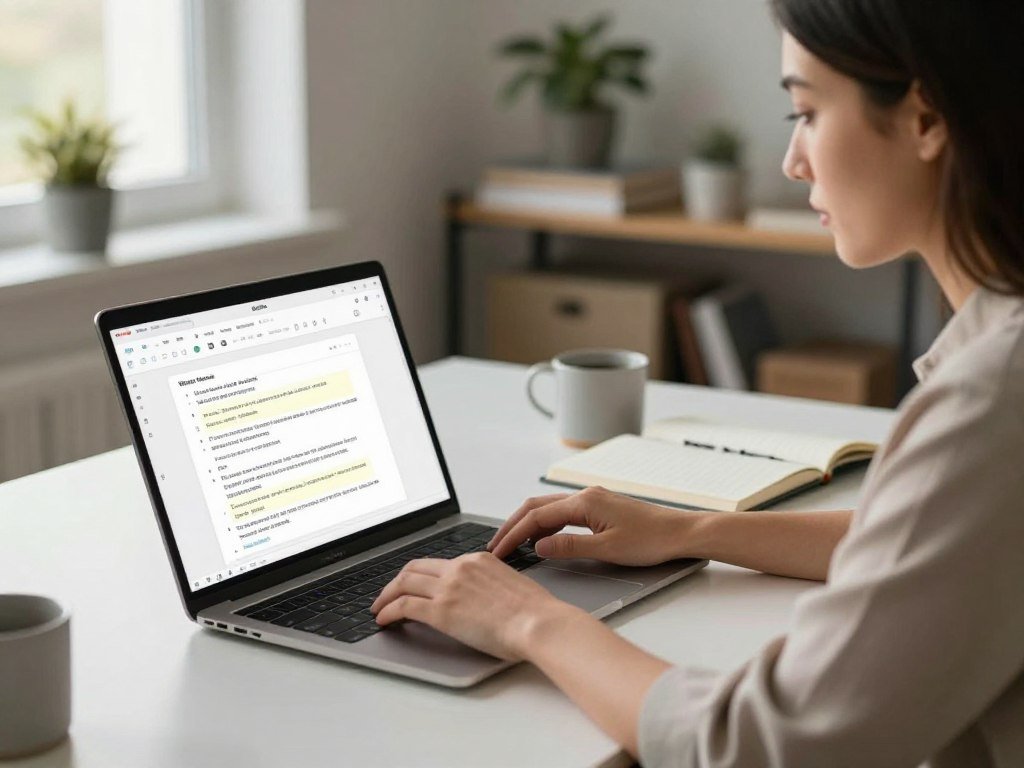
That flexibility can help with social media captions, short emails, and lines that feel stiff in a longer draft. Wordtune also offers spelling corrections and grammar checks across its plans.
Its writing companion integrates with Google Docs, Gmail, and Slack. These connections can place suggestions near the text you are already editing, though you still need to select and review each one.
In 2026, Wordtune Free allows 10 rewrites per day and three summaries per month. Its free daily rewrite allowance suits occasional edits better than repeated, high-volume changes.
A sentence-level workflow asks you to make a choice each time. That can be useful when the emphasis matters, but it takes more attention than sending an entire draft through one tool. Keep the original sentence visible as you choose an alternative, especially when a small wording change could alter emphasis.
What can Walter Writes AI handle in one request?
Walter Writes AI’s request limits are useful when you need to know how much text can go into a single batch. Words per request means the maximum number of words submitted in one batch, not the amount you can use in a month.
Starter allows up to 750 words per request, Pro up to 1,500, and Elite up to 2,000. Those caps help you choose a plan based on the size of the passages you want to submit at once.
A monthly allowance counts total use over a billing period. A request cap sets the size of one submission, so a high monthly allowance does not mean one request can contain that entire amount.
Walter Writes AI supports more than 80 languages. That broad range may help with multilingual projects, but the number of languages alone cannot tell you how well a rewrite handles your topic.
Check how the tool handles the language and subject area you actually use. A passage about a technical process may call for a different level of review than a casual post, even when both use the same language.
For planning, match the batch size to your usual material. Starter fits passages up to 750 words, Pro fits up to 1,500, and Elite fits up to 2,000 in one request.
Use request size as a workflow guide, not a promise about rewrite quality. Divide a longer project only at natural paragraph or section boundaries so each batch remains easy to review.
Can Grammarly improve tone without replacing your editor?
Grammarly is a natural fit when you want a sentence suggestion alongside spelling, grammar, and tone checks. Proofreading first can make its workflow useful when your main concerns are errors and clarity.
Grammarly Pro includes full-sentence rewrites and writing-tone adjustments in 2026. These features can help polish a human-authored email, report, or draft, while leaving the final choices with you.
A tone adjustment can make a message sound warmer, more formal, or more direct. The best option depends on the reader and purpose, so a suggested tone is a starting point rather than a command.
Grammarly Free includes 100 AI prompts per month, while Pro includes 2,000. Spelling corrections and sentence-level refinement support an editing workflow, but they do not turn proofreading into a full-document paraphraser.
Use Grammarly when grammar and clarity are the main concerns. If your goal is to replace wording across a long document, a proofreading-led workflow may not be the most direct fit.
Grammarly can also suit teams that want editing feedback close to their writing. The AI writing tools used by content creators differ in how they balance proofreading, drafting, and marketing work.
Accept a tone change only after reading the full paragraph to make sure it still sounds appropriate for its audience.
When does Jasper Pro make sense for marketing teams?
Jasper Pro makes the most sense when a marketing team needs to create and revise content across multiple brands or campaigns. Brand context can help guide work on blog posts, product descriptions, social media captions, and website copy.
Jasper Pro includes advanced AI features for creating content for multiple brands and collaborating on campaigns in 2026. That broader workflow may matter more than a simple sentence rephraser when several people handle related content.
A shared campaign workflow can help a team keep its approved tone in view across different formats. The team still needs to check each draft against its own examples and written brand guidance.
The Content Marketing Institute’s guide to brand voice recommends using strong examples and clear guidelines to shape AI suggestions. A human review can then catch wording that sounds off-brand or changes the message.
Jasper can be more than a one-off sentence edit. If you only need to improve one line, a dedicated paraphraser or inline editor may get you there with fewer steps.
When work spans a campaign, the broader tool may help with several kinds of content. A general assistant can fit better when your writing tasks vary widely, while Jasper is positioned for branded marketing formats.
Before building a rewrite around a brand voice, check that the approved message and product details remain unchanged.
How should students use paraphrasing tools responsibly?
A paraphrasing tool can help revise wording, but it cannot take responsibility for the source or the student’s academic choices. Source credit still matters because changing the wording does not make another person’s idea your own.
Borrowed ideas need a citation even when you write them in new words. Students can use a tool to revise a draft, but the final text must follow the instructor’s rules and reflect their own understanding.
Before submitting academic writing, use this checklist:
- Cite the original idea and source.
- Verify every claim against the source text.
- Follow your instructor’s AI-use policy.
- Revise the output using your own understanding.
A 2026 study tested 192 texts with Originality and Turnitin. Overall accuracy was 0.69 for Originality and 0.61 for Turnitin, while macro-average recall was 0.60 and 0.51, in the same order.
Keep source credit attached to borrowed ideas
Paraphrasing changes wording, not ownership of an idea. If research supports your point, keep the source tied to that point and check that the revised text does not claim more than the source does.
A practical revision guide, such as guidance on revising AI-generated writing, can remind you to check claims and follow school rules. Do not use a paraphraser to evade a class or publication’s AI-use policy.
Treat detector results as limited signals
Both detectors performed poorly on hybrid texts, and accuracy was noticeably lower for scientific writing than for humanities texts. The study’s researchers concluded that detectors are unsuitable as the sole basis for academic-misconduct decisions.
Detector scores estimate whether text may be AI-generated; they do not prove who wrote it. When a detector result conflicts with the writing process or evidence, ask for a fair review rather than treating the score alone as proof.
What do the leading paraphrasing tools cost?
The lowest monthly equivalent is not always the lowest commitment, so compare each plan’s billing period with the amount of rewriting you expect to do. Annual billing can lower the monthly equivalent, but it asks you to commit for a year.
Compare the price, the included usage, and the billing term together. A low monthly figure may not fit your needs if the plan’s prompts, word allowance, or request cap falls short.
Compare individual plan prices
These prices and plan details apply in 2026. Monthly equivalents and annual totals are shown separately when both are listed.
| Tool | Plan and billing | Price | Included usage or terms |
|---|---|---|---|
| QuillBot Premium | Annual, quarterly, or monthly | $10 monthly equivalent, $119.95 yearly; $13.31 monthly quarterly; $19.95 monthly | Unlimited paraphrasing; all modes; plagiarism checker, 25,000 words monthly |
| Wordtune Unlimited | Annual billing | $9.99 per month | Unlimited rewrites and AI suggestions |
| Jasper Pro | Yearly or monthly | $59 monthly when billed yearly; $69 monthly | Pro plan; Business has custom pricing |
| Walter Writes AI | Starter, Pro, Elite, or Teams | Starter $8 monthly, $96 yearly; Pro $13 monthly, $156 yearly; Elite $26 monthly, $312 yearly | 30,000, 70,000, or 200,000 words monthly; Teams has 500,000 words and 10 members |
| Grammarly Pro | Annual or monthly, per member | $12 monthly when billed yearly; $30 monthly | 2,000 AI prompts monthly; Free has 100 |
Check usage limits, trials, and team plans
Plan limits can shape the real cost of a tool. A team may need shared access, while an individual may care more about how many rewrites or prompts fit a month.
- Billing period: compare monthly charges with yearly totals.
- Monthly use: check word allowances or prompt counts.
- Request cap: confirm the maximum batch size.
- Trial timing: note when cancellation must happen.
Wordtune’s three-day free trial requires payment information. You can cancel before the trial ends without a charge.
Walter Writes AI Teams includes 500,000 words per month for 10 team members. For solo use, compare the monthly word allowance with your likely workload before paying for extra capacity.
Calculate the annual total before choosing an annual offer, then confirm the renewal and cancellation terms at checkout.
Which free alternatives suit short or multilingual rewrites?
A short passage or a research-note workflow can be better served by a focused free alternative than by a larger paid writing suite. Quick access matters when you need one small edit, while research work may call for tools that fit your notes.
Paraphraser.io handles up to 500 words per session without sign-up, while other free tools set different caps. Pick by passage length and task, then review the result before using it.
Choose a no-sign-up option for a quick passage
Paraphraser.io supports more than 20 languages and processes up to 500 words per session without sign-up. That makes it an option for a larger quick rewrite, though you should still judge the wording in the language you use.
Scribbr’s no-sign-up paraphraser is aimed at short academic passages, with an approximate 125-word cap. Semrush offers six paraphrasing modes and 200 free words per day without an account.
The tools suit different quick jobs. A larger session may help with a brief passage, while a short academic excerpt or a choice of modes may matter more in other cases.
Use research-focused support for academic work
Writefull offers low-, medium-, and high-level paraphrase settings. These levels give you a way to choose how much a sentence changes as you edit academic text.
Genei Pro connects paraphrasing with research notes. It can paraphrase content in those notes and add AI-generated summaries to a notepad, which may suit a workflow built around gathering material.
- Paraphraser.io: a quick passage in several languages.
- Scribbr: a short academic passage.
- Semrush: a no-account rewrite with mode choices.
- Writefull or Genei Pro: academic edits or research notes.
For a research workflow, keep your notes and source details close as you revise. A paraphrase should not make a claim seem separate from the work that supports it.
Free access does not remove the need to check meaning, language, and source details.
Test an alternative on a noncritical paragraph first, then verify its wording and source details before using it in finished work.
Conclusion
The best fit is the tool that improves the work you actually do without making review harder. Choose by the kind of editing you do most, then judge the rewrite by its meaning and how well it fits your workflow.
A useful tool should save time without taking your judgment out of the process. A short test can reveal whether its wording suits your needs before you commit.
Try the likely tool on a short, low-stakes passage and compare the result with the original. Start with one short passage, check every changed claim, and keep the tool only if its edits save time without weakening your meaning.
FAQ
How can I tell whether a paraphrasing tool changed my meaning?
Compare the rewrite with the source, focusing on names, figures, negations, and the central claim. A changed number or missing “not” can reverse a sentence’s meaning. Check whether the revised wording keeps the same point and level of certainty. Read the surrounding paragraph too, since a line can be accurate alone but misleading in context.
Can I paraphrase a source without citing it?
No, changing the wording does not remove the need to credit borrowed ideas. A paraphrase still draws on the source’s knowledge, claim, or evidence. Cite that source according to your class or publication’s rules, and make clear which ideas come from it. Your own wording does not turn someone else’s research into your original work.
Can AI detectors reliably identify paraphrased writing?
No, AI detector scores cannot reliably settle who wrote paraphrased text. A 2026 study of 192 texts found accuracy of 0.69 for Originality and 0.61 for Turnitin. Both tools performed poorly on hybrid texts, which mix writing methods. The study’s researchers said detectors should not serve as the sole basis for academic-misconduct decisions.
How many words can free paraphrasing tools handle?
QuillBot Free handles up to 125 words per run, while Walter Writes AI Starter allows up to 750 words in one request. Other free tools use different caps, and some limit use by day or session. Check whether the limit applies to each submission or to total use, since those rules affect how you handle a longer passage.
Does Wordtune charge after its free trial?
Wordtune’s three-day trial requires payment information, but you can cancel before it ends without a charge. The trial period is short, so note its end date when you sign up. If you keep the plan, its regular billing terms apply. Review the cancellation steps before starting so you know how to end the trial in time.
Which paraphrasing tools work with Google Docs?
QuillBot and Wordtune both work with Google Docs. QuillBot also works with Microsoft Word and Chrome, while Wordtune integrates with Gmail and Slack. Their Google Docs connections do not mean every feature appears or works in the same way inside the document. Review each tool’s available controls in your own workflow before relying on them.



