
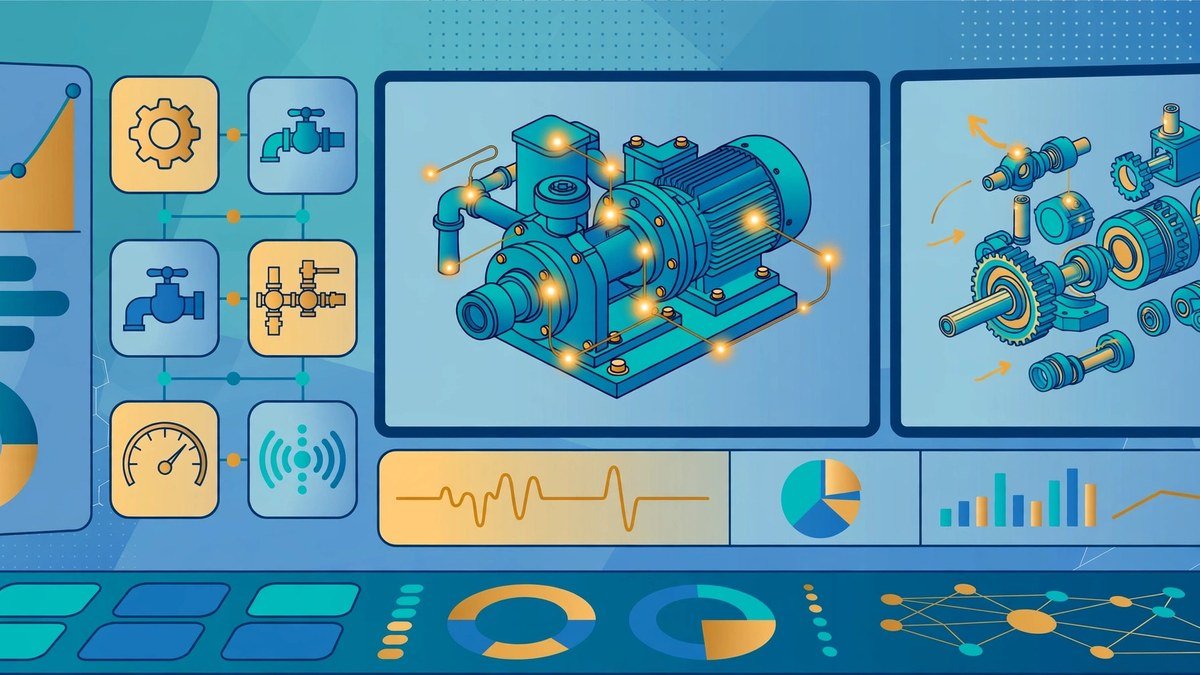
Every business runs on assets it cannot afford to lose track of: laptops and servers, factory machines, vehicles, medical devices, tools, and the buildings that house them. When those assets are managed in spreadsheets, the costs pile up quietly — equipment bought twice because nobody knew it was already in storage, warranties expiring unnoticed, machines failing without warning, and audits that take weeks instead of hours. AI-powered asset management tools change that equation by turning a static inventory list into a living system that watches, predicts, and recommends.
The best AI tools for asset management in 2027 do more than record where things are. They predict which machines are likely to fail, flag underused equipment worth redeploying, automate depreciation and compliance paperwork, and read barcodes, RFID tags, and sensor data without manual entry. The result is fewer emergency repairs, longer equipment life, and a finance team that finally trusts the numbers. We evaluated the leading platforms on AI depth, ease of deployment, mobile capability, integrations, and honest pricing — and ranked them by who they serve best, not by who spends the most on marketing.
This guide covers eight platforms, from enterprise-grade suites like IBM Maximo and ServiceNow to nimble, mobile-first tools like Asset Panda and UpKeep. Whether you manage a fleet of delivery vans, a hospital full of medical devices, or ten thousand laptops across three continents, one of these tools fits. Read the shortlist, compare starting prices, then use the checklist at the end before you pay for anything.
Key takeaways
- IBM Maximo is the best overall AI asset management platform for enterprises, with the strongest predictive maintenance and digital-twin capabilities.
- Asset Panda is the best value for small and mid-sized teams, with simple mobile scanning and per-asset pricing that stays affordable as you grow.
- ServiceNow ITAM is the best choice for organizations already running IT service management, because asset data flows directly into tickets, incidents, and procurement.
- Most platforms now charge per asset or per user per month, and AI features such as predictive maintenance are often an add-on — check current pricing before budgeting.
- Avoid tools that cannot import your existing inventory cleanly or export it back out; lock-in is the most expensive mistake in asset management.
At a glance: the shortlist
| Product | Best for | Starting price | Standout limit |
|---|---|---|---|
| IBM Maximo Application Suite | Enterprise predictive maintenance | Check current pricing | Complex setup; needs implementation help |
| ServiceNow IT Asset Management | IT teams on ServiceNow | Check current pricing | Premium pricing; enterprise focus |
| Asset Panda | Small and mid-sized teams | Check current pricing | AI features lighter than enterprise suites |
| EZOfficeInventory | Equipment rental and tracking | Check current pricing | Advanced AI analytics cost extra |
| UpKeep | Mobile-first maintenance teams | Check current pricing | Asset registry less deep than Maximo |
| Fiix | Manufacturing maintenance | Check current pricing | Best features in higher tiers |
| AssetWorks | Fleets and public sector | Check current pricing | Dated interface in places |
| Freshservice | IT asset management with ITSM | Check current pricing | AI add-ons priced separately |
IBM Maximo Application Suite — Best overall
IBM Maximo has managed industrial assets for decades, and its modern Application Suite layers genuine AI on top of that deep operational history. The platform combines enterprise asset management, monitor, health, predict, and visual inspection modules into one suite. Its AI models learn from sensor data, work history, and operating conditions to forecast failures days or weeks ahead, and its digital-twin features let teams simulate how a machine will behave under different loads before anything breaks in the real world.
Where Maximo earns its top spot is the breadth of what it can watch. It handles fixed plant, rotating equipment, facilities, and linear assets such as pipelines and rail, all in one register. Computer vision models can inspect photos of equipment and flag corrosion, leaks, or wear, which turns a routine walk-around into a data collection exercise.
The trade-off is complexity. Maximo is an enterprise platform with enterprise implementation: expect a structured rollout, data cleansing, and training for administrators. Smaller organizations will find it heavy, and pricing is quoted rather than published, so budget conversations start with a sales call. For manufacturers, utilities, and transport operators with thousands of critical assets, though, nothing else in this list matches its predictive depth.
Pros: Strongest predictive maintenance and AI health scoring in this roundup; digital twins and computer vision inspection; handles every asset class including linear assets; deep integration with SAP, Oracle, and IoT platforms.
Cons: Quoted pricing only — check current pricing before budgeting; implementation is long and needs specialist help; overkill for teams under a few hundred assets.
ServiceNow IT Asset Management — Best for IT teams on ServiceNow

ServiceNow IT Asset Management, or ITAM, manages the full lifecycle of hardware and software assets inside the ServiceNow platform: procurement, deployment, assignment, retirement, and license compliance. Its AI layer, built on the Now Platform, automates the repetitive work that eats IT teams alive — normalizing discovery data, reconciling licenses, detecting duplicate records, and flagging assets that are out of warranty or approaching end of life.
The real advantage is context. Because ITAM lives next to incident, problem, and change management, an asset is never just a row in a spreadsheet. When a laptop fails, the technician sees its warranty status, its owner, its installed software, and its replacement cost in the same ticket. Procurement teams can see which licenses are unused and reclaim them before renewal, which is often where the biggest savings hide. If your organization already runs ServiceNow for ITSM, adding ITAM is the shortest path to AI-assisted asset control, and our guide to the best AI tools for field service explains how the same service data helps teams that work outside the office too.
Pricing is enterprise-grade and quoted per deployment, so small IT teams should look elsewhere. Implementation also rewards organizations that commit to the ServiceNow way of working; teams that want a standalone asset register will find it more platform than they need. But for mid-sized and large IT organizations, the combination of discovery, license optimization, and automated lifecycle workflows is hard to beat.
Pros: Lifecycle, license, and warranty data in one place; AI normalizes messy discovery data automatically; tight integration with incidents, changes, and procurement; strong compliance and audit reporting.
Cons: Quoted enterprise pricing — check current pricing; best value only if you already use ServiceNow; setup benefits from certified implementation partners.
Asset Panda — Best for small and mid-sized teams
Asset Panda is the most approachable tool in this roundup, and that is exactly why so many growing companies choose it. It is a cloud-based asset tracking platform built around a mobile app: scan a barcode or QR code with a phone, and the asset record updates instantly, with photos, location, condition notes, and custom fields attached. There is no hardware to buy beyond the phones your team already carries, and the interface is simple enough that non-technical staff can use it on day one.
Asset Panda’s AI is practical rather than flashy. It powers smart search, automated depreciation calculations, duplicate detection, and reporting that surfaces idle assets, warranties about to expire, and maintenance due soon. Custom workflows let teams build check-in and check-out processes, approval chains, and audit trails without code.
Pricing is per asset rather than per user, which makes it unusually affordable for organizations with many occasional users — warehouses, schools, churches, and construction firms, for example. The platform does not offer the deep predictive maintenance modeling of Maximo or Fiix, and very large enterprises may outgrow its reporting.
Pros: Excellent mobile barcode and QR scanning; per-asset pricing suits teams with many occasional users; fast setup with no special hardware; strong custom fields and audit trails.
Cons: AI is lighter than enterprise suites — no deep failure prediction; reporting is good but not as deep as Maximo; very large fleets may need a heavier platform.
EZOfficeInventory — Best for equipment rental and tracking
EZOfficeInventory is built for organizations whose assets move: rental companies, AV and event firms, construction contractors, and IT teams that loan equipment. Its core strength is a clean, fast asset register with check-in and check-out, reservations, and location tracking, plus a self-service portal where employees can reserve what they need without emailing the asset manager.
The platform’s AI features focus on the questions rental and operations managers actually ask: which items are underused, which are overdue, which need servicing, and what should be retired or replaced. Automated alerts cover maintenance schedules, warranty expiry, and low stock, while depreciation tracking and audit reports keep finance happy. RFID and barcode support, along with integrations for accounting and help desk tools, round out a practical package.
EZOfficeInventory prices by plan tier, with advanced analytics and AI-driven insights in the higher tiers, so check current pricing for the tier that includes the features you need. It is less suited to heavy industrial predictive maintenance than Fiix or Maximo, and its IT asset discovery is lighter than ServiceNow or Freshservice. For teams that lend, rent, or move equipment constantly, though, its reservation and checkout workflows are the best in this list.
Pros: Best-in-class reservations and check-in/check-out for shared equipment; self-service portal reduces admin work; clear alerts for maintenance, warranties, and overdue items; fast, modern interface.
Cons: Advanced AI analytics sit in higher-priced tiers; not built for heavy industrial predictive maintenance; IT discovery is lighter than dedicated ITAM tools.
UpKeep — Best for mobile-first maintenance teams
UpKeep started as a mobile maintenance app, and it still feels like one — in the best way. Technicians open the app, see their work orders, scan an asset, log the repair with photos, and move on. Behind that simple experience sits a capable computerized maintenance management system with asset hierarchies, preventive maintenance schedules, parts inventory, and reporting, plus AI features that are growing with each release.
The platform’s AI assistant helps teams create work orders from plain-language requests, summarize asset history, and surface assets that are costing more to maintain than to replace. Predictive alerts draw on meter readings and work-order patterns to flag equipment heading for trouble. For facilities, hospitality, manufacturing, and property management teams whose technicians live on their phones, UpKeep’s mobile experience is the most polished of any tool here.
UpKeep is priced per user per month, with AI capabilities concentrated in higher tiers, so check current pricing for the plan that matches your needs. Its asset register is less deep than Maximo’s for complex industrial hierarchies, and organizations that need heavy financial asset management will want a dedicated ITAM or EAM tool alongside it. As a maintenance-first platform with genuinely useful AI, however, it is an excellent fit for teams that fix things in the field.
Pros: Best mobile experience for technicians; AI work-order creation and asset summaries save real time; strong preventive maintenance scheduling; quick to deploy.
Cons: AI features concentrated in higher tiers; asset register less deep than enterprise EAM tools; per-user pricing adds up for large technician teams.
Fiix — Best for manufacturing maintenance
Fiix, now part of Rockwell Automation, is a cloud-based maintenance management platform aimed squarely at manufacturing. It combines asset management, work orders, preventive maintenance, and parts inventory with AI that learns from your maintenance history to recommend schedules, predict failures, and prioritize work by business impact. Its integration with Rockwell’s industrial automation ecosystem is a genuine advantage for plants already running that equipment.
The platform’s standout feature is how it turns maintenance data into decisions. AI-powered analytics show which assets consume the most maintenance budget, which failure modes repeat, and where preventive schedules are too frequent or too rare. Technicians get mobile work orders with asset history attached, and managers get dashboards that connect maintenance performance to production outcomes.
Fiix is priced per user, with its most advanced AI analytics reserved for higher tiers — check current pricing before committing. It is less of a general-purpose asset register than Asset Panda or EZOfficeInventory, and IT asset teams will find ServiceNow or Freshservice a better fit. For manufacturers that want maintenance and asset management in one AI-assisted system, Fiix is the strongest specialist here.
Pros: AI-driven maintenance analytics tuned for manufacturing; strong Rockwell Automation integration; good multi-site standardization; clean mobile work orders.
Cons: Advanced AI analytics in higher tiers; less suited to general IT or office asset tracking; per-user pricing needs care for large teams.
AssetWorks — Best for fleets and the public sector
AssetWorks is a veteran of fleet and facilities management, and it shows in the depth of its feature set. The platform manages vehicles, equipment, and facilities together, with fuel tracking, work orders, parts inventory, warranty management, and capital planning in one system. Its AI and analytics features help fleet managers predict maintenance needs, optimize replacement timing, and spot cost patterns across hundreds or thousands of vehicles.
Public sector organizations are a particular strength: AssetWorks is widely used by municipalities, transit agencies, and government fleets, and its reporting, audit trails, and compliance features reflect that heritage. Integration with telematics and fuel systems gives managers real-time data on vehicle health and utilization.
The interface feels dated in places compared with newer tools like UpKeep, and pricing is quoted rather than published, so check current pricing through a demo. Implementation is a project, not an afternoon. But for fleets, transit, and public sector asset managers who need depth over polish, AssetWorks remains a serious, proven choice.
Pros: Deep fleet, fuel, and telematics integration; strong capital and replacement planning; proven in public sector and transit; thorough audit and compliance reporting.
Cons: Quoted pricing only; interface feels dated next to newer tools; implementation takes time and planning.
Freshservice — Best for IT asset management with ITSM
Freshservice is Freshworks’ IT service management platform, and its asset management module is one of the most complete for IT teams that do not want ServiceNow’s enterprise weight. It discovers hardware and software across the network, builds a single asset register, tracks warranties and contracts, and manages software licenses — all inside the same system that handles employee tickets and service requests.
The platform’s AI, branded Freddy, helps in several practical ways: it auto-categorizes tickets, suggests solutions, flags assets linked to recurring incidents, and surfaces license and warranty risks before they become problems. Contract management alerts teams before renewals, and the asset register ties directly into the service catalog, so onboarding a new employee can automatically assign a laptop, monitor, and software licenses in one workflow.
Freshservice is priced per agent per month, with AI features as add-ons or in higher tiers, so check current pricing for the bundle you need. It is less suited to industrial or fleet assets than Maximo or AssetWorks, and very large enterprises may still prefer ServiceNow. For small and mid-sized IT teams that want modern ITSM plus solid asset management without enterprise complexity, Freshservice is the friendliest option in this guide.
Pros: Modern ITSM plus asset management in one system; Freddy AI automates ticket and asset triage; strong contract and license alerts; easy onboarding workflows for new employees.
Cons: AI features often priced as add-ons; not built for industrial or fleet assets; advanced reporting needs higher tiers.
How to choose
Start with the assets, not the software. List what you manage — IT hardware, industrial machines, vehicles, facilities, or a mix — and how many of each. A tool that is brilliant for laptops will frustrate a maintenance team, and an industrial EAM suite will drown a fifty-person office. Match the platform’s core strength to your largest, most expensive asset class first, and treat everything else as a secondary requirement.
Next, test the mobile experience with the people who will actually use it. Technicians and warehouse staff will not adopt a tool that is slow or confusing on a phone, and adoption is where asset projects succeed or fail. Run a pilot with real assets, real barcodes, and real work orders before you sign a contract — most vendors offer trials, and a two-week pilot reveals more than any demo. When you evaluate procurement and lifecycle workflows, our guide to the best AI tools for procurement shows how asset data connects to purchasing decisions and vendor management.
Finally, check the numbers that matter after year one. Ask about renewal pricing, the cost of AI add-ons, data export options, and what happens to your data if you leave. A cheap first year with a painful renewal is the most common regret in this category. And remember that clean data matters more than clever AI: a platform fed with duplicate, outdated records will produce confident, wrong predictions.
Checklist: before you pay
- Run a pilot with your real assets, real barcodes, and the staff who will use the app daily.
- Confirm the trial includes the AI features you are buying for — predictive maintenance and analytics are often in higher tiers.
- Check renewal pricing in writing, including AI add-ons, extra users, and per-asset overage charges.
- Test importing your existing inventory and exporting it back out — clean export is your exit strategy.
- Verify integrations with your accounting, help desk, directory, and telematics systems before signing.
- Ask about support hours, onboarding help, and training, and get the answers in the contract.
Frequently asked questions
What is AI asset management?
AI asset management uses machine learning to monitor equipment, predict failures, optimize maintenance schedules, and automate inventory tasks. Instead of reacting to breakdowns, teams get warnings in advance and recommendations ranked by cost and risk.
How much do AI asset management tools cost?
Pricing varies widely: simple mobile tools charge per asset or per user per month, while enterprise suites are quoted per deployment and can run into five or six figures a year. AI features are often add-ons, so check current pricing for the exact plan and features you need.
Can AI really predict equipment failure?
Yes, with limits. When a platform has enough sensor readings and failure history, its models can flag machines that are trending toward breakdown. Accuracy improves with data quality, so clean records and consistent meter readings matter more than the brand of AI.
Do I need special hardware to use these tools?
Usually not. Most modern tools work with phones for barcode and QR scanning, and many connect to existing sensors or telematics. RFID tags and IoT sensors help at scale, but they are optional for small and mid-sized deployments.
What is the difference between EAM, CMMS, and ITAM?
EAM, or enterprise asset management, covers the full lifecycle of physical assets. CMMS focuses on maintenance work orders and schedules. ITAM manages IT hardware and software assets. Many platforms blend all three, so choose by your dominant asset type.
Which tool is best for managing a vehicle fleet?
AssetWorks is the strongest fleet specialist in this roundup, with fuel, telematics, and replacement planning built in. If your fleet is mostly delivery vehicles, our guide to the best AI tools for logistics covers how routing and delivery data connect to the assets that carry them.
The bottom line
For most organizations, the right choice is clear once you know your dominant asset type. Enterprises with critical industrial equipment should choose IBM Maximo for its predictive depth. IT teams already on ServiceNow should add ServiceNow ITAM, while smaller IT teams will be happier with Freshservice. Small and mid-sized teams that need simple, mobile-first tracking should start with Asset Panda, and teams whose equipment moves constantly should look at EZOfficeInventory. Manufacturers should shortlist Fiix, maintenance teams should try UpKeep, and fleets should evaluate AssetWorks.
Whichever platform you choose, run a real pilot, clean your data first, and confirm renewal pricing before you sign. AI asset management is not magic — it is good data plus good models plus a team that actually uses the tool. Get those three right, and the savings in downtime, duplicate purchases, and emergency repairs will justify the investment many times over.
Note: Prices and plans change. Check the product’s current plan details before buying — no link is provided here by design, all links in this article go to other occcy.com guides.



