
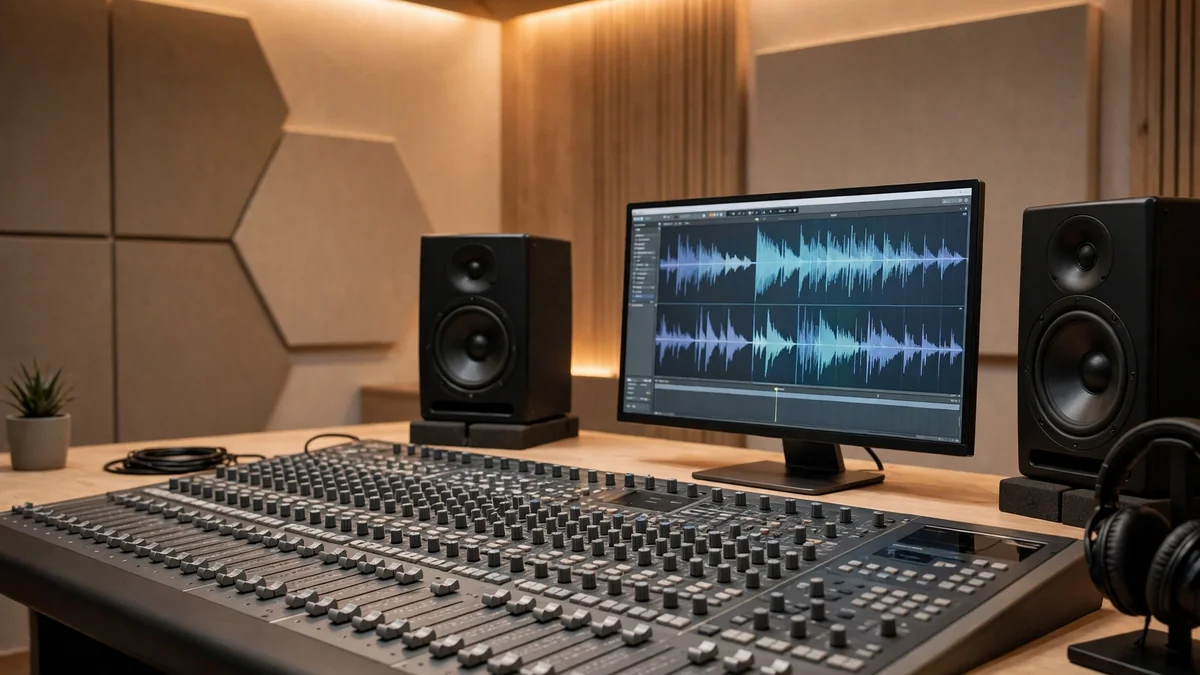
AI tools for audio production have moved from experimental plug-ins to the centre of how music, podcasts, and video sound are made. The best AI tools for audio production in 2027 handle the repetitive work that used to eat hours of studio time: cleaning up noisy recordings, balancing levels, separating stems, mastering a finished mix, and even generating backing tracks from a text prompt.
The market has split into clear camps. Some tools focus on repair and cleanup, removing hum, reverb, and mouth clicks from dialogue. Others focus on creation, generating melodies, drum patterns, and full arrangements. A third group handles the final polish, with AI mastering that analyses a track and applies EQ, compression, and loudness in seconds. The right choice depends on whether you record podcasts, produce music, or edit video.
This guide compares eight of the strongest options, from full workstations with AI built in to focused single-purpose tools. Prices are approximate starting prices, so check current pricing before you buy.
Key takeaways
- Adobe Audition is the best overall choice for professionals who want AI cleanup inside a full editing suite.
- Descript is the best pick for podcasters and video creators who edit audio by editing text.
- iZotope RX remains the strongest repair tool for damaged or noisy recordings.
- LANDR offers the fastest route to a release-ready master, with AI mastering from about $12 per month.
- Free tiers exist, but serious work usually needs a paid plan for full-quality exports and higher usage limits.
At a glance: the shortlist
| Product | Best for | Starting price | Standout limit |
|---|---|---|---|
| Adobe Audition | Professional editing and cleanup | About $23 per month | Subscription only, no perpetual licence |
| Descript | Podcasts and video editing | Free tier; paid from about $16 per month | Transcription hours capped on lower plans |
| iZotope RX | Audio repair and restoration | About $129 for Elements | Advanced modules need the Standard or Advanced editions |
| LANDR | AI mastering and distribution | About $12 per month | Unlimited masters only on higher tiers |
| AIVA | AI music composition | Free tier; paid from about $11 per month | Copyright ownership needs a paid plan |
| Lalal.ai | Stem separation | Pay per use from about $15 | Free preview is limited to short clips |
| Krisp | Real-time noise removal | Free tier; paid from about $8 per month | Free plan limits noise-cancelling minutes |
| Soundraw | Royalty-free background music | About $17 per month | Downloads are for licensed use, not resale |
Adobe Audition — Best overall
Adobe Audition is a full digital audio workstation with AI features woven through its editing, mixing, and repair tools. Its speech enhancement and noise reduction clean dialogue with machine learning, while its remix tool stretches or shortens a music track to fit a video without obvious edits.

The strength of Audition is depth. Multitrack sessions, spectral editing, batch processing, and loudness metering are all built in, so a podcast episode or a film soundtrack can be finished without leaving the app. The AI tools target the boring problems, like background hum or inconsistent levels between speakers.
Pros: Full professional workstation with AI cleanup, strong spectral editing, smooth Premiere Pro integration.
Cons: Subscription only, steeper learning curve than single-purpose tools.
Descript — Best for podcasts and video
Descript turns audio editing into word processing. It transcribes a recording, and deleting a sentence from the transcript deletes it from the audio. Its Studio Sound feature removes background noise and room echo, making a home recording sound close to a studio take, and Overdub can generate replacement words in the speaker’s own voice.
For podcast teams, the workflow is hard to beat. Multiple speakers are separated automatically, filler words can be removed in one click, and the same project can produce both the audio episode and a captioned video clip. If your main work is spoken word, Descript replaces several tools at once. Creators who want to compare editing styles should also look at our guide to the best AI tools for voice editing, which covers more single-purpose voice tools.
Pros: Edit audio by editing text, strong Studio Sound cleanup, built-in video and publishing tools.
Cons: Transcription hours are capped on cheaper plans, music features are limited.
iZotope RX — Best for audio repair
iZotope RX is the repair specialist of this list. Its AI-assisted modules target specific problems: de-click removes mouth sounds and pops, de-hum kills electrical interference, de-reverb tames echoey rooms, and dialogue isolate pulls speech out of noisy backgrounds. The spectral editor lets you paint away a cough or a siren visually, frequency by frequency.
RX is the tool engineers reach for when a recording is damaged and cannot be re-recorded. An interview from a noisy cafe or an archive tape with clicks and hiss can often be rescued. Elements covers the basics, while Standard and Advanced add the deeper modules post-production houses rely on.
Pros: Best-in-class repair tools, precise spectral editing, works as a plug-in inside most DAWs.
Cons: Higher editions are expensive, and it is overkill for simple podcast cleanup.
LANDR — Best for AI mastering
LANDR made AI mastering mainstream. Upload a finished mix and its engine analyses genre, dynamics, and frequency balance, then applies EQ, compression, and loudness targeting to produce a release-ready master in minutes. It also offers distribution and sample packs, so independent artists can go from mix to streaming platforms in one place.
The results are consistent and competitive for streaming loudness targets. It will not replace a human mastering engineer for a major-label release, but for singles, demos, and independent releases, the speed and price are hard to argue with.
Pros: Fast, affordable mastering with style options, distribution on higher plans, simple workflow.
Cons: Less control than manual mastering, and results vary with the source mix.
AIVA — Best for AI music composition
AIVA composes original music from a brief. Choose a style, mood, and length, and it generates melodies, harmonies, and arrangements that can be edited note by note. It is popular with video producers, game developers, and content creators who need original background music without licensing headaches.
The output is strongest for ambient, cinematic, and classical-influenced styles. The editor lets you adjust instrumentation, tempo, and structure, so the results feel like a starting point for a real arrangement.
Pros: Original compositions, editable note-by-note, good for cinematic and ambient styles.
Cons: Full copyright ownership needs a paid plan, and pop styles are less convincing.
Lalal.ai — Best for stem separation
Lalal.ai splits a finished track into stems: vocals, drums, bass, guitar, piano, and more. Upload a song and download the separated parts, useful for remixes, karaoke tracks, sampling, and learning how a mix was built. Its neural network handles complex mixes well, keeping vocals clean even when instruments overlap.
The pay-per-use model suits occasional users, with no subscription to maintain, and the free preview lets you hear the separation quality before paying. Producers use it to pull an acapella, isolate a drum loop, or remove vocals for a backing track.
Pros: Clean stem separation, no subscription required, quick preview before paying.
Cons: Artefacts can appear on dense mixes, and heavy users will find a subscription cheaper.
Krisp — Best for real-time noise removal
Krisp works live, during calls and recordings. It removes background noise from your microphone and from the other side of a call, so barking dogs and keyboard clatter never reach the recording. It runs as a layer between your microphone and any app, so it works with Zoom, Riverside, OBS, and your DAW without special setup.
For remote podcast recording, that live processing is valuable: a guest in a noisy kitchen can sound clean in the final file. It is a utility rather than a creative tool, but it solves a problem that ruins more recordings than any mixing mistake.
Pros: Works live in any app, removes noise from both sides of a call, very easy to set up.
Cons: Free plan has limited minutes, and it only cleans sound rather than improving it.
Soundraw — Best for royalty-free background music
Soundraw generates royalty-free music you can customise. Pick a mood, genre, tempo, and length, and it builds a track you can adjust by section, swapping instruments and changing the energy level. It is aimed at YouTubers, advertisers, and podcasters who need background music without negotiating licences for each track.
The licence is the selling point: music made on a paid plan can be used in commercial projects, and customisation means two creators using the same settings still end up with different tracks.
Pros: Customisable royalty-free tracks, commercial licence on paid plans, fast and simple to use.
Cons: Tracks can sound generic at default settings, and advanced editing needs another tool.
How to choose
Start with your main job. Podcasters and video creators should start with Descript or Krisp, since clean dialogue matters most in spoken-word work. Music producers need LANDR for mastering, Lalal.ai for stems, and AIVA or Soundraw for original music. Repair work belongs to iZotope RX, and Adobe Audition is the call when you want one deep tool for editing, mixing, and cleanup.
Check the hardware side too: AI processing is demanding, and a slow machine turns a fast tool into a slow one. Our guide to the best laptops for musicians covers machines that handle real-time AI audio work without dropouts.
Finally, test before you commit. Every tool on this list has a free tier or trial, and a one-hour test with your own recordings tells you more than any review.
Checklist: before you pay
- Test each tool with your own recordings, not demo files, before subscribing.
- Check the monthly limits on minutes, masters, or downloads against your real workload.
- Confirm the licence terms, especially who owns the copyright on AI-generated music.
- Verify the tool works with your DAW or recording app, as a plug-in or standalone app.
- Check the renewal price, not just the introductory offer, and how cancellation works.
- Make sure your computer meets the system requirements for real-time AI processing.
Frequently asked questions
Can AI tools replace a human audio engineer?
For routine work like cleanup and basic mastering, AI tools are already very capable. For creative mixing and high-stakes releases, a skilled engineer still hears things AI misses.
Is AI-generated music legal to use?
It depends on the tool and the plan. Some grant full commercial use on paid plans, while free tiers may restrict use. Always read the licence terms before using generated music commercially.
Do AI mastering tools sound as good as a human mastering engineer?
For streaming releases and demos, AI mastering is often good enough. A human engineer still has the edge on albums, where subtle decisions about dynamics and tone matter more.
What is stem separation used for?
Stem separation splits a song into its parts, such as vocals, drums, and bass. Producers use it for remixes, karaoke versions, and sampling.
Can I use these tools on a tablet?
Some tools, including Descript and LANDR, have web apps that work on tablets, but iZotope RX and Adobe Audition need a desktop or laptop. If you plan to work on the move, see our roundup of the best tablets for musicians.
How much should I budget for AI audio tools?
A hobbyist can start free. A working podcaster or musician should budget roughly $15 to $40 per month for one or two paid tools, while a professional studio may spend $50 to $100 per month. Start with one tool and add others only when a real gap appears.
The bottom line
For most creators, the best starting point is Descript for spoken word or LANDR for music, with Krisp running during every remote recording. Add iZotope RX when repair work becomes regular, and Adobe Audition when you need one deep workstation. AIVA and Soundraw cover original music, and Lalal.ai handles occasional stem separation.
AI audio tools are at their best when they remove busywork. Pick the tool that matches the job you do most often, test it with your own recordings, and keep the creative decisions in your own hands.



