
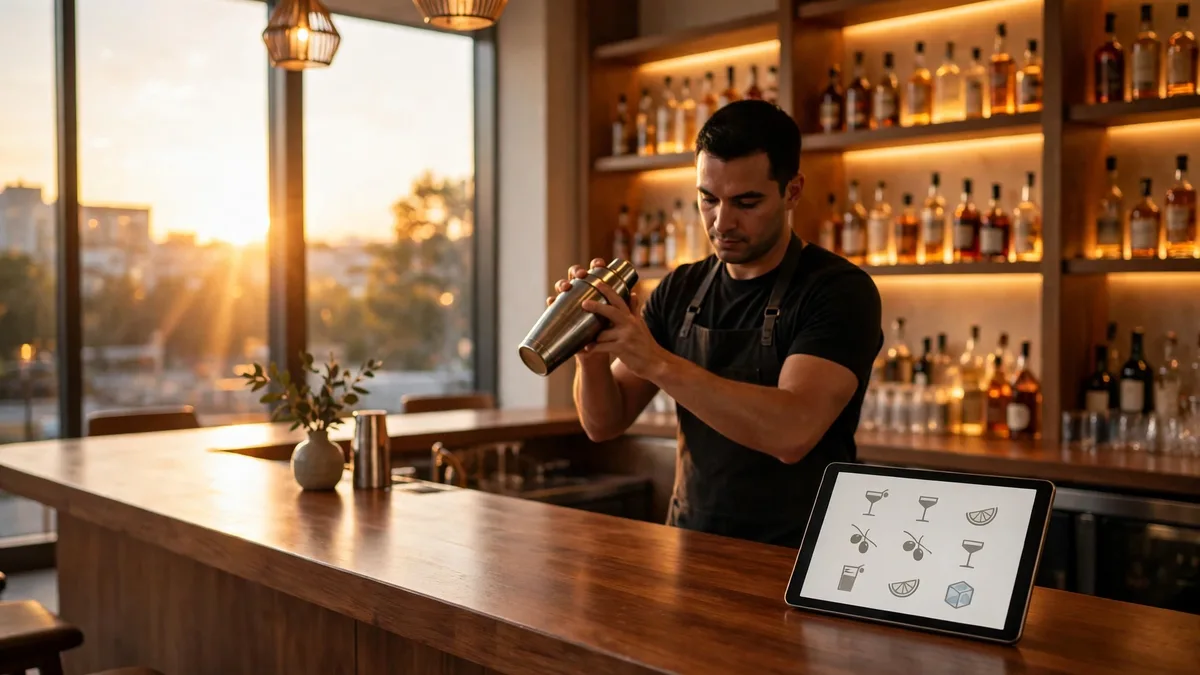
The best AI tools for bartenders in 2027 do more than suggest a new cocktail. They cut the time spent on recipe research, inventory counts, and ordering, so the person behind the bar can focus on the guest in front of them. A Friday night rush leaves no room for guessing whether you have enough lime juice or which drink will sell, and that is exactly where these tools earn their place.
Bartending has always mixed craft with speed. AI now handles the parts that are repetitive and data-heavy: building balanced recipes from the bottles you already stock, tracking every ounce poured, predicting what will run out before the weekend, and turning sales data into a smarter menu. The best tools fit into a normal service without forcing the bar to change how it works.
We tested the shortlist below against real bar work: recipe quality, inventory accuracy, ease of use during a busy shift, pricing, and how well each tool connects to the point-of-sale system. Eight tools made the cut, from a free recipe generator to a full inventory platform. Here is how they compare, and which one fits your bar.
Key takeaways
- BarGPT is the best overall pick for bartenders who want instant, balanced cocktail recipes from the ingredients they already have.
- WISK.ai is the strongest choice for cutting bar waste, with AI-powered inventory counts that catch over-pouring and shrinkage fast.
- Barsys is the best pick for high-volume venues that want consistent, machine-poured cocktails at speed.
- Most tools start free or under $30 a month, but inventory platforms charge per location, so check the per-bar price before you commit.
- No AI tool replaces a skilled bartender. The winners save time on admin and prep, and leave the craft and the conversation to the person behind the bar.

At a glance: the shortlist
| Product | Best for | Starting price | Standout limit |
|---|---|---|---|
| BarGPT | Recipe creation | Free tier available | Recipes need a human taste check |
| Barsys | High-volume service | Hardware from around $1,000 | Upfront hardware cost |
| WISK.ai | Inventory control | From around $100 a month per location | Best with a compatible POS |
| BevSpot | Ordering and stock | From around $200 a month | Priced per location |
| Backbar | Small bar inventory | From around $99 a month | Fewer POS integrations |
| Cocktail Flow | Home and pro recipes | Free tier available | Limited team features |
| Partender | Fast stock counts | From around $40 a month | Counting only, no ordering |
| me&u | Guest ordering | Custom pricing | Needs guest adoption |
BarGPT — Best overall
BarGPT is an AI cocktail generator that builds a drink around whatever you type in: an ingredient, a flavour, a mood, or a whole list of bottles. Type in mezcal, grapefruit, and honey, and it returns a balanced recipe with measurements, method, glassware, and garnish. For a bartender staring at a slow Tuesday and an odd bottle at the back of the shelf, that is genuinely useful.
The recipe quality is the reason it leads this list. BarGPT was trained on cocktail knowledge, and its outputs usually follow classic ratios rather than random guesses. A sour lands near the familiar 2:1:1 structure, and a stirred drink keeps its proportions sensible. You still need to taste every recipe before it goes on the menu, because the AI cannot tell you that your particular amaro is sweeter than the one it assumed. But as a starting point for new drinks, it is faster than flipping through books.
BarGPT also works as a menu tool. Give it your full back bar and ask for ten signature drinks, and it will return a set with varied bases and flavour profiles, which is a solid first draft for a seasonal menu. It can suggest low-ABV and non-alcoholic versions too, which matters as more guests ask for lighter options. The free tier covers casual use, and the paid plan adds more generations and saved recipes. For a working bartender, the free tier is enough to test whether it earns a place in your routine.
Pros: instant recipes from any ingredients, sensible classic ratios, free tier, good for seasonal menu drafts.
Cons: every recipe needs a human taste test, no inventory or POS features, quality varies with unusual ingredients.
Barsys — Best for high-volume service
Barsys is a smart cocktail machine that pours bar-quality drinks at the push of a button. The system pairs a countertop device with an app: pick a drink, and the machine measures and dispenses each spirit, mixer, and liqueur in the right order. A venue that serves hundreds of cocktails a night gets the same pour every time, no matter who is on shift.
The real value is consistency under pressure. During a rush, even a good bartender can over-pour or rush a build. Barsys removes that variance, which protects margins on expensive spirits and keeps the drink quality steady when the bar is three deep. The app includes a large recipe library, and the machine tracks what it pours, so you can see which drinks are moving and what is running low.
The trade-off is the upfront cost and the footprint. A Barsys unit is a piece of hardware, not a subscription, and prices start at around $1,000 for the home model, with commercial units costing more. It also takes counter space, and it does not replace a bartender: someone still shakes, stirs, garnishes, and talks to guests. Think of it as a second pair of hands for the drinks that are ordered most often, freeing the team for the cocktails that need real craft. Hotels that run a busy lobby bar will recognise the same logic in our guide to the best AI tools for hotels, where consistency at scale matters just as much.
Pros: perfectly consistent pours, fast during a rush, tracks usage automatically, large recipe library.
Cons: significant upfront hardware cost, takes counter space, does not handle shaking, stirring, or garnish.
WISK.ai — Best for inventory control
WISK.ai is the inventory tool most serious bars reach for first, and it earns that position by attacking the biggest leak in any bar: shrinkage. Industry estimates put bar shrinkage at 10 to 20 percent of liquor cost, lost to over-pouring, spillage, and theft. WISK counts stock with a phone scan, matches it against POS sales, and flags the gap in plain numbers.
The workflow is built for a real bar, not an office. You scan bottles with your phone, the AI reads the levels, and the count takes minutes instead of an hour with a clipboard. The dashboard then shows variance by product, by shift, and by bartender, so you can see whether a particular bottle is being over-poured or a particular shift is the problem. It also tracks food cost per drink, which makes it easy to spot the cocktails that look profitable and are not.
WISK also handles ordering. It watches your par levels, generates purchase orders from what you actually used, and compares supplier prices. That turns ordering from a guess into a routine, and it cuts the dead stock that piles up when someone orders by habit. Pricing starts at around $100 a month per location, which pays for itself quickly if it catches even a small amount of over-pouring. The main limit is integration: it works best with a compatible point-of-sale system, so check your POS before signing up.
Pros: fast AI bottle scans, clear variance reporting, cost-per-drink tracking, automated ordering.
Cons: priced per location, best with a compatible POS, monthly cost adds up for multi-bar groups.
BevSpot — Best for ordering and stock
BevSpot is a bar management platform that covers inventory, ordering, and reporting in one place. It counts stock, builds orders from actual usage, and gives managers a clear picture of what each drink costs to make. For a bar manager who is still doing inventory on a spreadsheet, BevSpot is the most straightforward upgrade on this list.
The ordering workflow is its strongest feature. BevSpot tracks what you have, what you sell, and what you need, then lets you send orders to suppliers from the same screen. It keeps a record of what you paid last time, so price increases from a supplier are visible instead of buried in an invoice. That history is also useful at the end of the month, when the numbers have to explain themselves to an owner.
BevSpot is less focused on the creative side of bartending than BarGPT or Cocktail Flow, and it does not generate recipes. It is a management tool first, and it is priced like one, from around $200 a month. Bars that already have a recipe process and just need tighter control over stock and spend will get the most from it. Smaller bars may find the price hard to justify until their volume grows.
Pros: strong ordering workflow, supplier price history, clear drink-cost reporting, good for managers.
Cons: higher monthly price, no recipe generation, more than a small bar needs.
Backbar — Best for small bar inventory
Backbar is a simpler inventory platform built for small and independent bars that want control without enterprise complexity. It tracks stock, calculates pour cost, and shows which drinks are actually making money, with a setup that a single manager can run without training a whole team.
The appeal is the learning curve. Backbar keeps its interface clean and its features focused: count, cost, order, repeat. A small cocktail bar can be up and running in a day, and the pour-cost reports are easy to read, which means they actually get read. It also supports recipe costing, so you can see the margin on each drink on your menu and adjust prices or specs with real numbers instead of instinct.
The trade-off is scale. Backbar has fewer point-of-sale integrations than WISK.ai, and it is not built for a large group running ten venues from one dashboard. For a single bar or a small group, that is fine, and the price, from around $99 a month, reflects it. If your bar is independent and your inventory process is still a clipboard, Backbar is the easiest first step toward proper control.
Pros: easy to learn, clear pour-cost reports, recipe costing included, fair price for small bars.
Cons: fewer POS integrations, not built for large groups, limited advanced reporting.
Cocktail Flow — Best for recipes on the go
Cocktail Flow is a recipe app that works like a pocket reference for bartenders. It holds thousands of cocktail recipes, lets you search by the ingredients you have, and suggests drinks you can make right now. It is the tool you reach for when a guest asks for something you have not made in months, or when you want a variation on a classic without guessing the ratios.
The ingredient search is the feature that matters most behind the bar. Type in the three bottles within reach and Cocktail Flow lists what you can build, including the exact spec. That is useful for home bartenders, but it is just as useful for a professional covering a shift at a bar they do not know well. The app also tracks your own recipes, so a house creation can be saved with its spec and pulled up by any member of the team.
Cocktail Flow is not a business tool. It has no inventory tracking, no ordering, and limited team features, so it will not replace WISK.ai or BevSpot. What it does, it does well, and the free tier covers most of what a working bartender needs. It pairs naturally with an AI recipe generator like BarGPT: use BarGPT to invent the drink, and Cocktail Flow to store the spec and find variations.
Pros: large recipe library, search by ingredients you have, saves your own recipes, free tier.
Cons: no inventory or ordering, limited team features, no AI-generated original recipes.
Partender — Best for fast stock counts
Partender is a focused tool that does one job well: it counts your bar stock fast. Point your phone at a shelf and it reads bottle levels by image, turning a stock count that used to take an hour into a ten-minute walk around the bar. For a manager who counts stock alone after close, that time saving is the whole pitch.
The image-based counting is genuinely quick once you get the hang of it. You move along the shelf, the app captures each bottle, and the levels go straight into your inventory record. It works best with a consistent shelf layout, and it is most useful for bars that count weekly or more often, where the time adds up. At around $40 a month, it is also one of the cheapest tools on this list.
Partender is deliberately narrow. It counts stock, and that is it: there is no ordering, no recipe costing, and no POS variance reporting. Bars that only need a faster count will love it, but bars that also need ordering and cost control should look at WISK.ai or BevSpot instead. Think of Partender as a specialist, not a platform.
Pros: very fast image-based counts, low monthly price, simple to use, good for frequent counts.
Cons: counting only, no ordering or cost reporting, needs a tidy shelf layout to work well.
me&u — Best for guest ordering
me&u is a digital ordering platform that lets guests browse the menu, order, and pay from their own phone. It is built for bars, pubs, and restaurants, and its pitch is simple: fewer trips to the bar, shorter queues, and more orders per table. For a busy venue, that changes the shape of a shift.
The benefit for bartenders is time. When guests order from their table, the bar receives a clear, printed ticket instead of a shouted order across a crowd. That reduces mistakes, speeds up service, and lets bartenders focus on making drinks rather than taking orders. The platform also collects data on what guests order and when, which helps with menu planning and stock decisions. Venues that run events will find the same idea useful in our guide to the best AI tools for DJs, where reading the room and responding to demand is the whole job.
The catch is adoption. me&u only works if guests actually use it, and some guests still prefer to order at the bar. Pricing is custom, so you will need a quote, and the platform is a bigger commitment than a recipe app. For a high-volume bar or a venue with table service, though, it is one of the few tools on this list that can directly lift revenue, not just cut costs.
Pros: fewer queues, fewer order mistakes, useful sales data, can lift revenue per table.
Cons: custom pricing, needs guests to adopt it, bigger commitment than a recipe app.
How to choose
Start with your biggest pain. If recipes and menu ideas are the bottleneck, BarGPT or Cocktail Flow will help on day one for little or no money. If money is leaking out of the bar, an inventory tool is the priority: WISK.ai for a serious operation, Backbar for a small independent bar, Partender if all you need is a faster count. If your bar is packed and service speed is the problem, look at Barsys for consistent pours or me&u for table ordering.
Then check the practical details before you pay. Confirm the tool works with your point-of-sale system, because an inventory tool that cannot read your sales data is only half a tool. Ask about the real monthly cost, including per-location fees and any hardware, and run the free trial during a normal week, not a quiet one. A tool that survives a Friday night is a tool worth keeping. The same check applies to any venue software, and our guide to the best scheduling software for restaurants covers the staff-planning side of the same problem.
Finally, get the team on board before you commit. The best tool in the world fails if the bartenders do not use it, so pick one person to own it, train the team on a quiet shift, and review the numbers after a month. If it is not saving time or money by then, cancel it and try the next option on this list.
Checklist: before you pay
- Run the free trial during a busy week, not a quiet one, so you see how the tool holds up under pressure.
- Confirm it works with your point-of-sale system before you sign up.
- Check the full price, including per-location fees, hardware, and renewal rates after any introductory offer.
- Make sure you can export your data, including recipes and inventory records, if you cancel.
- Test the tool with your actual menu and stock, not the demo data, before you decide.
- Ask who on your team will own the tool day to day, and train them on a quiet shift first.
Frequently asked questions
Can AI really create good cocktail recipes?
Yes, with a human check. Tools like BarGPT produce balanced starting recipes based on classic ratios, but they cannot taste. Every AI recipe should be made, tasted, and adjusted by a bartender before it goes on a menu. Treat the AI as a fast first draft, not a final answer.
How much money can AI inventory tools save a bar?
It depends on how much is currently being lost, but bar shrinkage commonly runs at 10 to 20 percent of liquor cost. An inventory tool that catches over-pouring and theft usually pays for its monthly fee quickly, and the variance reports show exactly where the losses are coming from.
Do I need a point-of-sale system for these tools to work?
Recipe tools like BarGPT and Cocktail Flow work without one. Inventory tools like WISK.ai and BevSpot work best with a compatible POS, because they match stock counts against sales to find variance. Check the integration list before you buy.
Will AI replace bartenders?
No. AI handles repetitive work like recipe drafts, stock counts, and ordering, but it cannot read a guest, adjust a drink to taste, or run a room. The tools on this list are built to support bartenders, not replace them, and the best bars use them to free up time for the craft.
What is the cheapest way to start?
Start free. BarGPT and Cocktail Flow both have free tiers that cover recipe creation and lookup, and they cost nothing to test for a month. Add a paid inventory tool only once you know the free tools are part of your routine.
Can these tools help with non-alcoholic drinks?
Yes. BarGPT can generate low-ABV and alcohol-free versions of drinks, and Cocktail Flow includes non-alcoholic recipes. As more guests order lighter drinks, that feature is becoming a real reason to keep a recipe tool on the bar.
The bottom line
For most bartenders, the best starting point is BarGPT for recipes and WISK.ai for inventory. The first costs nothing to try and makes menu planning faster, while the second attacks the shrinkage that quietly eats bar profits. Together they cover the two jobs AI does best in a bar: creating and counting. Add Cocktail Flow as a pocket reference, and you have a strong setup for under $150 a month.
High-volume venues should look at Barsys or me&u next, because consistent pours and table ordering change what a busy shift feels like. Whatever you choose, trial it on a real Friday night, measure the result after a month, and keep the tools that earn their keep. The craft stays with the bartender; the AI just clears the way.



