
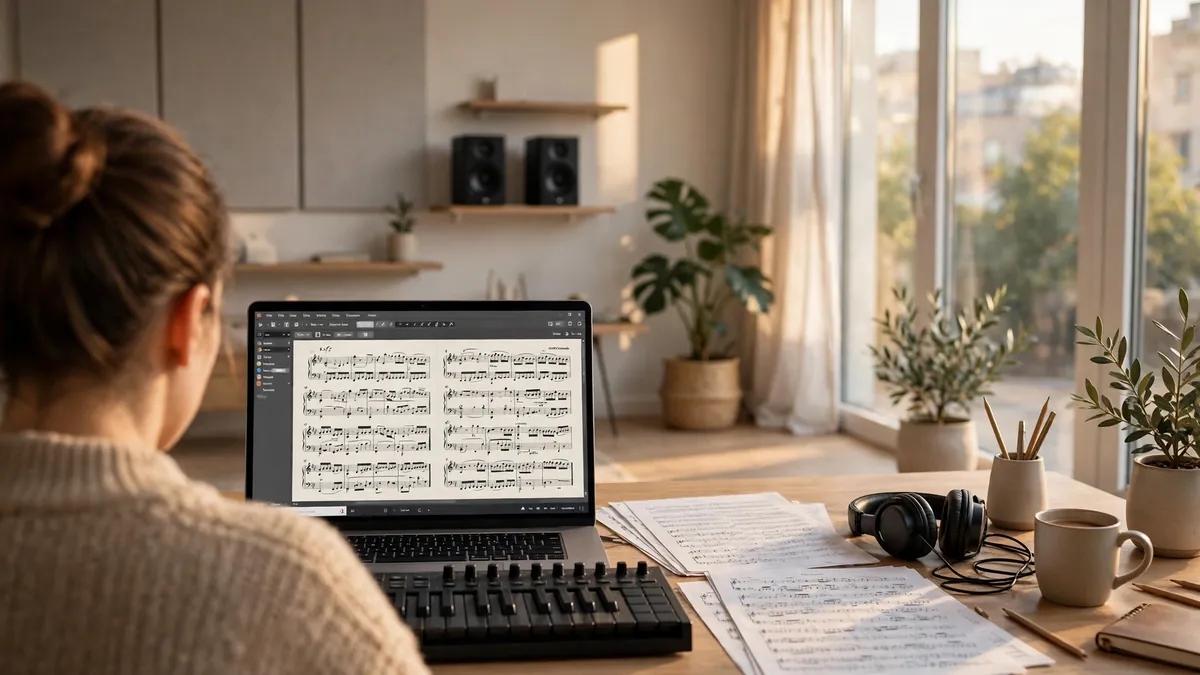
The best AI tools for composers in 2027 do not write the music for you and then send you away. They sit beside the score, suggesting a chord voicing when you are stuck, sketching a string arrangement in the style you describe, or turning a hummed fragment into a full orchestral cue that you can edit note by note. For composers working in film, television, games, concert music and library music, that kind of help changes the shape of a working day: the blank page arrives less often, and the first draft arrives much faster.
What matters most is not how much music a tool can generate in one click. It is whether the output is editable, whether it respects the rules of harmony and orchestration, and whether you can take the result into your notation software or digital audio workstation and finish it properly. A tool that hands you only a finished audio file is a dead end. One that hands you clean MIDI and sensible voice leading is a genuine colleague.
We tested the tools below against those working standards. The shortlist covers full composition assistants, chord and melody generators, scoring tools for picture, and notation-first options for composers who live in the score. AIVA leads for orchestral and cinematic writing, Orb Producer Suite is the strongest idea generator inside a DAW, and MuseScore Studio remains the best free starting point for composers who think in notation first.
Key takeaways
- AIVA is the best overall AI tool for composers in 2027, with the strongest orchestral and cinematic generation and clean MIDI export.
- Orb Producer Suite is the best chord and melody generator for composers who already work inside a DAW.
- Amper Music and Ecrett Music are the fastest options for scoring short film, advertising and video cues to a deadline.
- Every tool worth paying for exports MIDI or stems; avoid any composer tool that only returns a finished audio file.
- Check the licence before you publish: commercial use, ownership of the composition and royalty terms differ widely between tools.

At a glance: the shortlist
| Product | Best for | Starting price | Standout limit |
|---|---|---|---|
| AIVA | Orchestral and cinematic composition | Free plan; paid plans from about $11 per month | Free plan requires attribution |
| Orb Producer Suite | Chords, melody and bass inside a DAW | One-time purchase from about $99 | No full arrangement generation |
| Amper Music | Quick scoring for video and advertising | Subscription; check current pricing | Less control over fine orchestration |
| Ecrett Music | Film and video cues by mood and scene | Free plan; paid plans from about $5 per month | Audio-first; limited notation export |
| Soundraw | Customisable cues and library music | Paid plans from about $17 per month | Melody control is broad, not note-level |
| Melody Sauce 2 | Melody ideas over your own chords | One-time purchase from about $39 | Melody only; no harmony or arrangement |
| Captain Plugins | Chord progressions and song structure | One-time purchase from about $79 | Best in pop and electronic styles |
| MuseScore Studio | Notation-first composing, free | Free | AI features are assistive, not generative |
AIVA — Best overall
AIVA is the closest thing to a composing assistant that understands orchestral writing. You describe the style, the mood, the instrumentation and the length, and it returns a structured composition with sections, dynamics and sensible voice leading rather than a shapeless wash of sound. For a film or game composer facing a tight deadline, that structure is the difference between a useful starting point and a curiosity.
The strongest part of AIVA is how editable the output is. Compositions can be exported as MIDI, which means every note lands in your DAW or notation software as data you can move, re-voice and re-orchestrate. A string line that sits too high for violas can be dropped an octave, and a brass swell that arrives a bar too early can be nudged. The tool does the heavy lifting of the first draft, and you keep the decisions that make the piece yours.
AIVA also handles genre well beyond orchestral music. It covers cinematic, ambient, electronic, jazz and pop styles, and it lets you upload your own influences to steer the generation. That matters for composers with a recognisable voice, because the tool adapts toward your taste instead of pulling every piece toward the same generic sound. If you are comparing it with the wider field, our guide to the best AI tools for music puts AIVA in context alongside tools aimed at producers and casual creators.
Pros: Strong orchestral and cinematic generation; clean MIDI export for full editing; style and influence controls; commercial licensing on paid plans.
Cons: Free plan requires attribution and limits downloads; results still need a composer to finish them properly.
Orb Producer Suite — Best for chords and melody in a DAW
Orb Producer Suite is not a one-click song generator. It is a set of four plug-ins — chords, melody, bass and arpeggios — that work together inside your DAW and generate musical ideas that follow real harmonic logic. For a composer who already has a workflow and wants better raw material, that is exactly the right shape of help.
The chord plug-in is the heart of the suite. You set a key, a scale and a mood, and it suggests progressions that go beyond the four-chord loops most generators fall back on. The melody plug-in then writes lines that fit those chords, and the bass plug-in follows the harmony without muddying the low end. Because everything runs as MIDI inside your session, nothing is locked away in an audio file. You can change one note, re-harmonise a bar, or take a generated idea in a completely different direction.
Orb Producer Suite rewards composers who understand harmony and want to move faster. Treat its output as a sketchbook: generate ten progressions, keep the two that surprise you, and build from there. The one-time purchase also suits composers who dislike subscriptions.
Pros: Harmonic logic is genuinely musical; full MIDI control inside your DAW; one-time purchase, no subscription; excellent for breaking out of familiar progressions.
Cons: No full arrangement or finished track generation; learning curve for composers new to plug-ins.
Amper Music — Best for quick scoring
Amper Music was built for speed. You choose a mood, a tempo, an instrumentation and a duration, and it composes a cue that fits the brief. For composers scoring advertising, corporate video, short film or social content, that speed is the product: a usable cue in minutes, with stems you can mix and adjust.
The tool works best with a clear brief: a precise mood and a defined length produce coherent, professionally mixed cues, while a vague instruction produces a vague cue. Amper is strongest in contemporary, electronic and light orchestral styles, and it handles transitions and endings cleanly.
Where Amper falls short of AIVA is in fine control. You cannot re-voice an inner part or rewrite a counter-melody note by note, because the tool is designed around producing a finished cue rather than a score. For many commercial jobs that is fine, since the client wants a polished track on time. For concert music or detailed film scoring, pair it with a notation tool and use it for sketches and temp tracks.
Pros: Very fast cue generation; stems for mixing; clean, professional sound; good for advertising and video work.
Cons: Less note-level control than AIVA or Orb; pricing and availability have changed over time, so check current plans.
Ecrett Music — Best for film and video cues by mood
Ecrett Music takes a different approach: it asks about the scene. You pick a mood, a scene type and a genre, and it generates music shaped around that dramatic purpose. A tense scene gets sparse, pulsing material. A hopeful scene gets open harmony and a rising line. For composers scoring to picture, that scene-first thinking matches how directors actually talk about music.
The interface is simple enough to generate a temp cue during a spotting session and play it against the picture within minutes, which matters because directors respond to music they can hear against the edit. Ecrett also lets you adjust a track’s structure, so a cue can hit a specific moment in the scene.
The limitation is export. Ecrett is primarily an audio tool, and it does not offer the same depth of MIDI or notation export as AIVA. Treat it as a sketching and temp-track tool, and rebuild the final cue in your DAW when the picture is locked. The free plan is generous enough to test properly, and the paid plans are among the cheapest in this roundup.
Pros: Scene and mood based generation; fast temp cues against picture; very affordable paid plans; simple, clear interface.
Cons: Limited MIDI and notation export; less suited to concert or fully orchestrated work.
Soundraw — Best for customisable cues and library music
Soundraw is built for composers who produce library music, YouTube cues and production music at volume. You choose a genre, a mood, a tempo and a length, and it generates a track you can then reshape: change the energy of a section, swap an instrument, or extend the ending. That section-level control is what separates it from tools that hand you a take-it-or-leave-it file.
For library composers, the workflow matters as much as the sound: Soundraw generates variations quickly, so you can build a catalogue of related cues without repeating yourself. The output is polished and mix-ready, and licensing for commercial use on paid plans is straightforward.
The trade-off is granularity. You control the shape of the track, not the individual notes, so a composer who wants to rewrite a melody will need to export and rebuild in a DAW. Soundraw is also stronger in electronic, pop and ambient styles than in classical orchestration, so orchestral composers should pair it with AIVA rather than relying on it alone.
Pros: Section-level editing of generated tracks; fast variation generation for library work; clear commercial licensing; polished, mix-ready output.
Cons: No note-level editing; orchestral styles are less convincing than electronic and pop.
Melody Sauce 2 — Best for melody ideas
Melody Sauce 2 does one thing and does it well: it writes melodies over your chords. You feed it a chord progression, choose a scale and a mood, and it generates melodic lines that fit the harmony. For a composer staring at a strong harmonic idea with no tune on top of it, that is a precise and useful form of help.
The plug-in runs inside your DAW and outputs MIDI, so every melody is fully editable: keep the contour and change the rhythm, or take a single phrase and develop it yourself. That is how a good melody tool should behave, giving you material to develop rather than a finished line.
Melody Sauce 2 is a narrow tool by design. It does not write harmony, arrange, or produce a finished track, and it will not help a composer who has no chord progression to start from. But for the specific problem of a missing melody, it is fast, cheap and musical, and it earns its place in a working template.
Pros: Focused, musical melody generation; MIDI output for full editing; very affordable one-time purchase; works inside your DAW.
Cons: Melody only; needs a chord progression as a starting point.
Captain Plugins — Best for chord progressions and song structure
Captain Plugins, from Mixed In Key, is a suite built around chord progressions and song structure. Captain Chords suggests progressions in your chosen key, Captain Melody writes lines over them, and the rest of the suite handles bass, drums and song layout. For composers who work in pop, electronic and media music, it is one of the most practical idea generators available.
What sets Captain Plugins apart is structure: it helps you build a verse, a chorus and a bridge, with progressions that create contrast between sections. That turns a nice chord sequence into a piece with shape, where many AI tools are weakest.
The suite is strongest in contemporary styles. A composer writing a pop cue, a game theme or an electronic score will find it immediately useful. A composer writing a string quartet or a choral piece will find less to use, since the tool is built around chord-based popular harmony rather than counterpoint. Used within its strengths, though, it is fast, reliable and genuinely musical.
Pros: Strong chord progressions with structural thinking; verse and chorus tools; MIDI output; one-time purchase.
Cons: Best in pop and electronic styles; limited use for classical counterpoint or orchestral writing.
MuseScore Studio — Best for notation-first composers
MuseScore Studio is the best free notation software available, and for composers who think in the score it belongs in any AI roundup, even though its AI features are assistive rather than generative. It does not write a piece for you. Instead, it removes the friction around writing one: fast note entry, playback with realistic sounds through MuseSounds, and tools that clean up parts, transpose and reformat a score in seconds.
It matters here because most AI tools end at MIDI, and MIDI still has to become a readable score before a human ensemble can play it. Import the MIDI from AIVA or Orb, clean up the notation, adjust the voicing for real instruments, and you have parts a player can read.
Newer assistive features, including AI-assisted plug-ins and the growing ecosystem around MuseScore, help with tasks like harmonisation suggestions and part preparation. None of them replaces the composer, and that is the point: MuseScore Studio keeps the composer in charge of every note while making the mechanical work faster. For a composer on a budget, the combination of a free notation tool and one paid AI generator is the best value setup in this list.
Pros: Free and fully featured; excellent notation and part preparation; realistic playback with MuseSounds; imports MIDI from AI tools cleanly.
Cons: AI features are assistive, not generative; no built-in composition generation.
How to choose
Start with the output you need, not the tool that looks most impressive. If you write for orchestra, film or games, you need MIDI export and editable notation, which points to AIVA first and Orb Producer Suite second. If you score video and advertising to tight deadlines, speed and stems matter more, which points to Amper Music, Ecrett Music or Soundraw. If you already have a DAW workflow and want better ideas inside it, a plug-in like Orb or Captain Plugins will fit without changing how you work.
Next, check the licence in writing before you use any tool on a paid job. Some plans give you full ownership, some give you a licence, and some free plans require attribution or forbid commercial use. A cue you cannot legally deliver to a client is worthless, so keep a note of each tool’s licence terms and re-check them when a plan changes.
Budget is the third filter, and the honest answer is that one good tool beats three mediocre ones. A composer starting out should pick MuseScore Studio for notation and add one generator — AIVA for orchestral work or Soundraw for library cues — and learn it properly before buying anything else. A working media composer will get more value from a DAW plug-in suite that runs in every session than from a web tool used once a month. The songwriting side of this world has its own tools and workflows, and our guide to the best AI tools for songwriters is a useful comparison if your work crosses between songs and scores.
Finally, judge every tool by its worst output, not its best demo. Generate ten ideas and count how many are usable. A tool that produces one good sketch in ten is wasting your time, however impressive its best result looks. The tools in this roundup all clear that bar, but they clear it in different ways, so test them against your own briefs before you commit.
Checklist: before you pay
- Confirm MIDI or stem export is included on the plan you are buying, not only on a higher tier.
- Read the licence: check commercial use, ownership of the composition and any royalty terms.
- Test the tool on a real brief from your own work, not only on its demo examples.
- Check renewal pricing and cancellation terms, including whether your generated files stay usable if you cancel.
- Confirm the tool works with your DAW or notation software, including plug-in format and operating system.
- Check how your data is used: whether your uploads and compositions are used to train the tool.
Frequently asked questions
Can AI tools replace a composer?
No. They generate material, but they do not make the decisions that matter: which idea serves the story, how a theme should develop, what an instrument can actually play, and when to leave space. A composer who uses these tools well is still composing; the tool sketches, it does not think.
Do I own the music an AI tool generates?
It depends on the tool and the plan. Some paid plans give you full ownership, some give you a licence to use the music commercially, and some free plans restrict commercial use or require attribution. Read the licence for the specific plan you buy, and keep a copy of it with the project.
Which AI tool is best for orchestral music?
AIVA is the strongest choice in this roundup for orchestral and cinematic writing, because it generates structured compositions with sensible voice leading and exports clean MIDI you can re-orchestrate. Orb Producer Suite is a strong second for harmonic ideas, and MuseScore Studio is where the result becomes a readable score.
Can AI-generated music be used in a film or game?
Yes, provided the licence allows commercial use and you have the right plan. Many composers use AI tools for temp tracks, sketches and library cues in film and game work. For a final score, most composers rebuild and finish the music themselves, which also strengthens their claim to the work.
What is the difference between AI tools for composers and AI tools for musicians?
Composer tools focus on writing: harmony, melody, orchestration and notation. Musician tools cover a wider range, including practice, performance, production and distribution. There is overlap, and our guide to the best AI tools for musicians covers the broader field if your work spans both.
Is there a good free AI tool for composers?
Yes. MuseScore Studio is free and is the best starting point for notation-first composers. AIVA and Ecrett Music both have free plans that are genuinely useful for testing, though the free plans usually limit downloads, require attribution or restrict commercial use. Start free, and pay when a tool earns a place in your daily work.
The bottom line
For most composers in 2027, the best setup is AIVA for orchestral and cinematic generation, Orb Producer Suite for chord and melody ideas inside the DAW, and MuseScore Studio for turning the result into a score real musicians can play. That combination covers the whole journey from first idea to finished parts, and it keeps you in control of every note that matters.
If your work is mostly fast commercial cues, swap AIVA for Soundraw or Ecrett Music and keep the same principle: generate quickly, edit properly, and never deliver a file you have not shaped yourself. The tools will keep improving, and the composers who benefit most will treat them as assistants with good ideas and no judgement, not as replacements for judgement.



