

Contracts are where business promises become binding, and for most companies the pile of them keeps growing faster than anyone can read. Sales agreements, vendor contracts, employment offers, renewal notices, non-disclosure agreements — each one carries deadlines, obligations, and risks that are easy to miss when the paperwork lives in email threads and shared drives. That is exactly the problem AI contract management software is built to solve: it reads, organizes, and tracks your agreements so nothing important slips through.
The best AI tools for contract management in 2027 do far more than store PDFs. They extract key terms automatically, flag unusual clauses, route approvals to the right people, send renewal reminders before a contract auto-renews, and give you a searchable view of every obligation your company has signed.
The shortlist below covers tools for fast-moving startups, mid-sized teams, and large enterprises with complex legal operations, so whether you manage fifty contracts a year or fifty thousand, there is a pick here that fits.
Key takeaways
- Ironclad is the best overall pick for teams that want deep AI clause analysis plus strong workflow automation in one platform.
- PandaDoc is the best budget-friendly starting point for small teams that mainly need fast e-signatures and simple contract templates.
- LinkSquares and Evisort are the strongest choices for large contract libraries, thanks to their AI search and obligation tracking.
- Most enterprise-grade tools do not publish list prices, so expect custom quotes and always ask about per-user versus per-contract pricing before signing.
- Avoid buying a heavy enterprise platform if you handle fewer than a few hundred contracts a year — a lighter tool will save you money and setup time.
At a glance: the shortlist
| Product | Best for | Starting price | Standout limit |
|---|---|---|---|
| Ironclad | Overall contract lifecycle management | Check current pricing | Enterprise plans can take weeks to fully configure |
| DocuSign CLM | Teams already using DocuSign eSignature | Check current pricing | Full value needs the wider DocuSign suite |
| Agiloft | Highly customized enterprise workflows | Check current pricing | Deep customization adds implementation time |
| Juro | Fast-growing teams that want simplicity | Check current pricing | Fewer advanced analytics than enterprise rivals |
| LinkSquares | AI search across large contract libraries | Check current pricing | Best suited to mid-market and enterprise teams |
| Evisort | AI extraction and obligation tracking | Check current pricing | Smaller template library than some competitors |
| PandaDoc | Small teams and simple contracts | From around $19 per user per month | Not a full lifecycle platform for complex legal work |
| Contractbook | Startups and European teams | Check current pricing | Limited advanced reporting at lower tiers |
Ironclad — Best overall
Ironclad is the most complete contract lifecycle management platform on this list, and it earns the top spot because it handles the whole journey of a contract — drafting, negotiation, approval, signing, and renewal — without forcing your team to jump between tools. Its AI, marketed as Ironclad AI, reads contracts and pulls out key terms such as renewal dates, payment terms, and termination clauses, then turns that data into searchable, reportable fields your team can actually use.
Where Ironclad really stands out is workflow automation. You can build approval chains that route a contract to legal, finance, and the right executive automatically, with version control that keeps every redline in one place. For legal teams, it means fewer routine requests landing in their inbox and more time for genuinely complex work.
That depth comes with a trade-off: Ironclad is priced for companies that take contract operations seriously, and implementation can take several weeks for a fully customized setup. Small teams with simple needs may find it more platform than they require. But for a growing company that expects its contract volume to double in the next year or two, Ironclad is the safest long-term investment here. Teams comparing document-heavy software should also read our guide to the best AI tools for document management to see how contract platforms differ from general document tools.
Pros: End-to-end lifecycle coverage; strong AI clause extraction; flexible approval workflows; good Salesforce and Slack integrations.
Cons: Custom pricing with no public starting tier; implementation can be slow for complex setups; more than a small team needs.
DocuSign CLM — Best for DocuSign users
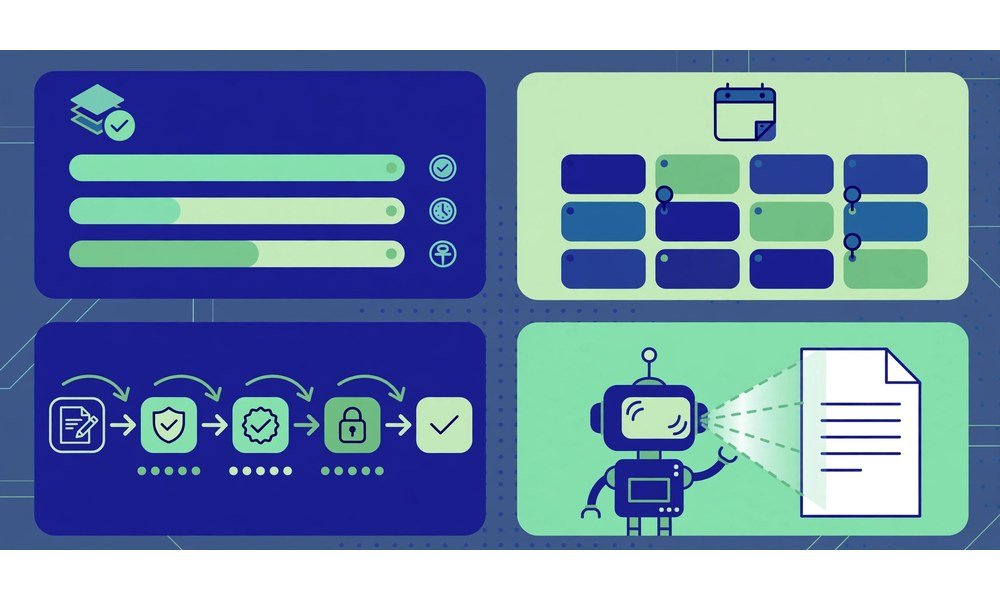
DocuSign CLM, built on the company’s well-known eSignature product, is the natural choice if your organization already signs documents with DocuSign. The platform adds the missing lifecycle layer: a central repository, automated workflows, document generation from approved templates, and AI-powered search across your signed agreements. Because signing is native rather than bolted on, the handoff from negotiation to signature is smoother than in most competing tools.
The AI features focus on practical problems. DocuSign’s AI can identify key clauses, surface obligations, and help legal teams answer questions like which contracts contain a particular liability cap or which agreements renew in the next ninety days. Document generation is another strength: sales teams can produce accurate agreements from templates with pre-approved language, reducing the back-and-forth that slows deals down.
The main drawback is that the full value of DocuSign CLM is easiest to unlock if you are already committed to the DocuSign ecosystem. Teams that use a different e-signature tool may find the pricing harder to justify, and like most enterprise platforms in this category, exact pricing is only available through a sales quote.
Pros: Seamless eSignature integration; strong template and document generation; large integration ecosystem; solid compliance and audit features.
Cons: Best value inside the DocuSign ecosystem; custom pricing only; can feel heavy for smaller teams.
Agiloft — Best for customized enterprise workflows
Agiloft has been in the contract management space longer than most of its rivals, and that experience shows in how configurable the platform is. If your company has unusual approval rules, complex contract types, or workflows that do not fit a standard template, Agiloft lets you build almost anything without writing code. Its no-code configuration tools cover data fields, automation rules, notifications, and reporting, which is a big reason it remains popular with large enterprises and organizations with strict internal processes.
The AI layer handles the usual extraction tasks — key dates, parties, values, and obligations — and feeds them into the workflow engine, so a contract can trigger reminders, tasks, and escalations automatically. Agiloft also supports the full lifecycle, from intake and drafting through negotiation, execution, and post-signature obligation management.
The flip side of all that flexibility is implementation time. A deeply customized Agiloft deployment is a project, not a weekend setup, and you will want a clear internal owner to manage the configuration. Pricing is custom and quoted per deployment. For a large organization that knows exactly what it needs and is willing to invest in getting it right, Agiloft is hard to beat; for a team that wants to be up and running this week, a simpler tool will be a better fit.
Pros: Exceptional no-code customization; handles very large contract volumes; strong audit and permission controls; can cover procurement and vendor management too.
Cons: Custom pricing only; longer implementation for complex setups; interface is functional rather than beautiful.
Juro — Best for fast-moving teams
Juro takes a deliberately different approach from the enterprise-heavy platforms: it is built for speed. The product combines contract creation, negotiation, and e-signature in a single browser-based editor, so a contract can be drafted, commented on, approved, and signed without ever leaving Juro. That simplicity makes it popular with startups, scale-ups, and commercial teams that need to move quickly and do not have a large legal department.
The AI features are focused on the everyday work of commercial teams. Juro can draft contracts from templates, suggest clauses, and extract key data from signed agreements into a searchable library.
Juro is less suited to organizations that need deep, highly customized enterprise workflows or very advanced reporting. It is also priced per user, so costs can grow as more of the company gets access — check current pricing and ask about plans that include unlimited viewers for colleagues who only need to read contracts. For a growing team that values speed and simplicity over enterprise depth, Juro is an excellent choice.
Pros: Fast browser-based drafting and signing; easy collaboration with counterparties; clean interface; good sales-tool integrations.
Cons: Fewer advanced analytics than enterprise rivals; per-user pricing can add up; less suited to highly complex workflows.
LinkSquares — Best for AI search across large libraries
LinkSquares started as a post-signature contract repository with powerful AI search, and it has grown into a full lifecycle platform. Its standout feature remains the same: the ability to find anything inside a huge pile of contracts almost instantly. Upload your existing agreements and LinkSquares’ AI reads and indexes them, extracting key terms and making every clause searchable. For a company with thousands of legacy contracts in shared drives, that alone can justify the purchase.
Beyond search, LinkSquares covers drafting, negotiation, approvals, and e-signature, with a particular emphasis on the post-signature phase. Its obligation tracking and renewal management tools surface what each contract actually requires of your business — payment milestones, service levels, renewal windows — and send reminders before deadlines pass. That is the kind of feature that prevents expensive surprises like an unwanted auto-renewal.
Pricing is custom and aimed at mid-market and enterprise buyers, so very small teams may find it out of reach. Implementation is usually straightforward for the repository features, and the company offers migration help for large libraries. If your biggest problem is not creating contracts but understanding the ones you already have, LinkSquares deserves to be at the top of your shortlist.
Pros: Outstanding AI search across legacy contracts; strong obligation and renewal tracking; useful portfolio analytics; good migration support.
Cons: Custom pricing only; aimed at mid-market and up; some advanced workflow features trail the most configurable rivals.
Evisort — Best for AI extraction and obligations
Evisort is an AI-first contract platform, and it shows in how the product is designed. Its engine is built to read contracts in almost any format — scanned PDFs, Word files, images — and pull out the terms that matter, including custom clauses your team defines. That extraction accuracy is the core of the product, and it is why Evisort is often chosen by companies with large, messy contract libraries that other tools struggle to parse.
The platform turns extracted data into a working system. Once terms are captured, Evisort tracks obligations, deadlines, and renewals, and lets teams build dashboards and alerts around them. Its search understands natural language questions, so a user can ask for all contracts with a specific termination clause and get a useful answer without learning a query language. Workflow tools cover approvals and intake, and integrations connect Evisort to Salesforce, Slack, and document storage systems.
The template and drafting side of Evisort is less extensive than in some competitors, so teams that generate a high volume of new contracts from templates may want to compare it carefully against a tool like Juro or DocuSign CLM. Pricing is custom — check current pricing and ask how the quote scales with the number of documents you plan to process. For organizations whose main challenge is understanding and tracking what they have already signed, Evisort is one of the strongest options available.
Pros: Excellent AI extraction from messy documents; transparent, verifiable results; strong obligation and deadline tracking; natural-language search.
Cons: Custom pricing only; smaller template library than some rivals; drafting features are less developed than the analytics side.
PandaDoc — Best for small teams and simple contracts
PandaDoc is the most approachable tool on this list, and for many small businesses it is all the contract software they will ever need. It combines document creation, e-signatures, and payment collection in one clean interface, and it is easy to set up in an afternoon. If your contract needs are mostly proposals, quotes, sales agreements, and NDAs, PandaDoc handles them with very little fuss.
The platform includes a library of templates, drag-and-drop document editing, and the ability to see when a recipient opens a document. Its AI features are lighter than the enterprise platforms here — think smart content suggestions and document analytics rather than deep clause extraction — but for straightforward agreements that is often enough.
Pricing is the big advantage. PandaDoc publishes a starting tier from around $19 per user per month, which makes it the cheapest entry point on this list by a wide margin, though higher tiers add more features and you should check current pricing before buying. That transparency is refreshing in a category where most vendors insist on a sales call before quoting.
The trade-off is scope. PandaDoc is not a full contract lifecycle management platform: it does not offer the deep AI clause analysis, obligation tracking, or complex approval workflows of Ironclad or Agiloft. If your contract volume grows into the thousands or your legal requirements get more complex, you will eventually outgrow it. But as a first contract tool for a small team, it is hard to beat on value.
Pros: Affordable published pricing; very easy to set up; good templates and e-signature; built-in payments and quotes.
Cons: Not a full lifecycle platform; lighter AI than enterprise rivals; limited obligation tracking for complex portfolios.
Contractbook — Best for startups and European teams
Contractbook is a European-born platform that combines contract creation, signing, and management in a single product aimed squarely at startups and small to mid-sized companies. Its pitch is simple: one place to create, sign, and store every contract, with automation that handles the repetitive parts. That focus makes it a good fit for teams that want more than a basic e-signature tool but do not need an enterprise platform.
The product includes template-based drafting, automated workflows, and a searchable contract repository with reminders for renewals and deadlines. Its automation features let teams set up flows such as automatically sending an NDA when a new supplier is onboarded, or routing a contract for approval when it exceeds a certain value. Integrations with popular business tools, including HubSpot and Slack, keep it connected to the rest of the stack.
Pricing is quoted per plan and you should check current pricing before committing, as the cost can vary with the number of users and the automation features you need. Advanced reporting is more limited than in enterprise tools, and very large organizations may find the platform’s depth insufficient. For a growing European or international startup, though, Contractbook is a strong, sensibly priced option.
Pros: Clean, accessible interface; good automation for common workflows; combines creation, signing, and storage; strong fit for startups.
Cons: Check current pricing, as plans vary; limited advanced reporting; less depth for very large enterprises.
How to choose
Start by counting your contracts and being honest about who handles them. A team that signs fifty agreements a year needs a very different tool from a company managing ten thousand. Small teams should prioritize ease of use and transparent pricing — PandaDoc or Juro will get you running quickly without a long implementation project. Large enterprises with complex approval chains and compliance needs should shortlist Ironclad, DocuSign CLM, and Agiloft.
Next, test the AI on your own documents, not on the vendor’s demo files. Upload a sample of your real contracts — including a few messy scanned PDFs — and check whether the extraction catches the terms you care about. The best tools handle imperfect documents gracefully; the weakest ones only work well on clean templates. Also confirm how the tool handles your must-have integrations: if your sales team lives in Salesforce, a weak Salesforce integration will create friction every day. If contract work sits alongside purchasing decisions, our roundup of the best AI tools for procurement is a useful companion read, since procurement and contract tools often share data.
Finally, get the full pricing picture before you sign. Ask whether pricing is per user, per contract, or a flat platform fee; what happens when you exceed your included volume; and what implementation, training, and support cost. A cheap headline price can become expensive if every extra user or document carries a surcharge.
Checklist: before you pay
- Run a trial with your own real contracts, including messy scans, and verify the AI extraction accuracy yourself.
- Confirm the full pricing: per-user or per-contract fees, volume limits, and what implementation and support cost.
- Check renewal and cancellation terms, and whether your data can be exported in full if you leave.
- Test the integrations you rely on — CRM, e-signature, and document storage — before committing.
- Confirm who owns administration: who can change templates, workflows, and permissions once the vendor’s team leaves.
- Ask about support hours, response times, and whether onboarding and migration help are included in the price.
Frequently asked questions
What is AI contract management software?
It is software that uses artificial intelligence to read, organize, and track contracts through their whole lifecycle. It extracts key terms such as dates, values, and obligations automatically, stores agreements in a searchable repository, automates approvals, and sends reminders before renewals and deadlines.
How much does AI contract management software cost?
It varies widely. Lightweight tools such as PandaDoc publish starting prices from around $19 per user per month, while enterprise platforms such as Ironclad, DocuSign CLM, and Agiloft use custom quotes that depend on contract volume, users, and features. Always check current pricing and ask for the total cost including implementation before deciding.
Can AI contract tools replace a lawyer?
No. These tools help teams draft from approved templates, find clauses, and track obligations, but they do not provide legal advice and cannot judge whether a particular clause is appropriate for your situation.
How long does it take to set up a contract management platform?
Simple tools such as PandaDoc or Juro can be running in a day or two. Mid-market platforms usually take a few weeks including data migration. Heavily customized enterprise deployments can take one to three months, depending on how many workflows and integrations are involved.
What is the difference between contract management and document management?
Document management stores and organizes files; contract management adds lifecycle intelligence on top — clause extraction, obligation tracking, approval workflows, renewal alerts, and reporting on the agreements themselves. A contract platform understands what is inside your documents, not just where they are stored. If you are also evaluating general document tools, automating the surrounding paperwork is worth reading about in our guide to the best workflow automation software for small business.
Can I migrate my existing contracts into a new tool?
Yes, in most cases. The leading platforms offer bulk upload and AI indexing, so thousands of existing contracts can be imported and made searchable.
The bottom line
For most companies, Ironclad is the best overall choice: it covers the full contract lifecycle with strong AI and workflow automation, and it scales as your contract volume grows. If your team already uses DocuSign for signing, DocuSign CLM is the most natural fit, while LinkSquares and Evisort are the strongest picks when your biggest problem is understanding and tracking a large existing library. Smaller teams should start with PandaDoc or Juro, which deliver most of the value at a fraction of the cost and complexity.
Whichever tool you choose, run a trial on your own contracts before you commit, and get the full pricing — including implementation and support — in writing. Pick the tool your team will adopt, not just the one with the longest feature list.
Note: Prices and plans change. Check the product’s current plan details before buying — no link is provided here by design, all links in this article go to other occcy.com guides.



