Best AI Tools for Graphic Designers in 2027
Graphic design in 2027 is no longer a choice between human craft and machine speed. The best AI tools for graphic designers now sit inside the daily workflow: drafting concepts in minutes and turning a rough brief into something a client can react to before lunch. The designers getting the most out of them clear the boring work faster and spend the saved hours on taste and ideas only a person can have.
What matters most is not the flashiest demo: output quality at print and web sizes, respect for your brand colours and fonts, commercial safety, and cost once the free credits run out. A tool that makes gorgeous posters but cannot keep a logo consistent across a campaign will cost you more time than it saves.
This list covers seven tools that earned their place in real design work in 2027: Adobe Firefly, Midjourney, Canva Magic Studio, Leonardo AI, Ideogram, Recraft, and Kittl. Prices below are approximate — check current pricing before you buy, as plans change often.
Key takeaways
- Adobe Firefly is the best overall pick: commercially safe images with deep Adobe integration.
- Midjourney still leads on visual wow factor — the best choice for mood boards and campaign concepts.
- Ideogram wins for graphics that include words, with the most reliable text rendering here.
- Canva Magic Studio is the fastest option for small teams shipping social posts daily.
- Watch credit limits: heavy use can cost far more than the headline monthly price.
At a glance: the shortlist
| Tool | Best for | Starting price | Standout limit |
|---|---|---|---|
| Adobe Firefly | Brand-safe commercial design | About $10 per month | Monthly generative credits |
| Midjourney | Concept art and mood boards | About $10 per month | No free tier; queue times on basic plans |
| Canva Magic Studio | Fast everyday social graphics | Free tier; Pro about $13 per month | AI credits cap on free accounts |
| Leonardo AI | Controlled illustration and styles | Free tier; paid from about $12 per month | Daily token allowance |
| Ideogram | Posters and graphics with text | Free tier; paid from about $8 per month | Slow generations on the free plan |
| Recraft | Vector-style and icon work | Free tier; paid from about $10 per month | Credit-based image generation |
| Kittl | Logos, merch, and quick branding | Free tier; Pro about $15 per month | Commercial use needs a paid plan |
Adobe Firefly — Best overall
Adobe Firefly is the safest default for working designers, which is why it tops this list. It is trained on licensed stock and public-domain content, so the images it produces are cleared for commercial use — a real advantage when a client asks, reasonably, where an image came from. Firefly lives inside Photoshop, Illustrator, and Express, so generated fills and backgrounds happen inside the files you already work in.
Generative Fill remains the killer feature: select a patch of an image, describe what should be there, and Firefly paints it in with matching light and texture. Brand controls trained on your own assets keep generated images on-palette across a campaign.
The trade-off is raw spectacle: Firefly rarely produces the jaw-dropping images Midjourney does, and free credits run out fast on a busy week. Still, for client work where safety and consistency matter most, it is the strongest all-rounder. For a broader look beyond Adobe, see our roundup of the best AI image generators.
Pros: Commercially safe training data; deep Adobe integration; strong Generative Fill.
Cons: Less striking than Midjourney; credit limits bite on heavy weeks.
Midjourney — Best for concept art
Midjourney is still the tool designers open when they need an idea to look extraordinary. Its images have a distinctive richness — dramatic light, textured detail, and compositions that feel art-directed rather than assembled. For mood boards, pitch decks, and campaign concepts, nothing here matches it for sheer visual impact — and the 2027 models are noticeably better at hands, faces, and coherent scenes.
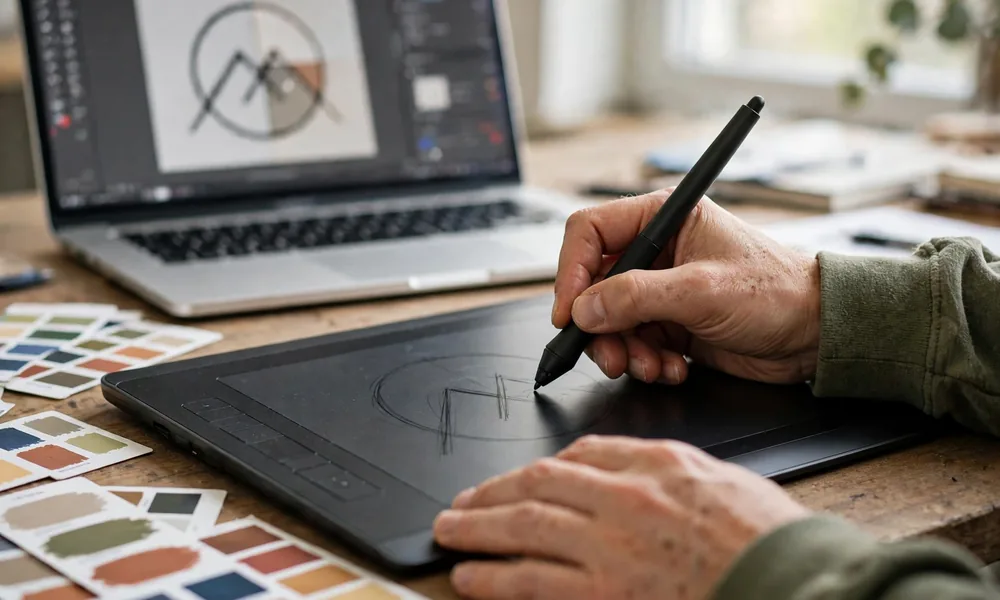
Midjourney runs in Discord or its web editor, an adjustment if you live in Adobe apps. There is no free tier, and getting an exact layout takes several rounds of iteration. Treat its output as a starting point, not a deliverable — it is the tool most likely to produce something beautiful that is slightly wrong in a way a client will notice.
Pros: Unmatched visual quality and style range; great for mood boards and concepts.
Cons: No free tier; weak at precise layouts and text.
Canva Magic Studio — Best for fast everyday graphics
Canva Magic Studio is the tool for the 80 percent of design work that is not a flagship campaign: social posts, flyers, email headers, and slides that need to look good today. Magic Design turns a sentence into a finished layout, Magic Edit swaps objects in a photo, and the background remover works in one click.
Brand kits keep fonts, colours, and logos consistent, and the learning curve is basically flat — a new hire can produce on-brand graphics on day one. That speed is the point: Canva is not trying to beat Midjourney on artistry, it is trying to make thirty social posts painless. Its limits show on ambitious work, where typographic control is weaker.
Pros: Fastest turnaround for social graphics; excellent brand kits; almost no learning curve.
Cons: Limited typographic control; generated images can feel generic.
Leonardo AI — Best for controlled illustration
Leonardo AI is the favourite of illustrators who want control rather than surprises. Its fine-tuned models and style presets hold a look — anime, 3D render, vintage poster, watercolour — consistently across a whole series, and the canvas editor lets you paint a rough sketch for the AI to refine.
That control matters for character sets, product illustrations, or a consistent visual world for a brand. Leonardo also handles upscaling and background removal in-app, and its image-to-image tools let you iterate on a reference instead of starting from scratch. The free daily token allowance is generous enough to test properly before paying.
The interface is busier than Canva or Firefly, and output quality depends on picking the right model — but once you learn it, Leonardo is one of the most dependable illustration tools around.
Pros: Excellent style consistency; sketch-to-image canvas; generous free allowance.
Cons: Busy interface; results vary by model choice.
Ideogram — Best for graphics with text
Every designer has watched an AI generator mangle a headline into gibberish. Ideogram finally fixed that problem well enough to trust: it renders readable, correctly spelled text inside posters, logos, and social graphics — the exact jobs where other generators fall apart.
Beyond text, its models produce clean, modern graphics, and Magic Fill edits parts of an image from a text prompt. It is a smaller, more focused tool than Adobe or Canva — and that focus is its strength.
Its style range is narrower and free-plan generations are slow — but for event posters and title graphics, Ideogram earns its place.
Pros: Best text rendering of any AI image tool; strong for posters; simple interface.
Cons: Narrower style range; slow on the free plan.
Recraft — Best for vector-style work
Recraft is built for the vector look: flat illustrations, icons, and clean shapes that scale without going soft. Unlike most generators, it outputs true vector files, so a logo or icon set can be edited, recoloured, and resized in Illustrator like any hand-drawn vector.
It also offers precise palette and positioning control, and mockup tools drop designs onto products quickly. It still shines brightest on flat, geometric, and minimal styles rather than photographic scenes.
Pros: True vector output for icons and logos; strong palette control.
Cons: Weaker at photographic images; smaller community.
Kittl — Best for logos and merch
Kittl started as a vintage-style design tool and has grown into a fast way to build logos, T-shirt graphics, and merch designs. Its AI features generate lettering and badges for apparel work, and built-in mockups show a client a design on a shirt or mug in seconds.
The template library is unusually good for logo and badge work, and the text tools handle curved lettering that trips up other generators. For freelancers selling logo packages or merch, Kittl turns a brief into a presentable first draft faster than a blank Illustrator page.
It is not a general-purpose design app, but as a logo and merch specialist it is quick and capable.
Pros: Great logo and merch templates; strong vintage lettering; instant mockups.
Cons: Not suited to complex layouts; commercial use needs a paid plan.
How to choose
Start with the work you actually do most. Client campaigns and commercial safety point to Adobe Firefly; selling ideas and concepts points to Midjourney; thirty social posts a week points to Canva Magic Studio. Text-heavy posters point to Ideogram, illustration series to Leonardo AI, vector work to Recraft, and logos and merch to Kittl.
Budget matters too, but count credits, not just the monthly fee: a $10 plan with 500 credits can cost more than a $20 plan. Use the free tiers first — every tool here except Midjourney lets you test properly before paying. Many designers also pair a generator with the AI tools for content creators they already use for writing and video, so the design tool should fit the stack, not fight it.
Finally, check the licence: commercial-use terms differ between tools and plans, and a design you cannot legally sell to a client is worth nothing. When in doubt, Firefly’s licensed training data is the conservative choice.
Checklist: before you pay
- Test the free tier on a real client-style brief, not just a fun prompt.
- Check the commercial-use licence for your exact plan before selling any work.
- Count your monthly generations and compare credit limits, not just the headline price.
- Confirm the tool exports at the resolution and file type your clients need.
- Try generating text-heavy graphics — if the words garble, the tool fails your core work.
- Check whether it plugs into the apps you already use daily.
Frequently asked questions
Which AI tool is best for graphic designers in 2027?
Adobe Firefly is the best overall choice: its images are commercially safe and it works inside Photoshop and Illustrator. Midjourney wins for visual impact, and Canva Magic Studio for speed.
Can I use AI-generated images for client work?
Yes, in most cases, but the licence depends on the tool and the plan. Firefly is trained on licensed content and cleared for commercial use; check your exact plan’s terms before delivering work.
Which AI tool renders text correctly in posters?
Ideogram is the most reliable for readable, correctly spelled text inside posters, logos, and social graphics — it still leads on this specific job.
Do I still need Photoshop if I use AI design tools?
Yes. AI tools generate excellent starting points, but finishing work — precise typography, masking, colour correction, and print preparation — still belongs in a professional editor.
How much should a designer budget for AI tools in 2027?
A solo designer typically spends about $10 to $30 per month on one main tool. Heavy users generating hundreds of images a month should budget more and compare credit allowances — check current pricing, as plans change.
Are AI design tools useful for marketing teams too?
Absolutely — many of the picks here also appear among the AI tools for marketers we recommend for campaign work.
The bottom line
For most graphic designers in 2027, the smart setup is Adobe Firefly as the daily workhorse, Midjourney for concepts that need to impress, and Ideogram on standby whenever the design includes words. Add Canva for volume, or Leonardo AI, Recraft, and Kittl for specialist strengths.
What will not change is the part only you can do: the taste to choose the right image, the judgement to fix what the AI gets wrong, and the ideas no prompt can produce.