
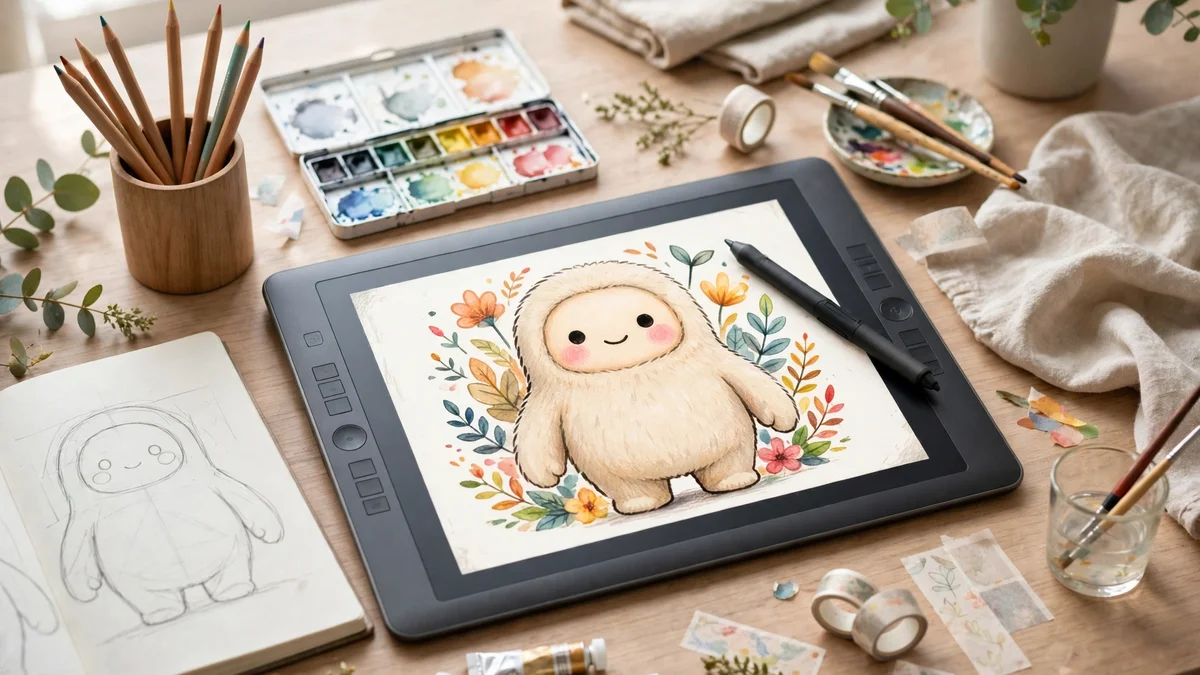
AI tools for illustration have changed what a single person can draw. A children’s book, a brand mascot, a set of editorial illustrations, or a poster series used to need a trained illustrator and weeks of work; now AI can generate the images, keep a consistent style across a whole set, and iterate on a brief in minutes. For authors, marketers, and small publishers, that speed turns illustration from a bottleneck into a tool anyone can use.
What matters most is style consistency. One beautiful image is easy; twenty images that look like they belong in the same book is the hard part. The best AI tools for illustration in 2027 let you lock a style — a reference image, a character sheet, a colour palette — and reuse it across a whole project, so the tenth illustration matches the first.
We tested the leading options on real briefs: a children’s book with a recurring character, a set of editorial illustrations for a magazine, a brand mascot in five poses, and a poster series with a fixed palette. The shortlist covers every budget, from free tiers to professional plans, and every use case, from quick social graphics to publishable book art.
Key takeaways
- Midjourney is the best overall pick for illustration, with the strongest style control.
- Adobe Firefly is the best choice for commercial work, with clean licensing and Photoshop integration.
- Leonardo AI is the strongest option for consistent characters across a series.
- Ideogram is the best tool when the illustration needs real, readable text in it.
- Always check hands, faces, and text before publishing — AI still gets these wrong.
At a glance: the shortlist
| Tool | Best for | Starting price | Standout limit |
|---|---|---|---|
| Midjourney | Style and quality | From $10 per month | Text in images is unreliable |
| Adobe Firefly | Commercial licensing | Free, Premium from $10 per month | Less distinctive than Midjourney |
| Leonardo AI | Consistent characters | Free, Artisan from $12 per month | Interface can overwhelm beginners |
| DALL-E 3 | Easy ChatGPT access | Free, Plus from $20 per month | Less style control than rivals |
| Ideogram | Text in illustrations | Free, Plus from $8 per month | Smaller community than Midjourney |
| Stable Diffusion | Full local control | Free, cloud from $10 per month | Needs technical setup |
| Clip Studio Paint | Human plus AI drawing | From $50 one-time | AI features are newer |
Midjourney — Best overall
Midjourney remains the best AI illustration tool for one reason: the images look like they were made by an illustrator. Its style references, character references, and style tuner let you define a look — watercolour, flat vector, storybook, art deco — and hold it across a whole project. For a children’s book or a brand series, that consistency is everything.

The weakness is text: Midjourney still garbles words inside images, so posters and book covers with titles need a second tool. It is also a subscription with no free tier, though the $10 plan is the cheapest professional option here. For pure illustration quality and style control, nothing else on this list matches it. If you need images with words in them, Ideogram below is the better pick, and our guide to AI tools for image generation compares the underlying generators in more depth.
Pros: Best illustration quality; strongest style control; huge community.
Cons: Text in images is unreliable; no free tier.
Adobe Firefly — Best for commercial licensing
Adobe Firefly is the safest choice for commercial illustration, because it is trained on Adobe Stock and public-domain content, and Adobe indemnifies commercial use on paid plans. For a brand, a publisher, or anyone whose work ends up in front of a legal team, that clarity is worth more than a slightly prettier image.
It also integrates with Photoshop and Illustrator, so an AI-generated illustration can be opened, edited, and finished in the tools a professional already uses. The images are less distinctive than Midjourney’s — cleaner and safer, but rarely as striking — and the free tier is generous enough to test properly. For commercial work where the licence matters, Firefly is the right call.
Pros: Clean commercial licensing; Photoshop and Illustrator integration; generous free tier.
Cons: Less distinctive than Midjourney; fewer style options.
Leonardo AI — Best for consistent characters
Leonardo AI is built for the hardest problem in AI illustration: keeping a character the same across many images. Its character reference and consistent-character features let you define a mascot, a book hero, or a brand figure once, then generate them in new poses, outfits, and scenes without the face changing. For a children’s book or a game, that is the feature that matters most.
It also offers fine-tuned models for specific styles — anime, fantasy, photorealism, pixel art — and a canvas editor for refining results. The interface is busier than Midjourney’s and can overwhelm a beginner, but the free tier is generous and the Artisan plan is affordable for regular use.
Pros: Best character consistency; fine-tuned style models; generous free tier.
Cons: Busy interface; learning curve for beginners.
DALL-E 3 — Best for easy ChatGPT access
DALL-E 3 lives inside ChatGPT, which makes it the most accessible illustration tool on this list: describe an image in a chat, and it appears. Its understanding of a prompt is the best here — it follows complex instructions, places objects correctly, and handles text in images better than Midjourney, though still not perfectly.
The weakness is style control. DALL-E 3 produces a house style that is hard to push away from, and keeping a consistent look across a series takes more effort than in Midjourney or Leonardo. But for a quick illustration, a blog header, or a first draft of a concept, its ease of use is unmatched.
Pros: Easiest to use; best prompt understanding; good text handling.
Cons: Less style control; house style is hard to escape.
Ideogram — Best for text in illustrations
Ideogram is the only tool on this list that reliably puts readable text inside an image. Posters, book covers, greeting cards, and social graphics with a headline all work here, where other generators garble the words. Its typography controls let you choose a style and placement, and the results are genuinely usable for print.
The illustration quality itself is good rather than best-in-class — Midjourney still wins on pure art — and the community is smaller, so there are fewer shared styles and prompts to learn from. But when the image needs words, Ideogram is the only sensible choice.
Pros: Reliable readable text; good typography controls; cheapest Plus plan here.
Cons: Art quality behind Midjourney; smaller community.
Stable Diffusion — Best for full local control
Stable Diffusion is the open option: run it on your own computer, train it on your own style, and keep everything private. With the right models and extensions, it can match or beat the commercial tools on quality, and it costs nothing beyond the hardware to run it. For illustrators who want to train a model on their own work, it is the only tool here that allows that properly.
The cost is technical setup. Installing models, managing extensions, and tuning settings takes time and a decent graphics card, and the learning curve is steep. Cloud versions remove the hardware problem but add a subscription. For a technical user who wants full control, though, nothing else comes close.
Pros: Free and open; train on your own style; full privacy and control.
Cons: Needs technical setup; steep learning curve.
Clip Studio Paint — Best for human plus AI drawing
Clip Studio Paint is a professional drawing tool first and an AI tool second, and that order matters. Its AI features — pose references, colourisation, background generation — assist a human illustrator rather than replacing one. An artist can sketch a character, let the AI suggest a background, and finish the piece by hand, keeping full control of the line work.
It is a one-time purchase, it is the industry standard for comics and manga, and its AI features are newer and less powerful than the dedicated generators. But for an illustrator who wants AI as an assistant rather than an author, it is the most honest tool on this list. The same human-plus-AI logic applies to design work generally, and our guide to graphic design software for small business covers the tools that finish the job.
Pros: Professional drawing tools; AI assists rather than replaces; one-time price.
Cons: AI features are newer; best for artists, not beginners.
How to choose
Start with the output. A children’s book or a brand series needs Midjourney or Leonardo for style and character consistency. Commercial work with legal scrutiny needs Firefly. A poster with a headline needs Ideogram. A quick illustration for a blog post is fine from DALL-E 3.
Then check the licence. Commercial use terms vary by tool and plan, so read them before publishing, and keep a record of which tool made each image. Prices are starting prices and change often, so check current pricing before buying, and always check hands, faces, and text before an image goes live — those are the three things AI still gets wrong most often. The same licence care applies across creative tools, and our guide to AI tools for graphic design covers the broader design-tool landscape.
Checklist: before you pay
- Test the tool on your own brief, with your own style reference, before subscribing.
- Check hands, faces, and text in every generated image before publishing.
- Read the commercial licence terms for the plan you are buying.
- Confirm the export resolution is high enough for print if you need it.
- Test character consistency across at least five images, not just one.
- Check whether the tool stores your prompts and uploads, and for how long.
Frequently asked questions
Can I sell illustrations made with AI?
Usually yes on paid plans, but the licence terms vary by tool. Adobe Firefly offers the clearest commercial indemnity, while other tools include commercial use on paid plans. Read the terms for the specific plan you buy, and keep a record of which tool made each image. Stock platforms and publishers have their own rules, so check those too.
Which AI illustration tool is best for a children’s book?
Leonardo AI for character consistency, or Midjourney for style quality. Define the character once, generate the whole book in the same style, and check every page for the hands, faces, and details AI gets wrong. A human illustrator should still review the final pages.
Can AI illustration keep a character consistent?
Leonardo AI does this best, with dedicated character-reference features, and Midjourney’s character reference is close behind. Consistency is never perfect — expect to regenerate some images — but it is good enough for a book or a brand series with careful prompting.
Is AI illustration bad for human illustrators?
It has changed the market, especially for stock and quick commercial work. But the best illustrators are using AI as a tool — for references, variations, and roughs — while keeping the creative direction, the line work, and the final judgement human. The craft has not disappeared; it has moved up a level.
Can AI generate text in illustrations?
Ideogram does this reliably, and DALL-E 3 handles short text well. Midjourney still struggles with words inside images. For a poster or a book cover, generate the art in one tool and add the text in a design app — it is faster and the typography will be better.
How much do AI illustration tools cost?
From free for Firefly, Leonardo, Ideogram, and Stable Diffusion’s basic tiers, through $8 to $20 a month for Pro plans, to a $50 one-time payment for Clip Studio Paint. Most offer monthly billing, and annual plans usually save 15 to 20 percent.
The bottom line
For most illustrators, Midjourney is the best overall pick: its style control and image quality are unmatched, and its community makes learning fast. Adobe Firefly is the choice when the licence matters, and Leonardo AI is the pick for a series with a recurring character.
Whichever tool you choose, keep the direction yours. Use AI to explore styles, generate options, and speed up the routine work — and spend the time it saves on the ideas, the characters, and the craft that make an illustration worth looking at twice.



