
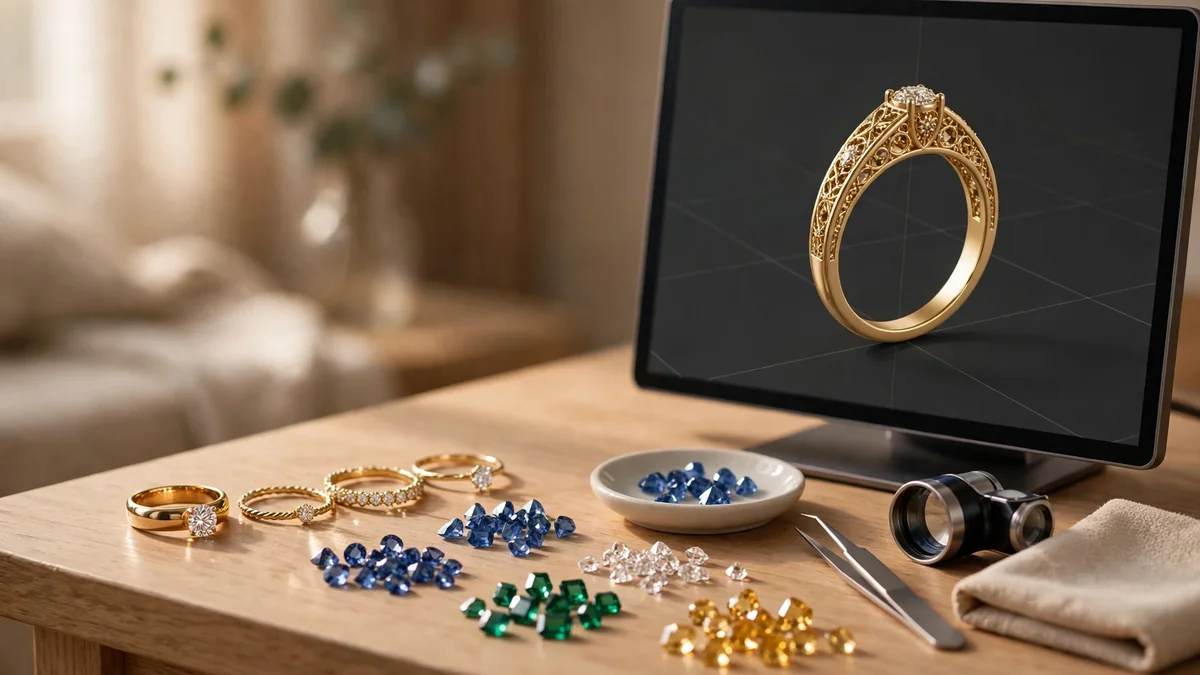
Best AI tools for jewelry design in 2027 help designers turn an idea into a piece that can be made, sold and worn, and they do it by combining 3D modelling, AI-assisted rendering, stone layout and manufacturing checks in one workflow. The best tools let a designer sketch a ring, test how it looks in gold or platinum, check the stone setting, and send a print-ready file to a caster without leaving the software.
Jewelry design is unforgiving in a way most product design is not. A ring that looks beautiful on screen can be unwearable if the shank is too thin, the prongs too short or the stones set too close together. AI tools help because they flag those problems early, generate realistic renders for clients, and automate the repetitive parts of modelling so a designer spends time on the creative decisions.
Our shortlist covers eight tools, from dedicated jewelry CAD software with built-in libraries of settings and shanks to general 3D tools that jewelers have adopted for organic, sculptural work. Prices are approximate starting prices, so check current pricing before you buy.
Key takeaways
- MatrixGold is the best overall choice for professional jewelry CAD, with the deepest library of settings and manufacturing tools.
- RhinoGold is the best pick for designers who want jewelry tools inside the flexible Rhino 3D platform.
- 3Design is the best option for studios that need parametric design and fast customisation.
- CounterSketch is the best choice for retail jewelers who design with customers at the counter.
- ZBrush is the best tool for organic, sculptural jewelry that CAD alone cannot shape.
At a glance: the shortlist
| Product | Best for | Starting price | Standout limit |
|---|---|---|---|
| MatrixGold | Professional jewelry CAD | From about $7,500 one-time | High upfront cost |
| RhinoGold | Jewelry tools for Rhino 3D | From about $1,295 one-time | Needs Rhino 3D licence |
| 3Design | Parametric jewelry design | From about $4,950 one-time | Steep learning curve |
| CounterSketch | In-store custom design | Custom pricing | Needs Gemvision setup |
| JewelCAD | Classic jewelry CAD | From about $2,500 one-time | Dated interface |
| ZBrush | Organic and sculptural modelling | From about $40 per month | Not built for jewelry sizing |
| Shapr3D | Jewelry design on iPad | From about $38 per month | Fewer jewelry libraries |
| Firestorm CAD | Affordable jewelry CAD | From about $1,500 one-time | Smaller user community |
MatrixGold — Best overall
MatrixGold is the industry standard for professional jewelry CAD, built on Rhino with a deep library of shanks, heads, prongs, pavé layouts and stone shapes that a designer can combine and customise. Its AI-assisted tools speed up the repetitive work: auto-pavé places stones along a curve, smart builders generate a complete ring from a few parameters, and rendering tools produce photorealistic images a client can approve before casting. Best AI Tools for Etsy Sellers in 2027The software also checks manufacturing details, such as metal thickness and stone clearances, so a design that looks right on screen is also makeable.
Pros: Deepest library of jewelry components; strong manufacturing checks; photorealistic rendering built in.
Cons: High one-time cost; needs a powerful computer and training to use well.

RhinoGold — Best for flexible Rhino workflows
RhinoGold adds jewelry-specific tools to Rhino 3D, the flexible modelling platform many jewelers already know. It provides builders for rings, bracelets, earrings and pendants, plus libraries of gems, settings and findings, and it keeps every model fully editable in Rhino, so a designer can mix jewelry tools with freeform surfacing in the same file. RhinoGold suits designers who want jewelry speed without giving up Rhino’s open modelling power.
Pros: Jewelry tools inside flexible Rhino 3D; fully editable models; good for unusual designs.
Cons: Requires a separate Rhino 3D licence; rendering needs an add-on or export.
3Design — Best for parametric design
3Design is a parametric jewelry CAD tool, which means a design is driven by parameters rather than fixed geometry: change a ring size, a stone diameter or a shank width and the whole model updates automatically. That makes it ideal for collections and customisation, where the same design must exist in many sizes, metals and stone options. Its history tree records every step, so a design can be revisited and adjusted months later without rebuilding it. Studios that sell made-to-order jewelry get the most from it.
Pros: Parametric editing saves hours on variations; full design history; clean manufacturing exports.
Cons: Steep learning curve; premium one-time pricing.
CounterSketch — Best for in-store custom design
CounterSketch, from Gemvision, is designed for the retail counter: a jeweler builds a custom piece with the customer watching, choosing a setting, stones and metal on screen and seeing the price update live. The interface is deliberately simple, with guided steps that keep a consultation moving, and the finished design exports directly to manufacturing. Best Web Hosting for Jewelry Stores in 2027That matters commercially, because a customer who sees their ring take shape in front of them is far more likely to buy than one shown a sketch. CounterSketch also includes a library of finished designs a store can customise, so even a small retailer can offer bespoke work without a full CAD studio.
Pros: Designs with the customer live; live pricing; exports to manufacturing.
Cons: Custom pricing and Gemvision setup; less suited to complex bespoke work.
JewelCAD — Best classic jewelry CAD
JewelCAD is one of the longest-running jewelry CAD programs, and it remains popular with workshops that value a straightforward, reliable tool for everyday production work. It covers the essentials: ring and pendant builders, stone libraries, prong and bezel settings, and clean exports for rapid prototyping and casting. Its interface is dated compared with newer rivals, but that simplicity is also a strength, because new users can become productive quickly and the software runs well on modest hardware. For a workshop that needs dependable CAD for standard pieces at a moderate price, JewelCAD is a solid, proven choice.
Pros: Proven and reliable; quick to learn; runs on modest hardware.
Cons: Dated interface; weaker rendering than newer rivals.
ZBrush — Best for organic and sculptural jewelry
ZBrush is a digital sculpting tool that jewelers use for organic, sculptural pieces that traditional CAD struggles to shape: flowing forms, textured surfaces, carved details and nature-inspired designs. Working in ZBrush feels closer to carving wax than to engineering, which suits designers with a fine-art or handcraft background. Models can be decimated and exported for 3D printing, and many jewelers combine ZBrush with a CAD program, sculpting the artistic form first and adding precise settings and sizing in MatrixGold or Rhino.
Pros: Unmatched for organic, sculptural forms; feels like hand carving; widely used in the trade.
Cons: Not built for jewelry sizing or settings; needs a CAD partner for production.
Shapr3D — Best for designing on iPad
Shapr3D brings professional 3D modelling to the iPad with Apple Pencil support, which makes it the most portable jewelry design tool on this list. A designer can sketch a concept at a trade show, refine it on the train and present it to a client the same day, all without a desktop workstation. Best AI Tools for Consumer Insights in 2027It handles solid modelling, fillets and precise measurements well, and it exports standard formats for printing and casting. It lacks the dedicated jewelry libraries of MatrixGold or RhinoGold, so settings and pavé still need manual work, but for concept design, client presentations and quick iterations, its speed and portability are hard to beat.
Pros: Full 3D modelling on iPad; fast for concepts and client presentations; affordable subscription.
Cons: Few dedicated jewelry libraries; settings and pavé need manual modelling.
Firestorm CAD — Best affordable jewelry CAD
Firestorm CAD is a budget-friendly jewelry design program aimed at independent designers and small workshops that need real CAD without an enterprise price. It includes ring and pendant builders, gem libraries, prong and bezel tools, and rendering, covering the core workflow from idea to print-ready file. The interface is simpler than MatrixGold or 3Design, which keeps the learning curve short, and the one-time licence avoids subscription costs. Its community is smaller, so tutorials and third-party libraries are thinner, but for a solo designer starting out in CAD, Firestorm is the most accessible route to professional jewelry modelling.
Pros: Low one-time cost; covers the core jewelry workflow; quick to learn.
Cons: Smaller community and fewer tutorials; fewer advanced tools than premium rivals.
How to choose
Start with how you work. A busy custom studio needs a full jewelry CAD package like MatrixGold or 3Design, with libraries and manufacturing checks. A retail store that designs with customers should look at CounterSketch, while a sculptural designer will get more from ZBrush paired with a CAD tool. The right choice follows the work, not the feature list.
Check the manufacturing path before you buy. Ask what file formats the tool exports, whether your caster or printer accepts them directly, and whether the software checks metal thickness and stone clearances. A beautiful render is worthless if the file needs hours of repair before it can be cast.
Trial it on a real job, not a demo file. Model a ring you have already made, with its exact stones and sizes, and compare the result with the finished piece. That test reveals more about accuracy, speed and ease of use than any feature comparison, and it shows whether the tool fits the way you actually design.
Checklist: before you pay
- Model a piece you have already made and check the result against the real thing.
- Confirm the export formats your caster or 3D printer accepts.
- Check whether the price is one-time or subscription, and what upgrades cost.
- Ask how rendering works and whether photorealistic images are included.
- Confirm the tool checks metal thickness, prong length and stone clearances.
- Ask about training, tutorials and support, especially in your first months.
Frequently asked questions
Do I need CAD skills to design jewelry with AI tools?
Basic 3D skills help, but tools like CounterSketch and Shapr3D are designed for beginners, with guided steps and simple interfaces. Dedicated CAD programs like MatrixGold take longer to learn, so budget time for training before your first paid job.
Can AI design a ring on its own?
AI can generate variations, suggest settings and automate repetitive tasks like pavé placement, but it cannot judge wearability, proportion or taste.
What file format do jewelers send to a caster?
The usual format is STL for 3D printing a wax or resin model, or STEP and IGES for machining. Most jewelry CAD tools export STL directly, and your caster will tell you which format and resolution they prefer.
Is a subscription or a one-time licence better?
It depends on your cash flow. One-time licences like MatrixGold cost more upfront but nothing per month, while subscriptions like ZBrush and Shapr3D spread the cost and include updates. Compare the three-year total cost, not just the first payment.
Can I design jewelry on an iPad?
Yes. Shapr3D is the strongest iPad option, with Apple Pencil support and full solid modelling. It is best for concepts and presentations; most designers still finish production files on a desktop CAD program.
How realistic are AI jewelry renders?
Modern renders are very close to photographs, with accurate metal reflections and stone sparkle, and they are good enough for most client approvals. For a final marketing image, some studios still photograph the finished piece, because a real photo shows the exact stones used.
The bottom line
MatrixGold is the best overall pick for jewelry design in 2027, because it combines the deepest jewelry library with manufacturing checks and rendering in one package. RhinoGold is the best choice for designers who want jewelry tools inside flexible Rhino 3D, and CounterSketch is the best option for retailers designing with customers at the counter.
Whatever you choose, trial it on a ring you have already made. A tool that reproduces your own work accurately is the one most likely to handle the next commission well.



