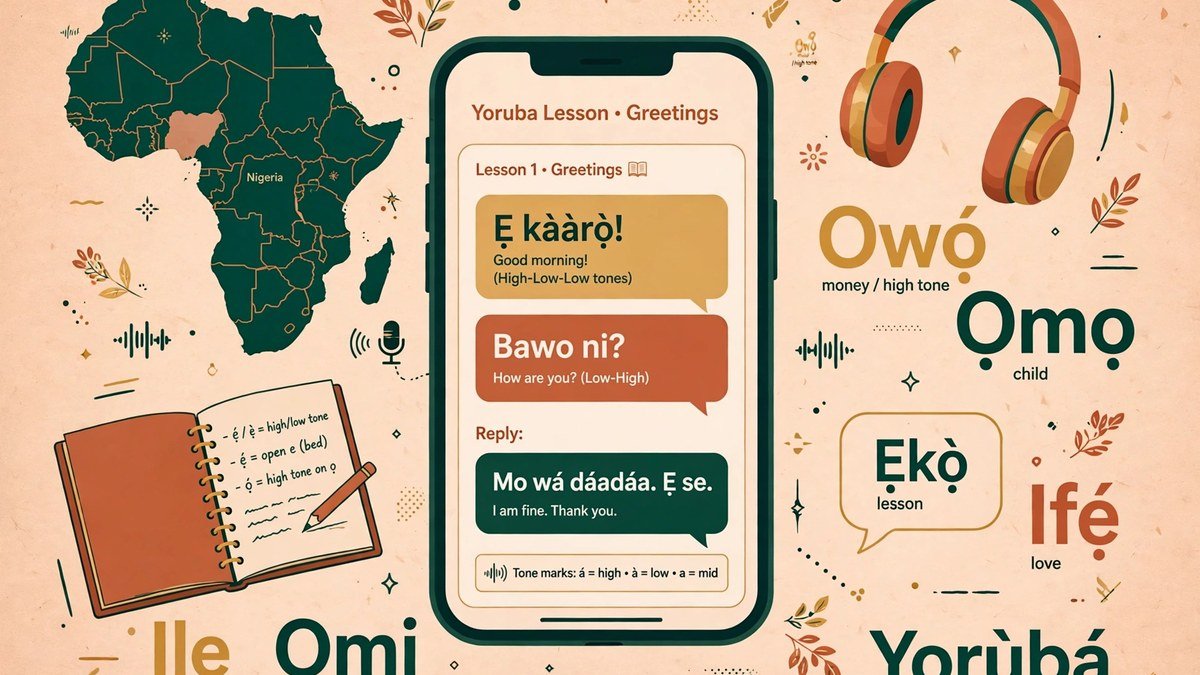
Te reo Māori is one of the most rewarding languages you can learn in 2027, and it is also one of the hardest to learn well with generic tools. It is a Polynesian language with a small but growing community of speakers, a rich oral tradition, and pronunciation rules that reward careful listening far more than memorised word lists. Most mainstream language apps were built for French, Spanish and German first, so Māori support is often an afterthought, a short course, or missing entirely. That makes choosing the right tool more important than it is for a bigger language.
The good news is that the picture has improved a lot. Duolingo added a Māori course, several specialist apps now cover Māori vocabulary and phrases, and general AI tools can now act as patient conversation partners, pronunciation coaches and translators when they are used carefully. The best approach in 2027 is not a single app but a small stack: one structured course for daily habit, one vocabulary tool for words, and one AI assistant for speaking practice and questions.
We tested and compared the tools below on the same criteria: how much real Māori content they offer, whether the audio uses native speakers, how well they handle pronunciation and macrons, what they cost, and whether they keep you coming back after the first week. Here are the eight best AI tools for learning Māori in 2027, and how to combine them.
Key takeaways
- Duolingo is the best overall starting point, with a free Māori course, native-speaker audio and daily streaks that build a habit.
- Drops is the best tool for vocabulary, with fast visual sessions and Māori word lists that suit short daily practice.
- ChatGPT is the best AI speaking partner, able to correct your Māori sentences, explain grammar and role-play conversations on demand.
- Mango Languages and Ling offer the most structured Māori courses, while Memrise and uTalk are stronger for phrases and listening.
- No single app covers everything: pair a course app with an AI tutor and a dictionary such as Kupu for the best results.
At a glance: the shortlist
| Product | Best for | Starting price | Standout limit |
|---|---|---|---|
| Duolingo | Overall beginners | Free; Super from about $7 a month | Māori course is shorter than major languages |
| Drops | Vocabulary | Free; Premium from about $10 a month | Free sessions are limited to five minutes |
| Memrise | Phrases and listening | Free; Pro from about $9 a month | Māori content is largely community-made |
| Mango Languages | Structured lessons | Free via many libraries; from about $8 a month | Less gamification than Duolingo |
| Ling | Fun daily practice | Free; Pro from about $9 a month | Smaller Māori course than its bigger languages |
| uTalk | Speaking confidence | From about $4 a month | No free Māori course tier |
| ChatGPT | AI conversation practice | Free; Plus from about $20 a month | Can make mistakes in Māori grammar |
| Kupu | Dictionary and translation | Free | Not a full course on its own |
Duolingo — Best overall
Duolingo is the easiest place to start learning Māori, and for most beginners it is still the best overall choice. Its Māori course was built with native speakers and covers greetings, introductions, family, food, numbers, directions and everyday conversation, with audio recorded by Māori speakers rather than synthesised voices. Lessons are short, usually five to ten minutes, and the app’s streaks, leagues and reminders do a better job than most rivals at turning a good intention into a daily habit.
The course teaches vocabulary in context, so you learn phrases such as “Kia ora” and “Kei te pēhea koe?” as whole sentences rather than isolated words, and it introduces macrons early, which matters because vowel length changes meaning in Māori. The free tier is genuinely usable, with ads and a limited number of mistakes before you need to wait or practise, while the paid Super plan removes ads, adds unlimited hearts and lets you practise offline. Duolingo’s weakness is depth: the Māori course is shorter than its French or Spanish courses, and advanced learners will finish it and need more. If you are weighing similar tools for another language, our roundup of the best AI tools for learning Urdu shows how the same apps compare when the language is less widely supported.
Pros: Free to start, native-speaker audio, strong daily habit design, teaches macrons from the start.
Cons: Māori course is shorter than major languages, limited speaking practice, ads on the free plan.
Drops — Best for vocabulary
Drops takes a different approach: five-minute visual sessions built around beautiful illustrations, word matching and quick recall games. It is the best tool on this list for building Māori vocabulary fast, because it strips away grammar explanations and focuses on recognition, spelling and pronunciation of words in themed sets such as food, travel, animals and the home. The Māori audio is clear, and the app repeats words at spaced intervals so they move from short-term recognition into longer-term memory.

The five-minute limit on the free plan is actually a feature for many learners: it keeps sessions focused and stops vocabulary practice from turning into a chore, though serious learners will want the paid plan for unlimited time. Drops will not teach you to hold a conversation on its own, and it explains very little grammar, so it works best as a second app next to Duolingo or Mango. Used that way, it is the fastest way to grow the word bank you need before you start speaking. It also suits children and visual learners who find text-heavy courses tiring, and its illustrations make abstract words easier to remember than a plain flashcard list.
Pros: Excellent for vocabulary, beautiful visual design, spaced repetition built in, short sessions fit busy days.
Cons: Very little grammar, free sessions capped at five minutes, no conversation practice.
Memrise — Best for phrases and listening
Memrise is built around video clips of real people speaking, and that makes it one of the best tools for training your ear for Māori. Its official courses are strongest for major languages, but its community-created Māori courses and phrase sets cover greetings, common expressions and everyday vocabulary, and the app’s spaced-repetition system schedules reviews so words come back just before you would forget them. The video-first approach helps you hear how Māori actually sounds in conversation, including the rhythm and intonation that text alone cannot teach.
The app also has an AI conversation feature that lets you practise short exchanges and get feedback, which is useful for learners who are nervous about speaking to real people. The main caveat is quality control: community Māori content varies, so check that a course uses correct macrons and natural phrases, and cross-check unfamiliar words in a dictionary. Memrise is best used for listening and phrase practice rather than as your only course, and it pairs well with a structured app that explains grammar properly. If you practise daily, its review system is one of the most effective ways to keep new Māori words in long-term memory.
Pros: Video of real speakers, strong spaced repetition, useful AI conversation practice, good for listening skills.
Cons: Māori content is largely community-made, quality varies, not a complete structured course.
Mango Languages — Best for structured lessons
Mango Languages is the most classroom-like tool on this list, and that is its strength. Its Māori course is organised into clear units with cultural notes, grammar explanations and conversations that build on each other, rather than the game-like drills of Duolingo. Each lesson explains why a phrase is built the way it is, which helps learners who want to understand Māori grammar instead of just memorising sentences. The audio is recorded by native speakers, and the app lets you slow it down, repeat individual words and record yourself for comparison.
Mango is also one of the best-value options, because it is free through many public libraries in New Zealand and elsewhere, and its paid plans are cheaper than several rivals. The trade-off is motivation: there are no leagues, streaks or competitive features, so learners who rely on gamification may find it quieter and easier to abandon. It is the best choice for serious adult learners, teachers and anyone who wants a proper course structure, and it works particularly well for learners who already have some Māori and want to fill gaps in grammar and usage. Use it as your main course and add Drops for vocabulary.
Pros: Clear structured lessons, good grammar and cultural notes, native-speaker audio, free via many libraries.
Cons: Little gamification, less engaging for younger learners, smaller community than Duolingo.
Ling — Best for fun daily practice
Ling is a playful app that covers Māori alongside more than sixty other languages, with lessons built around games, quizzes, chatbots and speaking exercises. Its Māori course covers the alphabet, greetings, numbers, food, family and travel phrases, and its chatbot lets you practise simple conversations without the pressure of speaking to a real person. The app’s design is bright and game-like, which makes it a good option for learners who found Duolingo repetitive or who want a second app for variety.
Ling’s speaking exercises use speech recognition to check your pronunciation, which is helpful for Māori because vowel length and the sounds of letters such as “wh” and “ng” take practice. The Māori course is smaller than Ling’s courses for bigger languages, and some advanced topics are missing, so it is best treated as a supplementary tool rather than a complete course. The free tier gives you a useful taste, while the paid plan unlocks all lessons and offline mode. For learners who struggle to stay motivated, Ling’s variety is a genuine advantage: switching between games, quizzes and chatbot conversations keeps daily practice from feeling like homework.
Pros: Fun game-based lessons, chatbot conversation practice, pronunciation checking, good for variety.
Cons: Māori course is smaller than major languages, limited advanced content, best as a second app.
uTalk — Best for speaking confidence
uTalk focuses on one thing above all else: getting you speaking from the very first lesson. Its Māori course uses native-speaker recordings and asks you to listen, repeat and record yourself, with a scoring system that shows how close your pronunciation is to the original. That immediate feedback loop is valuable for Māori, where confident pronunciation matters more than a large vocabulary, and it helps shy learners practise out loud before they speak to anyone else.
The app covers practical topics such as greetings, eating out, travel, shopping and emergencies, and its phrasebook-style lessons are easy to dip into before a trip or a cultural event. uTalk is less strong on grammar and writing, and there is no free Māori tier, so you need to pay to try it properly, though its subscription is cheaper than several competitors. It is the best pick for learners whose main goal is to speak Māori confidently in real situations, such as greeting colleagues, introducing themselves at a hui, or using Māori phrases at work. Pair it with a course app for grammar and a dictionary for new words.
Pros: Strong speaking and pronunciation focus, native-speaker audio, practical everyday topics, affordable pricing.
Cons: No free Māori tier, little grammar teaching, smaller course than general apps.
ChatGPT — Best AI conversation partner
ChatGPT is not a language course, but in 2027 it is the most flexible AI tool for learning Māori, because it can do what no fixed course can: answer your specific questions, correct your sentences, explain a grammar point in plain language, and role-play a conversation about any topic you choose. You can ask it to act as a patient Māori teacher, to quiz you on vocabulary, to translate a sentence and explain each word, or to write a short dialogue at your level and then walk through it line by line. Its voice mode adds spoken practice, letting you talk in Māori and hear responses read aloud.
The important caveat is accuracy. ChatGPT can make mistakes in Māori, especially with less common words, idioms and complex grammar, so treat it as a practice partner rather than an authority, and check anything important in a dictionary or with a fluent speaker. Used carefully, it is unmatched for personalised practice: no course can adapt to your level, your interests and your mistakes the way a good AI tutor can. It is also the best tool for learners beyond the beginner stage, when fixed courses run out of content and you need conversation about real topics. Ask it to correct you gently, to use macrons consistently, and to explain errors rather than just fixing them.
Pros: Unlimited personalised practice, explains grammar on demand, voice conversation, adapts to your level.
Cons: Can make Māori errors, no structured curriculum, paid plan needed for the best voice features.
Kupu — Best dictionary and translation tool
Kupu, built by Spark New Zealand, is a clever free tool that turns your phone camera into a Māori dictionary: point it at an object and it shows you the Māori word for it, with audio pronunciation. It is not a course, and it will not teach you grammar, but as a dictionary and translation aid it is one of the most useful Māori tools available, because it connects words to the real objects around you and makes learning feel playful rather than academic. It also works as a straightforward text dictionary, so you can look up words you meet in other apps and hear how they sound.
Kupu’s real value is as a companion to everything else on this list. When Duolingo or Mango introduces a new word, look it up in Kupu to hear it again and see it in context; when ChatGPT suggests a phrase, check it there before you trust it completely. The app is free, simple and well designed, and its image-recognition feature makes it particularly good for children and for learners who want to bring Māori into everyday life, labelling objects around the house and learning their names. Its limits are clear: it teaches words, not sentences, and you will need a course app for structure. As a free companion, though, it earns a place on every Māori learner’s phone.
Pros: Free, clever image-to-word dictionary, audio pronunciation, great companion to course apps.
Cons: Not a course, no grammar teaching, limited to vocabulary and translation.
How to choose
Start with your goal, not with the app store. If you want to learn Māori for everyday use, start with Duolingo or Mango as your main course and add Drops for vocabulary; if your goal is speaking confidence, add uTalk or ChatGPT voice practice early, because pronunciation improves fastest when you speak out loud from the start. If you are learning with children, Drops and Kupu are the most engaging options, while serious adult learners usually get more from Mango’s structured lessons. Budget matters less than consistency: the free tiers of Duolingo, Drops, Memrise and Kupu cover the first months of learning well, and a library card may give you Mango for free.
Check three things before you pay for any app: that it has a real Māori course rather than a few phrases, that its audio uses native speakers, and that it teaches macrons correctly. Avoid tools that claim to teach Māori but offer only a handful of words or use synthesised voices with poor pronunciation. The pattern is similar across less widely taught languages, as our guide to the best AI tools for learning Punjabi found: the apps with the most native-speaker audio and the clearest structure win, even when their courses are shorter. Finally, plan for the point where courses run out: that is when an AI tutor, a dictionary and real conversation with speakers matter most, so build those into your routine early.
Checklist: before you pay
- Try the free tier first and confirm the Māori course has real depth, not just a few phrases.
- Check that audio uses native Māori speakers and that macrons are shown and explained.
- Compare the monthly price with the annual plan, and check whether your library offers it free.
- Make sure you can cancel easily and export or keep your progress if you switch apps.
- Test the speaking and pronunciation features, not just the reading exercises.
- Plan your stack: one course, one vocabulary tool and one AI tutor beats three similar apps.
Frequently asked questions
Can I learn Māori for free with AI tools?
Yes, the first months are free with the tools on this list. Duolingo, Drops, Memrise and Kupu all have usable free tiers, ChatGPT has a free plan, and Mango Languages is free through many libraries. You can reach a solid beginner level without paying, though paid plans remove limits and unlock more content.
Which app is best for Māori pronunciation?
uTalk is the best dedicated option, because it scores your spoken Māori against native-speaker recordings. Duolingo and Mango also have good native-speaker audio, and ChatGPT’s voice mode is useful for practising whole sentences out loud once you know the basics.
Is Duolingo good for learning Māori?
Yes, for beginners. Its Māori course is well made, uses native speakers and teaches macrons early, and its daily habit design is the best on this list. Advanced learners will outgrow it and should move on to Mango, an AI tutor and conversation with fluent speakers.
Can ChatGPT teach me Māori?
It can help a lot, but it should not be your only teacher. ChatGPT is excellent for personalised practice, corrections and explanations, but it sometimes makes errors in Māori grammar and vocabulary. Use it alongside a structured course and check important phrases in a dictionary or with a fluent speaker.
How long does it take to learn conversational Māori?
With daily practice of twenty to thirty minutes, most learners can handle greetings, introductions and simple conversations within three to six months. Reaching comfortable conversational fluency usually takes one to two years of regular study and speaking practice, and progress is much faster if you speak with real people as well as apps. The same timeline applies to other less widely taught languages, and our roundup of the best AI tools for learning Azerbaijani reaches the same conclusion about daily speaking practice.
Do I need to learn macrons?
Yes. Macrons show that a vowel is long, and vowel length changes meaning in Māori, so “keke” and “kēkē” are different words. All the best tools on this list teach macrons from the start, and you should use them in everything you write, including notes and messages.
The bottom line
For most learners, the best stack in 2027 is Duolingo or Mango Languages as the main course, Drops for vocabulary, and ChatGPT as an AI conversation partner, with Kupu on your phone as a free dictionary. That combination covers structure, words, speaking and questions, and it costs little or nothing to start. If speaking confidence is your priority, swap in uTalk for pronunciation practice; if you prefer listening, add Memrise for its video clips of real speakers.
Whichever tools you choose, the habit matters more than the app. Twenty minutes a day, every day, with speaking practice from the start, will take you further than occasional long sessions. Māori is a living language with a growing community of speakers, and the tools to learn it have never been better.
Note: Prices and plans change. Check the product’s current plan details before buying — no link is provided here by design, all links in this article go to other occcy.com guides.