
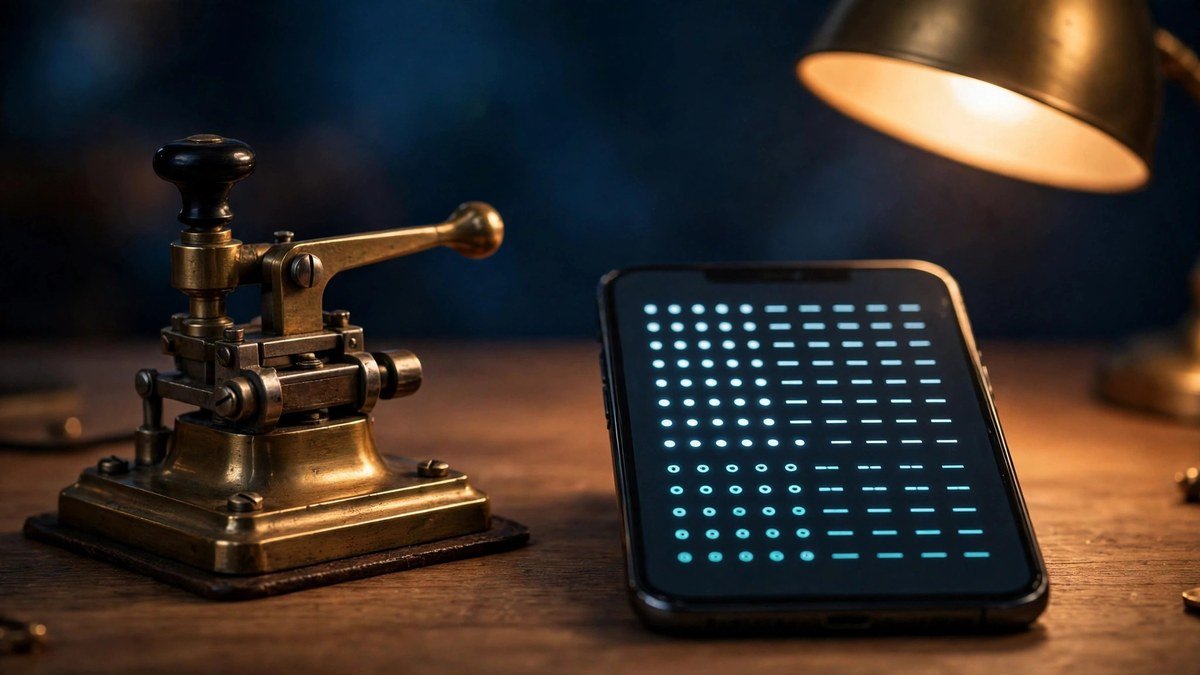
Morse code is 180 years old, and it is having a quiet comeback. Amateur radio operators still use it every day, emergency communicators train with it, and a growing number of hobbyists pick it up as a second language for the ears. The problem has never been the code itself — 26 letters, 10 numbers and a handful of punctuation marks — but the practice. Old-school study meant sitting with tapes, drilling letter after letter until your brain stopped counting dots and started hearing sounds.
AI tools have changed that grind. Modern Morse trainers listen to your keying, spot the letters you keep missing, and rebuild your next session around your weak spots. Some use speech recognition to check your copying, others generate endless random practice text at exactly your speed, and a few will decode live radio signals and show you what the machine heard versus what you heard. The best of them cost nothing or a few dollars, and they run on the phone you already carry.
We tested the leading AI-assisted Morse code trainers for learning speed, adaptive practice, decoding accuracy, platform support and price, and picked the ten that actually help you get from zero to a working 15 to 20 words per minute. Morse Mania is our overall pick for its adaptive drills and clean practice loop, LCWO is the best free structured course, and Morse-it is the strongest choice on iPhone and iPad. The full shortlist is below.
Key takeaways
- Morse Mania is the best overall pick: adaptive drills, a clear progression from letters to words, and a practice loop that fits into ten minutes a day.
- LCWO (Learn CW Online) remains the best free option, with a structured Koch-method course that takes you from your first two letters to full-speed copying at no cost.
- AI decoding tools are best used as a check on your own ears, not a replacement for them — a decoder that reads for you will not teach you to read.
- Most learners reach a usable 12 to 15 words per minute in 8 to 12 weeks of daily 15-minute practice with an adaptive trainer.
- Free apps cover the basics well; pay only when you want adaptive coaching, offline mode, or live radio decoding.
At a glance: the shortlist
| Product | Best for | Starting price | Standout limit |
|---|---|---|---|
| Morse Mania | Overall learning | Free with paid upgrade | Adaptive drills need the paid tier for full stats |
| LCWO | Free structured course | Free | Web only, dated interface |
| Morse-it | iPhone and iPad | Free with in-app purchases | iOS only, no Android version |
| Morse Code Reader | AI decoding practice | Free with paid upgrade | Decoding accuracy drops with noisy signals |
| Dit Dit | Absolute beginners | Free | Fewer advanced drills than rivals |
| Morse Code Ninja | Ham radio operators | Free | Video-based, less interactive practice |
| Koch Morse Trainer Pro | Koch method purists | Paid, one-time purchase | No free tier to try first |
| Morse Runner | Contest simulation | Free | Windows only, steep learning curve |
| IZ2UUF Morse Trainer | Custom drill design | Free | Interface is functional, not polished |
| G4FON Koch Trainer | Classic Koch training | Free | Windows only, no mobile app |
Morse Mania — Best overall
Morse Mania is the most complete learning loop in this roundup. It starts you on a small set of letters, adds new ones only when your accuracy holds, and quietly re-weights your drills toward the characters you keep confusing — E and I, S and H, the usual suspects. That adaptive weighting is the AI in the room, and it is the difference between a trainer that feels like a flashcard deck and one that feels like a coach. Sessions are short by design: ten minutes a day is the recommended dose, and the app tracks your streak so the habit sticks.

The practice modes cover the full arc from recognition to production. You learn letters by sound, then words, then callsigns and common abbreviations, then full sentences at increasing speeds. A built-in keyer lets you practice sending with a virtual straight key or paddles, and the app scores your timing — dits that run long, dahs that run short — which is the feedback most beginners never get. If you already know the alphabet, start with the Morse code alphabet guide to refresh the characters, then jump straight into the word drills where Morse Mania is strongest.
Pros: genuinely adaptive drills; short sessions that fit daily practice; sending practice with timing feedback; works offline.
Cons: full statistics and advanced modes sit behind the paid upgrade; no live radio decoding.
LCWO — Best free structured course
Learn CW Online, universally known as LCWO, is the free web trainer that has taught more operators than any other single tool. Its course follows the Koch method: you start with just two letters at full speed, and a new letter joins only when you can copy the current set at 90 percent accuracy. There is no dumbing down to slow speeds, which is the point — your brain learns sounds, not counted dots, from day one.
LCWO is entirely free and runs in any browser, so there is nothing to install and no account cost. Beyond the main course it offers word training, callsign training, plain-text copying at adjustable speeds, and a Morse runner-style contest trainer. The interface looks like it was built in 2005 because it was, but every feature works, and the progress tracking is honest: it shows your accuracy per letter so you can see exactly which characters are holding you back.
Pros: completely free; proven Koch-method course; runs in any browser; detailed per-letter accuracy stats.
Cons: dated web interface; no mobile app; no AI speech decoding or adaptive coaching beyond the Koch progression.
Morse-it — Best for iPhone and iPad
Morse-it is the polished iOS trainer that does the most with the least friction. It teaches the alphabet with sound-first lessons, then layers in word practice, QSO-style exchanges, and a decoder that listens to Morse from your device microphone or from audio files. The decoder is the headline feature: point it at a practice recording or a radio, and it shows the text it hears in real time, which makes it easy to check your own copying against a second opinion.
The app also includes a keyer with adjustable speed and spacing, a flashcard mode, and a translator that converts typed text into Morse audio you can practice along with. Everything is designed for the phone: big tap targets, offline lessons, and sessions that fit into a commute. If you are learning on iOS and want one app that covers learning, practice, and decoding, this is it.
Pros: excellent iOS design; built-in decoder for checking your copying; offline lessons; keyer with adjustable spacing.
Cons: iOS only with no Android version; some features require in-app purchases.
Morse Code Reader — Best for AI decoding practice
Morse Code Reader is built around one idea: an AI decoder that listens and transcribes. It uses the microphone to pick up Morse audio, runs it through a decoding engine, and displays the text as it arrives. For a learner, the value is not in letting the machine do the work but in using it as a referee — copy the signal yourself, then glance at the decoded text to see where your ears got it wrong.
The app handles clean, machine-sent Morse well, and it copes with moderate speeds once you tune the threshold settings. It is also useful for checking your own sending: key into the microphone and watch whether the decoder reads back what you meant to send, which exposes sloppy spacing faster than any lesson will. Keep your expectations realistic about noisy real-world signals, where accuracy drops and human ears still win.
Pros: real-time AI decoding from the microphone; good for checking your own sending; simple to use.
Cons: accuracy falls with noisy or hand-sent signals; decoding is a crutch if you lean on it instead of practicing.
Dit Dit — Best for absolute beginners
Dit Dit is the friendliest front door into Morse code. It assumes you know nothing, teaches each letter with a sound and a mnemonic, and keeps the early sessions short enough that you never feel overwhelmed. There are no settings to wrestle with on day one: open the app, tap start, and you are hearing your first letters within a minute.
Behind the simplicity there is a sensible progression. Letters unlock in small groups, review sessions recycle the ones you missed, and the speed creeps upward only as your accuracy allows. It is the trainer to hand to a complete beginner, a younger learner, or anyone who has bounced off the more technical tools. The trade-off is depth: once you are copying at 15 words per minute, you will outgrow it and want one of the stronger trainers above.
Pros: the easiest start in this list; sound-first lessons with mnemonics; gentle automatic progression.
Cons: fewer advanced drills; limited options for experienced learners.
Morse Code Ninja — Best for ham radio operators
Morse Code Ninja is a free training series built by and for the amateur radio community, and it is the best bridge between learning the code and actually using it on the air. The lessons are video-based, walking you through the Koch method with real on-air examples, callsign practice, and the abbreviations and prosigns that operators actually send — QTH, RST, 73, and the rest of the working vocabulary.
What sets it apart is context. Most trainers teach you to copy random letters; Morse Code Ninja teaches you to copy the exchanges you will hear on a real band, at real speeds, with real fading and interference. The practice sets are organized by speed and by scenario, so you can drill the exact situation you are preparing for, whether that is a slow-speed net or a contest pileup. The video format means less interactive drilling than an app, so pair it with a trainer like LCWO for daily reps.
Pros: free; teaches real on-air exchanges and abbreviations; practice sets organized by speed and scenario.
Cons: video-based, so less interactive than app trainers; no built-in adaptive coaching.
Koch Morse Trainer Pro — Best Koch method purists
Koch Morse Trainer Pro takes the classic Koch method and wraps it in a clean, focused app with no distractions. You start with two letters at full character speed, add letters only at 90 percent accuracy, and build toward full-speed copying of words, callsigns, and plain text. The implementation is strict about the method, which is exactly what Koch purists want: no slow-speed counting, no shortcuts, just sound recognition built one letter at a time.
The app includes adjustable effective speed, word and callsign drills, a statistics screen that ranks your weakest letters, and a sending practice mode. It is a one-time purchase with no subscription, which makes it easy to recommend to anyone who wants a single, focused trainer without ongoing cost. The only real drawback is the absence of a free tier, so you are buying on trust — though the method itself is the most proven in the hobby.
Pros: strict, faithful Koch method; one-time purchase, no subscription; clear weakest-letter statistics.
Cons: no free tier to try before buying; fewer features than the broader all-in-one apps.
Morse Runner — Best contest simulation
Morse Runner is the trainer for the day you stop learning letters and start learning to operate. It simulates a full amateur radio contest: a pileup of stations calling you, each with a callsign and exchange to copy, at realistic speeds and with realistic interference, fading, and QRM. You run the pileup, log what you hear, and get scored on accuracy and rate. It is the closest thing to being on the air without a license or a radio.
For a learner aiming at contesting or high-speed operating, there is no substitute. Random-letter drills do not teach you to pull a callsign out of a pileup; Morse Runner does, and it does it relentlessly. It is free and long-established in the contesting community, which means the simulations are tuned by people who actually contest. The interface is Windows-only and unapologetically technical, and the learning curve is steep, so treat it as your second trainer, not your first.
Pros: free; realistic contest pileup simulation; the standard trainer for competitive operators.
Cons: Windows only; steep learning curve; not a beginner’s tool.
IZ2UUF Morse Trainer — Best custom drill design
IZ2UUF Morse Trainer is the tinkerer’s choice. It is a free, web-based trainer that lets you build exactly the drills you need: choose your character set, your speed, your word lists, and your spacing, then generate endless practice tailored to your weak spots. If you keep missing numbers, build a numbers-only drill. If callsigns are your problem, generate callsign-only sessions at your target speed.
The trainer also includes Koch-method lessons, word training, and a sending practice mode, and it runs in the browser on any device. The interface is plain and functional rather than beautiful, and it assumes you already understand the basics of Morse training, which is why it suits learners who know what they need to work on and want a tool that gets out of the way.
Pros: free; fully customizable drills; runs in any browser; excellent for targeting specific weaknesses.
Cons: plain interface; assumes you know how to design your own practice.
G4FON Koch Trainer — Best classic Koch training
The G4FON Koch Trainer is the original Koch-method software, a free Windows program that has been in continuous use since the early 2000s. It is simple, strict, and effective: two letters at full speed, add a letter at 90 percent accuracy, repeat until you have the full set, then move on to words and plain text. Generations of operators learned the code on this program, and it still does the core job as well as anything on this list.
There are no adaptive AI features, no decoding, and no mobile version — this is a focused desktop trainer for a learner who wants the classic method without distractions. If you are on Windows and you want the most proven Koch implementation ever shipped, this is it, and it costs nothing. Pair it with a decoder app on your phone for checking your copying, and you have a complete, free learning setup.
Pros: free; the classic, proven Koch implementation; simple and distraction-free.
Cons: Windows only; no mobile app; no AI decoding or adaptive coaching.
How to choose
Start with your goal. If you want to learn the code from zero, pick a Koch-method trainer — LCWO if you want free and structured, Morse Mania if you want adaptive coaching on your phone. If you already know the letters and want speed, pick a trainer with word and callsign drills and a statistics screen that shows your weakest characters. If your goal is operating on the air, add Morse Code Ninja for real exchanges and Morse Runner for pileup practice.
Consider your device before you pay. Several of the best trainers are Windows-only or iOS-only, and the free web trainers run anywhere, so check platform support first. Also decide how you feel about AI decoding: a decoder is a useful referee for checking your copying, but it should never become the thing that reads for you. The skill lives in your ears, and the tools that build it fastest are the ones that make you listen, miss, and listen again. When you are ready to practice with real text, a Morse code translator is a handy way to turn any sentence into practice audio.
Checklist: before you pay
- Try the free tier or free version first — most of the basics are free on every tool here.
- Check the platform: iOS-only, Windows-only, and web-only trainers are all on this list.
- Confirm the trainer uses the Koch method or adaptive drills, not slow-speed counting.
- Make sure there is a statistics screen showing your weakest letters before you pay for coaching.
- Check whether the paid tier is a one-time purchase or a subscription, and what renews.
- Test the decoder, if it has one, on a noisy recording before trusting it on the air.
Frequently asked questions
How long does it take to learn Morse code with an AI trainer?
Most learners reach a usable 12 to 15 words per minute in 8 to 12 weeks of daily 15-minute practice with an adaptive or Koch-method trainer. Reaching 20 words per minute usually takes another two to three months of consistent work. Short daily sessions beat long weekend cramming, because sound recognition is a habit your brain builds between sessions.
Is Morse code still useful in 2027?
Yes. Amateur radio operators use it daily, it remains one of the most efficient weak-signal modes, and emergency communicators keep it in their toolkit because it gets through when voice and data do not. It is also simply a rewarding skill to own, and the learning community is active and welcoming.
Should I learn at slow speed first?
No. The Koch method, used by most trainers on this list, teaches every letter at full character speed from the start, so your brain learns sounds instead of counting dots and dashes. Slow-speed counting is the most common reason beginners stall, so pick a trainer that starts fast and adds letters gradually.
Can AI really teach me Morse code?
AI helps in two concrete ways: adaptive drills that focus your practice on the letters you keep missing, and decoding that checks your copying against a machine reading. Neither replaces listening practice. The best AI trainers are the ones that use the technology to make your practice smarter, not to do the listening for you.
Do I need a radio or a key to start learning?
No. Every trainer on this list works with just a phone or a computer, and most include a virtual key for sending practice. A physical key and a radio become useful later, once you can copy comfortably and want to get on the air. For a sense of how the same learning-tool pattern works in other languages, see our guide to the best AI tools for learning Gisu.
What speed should I aim for?
Aim for 12 to 15 words per minute first — that is fast enough for relaxed on-air contacts and most nets. Then push toward 20, which opens up contesting and faster exchanges. Speeds above 25 are a specialist pursuit; get comfortable at 20 before chasing more.
The bottom line
For most learners, Morse Mania is the best place to start: adaptive drills, a clear progression, and sessions short enough to do every day. If you want the proven free route, LCWO’s Koch course has taught more operators than any other tool and still costs nothing. iPhone users should look at Morse-it for its polish and built-in decoder, and anyone aiming at the air should add Morse Code Ninja and Morse Runner once the letters are solid.
Whichever trainer you choose, the rule is the same: fifteen minutes a day, every day, listening at full speed. The code is small, the tools are good, and the only thing standing between you and your first contact is the habit.
Note: Prices and plans change. Check the product’s current plan details before buying — no link is provided here by design, all links in this article go to other occcy.com guides.



