Uzbek is spoken by more than 35 million people, mainly in Uzbekistan and across Central Asia, yet it remains one of the least served languages in mainstream language-learning apps. That gap matters if you are preparing for travel to Tashkent or Samarkand, working with Uzbek partners, reconnecting with family, or simply adding a Turkic language to your repertoire. The good news is that artificial intelligence has narrowed the gap considerably: speech recognition, adaptive spaced repetition, and conversational AI tutors can now give Uzbek learners structured practice that did not exist a few years ago.
The challenge is choosing well. Some famous apps do not offer Uzbek at all, some offer only a short introductory course, and some rely heavily on community content of uneven quality. A tool that is excellent for Spanish or French can be almost useless for Uzbek. Price also varies widely, from free daily lessons to premium subscriptions that cost more than a textbook, and the features that matter most for Uzbek — Latin-script reading, vowel harmony, agglutinative grammar, and clear pronunciation feedback — are not the features most apps advertise first.
This guide compares eight AI tools that genuinely help with Uzbek in 2027, judged on Uzbek course depth, speaking and listening practice, grammar explanations, offline access, and value for money. Mondly leads for a complete structured course, Ling is the strongest all-rounder for beginners, and a conversational AI tutor is the best way to move from recognising words to holding a real conversation. Use the shortlist below to find your fit, then follow the checklist before you pay for anything.
Key takeaways
- Mondly is the best overall choice for Uzbek, with a full structured course, speech recognition, and daily lessons built around real conversations.
- Ling is the best all-rounder for beginners, combining vocabulary, grammar notes, and chatbot conversations in one affordable app.
- Drops is the best tool for fast vocabulary building, using visual word games and short five-minute sessions that suit busy learners.
- No single app covers everything: pair a structured course with a conversational AI tutor and a speaking partner for the fastest progress.
- Check Uzbek course depth before subscribing, because several well-known apps offer no Uzbek course at all or only a short starter pack.
At a glance: the shortlist
| Product | Best for | Starting price | Standout limit |
|---|---|---|---|
| Mondly | Best overall structured course | Free tier; premium from about $10 per month | Advanced grammar explanations are thin |
| Ling | Best all-rounder for beginners | Free tier; premium from about $8 per month | Uzbek audio library is smaller than major languages |
| Drops | Fast vocabulary building | Free tier; premium from about $10 per month | Free sessions limited to five minutes |
| uTalk | Pronunciation and listening | From about $10 per month | Little explicit grammar teaching |
| Memrise | Community courses and video | Free tier; premium from about $9 per month | Uzbek content quality varies by course |
| Clozemaster | Learning words in context | Free tier; premium from about $8 per month | Not suitable as a first course alone |
| ChatGPT | Conversational AI tutoring | Free tier; Plus from about $20 per month | Can make errors in Uzbek; verify with a native speaker |
| Tandem | Speaking with native speakers | Free tier; premium from about $7 per month | Finding Uzbek partners can take time |
Mondly — Best overall
Mondly is the strongest single starting point for Uzbek because it treats Uzbek as a full course rather than an afterthought. Lessons are organised around everyday situations — greetings, ordering food, asking directions, shopping, and small talk — and each lesson mixes new vocabulary, sentence building, listening, and speaking. The app uses speech recognition to check your pronunciation, which matters for Uzbek because vowel sounds and stress patterns are unfamiliar to most English speakers, and it gives immediate feedback rather than simply marking an answer right or wrong.
The learning path is genuinely adaptive. Mondly tracks which words you struggle with and brings them back through spaced repetition, and its daily lessons, weekly quizzes, and monthly challenges give you a reason to return without making the routine feel like homework. The chatbot conversations are a useful bridge between scripted lessons and real speech: you practise realistic exchanges, such as checking into a hotel or buying a train ticket, and the app prompts you with the phrases you have already learned. The same approach works for other less commonly taught languages, as our guide to the best AI tools for learning Welsh shows. For a language with limited classroom resources, that kind of structured speaking practice is valuable.
Pros: Full Uzbek course with speaking practice; speech recognition and adaptive review; realistic conversation lessons; works well on phone and desktop.
Cons: Grammar explanations are light; advanced levels feel thinner than beginner levels; premium subscription needed for the full course.
Ling — Best all-rounder for beginners
Ling is the best choice if you want one app that covers vocabulary, grammar, listening, and conversation without juggling several subscriptions. Its Uzbek course starts with the Latin alphabet and basic phrases, then builds through themed units on family, food, travel, and daily life. Each unit includes short grammar notes that explain how Uzbek builds words with suffixes, which helps beginners understand why a single Uzbek word can translate as a whole English phrase. That context makes the vocabulary stick far better than memorising isolated word lists.
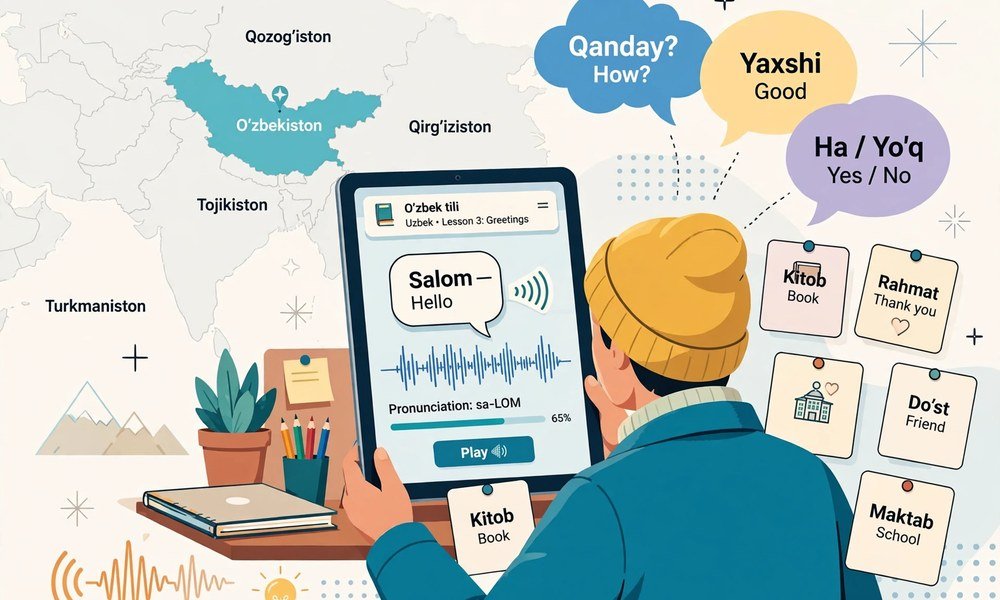
The app also includes a chatbot that lets you practise simple conversations in a low-pressure setting, plus mini-games, quizzes, and review sessions that adapt to your mistakes. Audio is recorded by native speakers, so you hear natural Uzbek pronunciation rather than robotic text-to-speech, and you can slow the audio down while you are learning a new sound. Offline access on premium plans is useful for travel in Uzbekistan, where mobile data can be patchy outside major cities.
Pros: Clear beginner path with grammar notes; native-speaker audio and chatbot practice; offline lessons on premium; affordable pricing.
Cons: Smaller advanced library for Uzbek; free tier is limited; some lessons repeat vocabulary across units.
Drops — Best for fast vocabulary
Drops takes a deliberately narrow approach: it teaches vocabulary through fast, visual word games and does almost nothing else. That focus is its strength. Each five-minute session asks you to match Uzbek words with images, build words from letters, and recognise words by sound, and the visual association helps Uzbek vocabulary stick, especially for concrete nouns such as food, body parts, colours, and travel words. The Latin script used in modern Uzbek makes the word-building games particularly effective, because you are learning the spelling as well as the meaning.
The app covers a wide range of topics, from everyday objects to business and travel vocabulary, and its spaced repetition system schedules reviews at the right intervals. Drops is also honest about its scope: it does not pretend to teach grammar or conversation, so you use it alongside a structured course rather than instead of one. Ten minutes a day — two short sessions — can add a surprising number of usable words in a month, and the streak system keeps the habit going without demanding long study blocks.
Pros: Highly effective visual vocabulary learning; short sessions fit any schedule; wide topic coverage; good spaced repetition.
Cons: Free tier is very limited; teaches words, not grammar or conversation; needs a companion course for real progress.
uTalk — Best for pronunciation and listening
uTalk is built around listening and speaking, and it is the best tool on this list for training your ear and your pronunciation in Uzbek. Lessons use native-speaker recordings for every word and phrase, and the app asks you to listen, repeat, and record yourself, then compares your recording with the native model. That loop is exactly what Uzbek learners need, because Uzbek contains sounds and vowel combinations that English speakers tend to blur, and early correction prevents bad habits from becoming permanent.
The course is organised into practical topics — first words, food and drink, numbers, directions, emergencies, and social phrases — and each topic is broken into short games that test recognition, recall, and pronunciation. uTalk also includes a phrasebook mode that is genuinely useful for travel: you can find and practise the exact phrases you need for a hotel, a market, or a taxi, and hear them spoken clearly before you try them yourself. The interface is simple and works well for learners who dislike cluttered apps.
Pros: Excellent native-speaker audio; record-and-compare pronunciation practice; practical travel phrases; simple, focused interface.
Cons: Almost no grammar teaching; premium pricing; limited free trial content.
Memrise — Best for community courses and video
Memrise combines official language content with community-created courses, and that combination is particularly useful for Uzbek, where official courses are scarce. Community courses cover topics that mainstream apps ignore, including Uzbek slang, regional phrases, and vocabulary for specific situations such as business meetings or family gatherings. The app also includes video clips of native speakers using the language in real contexts, which helps you learn natural pronunciation, rhythm, and body language alongside the words themselves.
The learning system is built on spaced repetition and mnemonic techniques, and it adapts to your performance by scheduling difficult words for more frequent review. Memrise also includes an AI conversation feature that lets you practise short exchanges and receive feedback on your responses, which is a useful stepping stone before speaking with a real person. The interface is colourful and game-like, which makes daily practice feel less like a chore and more like a habit you can sustain.
Pros: Community courses cover niche Uzbek topics; native-speaker video clips; adaptive spaced repetition; AI conversation practice.
Cons: Community content quality varies; some Uzbek courses are incomplete; official Uzbek content is thinner than for major languages.
Clozemaster — Best for learning words in context
Clozemaster teaches vocabulary through cloze exercises: you see an Uzbek sentence with one word missing and choose the correct word to complete it. That simple format is powerful for Uzbek, because it forces you to learn words inside real sentences rather than as isolated flashcards. You see how suffixes change a word depending on its role in the sentence, how word order works, and which words naturally appear together. Over time, that exposure builds the intuition that grammar explanations alone cannot provide.
The app draws its sentences from a large corpus and offers several modes, including multiple choice, text input, listening, and speaking. The text-input mode is particularly useful for Uzbek, because typing the missing word forces you to spell it correctly, including the letters that English speakers often confuse. Clozemaster also tracks your progress across thousands of common words, so you can see your vocabulary growing in a measurable way, and it works well in short bursts throughout the day.
Pros: Vocabulary learned in real sentences; text-input mode improves spelling; large sentence corpus; good progress tracking.
Cons: Not suitable for complete beginners; almost no grammar explanation; interface is plain and utilitarian.
ChatGPT — Best conversational AI tutor
ChatGPT is the most flexible tool on this list, because it can act as a tutor, a conversation partner, a grammar explainer, and a translator on demand. You can ask it to explain an Uzbek suffix with examples, to role-play a conversation in a Tashkent market, to correct a paragraph you wrote, or to create a personalised vocabulary list for your trip. That flexibility is unmatched by any fixed course, and it lets you practise exactly the situations you care about, from ordering plov to introducing yourself at a business meeting.
The voice mode is particularly useful for Uzbek learners. You can hold a spoken conversation, ask the tutor to speak slowly, request corrections after each sentence, and practise the same exchange until it feels natural. You can also ask for Uzbek text in Latin script, request transliteration help, and build dialogues around your own interests. For learners who already have basic vocabulary from Mondly or Ling, regular AI conversation practice is often the fastest way to move from understanding Uzbek to speaking it.
Pros: Unlimited personalised practice; voice conversations with corrections; explains grammar on demand; adapts to your goals.
Cons: Can make errors in Uzbek; needs verification for important phrases; paid plan required for the best voice features.
Tandem — Best for speaking with native speakers
Tandem connects you with native Uzbek speakers who want to learn your language, and that language exchange is the most realistic speaking practice you will find. You can exchange text messages, voice notes, and video calls, correct each other’s mistakes, and learn the everyday Uzbek that no course teaches — greetings, jokes, filler words, and the small phrases that make a conversation feel natural. For learners who have a basic foundation and want to become genuinely conversational, there is no substitute for speaking with real people.
The app includes built-in translation, correction tools, and topic suggestions to help you start a conversation, and its community features make it easier to find partners with shared interests. You can search for Uzbek speakers by age, interests, and goals, and you can set up regular calls with a partner you enjoy talking to. That regularity matters: a weekly thirty-minute call with the same person will improve your speaking faster than occasional practice with strangers.
Pros: Real conversations with native Uzbek speakers; voice, video, and text options; built-in correction and translation tools; free to start.
Cons: Uzbek partners can be hard to find; quality of exchanges varies; requires a basic foundation to be useful.
How to choose
Start with your level and your goal. If you are a complete beginner, choose Mondly or Ling as your main course and add Drops for vocabulary. That combination gives you structure, grammar, and word learning without overwhelming you. If you already know the basics, add Clozemaster for vocabulary in context and ChatGPT for conversation practice, and use Tandem once you can hold a simple exchange. If you are travelling soon, prioritise uTalk for pronunciation and practical phrases, and download your lessons for offline use before you fly.
Check the Uzbek course before you pay. Open the app, search for Uzbek, and look at how many lessons, topics, and levels are actually available. A free trial should let you test the speaking features and the audio quality, and you should be able to see whether the app uses the Latin script that modern Uzbek uses. The same check applies to any language: our guide to the best AI tools for learning Catalan makes the same point, because course depth varies far more than marketing suggests. Do not subscribe on the strength of a general reputation alone.
Checklist: before you pay
- Confirm the app offers a real Uzbek course, not just a short starter pack, and check how many lessons and levels it includes.
- Test the free tier or trial, including speech recognition and native-speaker audio, before entering payment details.
- Check the renewal price, not just the introductory offer, and confirm you can cancel easily from inside the app.
- Confirm offline downloads work on your device, especially if you plan to study while travelling in Uzbekistan.
- Check whether your progress and vocabulary lists can be exported or at least reviewed, so you are not locked into one app.
- Plan your routine: one main course, one vocabulary supplement, and one speaking tool, used for at least fifteen minutes a day.
Frequently asked questions
Can I learn Uzbek with AI tools alone?
Yes, you can reach a conversational level with AI tools alone, but you will progress faster if you combine them with real speaking practice. A structured course builds your foundation, a conversational AI tutor builds fluency, and a native speaker on Tandem tests everything in real conversation. AI tools are excellent for daily practice and feedback, and they are available whenever you are, but they cannot fully replace the unpredictability of talking to a real person.
Which app is best for Uzbek beginners?
Mondly and Ling are the best choices for beginners, because both offer a full structured Uzbek course with native-speaker audio, speaking practice, and grammar support. Mondly is slightly stronger on conversation lessons, while Ling is slightly stronger on grammar notes. Try the free tier of both for a week, then commit to the one whose style you enjoy more, because the app you actually use every day is the right one.
Does Duolingo teach Uzbek?
No, Duolingo does not offer an Uzbek course, which is why it does not appear in this guide. That is a common surprise, because Duolingo is the most famous language app, but its catalogue does not cover every language. If you are used to Duolingo for other languages, Mondly or Ling is the closest equivalent for Uzbek, with a similar lesson structure and daily practice format.
How long does it take to learn Uzbek?
That depends on your starting point, your daily study time, and your goals. With fifteen to thirty minutes a day, most learners can hold simple conversations about everyday topics within three to six months, and reach a comfortable intermediate level within a year. Uzbek grammar is regular and logical once you understand suffixes, which helps, but the vocabulary is unfamiliar to English speakers, so consistent daily practice matters more than occasional long sessions.
Is Uzbek written in Latin or Cyrillic script?
Modern Uzbek in Uzbekistan is written in the Latin alphabet, and all the tools in this guide use Latin script. Cyrillic is still used in some contexts, particularly by older speakers and in some publications, but Latin is the standard for learners and for official use. If an app offers Uzbek only in Cyrillic, it is likely outdated or aimed at a different audience, so check the script before you subscribe.
For a broader view of how AI tools support learning in general, see our guide to the best AI tools for skill development, which covers the same adaptive learning and tutoring features in a wider context.
What is the cheapest way to learn Uzbek?
Start with the free tiers of Mondly, Ling, and Drops, and use the free version of ChatGPT for conversation practice and grammar questions. That combination costs nothing and covers a structured course, vocabulary, and speaking practice for at least a month. When you are ready to pay, choose one premium subscription — usually your main course — rather than paying for several apps at once, and check for annual plans, which are usually much cheaper per month than monthly billing.
The bottom line
Mondly is the best overall AI tool for learning Uzbek in 2027, because it offers a complete structured course with speaking practice and adaptive review. Ling is the best alternative for beginners who want clearer grammar notes, Drops is the best vocabulary supplement, and ChatGPT is the best way to practise real conversations once you have a foundation. Add Tandem when you are ready to speak with native speakers, and you have a complete learning system.
Whichever tools you choose, the deciding factor is consistency. Fifteen minutes a day with one main course, one supplement, and regular speaking practice will take you further than any single app used sporadically. Start with the free tiers, test the Uzbek course depth, and commit to the combination that fits your routine.
Note: Prices and plans change. Check the product’s current plan details before buying — no link is provided here by design, all links in this article go to other occcy.com guides.