

The best AI tools for release notes in 2027 turn scattered commits, tickets and pull requests into clear, customer-friendly updates in minutes, so every release actually gets explained instead of shipping in silence. Instead of a developer writing a changelog at midnight before a deploy, the tool drafts the notes from the work itself, and a product manager edits them for customers.
That matters because release notes are how users discover what you built. A feature nobody hears about might as well not exist, and an unannounced bug fix leaves customers thinking the problem is still there. Good release notes also cut support tickets: when users can see what changed and when, they stop asking. For teams shipping weekly, a tool that writes the first draft is often the difference between notes that exist and notes that never happen.
This guide compares eight tools that handle release notes well, from dedicated changelog products to feedback platforms with announcements built in. Prices are approximate starting prices, so check current pricing before you buy.
Key takeaways
- Beamer is the best overall release notes tool, with announcements, in-app widgets and email in one place.
- LaunchNotes is the best pick for product teams publishing structured changelogs every week.
- AnnounceKit and Frill are the strongest choices when release notes should connect to feedback and roadmaps.
- Headway is the best simple option for small teams that need a clean, hosted changelog.
- AI drafts save time, but a human should always check the notes: automated text can miss context or overstate a fix.
At a glance: the shortlist
| Product | Best for | Starting price | Standout limit |
|---|---|---|---|
| Beamer | Best overall | From about $49 per month | Advanced features need higher plans |
| LaunchNotes | Product teams | From about $40 per month | Less feedback depth than Canny |
| AnnounceKit | Feedback and notes | From about $49 per month | Setup takes some time |
| Frill | Roadmaps and notes | From about $25 per month | Smaller template range |
| Canny | Feedback-driven notes | From about $79 per month | Premium pricing |
| Headway | Simple changelogs | Free plan available | Fewer announcement channels |
| ReleaseNotes.io | Focused changelogs | From about $19 per month | Less marketing tooling |
| Notion | AI-assisted notes | From about $10 per user per month | Not a dedicated changelog tool |
Beamer — Best overall
Beamer is the most complete release notes platform on this list, with a hosted changelog, an in-app notification widget, and email announcements fed from the same release notes. When a new version ships, customers see a notification dot in the product, click through to the notes, and can react or comment. That turns a changelog into a channel customers actually use.
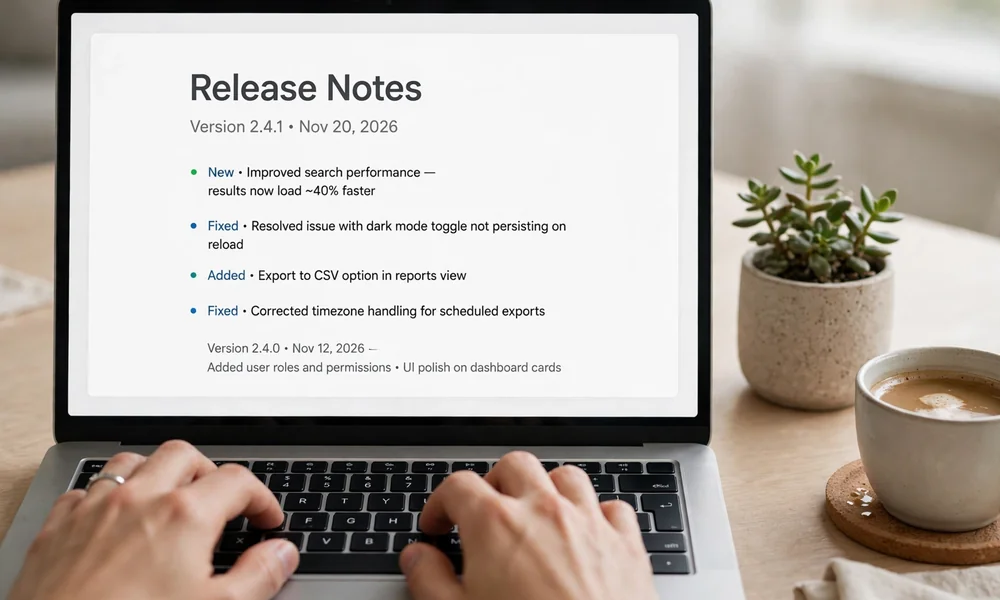
AI drafts notes from a summary of the changes, and Beamer segments announcements so different user groups see the updates relevant to them. Analytics show which notes get read and which features get the most reactions. For the documentation side of the same workflow, see the guide to the best AI tools for code documentation on this site.
Pros: Changelog, widget and email in one tool, strong analytics, segmentation. Cons: The most useful features need higher plans.
LaunchNotes — Best for product teams
LaunchNotes is built for product teams that ship often and want their changelog to look like part of the product, not an afterthought. It offers a polished hosted changelog, an in-app widget, and email digests. Drafts can be scheduled to publish with the release, which suits teams on a fixed weekly rhythm.
It connects with common issue trackers and code repositories, so the work behind each note is traceable, and it supports internal notes as well as public ones. Teams can keep a private log for staff and a polished public version for customers. AI drafting speeds up the first version, and editors keep control of tone and detail.
Pros: Polished branding, scheduled publishing, internal and public notes. Cons: Less feedback depth than Canny or AnnounceKit.
AnnounceKit — Best for feedback and notes
AnnounceKit connects release notes to user feedback in one flow. Customers can vote on features, comment on announcements, and subscribe to updates they care about, while product teams see which changes generate the most response. That makes the changelog a two-way channel rather than a broadcast: a note can ask users to try a feature and tell the team what they think.
It supports multiple projects and languages, which suits companies with several products or international users. It also offers in-app widgets, email notifications and a hosted changelog. Setup takes a little longer than a simple changelog page, but teams that want feedback and announcements together will find it worth the effort.
Pros: Strong feedback loop, multi-project and multilingual support. Cons: More setup than simpler tools, and pricing rises with audience size.
Frill — Best for roadmaps and notes
Frill combines a public roadmap with release notes, so customers can see what was promised, what shipped, and what is coming next, all in one place. When a feature moves from planned to released, the announcement writes itself from the roadmap item, and users who voted for it get notified automatically. That closes the loop between a request and a delivery.
The interface is clean, and the pricing is lower than several competitors here, which makes Frill a good choice for startups and small product teams. It lacks the deep analytics and segmentation of Beamer, and the template range is smaller, but for teams that want a roadmap and a changelog in sync, it is a strong, affordable option.
Pros: Roadmap and notes in sync, automatic notifications to voters, affordable. Cons: Fewer templates and lighter analytics.
Canny — Best for feedback-driven notes
Canny is primarily a feedback platform, but its changelog is a strong reason to use it. When a feature request is completed, Canny links it to the release note and notifies everyone who voted for it, so the people who asked are the first to hear it shipped. That single workflow turns a passive changelog into a retention tool: customers see their input becoming real product.
Beyond the changelog, Canny offers feature voting, roadmaps and integrations with issue trackers. The price is higher than the focused changelog tools here, and small teams may find it too much. For companies where feedback drives the roadmap, though, the connection between votes and release notes is hard to beat.
Pros: Excellent feedback-to-release loop, automatic voter notifications. Cons: Premium pricing, and more than a team needs for a changelog alone.
Headway — Best for simple changelogs
Headway is the simplest tool on this list, and that is its strength. It gives teams a clean, hosted changelog page with categories and reactions. There is a free plan, setup takes minutes, and the design looks good without customisation. For a small team or a solo founder, Headway removes every excuse for not publishing release notes.
The trade-off is depth: fewer announcement channels than Beamer offers, no feedback voting, and no roadmap. AI drafting is limited compared with the larger platforms, so more of the writing falls on the team. But for many teams a simple changelog that is updated beats a powerful platform nobody maintains.
Pros: Free plan, very quick setup, clean design. Cons: Fewer channels, no feedback or roadmap features.
ReleaseNotes.io — Best for focused changelogs
ReleaseNotes.io does one thing well: a hosted changelog with categories, search and email subscriptions. It connects with code repositories and issue trackers so releases can be pulled in automatically. The interface is minimal, the price is low, and there is little to learn.
It lacks the marketing features of Beamer and AnnounceKit: no widget analytics, no feedback voting, no roadmap. Teams that want a straightforward, professional changelog without paying for features they will not use will find it a good fit, as will open-source projects and small SaaS products writing for a technical audience.
Pros: Affordable, simple, good repository integrations. Cons: No widget analytics, feedback or roadmap features.
Notion — Best for AI-assisted notes
Notion is not a dedicated changelog tool, but its AI features suit teams that already live in Notion. Release notes can be drafted in the same workspace as specs, meeting notes and roadmaps, and Notion AI can turn rough bullet points from a developer into a polished customer-facing summary. A changelog page can be published from the same workspace, with no extra tool to maintain.
The weakness is distribution: no in-app notification widget, no subscriber analytics and no automatic voter notifications, so teams that need those will have to pair Notion with a dedicated tool or accept a simpler setup. For small teams and internal release notes, though, AI drafting in a workspace the team already uses is genuinely useful.
Pros: Strong AI drafting, already in many teams, flexible publishing. Cons: No changelog widget, analytics or feedback loop.
How to choose
Start with who reads your release notes. If they are mostly customers, pick Beamer or LaunchNotes for polished, multi-channel announcements. If the notes are mainly for a technical audience, Headway or ReleaseNotes.io will do the job at a lower price. If feedback drives your roadmap, Canny, AnnounceKit or Frill connect notes to the requests behind them.
A tool that drafts from commits or tickets saves real time for teams shipping weekly, but a human should still review every note before it goes out. For the wider writing workflow, read the guide to the best AI tools for technical documentation on this site.
Checklist: before you pay
- Run a trial with a real release, using your own commits and tickets.
- Confirm the tool connects to your repository and issue tracker.
- Check the renewal price, subscriber limits, and what happens to your notes on cancellation.
- Make sure you can brand the changelog and keep internal and public notes separate.
- Confirm who can publish and edit, and whether a review step is available.
- Check support hours and onboarding help for the in-app widget.
Frequently asked questions
What should a good release note include?
What changed, why it matters, and who it affects. A good note names the feature or fix in plain language and explains the benefit.
How often should we publish release notes?
With every release that changes something users can see or feel. Teams that ship weekly should publish weekly. Skipping small releases teaches users to stop checking.
Can AI write release notes on its own?
AI can draft them well from commits and tickets, but it should not publish unsupervised. A human should check for missing context, overstated fixes and internal jargon before the note goes out.
Should release notes mention bug fixes?
Yes. Users who reported a bug want to know it is fixed, and others with the same problem will stop worrying. Keep the description short and plain, and avoid blaming anyone.
What is the difference between release notes and a changelog?
The terms overlap, but a changelog is usually a complete log of every change, while release notes are the customer-facing summary of the changes that matter. Many teams keep both.
Where should release notes live?
On a public changelog page, with an in-app notification for important updates. Users should be able to find them from the product, not only from an email. For the writing side, see the guide to the best AI tools for content writing on this site.
The bottom line
For most teams, Beamer is the best overall pick: it covers the changelog, the in-app widget and email, with analytics showing what customers actually read. Product teams shipping every week will be happy with LaunchNotes, feedback-led teams should choose Canny or AnnounceKit, and small teams that just need a clean changelog should start with Headway.
Whichever tool you choose, the real win is consistency. Publish notes with every release, keep them short and honest, and let a human check the AI draft. Prices change, so confirm current pricing before you commit.



