
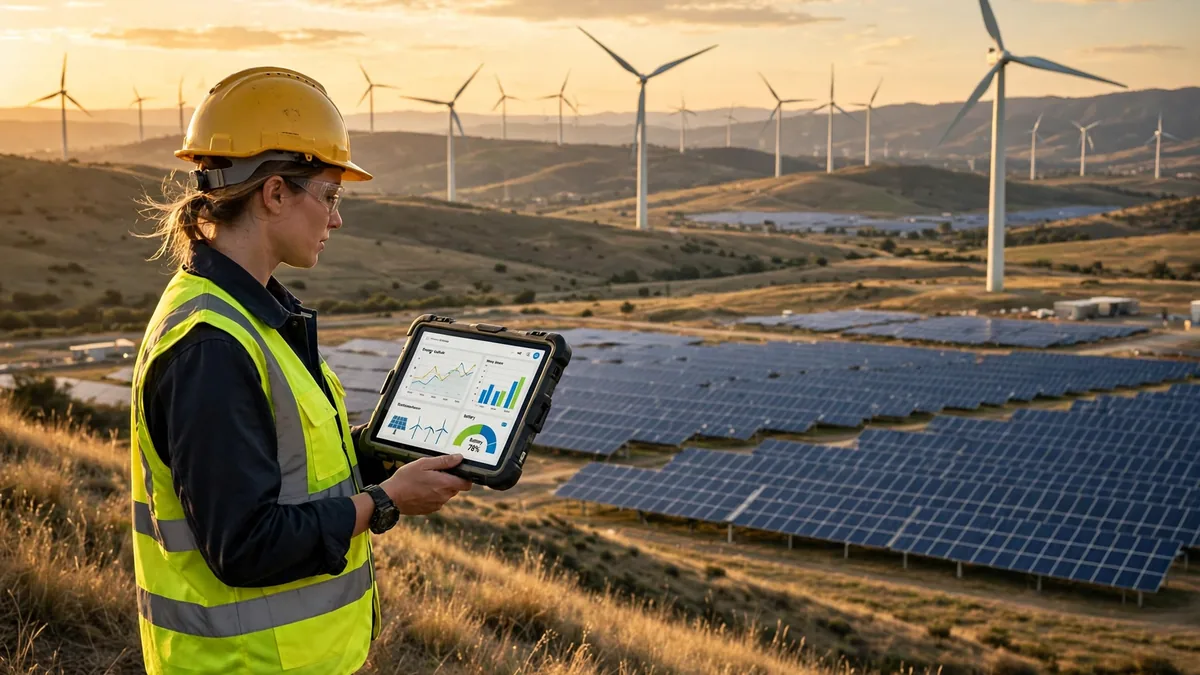
The best AI tools for renewable energy engineers in 2027 do one thing well: they turn messy, weather-dependent data into design and operating decisions that hold up in the field. A solar layout that looked good on paper can lose money if shading, soiling, or a weak inverter string was missed. A wind site can underperform for twenty years if the resource assessment was optimistic by a few percent. The tools in this guide exist to close those gaps, using machine learning, satellite imagery, and simulation to test thousands of options before a single panel or turbine is installed.
Renewable energy engineers now work across a wider brief than they did five years ago. The same engineer may size a rooftop solar array on Monday, model a hybrid solar-plus-storage plant on Wednesday, and defend a wind farm yield estimate to a lender on Friday. No single platform covers all of it, which is why the strongest teams combine a design tool, a resource assessment tool, and an operations tool, and make sure the three can share data cleanly.
We selected the eight tools below for their track record on real renewable projects, their use of AI or advanced simulation rather than simple calculators, and their fit for working engineers rather than only researchers. Every tool here is used on commercial solar, wind, or storage projects. Prices change often, so treat the starting prices as a guide and check current pricing before budgeting.
Key takeaways
- Aurora Solar is the best overall choice for solar design, combining AI roof detection with shade, layout, and financial modelling in one workflow.
- RatedPower leads for utility-scale solar, where automated layout optimisation and civil works estimates save weeks on large sites.
- WindPRO remains the standard for wind resource assessment, and its AI-assisted flow modelling suits complex terrain.
- HOMER Pro is the strongest option for hybrid solar, wind, and storage systems, especially off-grid and microgrid projects.
- Before paying, test each tool on a project you already know well, so you can judge its yield estimate against measured results.
At a glance: the shortlist
| Product | Best for | Starting price | Standout limit |
|---|---|---|---|
| Aurora Solar | Solar design and sales | Quote-based | Strongest in the United States market |
| RatedPower | Utility-scale solar design | Quote-based | Needs good terrain and GIS data |
| WindPRO | Wind resource assessment | Licence-based, check current pricing | Steep learning curve for beginners |
| HOMER Pro | Hybrid and off-grid systems | Subscription, check current pricing | Less suited to detailed electrical design |
| Stem Athena | Battery storage optimisation | Quote-based | Focused on storage, not generation design |
| Plexos | Power market and grid modelling | Licence-based, check current pricing | Demands strong modelling experience |
| Neara | Grid and network modelling | Quote-based | Built for utilities, not small installers |
| Power Factors Unity | Renewable asset performance | Quote-based | Value depends on portfolio size |
Aurora Solar — Best overall
Aurora Solar is the most complete solar design platform in this guide, and the best starting point for engineers who design residential and commercial solar every day. Its AI reads satellite and aerial imagery to detect roof faces, measure dimensions, and map trees and nearby structures that cast shade, then lets the engineer place panels on a three-dimensional model and run shade and production simulations.
What sets Aurora apart is how little manual drafting it requires. Traditional solar design meant tracing roofs by hand and guessing at shade losses. Aurora automates the tedious part, then lets the engineer adjust the result where local knowledge matters, such as a tree that has grown since the imagery was taken or a roof that will be replaced before installation. That balance of automation and control is why so many solar firms have made it their standard design tool.
The platform also handles the commercial side of a project well. It models tariffs, incentives, loan and lease options, and payback periods, so the design and the business case stay in step. When a design changes, the financial figures update with it, which avoids the common problem of a proposal that no longer matches the system it describes. Engineers comparing design workflows will also find our guide to the best solar installer software useful for the wider toolset around design, scheduling, and customer management.

Pros: Fast AI roof detection and shade modelling; strong financial modelling; clean customer proposals; well supported and widely adopted.
Cons: Quote-based pricing can be costly for small firms; strongest coverage in the United States; less suited to utility-scale ground-mount design.
RatedPower — Best for utility-scale solar
RatedPower, now part of Enverus, is built for the scale and complexity of utility solar, where a project may cover hundreds of hectares and involve thousands of design decisions. Its software takes terrain, weather, and equipment data, then generates and compares complete plant layouts automatically, including road access, trenching, and civil works. An engineer can test different module types, inverter configurations, and row spacing in hours rather than weeks.
The strength of RatedPower is optimisation at a level that manual design cannot match. On a large site, a small change in row spacing or inverter placement can shift energy yield and construction cost by meaningful amounts. The platform evaluates those trade-offs systematically and produces documentation that lenders and investors can review, including yield reports and bills of quantities.
RatedPower also reduces the risk of late surprises. By modelling terrain and earthworks early, it flags areas where grading costs will be high or where drainage will be a problem, before the project reaches detailed engineering. For developers and engineering firms working on solar farms above a few megawatts, it is the most capable design tool in this guide.
Pros: Automated layout optimisation for large sites; civil works and cost modelling; lender-ready documentation; strong for comparing design options.
Cons: Quote-based pricing; overkill for residential projects; output quality depends on the terrain and weather data supplied.
WindPRO — Best for wind resource assessment
WindPRO, from EMD International, is the established standard for wind farm design and energy yield assessment. It combines wind measurement data, terrain models, and flow modelling to predict how much energy a proposed wind farm will produce, and how much uncertainty surrounds that prediction. Lenders and investors trust its reports, which is a practical advantage when a project needs financing.
The platform covers the full wind workflow: cleaning and analysing mast and lidar data, modelling wind flow over hills and forests, placing turbines to limit wake losses, and calculating noise and shadow flicker impacts on nearby homes. Its flow models help engineers avoid the optimistic yield estimates that cause the most expensive wind project failures.
WindPRO is not a beginner tool, but for engineers whose work will be scrutinised by banks and independent reviewers, that depth is the point. A yield assessment from WindPRO carries weight because the methods behind it are well documented and widely accepted across the wind industry.
Pros: Industry-standard yield assessments; strong flow modelling for complex terrain; noise and shadow flicker analysis; trusted by lenders.
Cons: Steep learning curve; licence-based pricing; requires quality wind measurement data to deliver its best results.
HOMER Pro — Best for hybrid and off-grid systems
HOMER Pro, from UL Solutions, is the leading tool for designing hybrid energy systems that combine solar, wind, batteries, diesel generators, and other sources. It simulates thousands of system configurations over a full year of hourly data, then ranks them by cost, reliability, and emissions. That makes it the natural choice for microgrids, remote sites, islands, and any project where the grid is absent or unreliable.
The value of HOMER Pro is in the trade-offs it makes visible. Adding a larger battery may cut diesel use sharply up to a point, then deliver almost nothing for the extra cost. A slightly larger solar array may be cheaper than a larger generator over twenty years. The software tests these combinations systematically, so the engineer can defend the chosen design with numbers rather than rules of thumb. It also models load growth and fuel price changes over the system lifetime.
HOMER Pro is widely used in development work, mining, telecoms, and island electrification, where a wrong sizing decision can leave a community without power or a client with an oversized, unaffordable system. It is less suited to detailed electrical design, such as protection settings or cable sizing, so engineers usually pair it with a dedicated electrical design tool. For system sizing and economics, though, it remains unmatched.
Pros: Thorough hybrid system optimisation; strong for off-grid and microgrid projects; clear cost and reliability comparisons; widely used and well documented.
Cons: Subscription pricing; not a detailed electrical design tool; results depend on accurate load and resource data.
Stem Athena — Best for battery storage optimisation
Stem Athena is an AI platform that decides how a battery storage system should charge and discharge, hour by hour, to earn the most value. It forecasts solar output, building load, and electricity prices, then dispatches the battery to cut peak demand charges, shift energy to expensive hours, and respond to grid signals. For engineers designing or operating storage, it turns a battery from a passive asset into one that is actively managed.
The platform matters because storage economics depend on timing. A battery that charges at the wrong hour or discharges too early can miss most of its value, even if the hardware is excellent. Athena uses machine learning to learn a site’s patterns and adapt as conditions change, including weather, tariffs, and grid events. It also manages fleets of batteries across many sites.
Athena is a storage optimisation tool, not a generation design tool, so it does not replace Aurora Solar or HOMER Pro. Its place is after the system is sized: making sure the battery earns its keep every day. Engineers should also confirm how it integrates with the chosen inverter and battery hardware, and what happens if connectivity is lost, since a cloud-dependent dispatch system needs a safe fallback mode.
Pros: AI-driven charge and discharge optimisation; demand charge reduction; fleet management across sites; adapts to changing tariffs and weather.
Cons: Quote-based pricing; storage-only focus; depends on reliable connectivity and compatible hardware.
Plexos — Best for power market and grid modelling
Plexos, from Energy Exemplar, models electricity markets and power systems at a scale that design tools do not attempt. It simulates how generators, transmission, storage, and demand interact over hours, months, and years, and what that means for prices, curtailment, and revenue. Renewable energy engineers use it to answer questions such as whether a new wind farm will be curtailed, how a battery will earn revenue in a given market, and how a portfolio of assets will perform under different policy scenarios.
The platform is powerful because it models the whole system, not just one asset. A solar farm that looks profitable in isolation may earn far less if many similar farms are built nearby and depress midday prices. Plexos captures that effect, along with transmission constraints, fuel prices, and carbon costs. That system view is essential for developers, utilities, and investors making large decisions.
Plexos is a specialist tool and it shows. It demands strong modelling experience, good data, and time to build and validate a model. For large developers, utilities, and consultants, however, it is the most capable market modelling platform available to renewable energy engineers in 2027.
Pros: Full power market and system simulation; curtailment and revenue forecasting; scenario and policy analysis; trusted by utilities and large developers.
Cons: Licence-based pricing; needs experienced modellers; model building takes significant time and data.
Neara — Best for grid and network modelling
Neara is an AI platform that builds a digital model of the electricity network, using lidar, imagery, and utility data to map poles, wires, and assets in three dimensions. Engineers use it to test whether a network can accept new solar, wind, or storage connections, where upgrades are needed, and how the network will behave under stress from storms, heat, or wildfire risk.
The platform is valuable because grid connection is now one of the biggest constraints on renewable energy. A project can have excellent wind or solar resource and still wait years for a connection, or face costly upgrade charges. Neara lets network engineers and developers test connection options quickly, identify the cheapest workable route, and produce evidence that supports a connection application. It also helps utilities prioritise maintenance and hardening.
Neara is built for utilities and large network operators, so it is not a tool for a small solar installer. Its pricing and data requirements reflect that audience. But for engineers working on grid integration, connection studies, or network planning, it is one of the most capable AI platforms available, and it addresses a problem that design tools alone cannot solve.
Pros: Detailed three-dimensional network models; fast connection and capacity studies; storm and wildfire risk analysis; strong fit for utilities.
Cons: Quote-based pricing; built for large operators; needs good lidar and network data.
Power Factors Unity — Best for renewable asset performance
Power Factors Unity is a platform for monitoring and improving the performance of operating wind, solar, and storage assets. It collects SCADA and sensor data from across a portfolio, flags underperforming turbines and inverters, and uses analytics to distinguish a real fault from a weather effect or a sensor error. For engineers responsible for assets already in the ground, it is the tool that turns raw operating data into maintenance decisions.
The platform earns its place because renewable assets lose revenue quietly. A turbine with a yaw error, a solar string with a faulty connector, or an inverter running hot can underperform for months before anyone notices. Unity compares each asset against its peers and against its expected output, so small losses are visible early, when they are cheapest to fix. It also supports warranty claims and performance reporting.
Unity is most valuable at portfolio scale, where manual monitoring of every asset is impractical. Engineers should confirm which SCADA systems and data formats it supports before committing, since clean data integration is what makes the analytics reliable.
Pros: Portfolio-wide performance monitoring; early fault detection; peer comparison and benchmarking; supports warranty and reporting work.
Cons: Quote-based pricing; value grows with portfolio size; depends on clean SCADA data integration.
How to choose
Start from the work you actually do, not from the longest feature list. A residential solar designer needs Aurora Solar, not Plexos. A wind developer needs WindPRO, not Stem Athena. A microgrid engineer needs HOMER Pro first, then a storage optimiser. Write down the three tasks you repeat most often, and choose the tool that handles the first of them best, because that is where most of your hours go.
Next, check data compatibility. A design tool is only as good as the weather, terrain, and load data it can use, and a monitoring tool is only as good as the SCADA feed it can read. Ask each vendor which data formats it accepts, how it handles missing or poor-quality data, and whether it exports results in formats your clients, lenders, or colleagues already use. A tool whose results nobody can open will slow a project down.
Finally, run a real trial. Take a project you have already built and measured, run it through the trial, and compare the tool’s yield or cost estimate with what actually happened. A difference of a few percent may be acceptable; a difference of fifteen percent is a warning. Pay attention to support as well, because renewable projects run on deadlines, and a vendor that answers quickly when a model will not converge is worth more than a slightly cheaper licence. The wider energy software landscape, including tools for managing generation and consumption, is covered in our guide to the best AI tools for energy management, which pairs well with the design tools above.
Checklist: before you pay
- Run a trial on a project with known measured results, and compare the tool’s estimate with reality.
- Confirm the renewal price, not just the first-year price, and check what happens to your data if you cancel.
- Check which data formats the tool accepts and exports, and whether it works with your existing hardware and software.
- Confirm how many users and projects the licence covers, and what extra seats or sites will cost.
- Ask what happens when connectivity fails, especially for cloud-based dispatch and monitoring tools.
- Check that the tool’s reports meet the standards your lenders, clients, or regulators expect.
Frequently asked questions
Which AI tool is best for solar design?
Aurora Solar is the best overall choice for residential and commercial solar design, because it combines AI roof detection, shade modelling, and financial analysis in one workflow. For utility-scale solar farms, RatedPower is the stronger option, since it optimises layout, civil works, and costs across large sites.
Do I need separate tools for wind and solar?
In most cases, yes. Wind and solar need different data and different physics, so the best tools are specialised. WindPRO is the standard for wind resource assessment, while Aurora Solar and RatedPower lead for solar. HOMER Pro is the exception, because it can combine wind, solar, and storage in one hybrid system model.
Can AI tools replace an experienced renewable energy engineer?
No. AI tools speed up design and flag options a person might miss, but they cannot judge whether the input data is trustworthy, whether a site constraint matters, or whether a result makes sense in the field. The strongest results come from an experienced engineer using the tool to test ideas, not from accepting its first answer without question. Related engineering guides, including our roundup of the best AI tools for environmental engineers, show how similar tools support neighbouring disciplines without replacing professional judgement.
How accurate are AI yield estimates?
Accuracy depends on the input data more than on the tool. Good weather data, accurate terrain models, and measured site data produce estimates within a few percent of reality for well-understood sites. Poor data can produce errors of ten percent or more, whatever the tool. Always validate a new tool against measured results before trusting it on a live design.
What should a small solar firm buy first?
Aurora Solar, if the firm designs residential and commercial solar regularly. It covers design, shade analysis, and proposals in one platform, and it pays for itself quickly in time saved. A small firm should avoid buying a utility-scale or market modelling tool before it has the project volume to justify it.
Are these tools worth the cost for a single project?
Usually not, if the project is genuinely a one-off. Most of these tools are priced for repeated use, and a single project is better served by hiring a consultant who already holds the licence. The tools pay for themselves when they are used across many projects, where the time saved and the errors avoided accumulate.
The bottom line
For most renewable energy engineers in 2027, the practical shortlist is short: Aurora Solar for solar design, WindPRO for wind assessment, and HOMER Pro for hybrid and off-grid systems. Add RatedPower when projects reach utility scale, Stem Athena when storage optimisation matters, and Plexos, Neara, or Power Factors Unity when the work moves into markets, networks, or portfolio operations. Choose by the work you repeat, trial each tool against measured results, and keep the engineer in charge of the judgement.
The fundamentals will not change: clean data in, honest validation, and a design that survives contact with the real site. Buy the tool that helps you do that well, and revisit the choice each year as your project mix changes.



