Every delivery business eventually hits the same wall: more stops, tighter delivery windows, rising fuel costs, and drivers who spend too much of the day backtracking across town. Manual route planning in a spreadsheet or on a printed map simply cannot keep up once a fleet grows past a handful of vehicles. That is where AI route optimization tools earn their keep, turning a list of addresses, time windows, vehicle capacities, and driver shifts into efficient, balanced routes in minutes rather than hours.
The best tools in this category do far more than draw a line between stops. They predict traffic, respect customer time windows, balance workloads across drivers, handle last-minute changes and cancellations, and learn from actual delivery times so tomorrow’s routes are better than today’s. Some are built for small courier teams with a few vans, others for national fleets running hundreds of vehicles, and a few sit inside much larger logistics platforms that also handle dispatch, tracking, and customer notifications.
We compared nine leading AI route optimization tools for 2027, looking at ease of setup, route quality, live tracking, driver apps, integrations, and value for money. Routific leads for small and mid-sized delivery teams, OptimoRoute is the strongest all-rounder for growing fleets, and Circuit is the easiest starting point for very small teams. The rest of the shortlist covers everything from food delivery to enterprise logistics.
Key takeaways
- Routific is the best overall choice for most small and mid-sized delivery teams, thanks to fast setup and genuinely smart route balancing.
- Circuit is the best budget starting point for very small teams, with a simple driver app and a low learning curve.
- OptimoRoute and Route4Me are the best picks for fleets that need advanced constraints, analytics, and multi-depot planning.
- Most tools price per driver or per vehicle, so the real monthly cost depends on fleet size — always check current pricing before committing.
- Avoid buying an enterprise platform for a five-van fleet; start with a tool that matches your current size and can grow with you.
At a glance: the shortlist
| Product | Best for | Starting price | Standout limit |
|---|---|---|---|
| Routific | Small and mid-sized delivery teams | Per vehicle, check current pricing | Best value under 50 vehicles |
| OptimoRoute | Growing fleets and complex constraints | Per driver, check current pricing | Advanced planning features cost more |
| Circuit | Very small teams and solo couriers | Per driver, check current pricing | Limited enterprise features |
| Route4Me | Large fleets and multi-depot operations | Per user, check current pricing | Can feel complex for beginners |
| Onfleet | On-demand and same-day delivery | Per plan tier, check current pricing | Best for dispatch-heavy operations |
| WorkWave | Field service and scheduled routes | Quote-based, check current pricing | Enterprise pricing is not published |
| Locus | Enterprise logistics and retail | Quote-based, check current pricing | Built for scale, not small teams |
| FarEye | Large delivery networks | Quote-based, check current pricing | Implementation takes longer |
| Bringg | Retail and e-commerce delivery | Quote-based, check current pricing | Best with existing retail systems |
Routific — Best overall
Routific has built its reputation on doing one thing extremely well: turning a messy list of stops into clean, balanced routes that drivers can actually follow. Upload a spreadsheet or connect your order system, set your time windows and vehicle limits, and Routific produces optimized routes in seconds. The interface is refreshingly simple for a tool with this much power under the hood, which is why so many bakeries, florists, pharmacies, and local couriers stick with it for years.
What sets Routific apart is how well it balances routes. Instead of loading one driver with forty stops and another with twelve, it spreads the work fairly while still keeping total drive time low. Live tracking lets dispatchers see where every driver is, and customers get accurate ETAs and delivery notifications without the dispatcher having to chase anyone by phone. The driver app is clean and forgiving, which matters when drivers are working in rain, traffic, and tight parking spots. For teams that also want to plan around wider supply chain questions, our guide to the best AI tools for logistics is a useful companion read.
Pros: Very fast setup, excellent route balancing, clear driver app, good customer notifications.
Cons: Fewer deep enterprise features than Route4Me or Locus, and pricing scales with fleet size.
OptimoRoute — Best for growing fleets
OptimoRoute is the tool to look at when your operation has outgrown simple routing and needs real planning muscle. It handles multi-day routes, weekly schedules, driver territories, vehicle capacities, break rules, and customer time windows in one place. Planners can build routes days in advance, then adjust them on the morning of delivery when orders change or a driver calls in sick, without rebuilding everything from scratch.
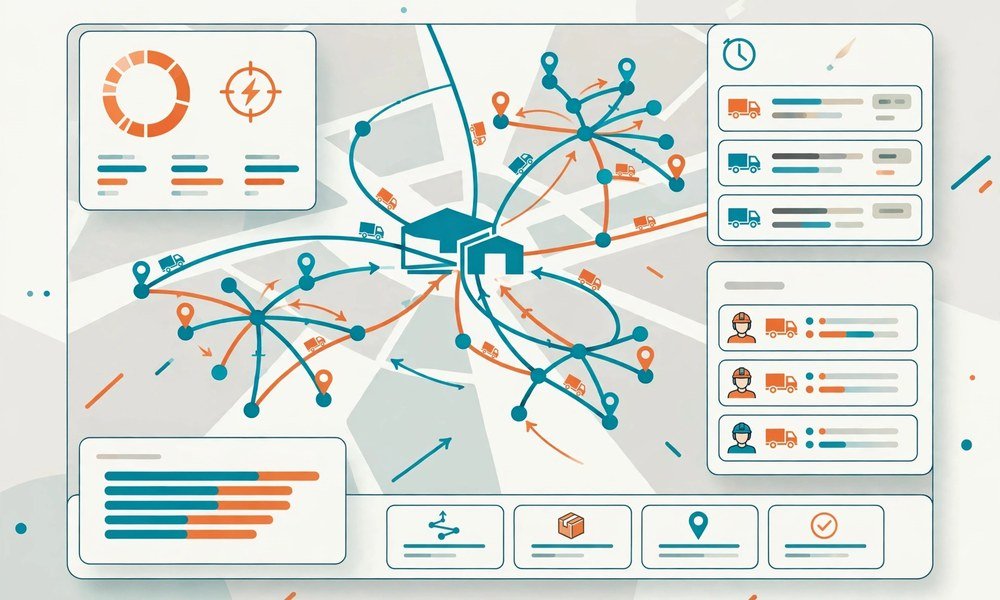
The analytics are a genuine strength. OptimoRoute reports on planned versus actual times, miles driven, stops per route, and driver performance, so managers can see whether routes are getting better or slowly drifting. It also supports proof of delivery, customer notifications, and live tracking, and it integrates with common order and fleet systems. The learning curve is steeper than Circuit or Routific, but teams that invest a week in setup usually get that time back within a month.
Pros: Powerful planning and analytics, handles complex constraints well, good for multi-day and weekly schedules.
Cons: More setup work than simpler tools, and the most useful features sit on higher-priced plans.
Circuit — Best for small teams and beginners
Circuit is the friendliest route optimization tool on this list, and that is a deliberate choice. It is aimed at couriers, small delivery businesses, and teams that want optimized routes without a training course. Import stops from a spreadsheet, paste a list of addresses, or add them manually, and Circuit orders them into the fastest route. The driver app then guides the driver stop by stop, with navigation, notes, and proof of delivery built in.
Circuit also offers a team version with dispatch, live tracking, and customer notifications, so a solo courier can start cheap and upgrade as the business grows. The trade-off is depth: Circuit does not match OptimoRoute or Route4Me on complex constraints, territories, or analytics. For a team of one to ten drivers doing straightforward deliveries, that trade-off is usually worth it, because the tool gets out of the way and lets drivers drive.
Pros: Extremely easy to learn, affordable starting point, solid driver app, good for solo couriers.
Cons: Limited advanced planning features, and analytics are lighter than enterprise rivals.
Route4Me — Best for large fleets
Route4Me is one of the longest-established names in route optimization, and it shows in the breadth of the platform. It supports huge stop counts, multiple depots, territories, recurring routes, and detailed vehicle and driver constraints. Large fleets use it to plan thousands of stops a day across regions, and its API lets bigger organizations plug routing directly into their own order management and dispatch systems.
The platform also includes live GPS tracking, geofencing, proof of delivery, customer alerts, and reporting that covers fuel use, route compliance, and driver performance. That breadth comes with complexity, though. Route4Me rewards teams that have a dedicated dispatcher or operations manager, and smaller teams may find the interface busy at first. Pricing is typically per user, so check current pricing for your fleet size before budgeting.
Pros: Handles very large fleets and stop counts, strong API and integrations, deep reporting.
Cons: Steeper learning curve, and the interface can feel overwhelming for small teams.
Onfleet — Best for on-demand delivery
Onfleet is built for businesses where delivery is the product, not an afterthought: restaurants, grocery delivery, pharmacies, cannabis delivery where legal, and same-day courier services. Its dispatch dashboard is designed for speed, letting dispatchers assign, reassign, and track deliveries in real time as new orders arrive. Auto-dispatch can assign tasks based on driver location and capacity, which keeps response times short during busy periods.
Customers get live tracking links, ETAs, and delivery confirmations, while managers get analytics on delivery times, driver performance, and customer feedback. Onfleet integrates with many point-of-sale and e-commerce platforms, which matters for food and retail businesses that cannot afford manual order entry. It is less of a pure multi-day route planner than OptimoRoute, and more of a live dispatch and delivery management platform, so choose it when speed and real-time control matter most.
Pros: Excellent live dispatch, strong customer tracking, good e-commerce and POS integrations.
Cons: Less suited to long-range multi-day planning, and pricing varies by plan tier.
WorkWave — Best for field service routes
WorkWave Route Manager sits inside a wider field-service platform, which makes it a strong fit for businesses that combine scheduled visits with deliveries: pest control, lawn care, cleaning services, and home services. Routes are built around appointment windows, technician skills, and service durations, not just stop order, so a technician arrives with the right skills and enough time to do the job properly.
The platform includes dispatch, GPS tracking, customer notifications, and reporting, plus the option to add scheduling, invoicing, and customer management from the same vendor. That breadth is a real advantage for service businesses that want one system instead of five, but it also means pricing is usually quote-based and implementation takes more planning than a standalone routing app. Small pure-delivery teams will find Routific or Circuit simpler.
Pros: Built for appointment-based field service, combines routing with scheduling and dispatch, good for service businesses.
Cons: Quote-based pricing, and more than a pure delivery team needs.
Locus — Best for enterprise logistics
Locus is an enterprise logistics platform with AI route optimization at its core. It plans routes across multiple hubs, handles huge daily volumes, and uses machine learning to improve ETAs and route choices over time. Retailers, e-commerce companies, and third-party logistics providers use it to manage first-mile, mid-mile, and last-mile operations in one system, with control towers, exception management, and detailed analytics.
The strength of Locus is scale and intelligence: it can simulate different network designs, rebalance loads across hubs, and flag problems before they become missed deliveries. The trade-off is that it is an enterprise sale, with quote-based pricing, a longer implementation, and a team needed to run it well. For a national retailer or a large logistics provider, that investment pays off. For a local courier with ten vans, it is far more platform than needed.
Pros: Enterprise-grade scale, strong AI-driven ETA and network planning, excellent analytics.
Cons: Quote-based pricing, long implementation, overkill for small fleets.
FarEye — Best for large delivery networks
FarEye is another enterprise delivery platform, focused on the full journey from order to doorstep. Its route optimization engine plans efficient routes, but the platform also covers order management, dispatch, live tracking, customer communication, and returns. That end-to-end view appeals to large retailers, grocers, and logistics companies that need every stage of delivery to talk to each other.
Real-time visibility is a highlight: dispatchers can see exceptions as they happen, reroute around delays, and keep customers informed without manual updates. FarEye also supports sustainability reporting, including emissions tracking, which matters to larger companies with public targets. Like Locus, it is quote-based and takes time to implement, so it belongs on the shortlist for large networks rather than small teams.
Pros: End-to-end delivery platform, strong real-time exception handling, good for large retailers.
Cons: Quote-based pricing, longer setup, and more complex than standalone routing tools.
Bringg — Best for retail and e-commerce delivery
Bringg helps retailers and e-commerce brands run delivery like a first-class service rather than a cost centre. Its platform connects orders, fleets, and third-party couriers, optimizes routes, and gives customers branded tracking and delivery options at checkout. Retailers can offer same-day delivery, click-and-collect, and scheduled slots, then fulfil them through their own drivers, store staff, or external carriers.
The route optimization itself is strong, but Bringg’s real value is orchestration: choosing the best fulfilment option for each order, balancing cost against speed, and keeping the customer experience consistent across channels. It integrates with major e-commerce and order management systems, which is why larger retailers favour it. Pricing is quote-based, so check current pricing, and smaller businesses will usually find a simpler tool faster to adopt.
Pros: Strong retail and e-commerce integrations, good delivery orchestration, branded customer experience.
Cons: Quote-based pricing, and built for retailers rather than general courier fleets.
How to choose
Start with fleet size and route complexity, not with feature lists. A team of three drivers doing local deliveries needs a simple tool with a great driver app, while a fleet of eighty vehicles with multiple depots needs territories, constraints, and analytics. Buying the enterprise platform first is the most common mistake in this category, because the team spends months implementing features it will never use.
Next, test the driver app in the real world. A route plan is only as good as the driver following it, so run a trial with two or three drivers on normal routes and ask them what slowed them down. Check proof of delivery, offline behaviour, and how easy it is to mark a stop as failed or rescheduled. Also confirm the integrations you actually need, such as your order system, e-commerce platform, or fleet tracker, before you sign anything. Teams that run field visits as well as deliveries should also read our guide to the best AI tools for field service, which covers tools built around appointments and technicians.
Finally, model the true monthly cost. Most tools charge per driver or per vehicle, so multiply the quoted rate by your actual fleet size and add any charges for extra features, SMS notifications, or API access. Ask about contract length, price rises at renewal, and what happens if you add or remove drivers mid-month. A free trial is useful, but a paid pilot on live routes for two weeks tells you far more about route quality and driver acceptance.
Do not overlook data and reporting either. The right tool should show planned versus actual arrival times, miles per route, stops per hour, and failed deliveries, because those numbers are how you prove the investment is working. If a tool only produces routes and hides the results, you will struggle to justify the spend or to spot routes that are quietly getting worse. Look for exports and dashboards your operations manager can actually use each week, not just pretty charts for a sales demo.
Checklist: before you pay
- Run a live trial with real drivers on real routes, not just a demo with sample data.
- Confirm the per-driver or per-vehicle price for your actual fleet size, including renewal pricing.
- Check that your order system, e-commerce platform, or fleet tracker integrates cleanly.
- Test proof of delivery, customer notifications, and offline behaviour in the driver app.
- Confirm you can export your stops, routes, and history if you switch tools later.
- Ask about support hours, onboarding help, and cancellation terms before signing a contract.
Frequently asked questions
What is AI route optimization?
AI route optimization uses algorithms and machine learning to order delivery stops, assign them to drivers, and adapt to traffic, time windows, and vehicle limits. Unlike a simple shortest-path calculation, it balances workload, predicts realistic travel times, and learns from past deliveries so future routes keep improving.
How much do AI route optimization tools cost?
Most tools charge per driver or per vehicle per month, while enterprise platforms are usually quote-based. Small-team tools can be affordable for a handful of drivers, but the total rises quickly with fleet size, so always check current pricing for your exact number of vehicles and drivers before budgeting.
Can these tools handle same-day and last-minute orders?
Yes, most modern tools can insert new stops into existing routes and re-optimize on the fly. Onfleet is especially strong for on-demand work, while Routific, OptimoRoute, and Route4Me also handle re-optimization well. The key is a live dispatch view and a driver app that updates instantly.
Do drivers need a special device?
No. Most tools run on ordinary Android and iOS phones, with a driver app that provides turn-by-turn navigation, stop details, and proof of delivery. Check that the app works offline or with poor signal if your drivers work in rural areas or large buildings.
Will route optimization really save fuel?
Yes, in most cases. Better sequencing cuts total miles driven, reduces idling and backtracking, and lets each driver complete more stops per shift. The savings depend on how inefficient the current routes are, but fleets that switch from manual planning typically see a clear drop in miles and fuel use within the first month.
What is the difference between route optimization and fleet tracking?
Route optimization plans the best order and assignment of stops before and during the day, while fleet tracking shows where vehicles are in real time. Most tools on this list do both, and the combination is what makes them valuable: plan well, then watch the plan unfold and fix problems as they appear. If stock levels affect your routes, our guide to the best AI tools for inventory optimization covers the other half of that problem.
The bottom line
For most delivery teams, Routific is the safest first choice: it is quick to set up, produces balanced routes drivers trust, and costs far less than an enterprise platform. Circuit is the best starting point if you are a solo courier or a very small team, and OptimoRoute is the right upgrade when routes get complex or the fleet starts to grow. Route4Me and Onfleet cover the large-fleet and on-demand ends of the market, while WorkWave, Locus, FarEye, and Bringg are best for field service, enterprise logistics, and retail delivery respectively.
Whichever tool you shortlist, run a live pilot before you commit. Load your real stops, send your real drivers out, and measure miles, stops per hour, and on-time delivery against your current method. The best AI route optimization tool for 2027 is not the one with the longest feature list, it is the one your drivers actually follow and your dispatchers actually trust.
Note: Prices and plans change. Check the product’s current plan details before buying — no link is provided here by design, all links in this article go to other occcy.com guides.