
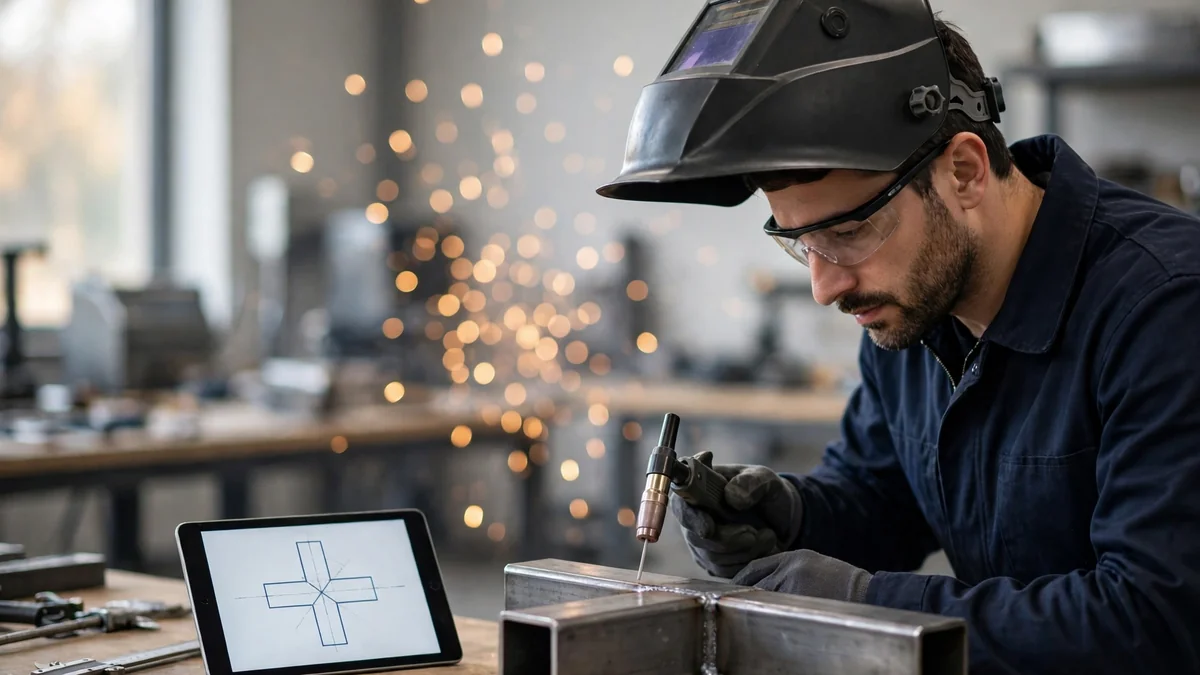
The best AI tools for welders in 2027 do not replace the welder. They change where the skill shows up: in training simulators that score every bead, in power sources that adjust arc settings in real time, in cobots that handle repetitive joints, and in software that reads weld data and flags problems before a part ships. For a shop owner, a fabrication manager, or a welder looking to stay ahead, these tools are now a practical buying decision rather than a trade-show curiosity.
What matters most is matching the tool to the work. A training simulator pays for itself in a school or a shop that hires apprentices, but it does nothing for a production line that needs more throughput. A welding cobot can double output on repetitive parts, yet it is the wrong purchase for one-off custom work. A cloud weld-data platform only earns its subscription when someone actually reads the reports and acts on them. Price, ease of use, and the limits of each system decide whether the investment pays off.
We picked eight tools that cover the real ways AI now touches welding: virtual and augmented reality training, intelligent power sources, robotic and cobot welding cells, and weld-data analytics.
Key takeaways
- Lincoln Electric VRTEX 360 is the best overall AI welding tool, because its virtual-reality training and scoring system cuts training time and material waste for any shop that hires or trains welders.
- Novarc SWR is the best choice for pipe spool shops that need consistent, repeatable welds on high volumes of the same joints.
- Hirebotics Beacon is the most practical entry point into automated welding for small shops, with a cobot that a welder can program without a robotics engineer.
- Weld-data platforms such as ESAB WeldCloud only pay off when a shop reviews the data weekly and uses it to fix real problems.
- Avoid buying a welding robot or cobot for one-off custom work, where setup time wipes out the speed advantage.

At a glance: the shortlist
| Product | Best for | Starting price | Standout limit |
|---|---|---|---|
| Lincoln Electric VRTEX 360 | Training and certification prep | Check current pricing | Needs a dedicated training space |
| Miller AugmentedArc | Augmented-reality training | Check current pricing | Simulated arc, not a real weld |
| Novarc SWR | Pipe spool production | Check current pricing | Built for spool work, not general fabrication |
| Path Robotics | High-mix robotic welding | Check current pricing | Requires a cell install and integration time |
| Fronius iWave with WeldCube | Smart power source and data | Check current pricing | Full value needs the WeldCube platform |
| Hirebotics Beacon | Small-shop cobot welding | Check current pricing | Best on repetitive parts, slow on one-offs |
| ESAB WeldCloud | Weld data and productivity | Check current pricing | Needs connected ESAB equipment |
| Seabery Soldamatic | Budget AR training | Check current pricing | Smaller exercise library than VRTEX |
Lincoln Electric VRTEX 360 — Best overall
The Lincoln Electric VRTEX 360 is a virtual-reality welding simulator that teaches and tests stick, MIG, and TIG technique without burning a single rod or plate. The trainee wears a VR helmet, holds a real-style torch and stinger, and welds virtual joints while the system tracks travel speed, work angle, arc length, and aim in real time. After each pass it scores the weld and shows exactly where the technique drifted, which is the part that makes it an AI tool rather than a video game: the feedback is measured, specific, and repeatable.
For a shop or school, the value is straightforward. Beginners can practice for hours without consuming steel, gas, wire, or electrodes, and instructors can see objective scores instead of judging beads by eye. A trainee who would normally take weeks to develop a steady hand can log far more repetitions in the same time. Similar AI tools built for robotics engineers show how this kind of measured, software-driven training is spreading across technical trades.
The VRTEX 360 supports multiple joint types and positions, and instructors can set up custom exercises and track student progress over a course. It is not a cheap purchase, and it needs a dedicated space with a screen and a computer, but for organizations that train welders regularly it is the single most proven AI welding tool available today.
Pros: Objective, measurable feedback on every weld; no consumables burned during practice; supports stick, MIG, and TIG; instructor tracking and custom exercises.
Cons: High upfront cost; needs dedicated floor space; does not teach fitting, setup, or real-world shop conditions.
Miller AugmentedArc — Best for augmented-reality training
Miller AugmentedArc takes a different approach to simulator training. Instead of a fully virtual world, it overlays a simulated arc and weld pool onto real metal coupons, a real torch, and the actual workshop around the trainee. The welder sees their own hands, the real workpiece, and a convincing simulated weld at the same time, which many instructors say feels closer to real welding than a VR headset.
The system grades technique on the same fundamentals as the VRTEX: travel speed, work angle, arc length, and aim. It also simulates different processes and materials, and it records scores so progress can be tracked over time.
AugmentedArc is a strong fit for training centers and larger shops that already run Miller equipment, and for programs that want trainees to build muscle memory with real hardware in their hands. Its main weakness is the same as any simulator: the weld is simulated, so it cannot teach puddle reading on real molten metal, heat management on a real joint, or what a bad fit-up feels like.
Pros: Real torch and coupons with an augmented arc; feels closer to live welding than VR; detailed technique scoring; good for schools and corporate training.
Cons: Simulated arc cannot teach real puddle control; needs Miller hardware and a training setup; pricing is by quote, so budgeting takes a conversation with a dealer.
Novarc SWR — Best for pipe spool production
Novarc Technologies built the SWR, a spool welding robot, for one job: welding pipe spools faster and more consistently than a human can on repetitive joints. The system uses machine vision and AI-driven controls to find the joint, set the parameters, and lay down the weld, while the operator loads the pipe and supervises. It is designed for fabrication shops that produce large volumes of pipe spools for oil and gas, shipbuilding, and industrial construction.
The results Novarc reports are the reason shops pay attention: dramatically higher deposition rates than manual welding, consistent quality across shifts, and less dependence on finding highly skilled pipe welders in a tight labor market. The system reads the joint, adapts to fit-up variation, and keeps the arc where it belongs, which is exactly the kind of judgment that normally takes years of experience.
The SWR is not a general-purpose tool. It is built for spool work, it needs floor space and a real production volume to justify the cost, and a shop still needs skilled welders for fitting, inspection, and the joints the robot cannot reach. For a spool shop running at volume, though, it is the clearest productivity case in this list.
Pros: Very high deposition rates on spool welds; consistent quality across shifts; reduces reliance on scarce specialist welders; vision system adapts to fit-up variation.
Cons: Built for pipe spools, not general fabrication; large footprint and high cost; still needs skilled staff for fitting and inspection.
Path Robotics — Best for high-mix robotic welding
Path Robotics builds AI-driven robotic welding cells aimed at a problem that has held back welding automation for years: high-mix, low-volume work. Traditional robotic welding needs precise fixturing and careful programming for every part, which only pays off when you make hundreds of identical pieces. Path uses AI vision and adaptive control so the robot can find the joint on parts that vary, adjust to fit-up differences, and weld without a new program for every small batch.
For a fabrication shop that makes dozens of different parts in small runs, that changes the math. Instead of a robot that sits idle between long programming jobs, the cell can move from one part to the next with far less setup. The system is designed as a complete cell, with the robot, sensors, and software delivered together, rather than a kit the buyer has to integrate.
The trade-off is that a Path cell is a serious capital purchase and a real installation project. It needs floor space, a power supply, safety fencing, and time to integrate with the shop’s workflow. Shops that weld one-off custom pieces will still do better with skilled manual welders.
Pros: Handles part variation without reprogramming for every batch; strong fit for high-mix fabrication; complete cell, not a DIY integration; consistent weld quality.
Cons: High capital cost and installation time; needs floor space and safety infrastructure; not suited to one-off custom work.
Fronius iWave with WeldCube — Best smart power source
The Fronius iWave is a TIG and MIG power source that packs a surprising amount of intelligence into the welding machine itself. It offers a wide range of welding characteristics, dynamic arc control, and functions that help the welder hold a stable arc on difficult materials, including aluminum and stainless steel. Paired with the WeldCube data platform, it becomes a connected system: weld data is logged, jobs can be documented, and quality managers can see what happened on every weld.
For a shop that already needs a premium TIG machine, the iWave is an easy upgrade to make, because the AI and data features ride on top of a machine the welder uses every day. WeldCube adds traceability, which matters for shops working to standards that require documented weld parameters, and it helps managers spot problems such as repeated parameter drift or unusual rework rates.
The iWave is not a robot and it will not weld for you. It makes a skilled welder more consistent and gives the shop a record of the work. It is also a premium-priced machine, and the full WeldCube value requires the platform and compatible equipment across the shop.
Pros: Excellent arc control on TIG and MIG, including aluminum; WeldCube adds documentation and traceability; familiar daily tool, not a separate system; good for quality-certified shops.
Cons: Premium price; full data value needs WeldCube and compatible machines; does not automate the weld itself.
Hirebotics Beacon — Best cobot for small shops
Hirebotics Beacon is a collaborative robot welding system built for small and mid-size shops that cannot justify a full robotic cell. A cobot, or collaborative robot, works alongside people without the heavy safety fencing a traditional industrial robot needs, and Beacon is designed so a welder, not a robotics engineer, can teach it a new part. The operator guides the arm through the weld path once, and the cobot repeats it.
That simplicity is the whole point. A small shop can put Beacon on repetitive parts, such as brackets, frames, or small assemblies, and free the welder for fitting, inspection, and the custom work that still needs a human.
Beacon is at its best on repetitive, similar parts. On one-off work the teaching time eats the savings, and it cannot handle heavy parts or very large weldments. It is also a smaller, lighter system than an industrial robot, so deposition rates and reach are limited. For a small shop taking its first step into automation, though, it is the most approachable option here.
Pros: A welder can program it without robotics training; no heavy safety fencing needed; consistent results on repetitive parts; realistic first automation step for small shops.
Cons: Limited reach and payload; teaching time makes one-offs uneconomical; best on repetitive parts only.
ESAB WeldCloud — Best weld data and productivity platform
ESAB WeldCloud is a cloud platform that collects data from connected ESAB welding machines and turns it into productivity and quality reports. It tracks arc-on time, wire and gas usage, parameter settings, and downtime, then shows managers where time and material are being lost. The AI angle is in the analysis: the platform highlights patterns, such as a station with high rework or a shift with low arc-on time, that would be hard to spot by walking the floor.
For a fabrication manager, this kind of visibility is often the first step toward fixing real problems. A shop that discovers its welders spend a third of the shift waiting on parts, grinding, or searching for material can fix the workflow instead of buying more machines.
The catch is that WeldCloud needs connected ESAB equipment to collect data, so a mixed-brand shop will only see part of the picture. It also only pays off when a manager reviews the data regularly and acts on it. A dashboard nobody reads is just another subscription.
Pros: Clear visibility into arc-on time, consumables, and downtime; highlights productivity patterns; supports weld traceability; works across a fleet of connected machines.
Cons: Needs connected ESAB equipment; mixed-brand shops get partial data; value depends on managers acting on the reports.
Seabery Soldamatic — Best budget AR training
Seabery Soldamatic is an augmented-reality welding simulator that offers a lower-cost route into simulator training than the bigger systems. Like Miller AugmentedArc, it overlays a simulated arc onto real coupons and a real torch, and it scores the trainee on travel speed, angle, and arc length. It is used by technical schools, vocational programs, and companies that want to train welders without the cost of a full VR rig.
Soldamatic has earned its place by being practical. It is portable enough to move between classrooms, it covers the common processes, and it gives trainees immediate feedback on every pass.
The trade-offs are a smaller exercise library and fewer advanced features than the premium systems, and the same simulator limitation as the rest of the category: it cannot teach real puddle reading or heat control on live metal. For its price, though, it is the best way for a smaller program to add AI-scored training.
Pros: Lower cost than premium simulators; portable and easy to set up; immediate scored feedback; good fit for schools and small training programs.
Cons: Smaller exercise library than VRTEX; simulated arc cannot teach real puddle control; fewer advanced instructor tools.
How to choose
Start with the problem, not the product. If hiring and training is the bottleneck, a simulator is the right purchase, and the choice is between the VRTEX 360 for a full training program, AugmentedArc for a more realistic feel, or Soldamatic for a smaller budget. If throughput is the bottleneck on repetitive parts, look at cobots and robots, starting with Beacon for small shops and Novarc or Path for larger production volumes. If quality documentation or productivity visibility is the gap, a connected power source or a data platform such as WeldCloud is the cheaper fix.
Next, check the practical requirements. Robots and cobots need floor space, power, and someone to maintain them. Simulators need a training area and an instructor who will use the scores. Data platforms need connected machines and a manager who will read the reports. Good protective gear matters too, and our welding cap guide covers how to pick head protection that actually works on a real shop floor.
Finally, run the numbers honestly. Count consumables saved for a simulator, hours saved for a cobot, and rework avoided for a data platform, and compare that against the purchase price and the subscription. Ask for a demo on your own parts, not the vendor’s perfect sample, and talk to a shop that already runs the system. The best AI tools for welders earn their place by solving a problem you can name and measure.
Checklist: before you pay
- Confirm the tool solves a problem you can name, such as training time, throughput on repetitive parts, or weld documentation.
- Check the total cost, including installation, training, subscriptions, and consumables, not just the headline price.
- Ask for a demo on your own parts and joints, not the vendor’s sample pieces.
- Confirm what support, warranty, and software updates are included, and for how long.
- Check that your shop has the space, power, and staff time the system needs to run properly.
- Plan who will own the tool day to day, and how you will measure whether it is paying off after three months.
Frequently asked questions
Will AI tools replace welders?
No. AI tools automate repetitive welds and speed up training, but fitting, inspection, problem-solving, and custom work still need skilled welders. Welding remains one of the skilled trades where demand stays strong, and the guide to what trade makes the most money shows how welding compares with other hands-on careers.
What is the best AI welding tool for a small shop?
For most small shops, the answer is either a welding cobot such as Hirebotics Beacon for repetitive parts, or an AR simulator such as Seabery Soldamatic if training is the priority. Both are approachable without a robotics engineer, and both pay off on a realistic budget. A full robotic cell is usually too much for a small shop’s first automation step.
How much do AI welding tools cost?
Prices vary widely and most vendors quote by configuration, so check current pricing before budgeting. Simulators range from a few thousand dollars for a basic AR trainer to tens of thousands for a full VR system. Cobots sit in the tens of thousands, while robotic cells and spool welding robots are six-figure purchases. Data platforms are usually sold as subscriptions.
Can a simulator really teach someone to weld?
A simulator teaches technique: travel speed, angle, arc length, and aim. It builds muscle memory and lets a beginner practice far more than live welding allows. It cannot teach puddle reading on real metal, heat control, or fit-up, so simulator training works best as a first stage before supervised live welding, not as a replacement for it.
Do I need a robotics engineer to run a welding cobot?
No, and that is the point of systems like Hirebotics Beacon. A welder can teach the cobot a weld path by guiding the arm, and the system repeats it. You will still need basic maintenance and someone who can troubleshoot, but you do not need a robotics specialist on staff for everyday operation.
Is weld data software worth it for a small shop?
It depends on whether someone will use it. A small shop with a few welders can often spot problems by walking the floor, and a data platform may be overkill. Once a shop has a dozen or more welding stations, or needs traceability for customers, a platform such as WeldCloud starts to earn its subscription by showing patterns no one person can see.
The bottom line
For most welders and shops, the best starting point is training: the Lincoln Electric VRTEX 360 if the budget allows, or Seabery Soldamatic for a smaller program. If the shop’s bottleneck is output on repetitive parts, Hirebotics Beacon is the most practical first automation step, while Novarc SWR and Path Robotics suit larger production operations. For quality and traceability, the Fronius iWave with WeldCube or ESAB WeldCloud adds visibility without changing how welders work.
Watch for two trends in 2027. First, vision-guided robots will keep getting better at handling part variation, which will bring automation to more high-mix shops. Second, more welding machines will ship connected by default, so weld data will become a standard part of shop management rather than an add-on. The welders and shops that get comfortable with these tools now will have the advantage as they spread.



