
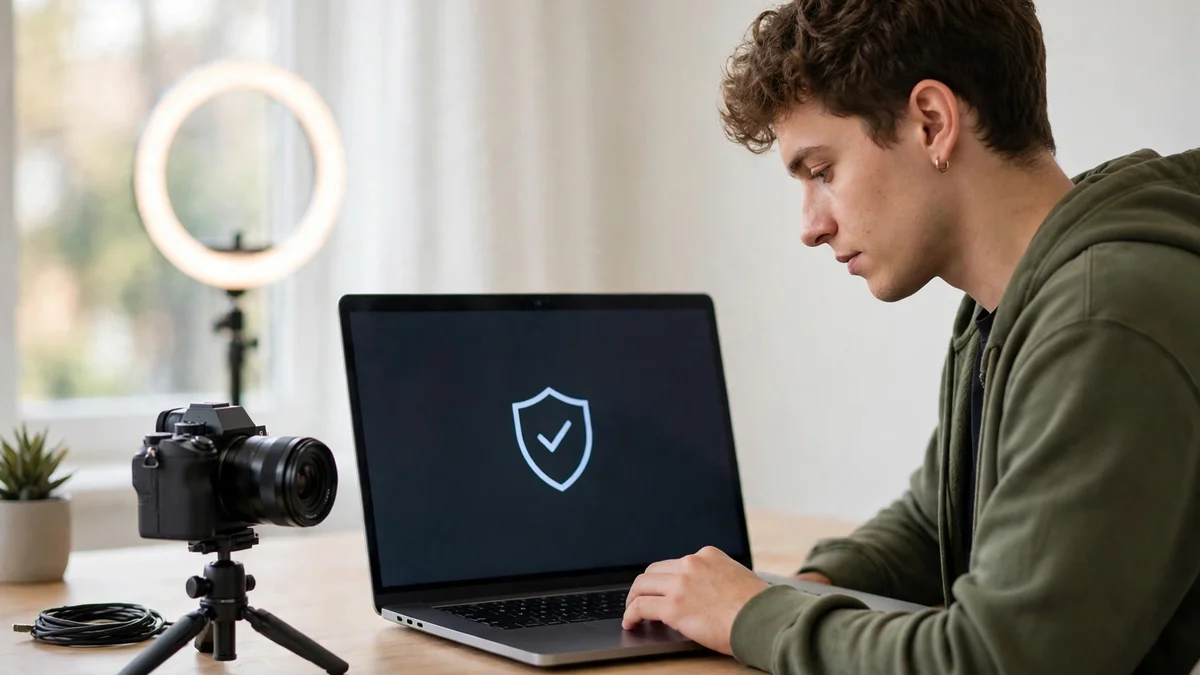
The best antivirus software for content creators in 2027 protects your footage, project files, and channel accounts without slowing down editing or rendering. A creator’s computer is a business: it holds raw video, client work, brand contracts, and the passwords to every platform you publish on. One ransomware attack or one stolen YouTube login can cost weeks of work and months of income.
What matters most for creators is performance and ransomware protection. Heavy antivirus that stutters a video timeline or slows an export is unusable, no matter how good its detection scores are. Strong ransomware protection comes second, because project files are exactly the kind of irreplaceable data attackers target. Cloud backup, a password manager, and phishing protection round out the shortlist.
We compared the leading antivirus suites on detection, performance during editing, ransomware protection, backup, and starting price. Bitdefender is the best overall pick for creators, Norton is the best bundle thanks to its cloud backup, and ESET is the lightest option for older editing machines.
Key takeaways
- Bitdefender Total Security is the best overall pick for content creators, with top detection, strong ransomware protection, and a light footprint.
- Norton 360 Deluxe is the best bundle, adding 50 GB of cloud backup, a VPN, and a password manager to solid antivirus protection.
- ESET Home Security Premium is the lightest suite here, so it suits creators editing on older laptops.
- Expect to pay roughly $40 to $60 for the first year of a good plan, then more at renewal, so check current pricing before you buy.
- Back up project files separately from antivirus: no security suite replaces a real backup of your raw footage.
At a glance: the shortlist
Prices below are approximate starting prices for the first year. Plans and renewal prices change often, so check current pricing before you buy.
| Product | Best for | Starting price | Standout limit |
|---|---|---|---|
| Bitdefender Total Security | Best overall | About $40 per year | 5 devices, strong ransomware protection |
| Norton 360 Deluxe | Best bundle | About $50 per year | 5 devices, 50 GB cloud backup |
| McAfee+ Premium | Best for many devices | About $40 per year | Unlimited devices |
| ESET Home Security Premium | Lightest for editing | About $50 per year | 3 devices on the base plan |
| Kaspersky Premium | Best detection | About $40 per year | 10 devices on the family plan |
| Avast One | Best budget | About $50 per year | 5 devices, free tier available |
| Trend Micro Maximum Security | Best web protection | About $40 per year | 5 devices, strong phishing blocking |
| Malwarebytes Premium | Best cleanup tool | About $45 per year | 1 device on the base plan |
Bitdefender Total Security — Best overall
Bitdefender Total Security is the best antivirus software for content creators because it protects without getting in the way. Its malware detection is consistently among the best in independent testing, its ransomware remediation can roll back encrypted files, and it runs lightly enough that video editing, rendering, and live streaming stay smooth. The autopilot mode makes most decisions silently, so you are not answering pop-ups mid-recording.

The five-device plan covers a main editing machine, a laptop, a phone, and a tablet. If you want a broader comparison first, our guide to the best antivirus software for Windows covers the same leading products in detail.
Pros: Excellent detection, strong ransomware protection, light system impact, quiet autopilot mode.
Cons: No cloud backup included, renewal price rises sharply after year one.
Norton 360 Deluxe — Best bundle
Norton 360 Deluxe suits creators who want one subscription to cover protection, backup, and privacy. It bundles antivirus, a VPN, a password manager, dark web monitoring, and 50 GB of cloud backup, which is enough for project files and finished videos, though not for a full raw footage library.
The trade-off is performance. Norton is heavier than Bitdefender or ESET, so on an older machine it can add time to exports.
Pros: Cloud backup and password manager included, VPN included, strong all-round protection.
Cons: Heavier on older machines, expensive renewal.
McAfee+ Premium — Best for many devices
McAfee+ Premium is the best choice for creators with a lot of gear, because one plan covers unlimited devices. A typical creator setup easily runs past five devices: a desktop, a laptop, a phone, a tablet, a camera’s companion app, and a spare machine for streaming. McAfee covers them all for one fee, and adds identity monitoring, a VPN, and a password manager.
Protection is solid rather than class-leading, and the app can be chatty with notifications until you tune it.
Pros: Unlimited devices on one plan, VPN and password manager included, good value.
Cons: Noisy notifications by default, protection slightly behind the leaders.
ESET Home Security Premium — Lightest for editing
ESET Home Security Premium is the pick for creators editing on older hardware. Its scanning engine is famously light, so a five-year-old laptop that struggles with heavier suites still runs an editing timeline smoothly. It includes a password manager, a firewall, and a network inspector that flags unsafe Wi-Fi, which helps when you edit from cafes and co-working spaces.
The base plan covers only three devices, so creators with more gear pay more to add them.
Pros: Very light system impact, strong detection, clean interface.
Cons: Only 3 devices on the base plan, no cloud backup.
Kaspersky Premium — Best detection
Kaspersky Premium has spent years near the top of independent antivirus testing, and its Premium tier adds an unlimited VPN, a password manager, and identity protection to that strong core. For creators, the standout is web protection: it blocks phishing pages and malicious downloads with very few false alarms, which matters when brand deal emails and sponsorship offers arrive daily and one fake offer can steal a channel.
Pros: Outstanding detection rates, excellent anti-phishing, 10-device plan.
Cons: Regional availability restrictions, interface takes time to learn.
Avast One — Best budget
Avast One is worth a look if you are starting out and watching costs. Its free tier covers basic real-time protection without asking for a card, which is enough to protect a single editing laptop while a channel grows. The paid plan adds a VPN, a password manager, ransomware protection, and coverage for up to five devices.
Avast has improved its performance in recent years, though it is still heavier than Bitdefender or ESET. Video creators with a YouTube focus should also read our guide to the best antivirus software for YouTubers for channel-specific advice.
Pros: Genuine free tier, good detection, easy setup.
Cons: Upgrade prompts on the free tier, heavier than the leaders.
Trend Micro Maximum Security — Best web protection
Trend Micro Maximum Security is built around the web, which is where most creator threats arrive: phishing emails pretending to be brand deals, fake copyright claims, and malicious links in comments and DMs. Its web filtering blocks dangerous pages before they load, and it includes a password manager and tools that check your social media privacy settings.
Pros: Strong web and phishing protection, social media privacy tools, simple interface.
Cons: No ransomware rollback, Windows detection slightly behind the leaders.
Malwarebytes Premium — Best cleanup tool
Malwarebytes Premium is best used as a second layer alongside a full antivirus suite, or as a cleanup tool for a machine that has already slowed down. Its strength is catching adware, browser hijackers, and potentially unwanted programs that other suites sometimes miss, which are common on machines that install a lot of plugins, presets, and free tools. It is fast, light, and very easy to use.
Pros: Excellent at catching adware and unwanted programs, very light, simple to use.
Cons: No firewall, 1 device on the base plan, best as a second layer.
How to choose
Start with performance. Run the free trial on your editing machine and export a typical project before you buy, because that is where a heavy suite will hurt most. If the timeline stutters or the export takes noticeably longer, switch to Bitdefender or ESET. Next, check ransomware protection specifically: ask whether the suite can roll back encrypted files, not just block the attack.
Then count your devices and check the renewal price, not just the first-year discount. Most of these products cost far more in year two, so set a reminder to compare prices before renewal. Finally, sort out backup separately. No antivirus replaces a backup, and creators should keep raw footage on an external drive and finished work in the cloud. Our guide to the best cloud backup services for designers explains how to choose a plan that handles large media files. A VPN is also worth having for public Wi-Fi, and several suites here include one.
Checklist: before you pay
- Test the free trial on your editing machine with a real project export.
- Check ransomware protection and whether it can roll back encrypted files.
- Count every device, including phones, tablets, and streaming machines.
- Check the renewal price, not just the first-year discount.
- Set up a separate backup for raw footage and finished projects.
- Turn on the password manager and move channel and brand logins into it.
Frequently asked questions
Will antivirus slow down video editing?
A light suite such as Bitdefender or ESET should not noticeably slow editing or exporting. Heavier suites can add lag on older machines, so test with the free trial on your editing machine and a real project before you buy.
Do content creators need ransomware protection?
Yes. Project files and raw footage are irreplaceable, which makes them a prime target. Choose a suite with ransomware protection and file rollback, and keep a separate backup of your footage as well.
Can one plan cover my desktop, laptop, and phone?
Most plans here cover five to ten devices. McAfee covers unlimited devices. Count everything, including tablets and streaming machines, then pick a plan with room to spare.
Is free antivirus enough for a small channel?
Free antivirus from a known brand protects one device reasonably well, but it usually lacks ransomware protection, a VPN, and a password manager. Once a channel earns income or holds client work, a paid plan is worth it.
How do I protect my channel accounts?
Use a password manager, turn on two-factor authentication on every platform, and be suspicious of brand deal emails that ask you to log in or download files. Antivirus with strong phishing protection helps catch the fake login pages.
Should I use a separate backup service as well?
Yes. Antivirus protects files from attack, but it cannot recover a failed drive or a deleted project. Keep raw footage on an external drive and finished work backed up in the cloud.
The bottom line
For most content creators, Bitdefender Total Security is the best pick: strong protection, ransomware rollback, and a light footprint that stays out of the way while you edit. If you want backup and a password manager in the same subscription, Norton 360 Deluxe is the better bundle, and if you edit on older hardware, ESET is the lightest option.
Whichever you choose, test it on a real project first, set up your backup separately, and check the renewal price before year two. Good protection should be invisible during editing and obvious only when it blocks something it should.



