
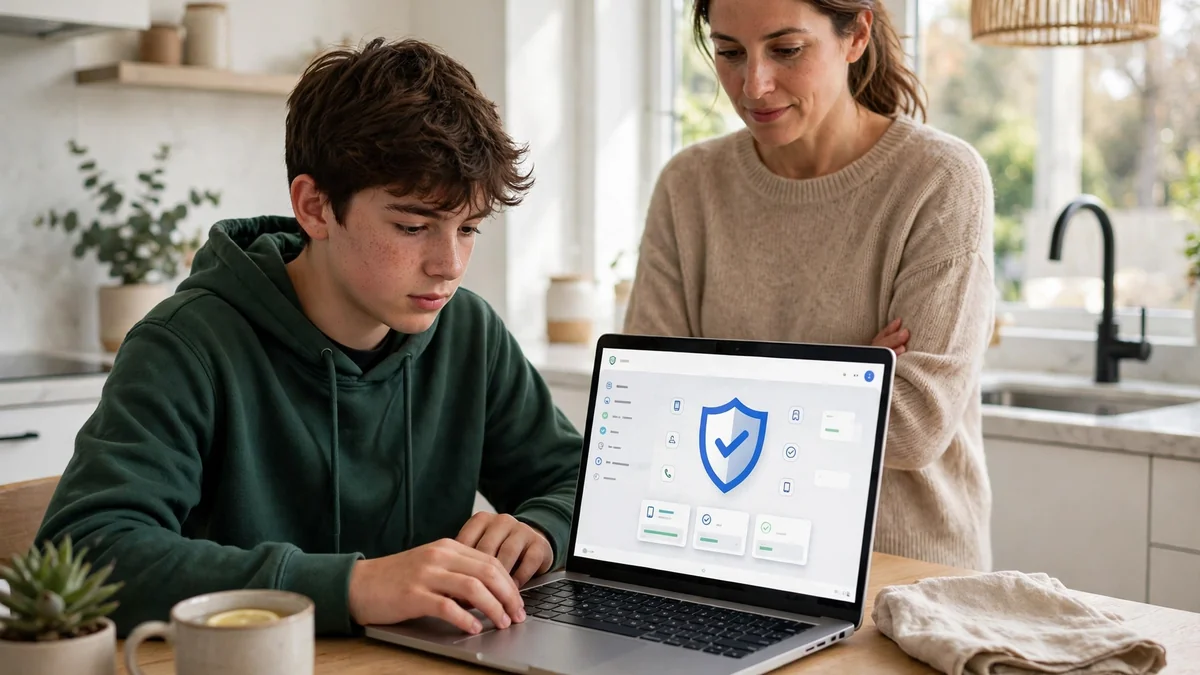
The best antivirus software for teenagers in 2027 has to protect the whole family setup, not just one device. Teenagers use a phone, a laptop, and often a tablet or a gaming console, and they move between school Wi-Fi, home broadband, and friends’ networks.
Parents need two things from an antivirus suite: strong protection that works quietly in the background, and controls that let them set sensible limits without turning the laptop into a locked-down machine a teenager will try to bypass. The best suites combine malware protection with parental controls, web filtering, screen-time tools, and location features, while still respecting a teenager’s privacy as they get older.
This guide compares eight antivirus suites on what matters for teenagers and their parents: protection quality, parental controls, how many devices one licence covers, ease of use for the whole family, and price. Prices below are approximate starting prices, so check current pricing before buying.
Key takeaways
- Norton 360 Deluxe is the best overall pick for teenagers, combining strong protection with capable parental controls.
- Bitdefender Total Security is the best for parents who want detailed controls, with screen-time and app limits included.
- McAfee Total Protection offers the best value for large families, covering unlimited devices on one subscription.
- Expect to pay roughly $40 to $50 per year for a good family antivirus suite, with first-year discounts common.
- No software replaces a conversation: the best protection pairs parental controls with honest talks about scams and sharing.
At a glance: the shortlist
| Product | Best for | Starting price | Standout limit |
|---|---|---|---|
| Norton 360 Deluxe | Best overall | About $49.99 per year | 5 devices, parental controls |
| Bitdefender Total Security | Best parental controls | About $49.99 per year | 5 devices, screen-time tools |
| McAfee Total Protection | Best value | About $39.99 per year | Unlimited devices |
| Kaspersky Premium | Best protection scores | About $47.99 per year | Safe Kids add-on |
| Avast One | Best free tier | About $49.99 per year | 5 devices, family features |
| ESET Home Security Premium | Lightest on resources | About $49.99 per year | 10 devices, parental control |
| Trend Micro Maximum Security | Best for web safety | About $49.95 per year | 5 devices, social media checks |
| Malwarebytes Premium | Best second layer | About $44.99 per year | 1 device on base plan |
Norton 360 Deluxe — Best overall
Norton 360 Deluxe is the strongest all-round choice for teenagers because it covers both halves of the job: it protects devices against malware and gives parents genuinely useful controls. Its parental controls include web filtering, search supervision, time limits, and location tracking, all managed from one parent dashboard.

The suite also bundles an unlimited-data VPN, a password manager, dark web monitoring, and 50 GB of cloud backup. The main downside is that Norton is heavier on older laptops than the lightest rivals, so schedule full scans for overnight. Parents comparing household plans should also look at our guide to the best antivirus software for families to see how family licences differ.
Pros: Strong parental controls with time limits and web filtering; unlimited VPN included; cloud backup protects schoolwork; five devices covered.
Cons: Heavier on older machines; renewal price rises after the first year; parental dashboard takes time to set up properly.
Bitdefender Total Security — Best parental controls
Bitdefender Total Security offers the most detailed parental controls in this guide. Parents can set screen-time schedules, limit specific apps, filter web content by category, and see where a teenager’s device is, all from a clean mobile app.
Protection is top tier, with excellent detection scores in independent tests and very low impact on speed and battery. The suite includes ransomware remediation, a basic VPN with a 200 MB daily allowance, and webcam protection. For families with Android phones and Windows laptops, it is the best control set available.
Pros: Most detailed parental controls; top-tier malware detection; very light on resources; covers laptop and phone together.
Cons: Parental features are weaker on iOS; VPN daily limit is small; the number of settings can feel overwhelming at first.
McAfee Total Protection — Best value
McAfee Total Protection is the best value for families with several teenagers, because one subscription covers unlimited devices. Every phone, laptop, tablet, and console companion app in the house is protected under a single plan,
Its Safe Family feature adds web filtering, app blocking, and location tracking, while the core suite includes a VPN, identity monitoring, and a vulnerability scanner. The interface pushes extra services more often than rivals do, which parents may find annoying, but for a large household the value is hard to beat.
Pros: Unlimited devices on one plan; Safe Family controls included; VPN and identity monitoring bundled; best per-device price.
Cons: Frequent upsell prompts; detection slightly behind the leaders; the dashboard feels crowded.
Kaspersky Premium — Best protection scores
Kaspersky Premium delivers some of the strongest protection scores available, catching phishing pages and malicious downloads quickly and reliably. For teenagers who click links in group chats and download game mods, that detection quality is the first line of defence.
Parental controls come through the Kaspersky Safe Kids app, which adds screen-time limits, app management, location tracking, and YouTube search monitoring. The honest caveat is availability: Kaspersky has faced restrictions in some countries, so parents should check it is sold and supported where they live before buying.
Pros: Outstanding detection in independent tests; Safe Kids adds screen time and location tracking; unlimited VPN on Premium; light on resources.
Cons: Parental controls are a separate app; availability varies by country; higher tiers cost more.
Avast One — Best free tier
Avast One is the best option for families who want to start free. Its free tier includes real antivirus protection, a firewall, and a VPN with a 5 GB weekly allowance. The paid version adds ransomware protection, a full VPN, and a cleanup tool,
Detection quality is good, and the app is clean and easy for a teenager to understand, which matters: a teenager who understands the warning on screen is more likely to act on it. It is a sensible starting point for younger teens, with an easy upgrade path as their needs grow.
Pros: The best genuinely useful free tier; generous free VPN allowance; simple interface teenagers can understand; fairly priced paid version.
Cons: Free tier shows upgrade prompts; detection slightly behind the leaders; full VPN only on the paid plan.
ESET Home Security Premium — Lightest on resources
ESET Home Security Premium is the right pick for teenagers using older or budget laptops, because it is famously light on system resources. Scans are fast, memory use is low, and battery life barely changes,
It includes parental controls, strong phishing detection, and a UEFI scanner for firmware-level threats. The Premium tier adds a password manager and file encryption. It does not include a VPN, so families who want protection on school and public Wi-Fi will need a separate VPN. ESET covers up to 10 devices, so siblings are covered on one plan.
Pros: Smallest impact on speed and battery; fast scans; parental control module included; covers up to 10 devices.
Cons: No VPN included; parental controls are basic compared with Norton and Bitdefender; the interface looks dated.
Trend Micro Maximum Security — Best for web safety
Trend Micro Maximum Security focuses on the place teenagers face the most risk: the web. Its web-threat protection blocks malicious links, fake shopping sites, and phishing pages before they load.
The suite includes parental controls with web filtering and time limits, plus Pay Guard for secure online payments and ransomware protection. Its main gap is the lack of a full VPN, offering only limited Wi-Fi protection, so families who want full VPN coverage should look at Norton or Kaspersky instead.
Pros: Excellent web and phishing protection; social media privacy checker; parental controls included; easy setup.
Cons: No full VPN; renewal pricing is high; occasional false positives on safe downloads.
Malwarebytes Premium — Best second layer
Malwarebytes Premium is best used as a second layer of protection alongside a full suite. It specialises in catching adware, potentially unwanted programs, and newer malware that traditional antivirus can miss,
It is light and fast, with minimal background activity, but it lacks a firewall, parental controls, and a VPN, so it is not a complete family solution on its own. The base plan covers one device.
Pros: Catches adware and threats others miss; very fast scans; minimal background load; simple interface.
Cons: No parental controls or firewall; one device on the base plan; best as a second layer, not a standalone suite.
How to choose
Start by counting devices and matching the licence to the family. A household with two teenagers and several devices each will get the best value from McAfee’s unlimited plan or ESET’s 10-device licence, while a single-teenager household may be better served by Norton or Bitdefender’s five-device plans. Next, weigh the parental controls honestly: younger teenagers need firmer limits and web filtering, while older teenagers need lighter supervision and a conversation about scams, passwords, and sharing.
Check the renewal price before you commit, since first-year discounts are common and renewal rates are higher. Also weigh the extras: a VPN for school Wi-Fi, cloud backup for schoolwork, and a password manager. Teenagers create many accounts, so a shared family approach to passwords is worth setting up, and our guide to the best password managers for small teams explains how shared vaults and strong master passwords work in practice. For families who want a dedicated VPN as well, our guide to the best VPN services for families compares the best options.
Checklist: before you pay
- Count every device in the family and confirm the licence covers them all.
- Check the renewal price, not just the discounted first-year price.
- Test the parental controls during the free trial with your teenager present.
- Confirm the suite works on every operating system the family uses.
- Set screen-time and web-filtering rules together, not in secret.
- Make sure the plan includes a VPN or budget for one separately.
Frequently asked questions
Do teenagers need antivirus on their phones?
Yes. Teenagers install more apps, click more links, and join more networks than most adults, and phones hold their messages, photos, and school accounts. A suite that covers phone and laptop on one licence is the simplest way to protect both.
What is the best antivirus with parental controls?
Norton 360 Deluxe is the best overall combination of protection and parental controls, while Bitdefender Total Security offers the most detailed controls. Both include web filtering, time limits, and location features.
Can my teenager turn off the antivirus?
Most paid suites allow parents to password-protect settings so a teenager cannot disable protection or uninstall the app without the password.
Is free antivirus enough for a teenager?
Free antivirus covers basic malware protection, and Avast One Free is a solid starting point. Paid suites add parental controls, a VPN, ransomware protection, and multi-device coverage, which most families with teenagers will want.
Does antivirus protect against scams on social media?
Partly. Antivirus blocks malicious links and phishing pages, and some suites check social media privacy settings.
Should I monitor my teenager’s location?
Location tracking suits younger teenagers, but discuss it with older teenagers first. Agree the rules together and review them as your teenager gets older.
The bottom line
For most families, Norton 360 Deluxe is the best antivirus software for teenagers in 2027: it combines strong protection, capable parental controls, an unlimited VPN, and backup for schoolwork in one licence. If detailed controls matter most, Bitdefender Total Security is the better choice, and large families will save the most with McAfee Total Protection.
Whichever suite you choose, set it up with your teenager, not behind their back. Agree the rules together, turn on automatic scans and updates, and keep talking about scams and passwords.



