

Best asset management software for small business in 2027 helps a small team know exactly what it owns, where every item is, who is using it, and when it needs attention. Laptops, monitors, phones, tools, vehicles, and licences all count as assets, and once a business passes twenty or thirty of them, a spreadsheet stops being enough. Items go missing, warranties expire unnoticed, and nobody can say with confidence which laptop belongs to which employee.
The right tool replaces that guesswork with a single register. Each asset gets a record, a barcode or QR code, an owner, a location, and a history. Check-in and check-out take seconds, maintenance reminders arrive before something breaks, and depreciation figures are ready when the accountant asks for them. For a small business, that means less lost equipment, fewer duplicate purchases, and faster audits.
This guide compares nine asset management tools that work well for small businesses in 2027. We weighed ease of setup, barcode and QR scanning, maintenance tracking, reporting, integrations, and price. The shortlist covers free open-source options, affordable cloud tools, and one or two heavier platforms for teams that expect to grow quickly.
Key takeaways
- Asset Panda is the best overall pick for small businesses that want flexible tracking without a long setup.
- Snipe-IT is the best free option, with a capable self-hosted version and an affordable hosted plan.
- Freshservice is the best choice if you also want IT service management in the same tool.
- Barcode and QR scanning is the feature that saves the most time day to day, so do not buy a tool without it.
- Always confirm current pricing before buying, since several vendors quote custom prices and change plans during the year.
At a glance: the shortlist
| Product | Best for | Starting price | Standout limit |
|---|---|---|---|
| Asset Panda | Overall flexibility | Custom pricing | Custom fields and workflows |
| Snipe-IT | Free and open source | Free self-hosted | Needs technical setup |
| ManageEngine AssetExplorer | IT asset teams | Free up to 25 nodes | Windows-heavy focus |
| Freshservice | IT plus service desk | From $19 per agent, per month | Asset depth varies by plan |
| Lansweeper | Automatic discovery | Check current pricing | Reporting takes learning |
| EZOfficeInventory | Equipment tracking | From $35 per month | Advanced features on higher plans |
| UpKeep | Maintenance-heavy teams | From $20 per user, per month | Less focus on IT assets |
| AssetCloud by Wasp | Barcode scanning | Check current pricing | Dated interface in places |
| Ivanti Neurons | Growing teams | Custom pricing | Overkill for very small teams |
Asset Panda — Best overall
Asset Panda is a cloud-based asset tracking platform built around flexibility. Instead of forcing your business into a fixed set of fields, it lets you design the records around the things you actually own, whether those are laptops, power tools, vehicles, or medical devices. That matters for small businesses, because no two of them track assets in quite the same way.
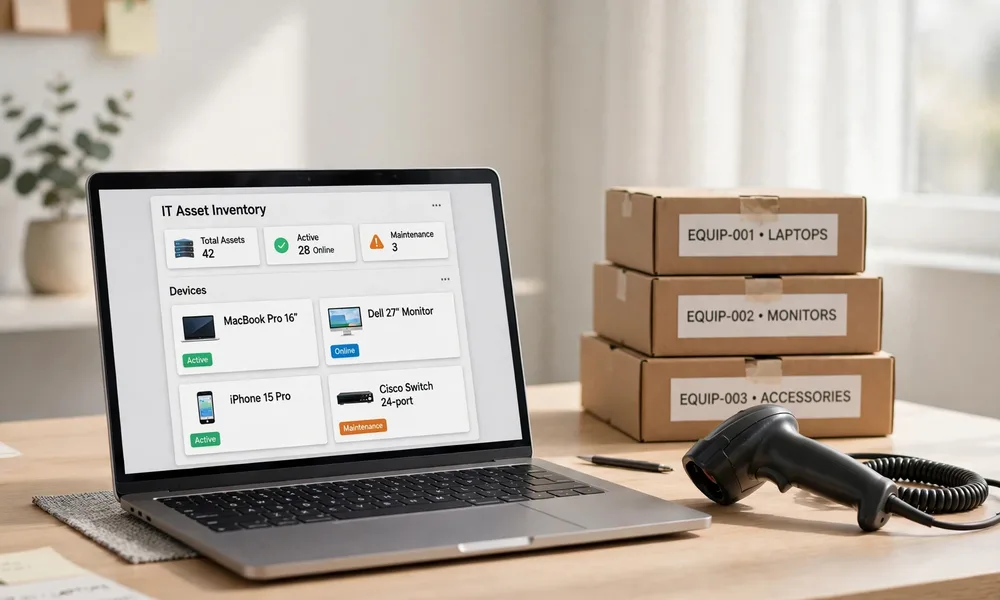
Its mobile app turns a phone into a barcode and QR scanner, so checking equipment in and out takes seconds rather than minutes. Staff can scan a laptop at the door, assign it to a new starter, and log the condition in one pass. Maintenance schedules, warranty dates, and depreciation can all be tracked against each record, and automated alerts warn you before a service date slips past.
Reporting is another strength. Asset Panda includes configurable reports and a dashboard that shows asset counts, locations, and status at a glance. Integrations cover common business tools, and the platform supports unlimited users on many plans, which keeps costs predictable as the team grows. Pricing is custom, so you will need a quote, but the platform is priced for the mid-market rather than the enterprise alone. If your asset register also needs to sit next to your wider IT setup, our guide to the best IT management software for small business covers the tools that pair well with a dedicated tracker.
Pros: Highly customisable records and workflows; strong mobile barcode scanning; unlimited users on many plans; good reporting and alerts.
Cons: Custom pricing means no published starting price; setup takes longer than simpler tools; some advanced features need training.
Snipe-IT — Best free and open source
Snipe-IT is an open-source IT asset management tool, and it is the best free starting point for a small business with some technical confidence. The self-hosted version costs nothing to use, and a hosted cloud version is available from around $39.99 per month for teams that would rather not run their own server. That combination makes it hard to beat on value.
Despite the price, the feature set is serious. Snipe-IT tracks hardware, software licences, accessories, and consumables, with check-in and check-out, depreciation, warranty tracking, and audit trails. It supports barcode and QR labels, custom fields, and user permissions, so different staff see only what they need. It also handles licence seats, which helps small teams stay compliant without a separate licence tracker.
The trade-off is polish. The interface is functional rather than beautiful, and self-hosting means you are responsible for updates, backups, and security. A business without anyone comfortable running a web application should choose the hosted plan or a different tool entirely.
Pros: Free self-hosted version; affordable hosted plan; strong licence and depreciation tracking; active open-source community.
Cons: Self-hosting needs technical skill; interface is plain; no built-in maintenance work orders.
ManageEngine AssetExplorer — Best for IT asset teams
ManageEngine AssetExplorer is a dedicated IT asset management tool that combines inventory discovery with software licence management. It scans the network, finds connected hardware and installed software, and builds the asset register automatically. That discovery step is a big time-saver for a small IT team that has inherited a pile of undocumented equipment.
The free edition covers up to 25 nodes, which is enough for a very small office to try it properly before paying. Paid editions add purchase order management, contract management, and deeper reporting. The software licence module tracks installations against purchased seats, flags under-licensing, and helps with audit preparation. Remote control and software deployment features are available in related ManageEngine products, and AssetExplorer integrates with them.
AssetExplorer is strongest in Windows environments, and its interface carries the dense, functional style common to the ManageEngine family. It is less suited to tracking non-IT assets such as furniture or vehicles, so businesses with mixed asset types may prefer a more general tool. For a small business whose assets are mostly computers, servers, and software, it is a strong and affordable choice. Check current pricing before buying, as ManageEngine prices by node count and edition.
Pros: Automatic network discovery; free edition for up to 25 nodes; strong software licence tracking; purchase and contract management.
Cons: Best in Windows environments; interface feels dated; less suited to non-IT assets.
Freshservice — Best for IT plus service desk
Freshservice is primarily an IT service management platform, but its asset management module is good enough that many small businesses use it as their single IT tool. If your team already needs a help desk for employee requests, combining the service desk and the asset register in one product avoids paying for two systems and keeps asset data linked to support tickets.
Assets are discovered automatically across the network, and each record shows the assigned user, warranty status, and linked tickets. When an employee reports a faulty laptop, the support agent sees the full asset history without switching tools.
Pricing starts from $19 per agent per month on the Starter plan when billed annually, though asset management depth varies by plan, so check which tier includes the features you need. The platform is cloud-based, quick to set up, and has a modern interface that non-technical staff can learn fast. The main drawback is scope: if you only need asset tracking and have no use for a service desk, a dedicated tracker will be simpler and cheaper.
Pros: Combines service desk and asset management; automatic discovery; modern interface; good automation and alerts.
Cons: Asset features vary by plan; overkill if you only need tracking; per-agent pricing adds up with more staff.
Lansweeper — Best for automatic discovery
Lansweeper is built for one job above all others: finding everything on your network and keeping the inventory up to date without manual entry. It scans servers, workstations, printers, switches, and other connected devices, then builds a detailed record for each one, including hardware specifications, installed software, and warranty information where available.
That depth makes Lansweeper popular with IT teams that need accurate data for audits, security reviews, and refresh planning. It can flag devices running outdated software, identify machines missing patches, and report on licence usage.
The learning curve is steeper than simpler trackers, and pricing is quoted per asset, so check current pricing for your asset count before committing. Lansweeper is also firmly an IT tool: it will not track your office furniture or company vehicles. For a small business whose main problem is not knowing what is on the network, it is the most thorough discovery tool on this list.
Pros: Excellent automatic discovery; detailed hardware and software data; strong reporting; useful for audits and security.
Cons: Steeper learning curve; pricing varies by asset count; IT assets only.
EZOfficeInventory — Best for equipment tracking
EZOfficeInventory is a cloud-based asset tracking tool designed for businesses that lend, rent, or move equipment around. It suits small businesses with a pool of shared gear, from construction tools and AV equipment to medical devices and event kit. The focus is on who has what, where it is, and when it is due back.
The mobile app supports barcode and QR scanning, and staff can reserve equipment, check it out, and log its condition on return. Maintenance schedules and service histories are tracked per item, and the system sends alerts for overdue returns and upcoming servicing. Integrations include common business apps, and the interface is clean enough for non-technical staff to use after a short introduction.
Pricing starts from around $35 per month, with higher tiers adding features such as custom workflows, advanced reporting, and integrations. Check current pricing for the exact plan limits, since the entry tier caps some features. EZOfficeInventory is less focused on software licences and network discovery than the IT tools on this list, so pair it with a licence tracker if software compliance matters to you.
Pros: Great for shared and rented equipment; reservations and check-out workflows; strong mobile app; affordable starting price.
Cons: Limited software licence tracking; no network discovery; advanced features need higher plans.
UpKeep — Best for maintenance-heavy teams
UpKeep is a maintenance management platform with solid asset tracking, and it is the best pick on this list for small businesses whose assets need regular servicing. Think HVAC units, vehicles, production machinery, and facility equipment: items where the cost of a missed service is far higher than the cost of the software.
Each asset gets a profile with its location, service history, manuals, and photos. Staff can raise work orders from a phone, scan a QR code on the equipment to see its history, and close the job with notes and pictures. Preventive maintenance schedules run automatically, and managers get a clear view of overdue work and upcoming services. The mobile app is genuinely good, which matters when the people using it are on their feet all day.
Pricing starts from around $20 per user per month on the Lite plan, with more complete plans above it. Check current pricing, since work order limits and features vary by tier. UpKeep is less focused on IT assets and software licences, so it suits operational teams better than office-based ones. If your assets are machines rather than laptops, start here.
Pros: Strong preventive maintenance; excellent mobile app; work orders linked to assets; QR codes and photos per asset.
Cons: Less focus on IT assets and licences; work order limits on lower plans; reporting depth varies by tier.
AssetCloud by Wasp — Best for barcode scanning
AssetCloud by Wasp is a long-established asset tracking system built around barcode scanning. Wasp has sold barcode hardware for years, and that experience shows: the scanning workflow is fast, reliable, and practical for teams doing physical audits. If your main job is walking around with a scanner and counting equipment, AssetCloud is built for exactly that.
The system tracks assets, locations, owners, and check-in and check-out, with maintenance scheduling and depreciation included. It supports barcode labels, mobile scanning, and physical audits, and it can produce the reports auditors expect. AssetCloud works as a cloud service and can pair with Wasp barcode printers and scanners for a complete setup.
The interface looks dated in places compared with newer cloud tools, and pricing is quoted rather than published, so check current pricing before deciding. AssetCloud also has less depth on software licences and IT discovery than the IT-focused tools here. For a small business that values proven barcode workflows over a modern dashboard, it remains a dependable choice.
Pros: Proven barcode and audit workflows; pairs with Wasp scanners and printers; maintenance and depreciation included; reliable for physical counts.
Cons: Custom pricing; dated interface in places; limited software licence and discovery features.
Ivanti Neurons — Best for growing teams
Ivanti Neurons is an enterprise-grade platform, but it earns a place here for small businesses that expect to grow fast and want a system they will not outgrow. It combines IT asset management with service management, security, and automation, and it is designed to scale from a small team to a large organisation without a painful migration.
Discovery is automatic across devices and cloud services, and the platform builds a unified view of hardware, software, and services. Automation can patch devices, enforce policies, and trigger actions when an asset changes state.
Pricing is custom and aimed at the mid-market and above, so a very small business will find it expensive and more complex than it needs. Implementation takes longer than the simpler tools on this list, and some features will sit unused until the team grows. For a business planning to double or triple in size, though, Ivanti Neurons is a buy-once option that avoids replacing the asset system in two years.
Pros: Scales from small to enterprise; strong automation and security; unified hardware, software, and cloud view; deep compliance reporting.
Cons: Custom pricing; complex setup; overkill for very small teams.
How to choose
Start by listing what you actually own. A business with thirty laptops and a few software licences needs a different tool from one with two hundred power tools spread across three sites. Count your assets, note how many are IT and how many are physical, and decide whether maintenance and work orders matter as much as check-in and check-out. That list immediately rules out half the options on this page.
Next, test the mobile app. Asset management lives or dies on the speed of scanning and updating records in the field, so a clumsy app will quietly kill adoption. Run a trial with real equipment: tag ten items, check them out to staff, run a small audit, and see how long each step takes. If the trial feels slow or confusing, the team will drift back to spreadsheets within a month.
Price is the third filter, but look at the total cost, not just the headline. Per-agent and per-user pricing grows with headcount, per-asset pricing grows with your inventory, and custom quotes can hide implementation fees. Confirm what the quoted price includes: mobile access, barcode labels, integrations, and support are sometimes paid extras. Small businesses also benefit from keeping asset costs visible next to other running costs, and our guide to the best expense management software for small business explains how to track those costs cleanly.
Finally, check the exit. Make sure you can export your full asset register, including history and custom fields, in a standard format. A tool that locks your data in is a bad long-term bet, however good its first month feels. Ask about data export during the trial, not after you have entered five hundred assets.
Checklist: before you pay
- Run a free trial with real assets, not demo data, and complete a full check-out and audit cycle.
- Confirm barcode and QR scanning works on the phones your staff already use.
- Check the renewal price, not just the first-year or introductory price.
- Confirm you can export all asset data, including history, at any time.
- Test the reporting you actually need, such as depreciation, warranty expiry, and licence counts.
- Read the cancellation terms and confirm how long your data stays available after you leave.
Frequently asked questions
What is asset management software?
Asset management software is a system that records everything a business owns, tracks where each item is and who is using it, and manages its lifecycle from purchase to disposal. It usually includes barcode or QR scanning, check-in and check-out, maintenance schedules, warranty tracking, and depreciation, replacing the spreadsheets many small businesses start with.
How much does asset management software cost for a small business?
Prices range from free for open-source tools such as Snipe-IT to around $20 to $35 per user per month for cloud tools such as UpKeep and EZOfficeInventory. Larger platforms quote custom prices. Always confirm current pricing during a trial, since plans and limits change, and check whether mobile access and integrations are included.
Do small businesses really need asset management software?
Once a business owns more than twenty or thirty valuable items, the answer is usually yes. Lost equipment, duplicate purchases, expired warranties, and failed audits all cost more than a basic tracking tool. If you can answer, without checking, where every laptop is and when each one was last serviced, you may not need it yet. Most small businesses cannot.
What is the difference between IT asset management and fixed asset management?
IT asset management focuses on computers, software licences, and network devices, including discovery and licence compliance. Fixed asset management covers physical and financial assets such as equipment, vehicles, and furniture, including depreciation and maintenance. Many small businesses need a bit of both, which is why flexible tools such as Asset Panda are popular. For the financial side of the picture, our guide to the best accounting software for online sellers covers tools that handle the bookkeeping that sits alongside asset records.
Can I track assets with a spreadsheet instead?
You can, and many businesses start that way, but spreadsheets break down as soon as more than one person updates them. There is no audit trail, no barcode scanning, no automatic reminders, and no easy way to see who has what. A spreadsheet works for a handful of items in one location; beyond that, dedicated software pays for itself in saved time and fewer losses.
What should I look for in a free asset management tool?
Look for barcode or QR support, check-in and check-out, user permissions, and data export. Snipe-IT covers all four for free when self-hosted. Avoid free tools that lock export behind a paid tier or cap the asset count so low that you outgrow them in weeks. A free trial of a paid tool is often more useful than a permanently free tool with hard limits.
The bottom line
For most small businesses, Asset Panda is the safest overall choice because it adapts to whatever you own and its mobile scanning is genuinely fast. If budget is the main constraint and you have someone technical on the team, Snipe-IT gives you a serious system for free. Businesses that also need a help desk should look at Freshservice, while maintenance-heavy teams should start with UpKeep.
Whichever tool you choose, start with a trial using your real equipment, confirm the renewal price, and check that you can export your data. Asset tracking only works when the whole team uses it, so pick the tool your staff will actually open, not the one with the longest feature list.



