

The best cloud backup services for small businesses in 2027 protect the files a company cannot afford to lose: invoices, contracts, customer records and years of work. A small business rarely has an IT department, so the right backup runs itself, restores quickly, and does not need an expert to set up.
What matters most is automatic, continuous backup with easy restores. The strongest services back up every file as it changes, keep old versions for months, and let a non-technical owner restore a single file or a whole computer without calling support.
We compared seven cloud backup services suited to small businesses, weighing ease of setup, restore speed, version history, security and price. Backblaze leads overall, IDrive leads for value, and Acronis leads for businesses that want backup plus security in one product.
Key takeaways
- Backblaze is the best overall cloud backup for small businesses, with unlimited storage and simple restores.
- IDrive is the best value, with generous storage and backup for many devices.
- Acronis is the best all-in-one, combining backup with antivirus and ransomware protection.
- Automatic, continuous backup matters more than any single feature.
- Version history of at least 30 days protects against ransomware and accidental deletion.
At a glance: the shortlist
| Product | Best for | Starting price | Standout limit |
|---|---|---|---|
| Backblaze | Simple unlimited backup | From about $9 per computer per month | One computer per licence |
| IDrive | Many devices on a budget | From about $80 per year for 5TB | Interface feels dated |
| Acronis Cyber Protect | Backup plus security | From about $85 per year | More complex than rivals |
| Carbonite | Non-technical owners | From about $6 per computer per month | Slow initial backup |
| CrashPlan | Long version history | From about $10 per computer per month | No free tier |
| pCloud Business | Backup plus file sharing | From about $8 per user per month | Backup is a separate add-on |
| SpiderOak One | Maximum privacy | From about $6 per month | Slower than rivals |
Backblaze — Best overall
Backblaze is the best cloud backup for most small businesses. It backs up every file on a computer automatically, with unlimited storage, and restoring is as simple as downloading files from a browser or having a hard drive shipped to you.
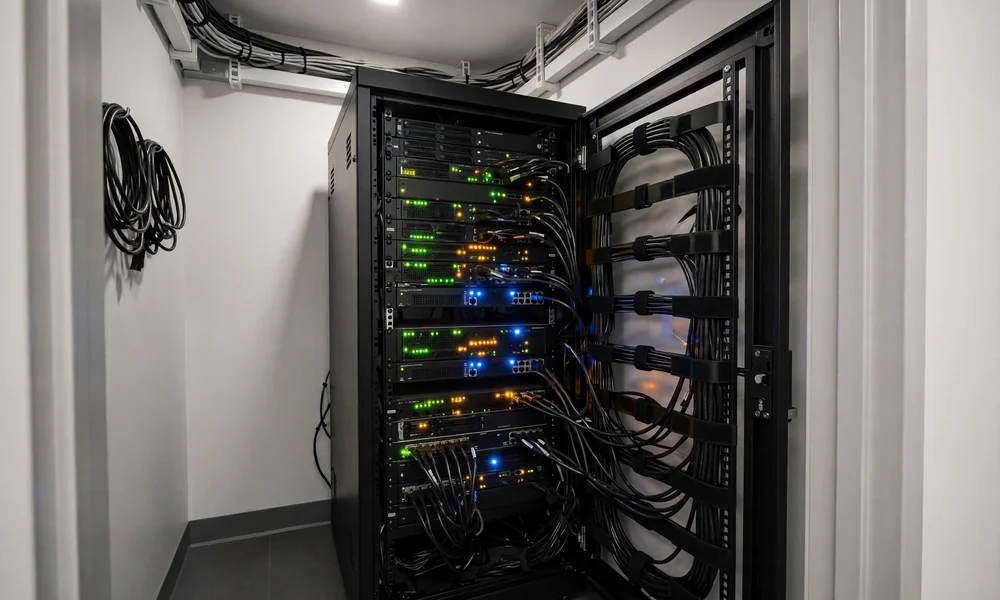
Setup takes minutes, the app runs quietly, and version history keeps deleted and changed files for 30 days, or a year on the extended plan. For a business without IT staff, that simplicity is the deciding factor. best cybersecurity software for small business Backup and antivirus work together, so our guide to the best cybersecurity software for small business is a useful companion read.
Pros: Unlimited storage, very easy setup, fast restores, hard-drive shipping option.
Cons: One computer per licence, no Linux client, 30-day version history by default.
IDrive — Best value
IDrive is the best value cloud backup for a small business with several computers. One plan covers multiple devices, including phones and tablets, with generous storage and a 30-day version history included.
It also backs up servers and network drives, which Backblaze does not, and it includes a sync folder for sharing files between devices. The interface feels dated, but the features per dollar are the best on this list.
Pros: Covers many devices, generous storage, backs up servers, sync included.
Cons: Dated interface, slower uploads than Backblaze, support can be slow.
Acronis Cyber Protect — Best all-in-one
Acronis Cyber Protect combines cloud backup with antivirus and ransomware protection in one product. For a small business that wants one vendor for both jobs, it is the most complete option on this list.
The backup is fast and reliable, with version history and easy restores, and the security layer watches for ransomware behaviour. Setup is more involved than Backblaze, but the central console manages every device from one place.
Pros: Backup plus antivirus, ransomware protection, central console.
Cons: More complex setup, higher price, heavier than Backblaze.
Carbonite — Best for ease of use
Carbonite is the easiest cloud backup on this list for a non-technical business owner. It backs up files automatically, shows a clear status for every computer, and restores are simple enough for anyone to do without help.
The initial backup can be slow on a large file collection, so start it on a Friday and let it run over the weekend. Once the first backup is done, daily changes upload quickly and quietly.
Pros: Very easy to use, clear status dashboard, affordable.
Cons: Slow initial backup, limited server support, basic version history.
CrashPlan — Best for version history
CrashPlan is the best choice for a business that needs long version history. It keeps every version of every file indefinitely by default, which protects against ransomware that encrypts files slowly over weeks.
The business plan adds central management and unlimited storage, and restores are fast and flexible. It is less well known than Backblaze, but its versioning is the strongest on this list.
Pros: Unlimited version history, unlimited storage, central management.
Cons: No free tier, interface is plain, slower than Backblaze.
pCloud Business — Best for file sharing
pCloud Business is the best choice for a small business that wants backup and file sharing in one place. It stores files in the cloud, syncs them across devices, and its backup add-on protects local folders automatically.
The file sharing is excellent, with branded links and download controls, which suits businesses that send files to clients. The backup feature costs extra, so check the total price before committing.
Pros: Great file sharing, sync across devices, lifetime plans available.
Cons: Backup costs extra, no unlimited storage, fewer admin controls.
SpiderOak One — Best for privacy
SpiderOak One is the best choice for a small business that handles sensitive data and wants maximum privacy. It uses zero-knowledge encryption, which means even SpiderOak cannot read your files, and it is based in the United States.
The backup itself is solid, with version history and easy restores, but uploads are slower than Backblaze or IDrive. For a business where privacy is the priority, that trade-off is worth it.
Pros: Zero-knowledge encryption, strong privacy, version history.
Cons: Slower uploads, smaller storage limits, plain interface.
How to choose
Start with what you need to protect. A business with one computer needs a simple per-computer plan; a business with five computers, a server and phones needs a plan that covers them all. Count devices before you compare prices.
Next, check version history. Thirty days is the minimum, and longer is better, because ransomware can encrypt files slowly over weeks. A backup that only keeps the latest version is no protection at all. best data backup software for small business Finally, test the restore. A backup you cannot restore is worthless, so use the trial to delete a test file and restore it. If the process takes more than a few minutes or needs support, pick a different product.
Also think about the files that live outside the office. Staff work from home, take laptops to clients, and store documents on phones, so a backup plan that only covers the office computer leaves gaps. Make sure every device that holds business files is included, and check that remote workers’ laptops back up over their home internet without slowing their work. It is also worth keeping one copy of the most important files offline, such as an encrypted drive in a safe, because a backup that lives on the same network as the business can be encrypted by the same ransomware.
Checklist: before you pay
- Count every device, including servers and phones, before choosing a plan.
- Confirm version history is at least 30 days, longer if possible.
- Test a restore during the trial, both a single file and a folder.
- Check that backup runs automatically and does not need manual starts.
- Make sure the service encrypts data in transit and at rest.
- Check renewal pricing, not just the first-year discount.
Common mistakes to avoid
- Never testing a restore. A backup you cannot restore is worthless, so delete a test file and restore it during the trial.
- Backing up only one computer. Phones, servers and the office computer all hold business files, so count every device before choosing a plan.
- Accepting short version history. Ransomware can encrypt files slowly over weeks, so keep at least 30 days of versions, longer if possible.
- Storing the backup on the same network. Ransomware encrypts connected drives too, so keep a cloud copy that is separate from your office network.
- Forgetting to back up new devices. A new laptop that is never added to the backup plan is unprotected, so add devices the day they arrive.
- Letting the subscription lapse. Backup stops the day a renewal fails, so set up automatic renewal and check the payment method yearly.
Frequently asked questions
What is the best cloud backup for small businesses?
Backblaze is the best overall choice for small businesses, with unlimited storage, simple setup and fast restores. IDrive is the best value for businesses with many devices.
How much does cloud backup cost for a small business?
Expect $6 to $10 per computer per month for unlimited backup, or around $80 per year for a multi-device plan such as IDrive. Prices vary by storage and features.
Do I need cloud backup if I use Google Drive?
Yes. Google Drive syncs files, but it is not a backup: deleted or encrypted files sync too. A proper backup keeps old versions and protects against ransomware and accidental deletion.
How long should version history be?
At least 30 days, and longer is better. Ransomware can encrypt files slowly over weeks, so a long version history is the only way to recover clean copies.
Can I restore a whole computer from cloud backup?
Yes, most services on this list can restore a full system or a whole drive. Backblaze can also ship you a hard drive with your files for large restores.
Is cloud backup secure?
Reputable services encrypt data in transit and at rest. For maximum privacy, choose a zero-knowledge service such as SpiderOak One, where even the provider cannot read your files.
best cloud backup for Linux Linux servers need backup too, so our guide to the best cloud backup for Linux covers the server side of the same problem.
The bottom line
For most small businesses, Backblaze is the right choice: unlimited storage, simple setup and restores that just work. IDrive is the best value for businesses with many devices, and Acronis is the pick for businesses that want backup and antivirus from one vendor.
The best backup is the one that runs without thinking about it. Set it up, test a restore, and then forget about it until the day you need it. That day will come, and when it does, a working backup is the difference between a bad afternoon and a closed business.



