The best cloud storage for online stores in 2027 protects the files a shop cannot afford to lose: product photos, supplier invoices, customer order records, marketing designs and the backups of the store itself. When a product image disappears or a listing file is overwritten, sales stop while someone rebuilds it, and that downtime costs more than a year of storage.
Online stores have different needs from a general business. Product photos are large and numerous, files are shared with photographers, suppliers and virtual assistants, and seasonal sales create sudden spikes in uploads. The right service handles big image libraries smoothly, keeps originals safe with version history, and makes sharing simple for people outside the business.
We compared the leading services on storage per user, image handling, sharing controls, version history, integrations with ecommerce platforms, and price. Google Drive leads for most stores, Dropbox is best for large photo libraries, and pCloud is the best value for small shops watching every cost. Prices below are approximate starting prices — check current pricing before buying.
Key takeaways
- Google Drive is the best overall pick for online stores, with strong search, sharing and ecommerce integrations.
- Dropbox is the best choice for shops with large product photo and video libraries.
- pCloud Business is the best value option, with generous storage and simple flat pricing.
- Version history protects product listings and photos from accidental overwrites.
- Separate folders for products, suppliers and orders keep a growing store organised.
At a glance: the shortlist
| Product | Best for | Starting price | Standout limit |
|---|---|---|---|
| Google Drive | Most online stores | About $7 per user, per month | 30 GB pooled storage on entry plan |
| Dropbox Business | Large photo libraries | About $15 per user, per month | 3 TB per user on Standard |
| Microsoft OneDrive | Microsoft-based shops | About $6 per user, per month | 1 TB per user on entry plan |
| Box | Supplier and team control | About $20 per user, per month | Unlimited storage on Business |
| pCloud Business | Best value | About $8 per user, per month | 1 TB per user, lifetime option |
| Sync Business | Private customer data | About $6 per user, per month | 1 TB per user on Pro Teams |
| Backblaze B2 | Cheap bulk backups | About $0.005 per GB, per month | Pay only for what you store |
| Wasabi | Flat-rate archives | About $7 per TB, per month | No egress or API fees |
Google Drive — Best overall
Google Drive is the easiest storage choice for most online stores. Product photos, supplier price lists and order spreadsheets all live in one searchable place, and sharing a folder with a photographer or supplier takes seconds. Built-in image previews are fast, and search helps you find a product shot even when the file name is unhelpful.
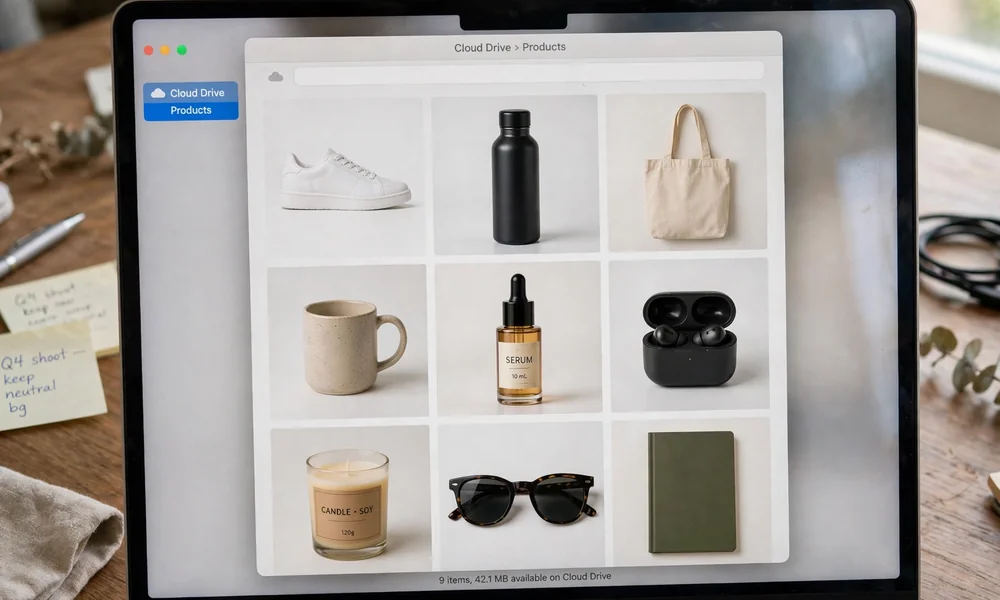
Drive connects with Shopify, WooCommerce and most inventory tools through integrations, and shared drives keep store files safe when a staff member leaves. The entry plan pools only 30 GB per user, which a photo-heavy store will outgrow quickly, so budget for Business Standard with 2 TB pooled per user if you sell more than a few dozen products.
Pros: Excellent search and sharing; strong ecommerce integrations; shared drives protect store files. Cons: Entry storage is limited; costs rise on higher tiers.
Dropbox Business — Best for large photo libraries
Dropbox Business is the strongest option for stores with thousands of product photos and videos. Its sync is fast and dependable, previews handle RAW files and high-resolution images well, and Dropbox Replay lets you collect feedback on product videos and lifestyle shoots with time-stamped comments. Smart Sync keeps your hard drive clear while the full library stays available in the cloud.
File requests let suppliers and photographers upload straight into a folder without a Dropbox account. The main drawback is price, at about $15 per user per month for 3 TB.
Pros: Fast sync for large photo libraries; great previews; simple file requests for suppliers. Cons: Higher per-user price; no built-in office suite.
Microsoft OneDrive — Best for Microsoft-based shops
OneDrive for Business fits stores that already run on Microsoft 365. Order spreadsheets open in Excel online, supplier documents live in SharePoint libraries, and Teams keeps the whole operation in one place. Co-authoring works in real time, so two people can update a price list without creating conflicting copies.
Each user gets 1 TB on the entry business plan, which covers most small to mid-size catalogues. The interface can feel scattered between OneDrive and SharePoint, but for a Microsoft shop the convenience of one login and one bill is hard to beat.
Pros: Deep Microsoft 365 integration; 1 TB per user; real-time co-authoring. Cons: Interface can confuse new users; sharing needs care.
Box — Best for supplier and team control
Box gives online stores the tightest control over who sees what. You can give a supplier access to one folder only, block downloads on a price list, watermark preview images, and see a full audit log of who opened each file. For stores working with multiple suppliers, designers and virtual assistants, that control prevents leaks of unreleased products and pricing.
Storage is unlimited on the Business plan, so a growing photo library is never a problem. The starting price is higher than Google or Dropbox, but for a store that treats control as a priority, Box is worth the premium.
Pros: Granular permissions and audit logs; unlimited storage on Business; watermarking and download blocks. Cons: Higher starting price; corporate-feeling interface.
pCloud Business — Best value
pCloud Business is the best-value pick for small online stores. Plans are simple, storage is generous at 1 TB per user, and a lifetime payment option lets a shop pay once and stop worrying about a monthly storage bill. Branded share links with passwords and expiry dates look professional when sending lookbooks or catalogues to wholesale buyers.
The built-in media player and image previews handle product photos well, and sync is reliable across desktop and mobile. Collaboration tools are basic compared with Google or Dropbox, with no built-in document editor, but for a store that mainly needs dependable storage and sharing, pCloud covers the essentials at a fair price.
Pros: Fair pricing with a lifetime option; branded share links; good image previews. Cons: Basic collaboration tools; fewer integrations.
Sync Business — Best for private customer data
Sync Business is the right choice for stores that hold sensitive customer information and want it encrypted end to end. Files are encrypted on your device before upload, so nobody at Sync can read them, and permissions are clear and simple to manage. That matters when your folders contain customer addresses, order histories or supplier contracts.
Pricing is affordable at about $6 per user per month for 1 TB. The integration library is smaller than the big names, so it works best as a secure home for store files rather than the centre of a large app ecosystem.
Pros: End-to-end encryption by default; affordable pricing; clear permissions. Cons: Smaller integration library; no built-in office apps.
Backblaze B2 — Best for cheap bulk backups
Backblaze B2 is not a daily file drive; it is cheap cloud object storage for backups and archives, and it is excellent at that job. At about $0.005 per GB per month, a store can keep full backups of its product library, order exports and website files for a fraction of what a per-user drive costs. You pay only for what you store, with no minimum seat count.
B2 works best paired with a backup tool rather than on its own, and the interface is aimed at technical users. For a store that wants a second copy of everything, kept off-site and cheap, it is the most cost-effective option here.
Pros: Very low per-GB pricing; pay only for what you store; good for full store backups. Cons: Needs a backup tool to use well; technical interface.
Wasabi — Best for flat-rate archives
Wasabi offers flat-rate cloud storage at about $7 per TB per month, with no fees for downloads or API requests. That pricing model suits stores that archive large amounts of product photography and video and need to pull files back regularly without surprise charges. There is no per-user seat pricing, so the whole team can share one bucket through a management tool.
Like B2, Wasabi is object storage rather than a daily drive, so it works best as an archive and backup layer behind your main storage. Setup needs a little technical confidence, but once running it is a simple, predictable place to keep original product files safe.
Pros: Flat per-TB pricing; no download or API fees; good for large archives. Cons: Archive storage, not a daily drive; needs some setup.
How to choose
Start with your catalogue size. Count your product photos and videos, including originals, and add room for a year of growth; a store with 500 products and five photos each needs far more space than a store with 50. Then decide who needs access: photographers, suppliers and assistants all need sharing that is easy for outsiders.
Keep a daily drive and a backup separate. Use Google Drive or Dropbox for everyday work, and add a cheap archive like Backblaze B2 or Wasabi for a second copy of everything. That two-layer setup protects you when a file is deleted or a listing is overwritten. Before choosing a platform to run the shop itself, read our guide to the best ecommerce platforms for small businesses — the storage choice should fit the platform, not fight it.
Checklist: before you pay
- Count product photos and videos, including originals, before picking a plan.
- Check version history length so overwritten listings can be restored.
- Test sharing with an outsider, such as a supplier or photographer.
- Confirm a second backup copy exists outside your main drive.
- Check renewal pricing and any per-user minimums.
- Confirm file previews handle your camera formats, including RAW.
Frequently asked questions
How much storage does an online store need?
A small store with under 200 products usually manages on 1 TB, but a store with thousands of products and high-resolution photos should plan for 2 to 3 TB or more. Keep originals archived separately so the working library stays fast.
Is Google Drive good for product photos?
Yes. Drive previews images quickly, search finds photos even with poor file names, and sharing with photographers is simple. Photo-heavy stores should choose Business Standard for its 2 TB pooled storage per user.
What is the cheapest cloud storage for an online store?
For everyday use, pCloud Business and Sync Business are the cheapest per-user options here. For backups and archives, Backblaze B2 and Wasabi cost far less per gigabyte because you pay for storage, not seats.
Should an online store keep a separate backup?
Yes. Your daily drive is not a backup: a deleted folder or a ransomware attack can take it with it. Keep a second copy in a different service, such as Backblaze B2 or Wasabi, and test restoring from it.
Can suppliers upload files without an account?
Yes, on most services here. Dropbox file requests and Google Drive upload links both let outsiders send files into a folder without creating an account, which keeps supplier workflows simple.
How do I organise cloud storage for a store?
Use one folder per product category, with subfolders for photos, videos, supplier files and listings, plus a separate archive for finished seasons. For a broader view of the tools a small shop needs beyond storage, our roundup of the best cloud storage for small businesses covers the same services from a general business angle, and our Dropbox vs Google Drive comparison settles the most common head-to-head choice.
The bottom line
For most online stores, Google Drive is the best overall choice: easy sharing, strong search and integrations that fit how shops actually work. Dropbox is the better pick for large photo libraries, and pCloud is the best value for a small shop watching costs.
Whatever you choose, keep a second backup copy somewhere else and organise files by product from the start. A tidy library and a reliable backup are what keep a store selling when a file goes missing or a listing is overwritten.