
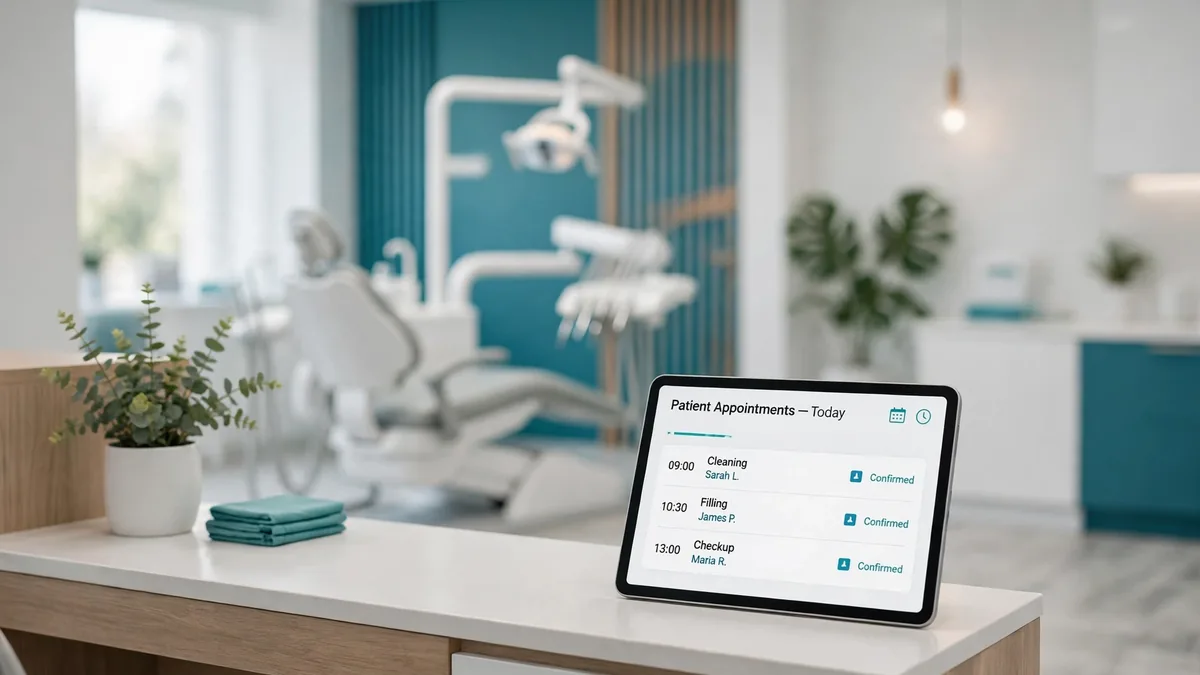
Best dental practice management software in 2027 does more than keep a diary. It runs the whole practice: scheduling, patient records, charting, treatment planning, billing, insurance claims, reminders, and reporting, all from one system that the front desk, the hygienists, and the dentists can use at the same time. When that system works well, chairs stay full, claims go out on time, and nobody spends the afternoon hunting for a paper chart or a missing consent form.
The wrong system does the opposite. It slows check-in, creates double bookings, hides unpaid balances until month end, and makes it hard to see which treatments were planned but never booked. That is why the choice matters more than the price on the quote. A dental practice management system is not a filing cabinet. It is the operating system of the practice, and changing it later costs far more in retraining and data migration than choosing carefully now.
This guide compares eight leading options for 2027, from long-established desktop systems to modern cloud platforms built for multi-location groups. We looked at scheduling, charting, imaging integration, billing and claims, patient communication, reporting, ease of use, and support. Prices are given only where they are published; most vendors quote by practice size, so check current pricing before you decide.
Key takeaways
- Dentrix remains the best overall choice for most general practices, thanks to its depth, imaging links, and large support network.
- Open Dental offers the best value and flexibility for practices that want strong features without a high monthly bill.
- Cloud systems such as Curve Dental, Dentrix Ascend, CareStack, and tab32 suit growing and multi-location practices best.
- Most vendors price by quote, so compare the total cost, including training, support, imaging, and patient messaging.
- Check data migration, insurance claim workflows, and reporting before you sign, because those three areas cause most regrets.
At a glance: the shortlist
| Product | Best for | Starting price | Standout limit |
|---|---|---|---|
| Dentrix | Most general practices | Quote-based, check current pricing | Desktop-first, cloud add-ons cost extra |
| Eaglesoft | Established single practices | Quote-based, check current pricing | Smaller third-party ecosystem than Dentrix |
| Open Dental | Value and flexibility | Low monthly fee, check current pricing | Interface feels dated to some users |
| Curve Dental | Cloud-first growing practices | Quote-based, check current pricing | Some advanced reports need workarounds |
| Dentrix Ascend | Multi-location cloud practices | Quote-based, check current pricing | Internet-dependent, no offline mode |
| CareStack | All-in-one cloud for groups | Quote-based, check current pricing | Migration can take longer than expected |
| Planet DDS Denticon | Large groups and DSOs | Quote-based, check current pricing | More complex setup for small practices |
| tab32 | Modern multi-location practices | Quote-based, check current pricing | Smaller user community than Dentrix |
Dentrix — Best overall

Dentrix, from Henry Schein, is the most widely used dental practice management system in the United States, and that scale is a real advantage. Almost every imaging system, clearinghouse, patient messaging tool, and third-party add-on is built to work with it first. Staff who have worked in another practice have usually used Dentrix before, which shortens training and reduces the risk of a slow first month.
The core covers appointment scheduling with colour-coded operatories, a patient ledger, treatment planning, perio charting, clinical notes, and insurance claims. The appointment book shows chair time, provider time, and unscheduled treatment in one view, and it makes it easy to fill gaps from a short-call list. Dentrix also handles family accounts well, so a family can share billing and insurance details without duplicate records.
Where Dentrix earns its place at the top is in the everyday detail. Recall lists, continuing care, and unscheduled treatment tracking are built in rather than bolted on. The system flags patients who are due for hygiene, shows outstanding treatment plans at check-in, and helps the front desk ask the right question at the right moment. For patient communication, a practice that also uses email marketing software for dentists can pair reminders and recalls with targeted messages that bring lapsed patients back.
Dentrix is a desktop system at heart, with cloud-connected services added around it. That brings reliability and speed on a local network, but it also means the practice owns server maintenance, backups, and updates unless it pays for managed hosting. Smaller practices should budget for that, and for training, because Dentrix has depth that takes time to learn.
Pros: Widest third-party support, strong scheduling and recall tools, familiar to most dental staff, deep clinical and billing features.
Cons: Quote-based pricing, desktop-first setup needs local IT care, learning curve for new users.
Eaglesoft — Best for established single practices
Eaglesoft, from Patterson Dental, has served single-location and small group practices for decades, and it shows in the way the software is organised. The appointment book, patient record, chart, and ledger sit close together, so a receptionist can move from booking to billing without opening five windows. For a practice that values stability over novelty, that matters.
The clinical side includes charting, treatment planning, perio charting, and digital imaging integration, while the front office gets scheduling, insurance estimation, claims, and statements. Eaglesoft also includes patient communication tools for reminders and confirmations, and its reporting covers production, collections, and provider performance.
Eaglesoft works best for practices that already use Patterson for supplies and equipment, because the integration and support relationship is straightforward. It is less suited to a practice planning rapid multi-location growth, where a cloud-native system may be easier to scale.
Support is a genuine strength. Patterson has a large field and phone support network, and many practices stay with Eaglesoft for years because help is available when a claim will not send or a schedule needs fixing.
Pros: Stable and proven, clear layout for front desk and clinical teams, strong Patterson support, good imaging integration.
Cons: Quote-based pricing, less suited to fast multi-location growth, interface looks dated beside cloud rivals.
Open Dental — Best value and flexibility
Open Dental is the value pick in this list, and it is also one of the most flexible. It runs on Windows, supports a wide range of imaging and third-party tools, and charges a low monthly fee rather than a large upfront licence. For a new practice, a start-up, or a practice watching every monthly cost, that pricing model is hard to ignore.
Do not mistake low price for a thin product. Open Dental covers scheduling, charting, perio, treatment plans, insurance claims, statements, and detailed reporting. Its appointment book is fast, its family and insurance handling is solid, and its reporting is unusually deep for the price.
The trade-off is polish. The interface is functional rather than beautiful, and some workflows take more clicks than in a newer cloud system. Open Dental also expects the practice to take more responsibility for setup, backups, and local networking, although support is available by phone and email.
Open Dental also wins on data freedom. It is known for open database access and straightforward data export, which makes future migration less painful than with a closed system.
Pros: Low monthly cost, deep reporting, flexible integrations, strong data access and export options.
Cons: Dated interface, more local IT responsibility, less hand-holding than managed cloud systems.
Curve Dental — Best cloud-based for growing practices
Curve Dental is built for practices that want to work from anywhere without a server in the back room. It runs in a browser, stores data in the cloud, and lets owners, associates, and front-desk staff log in from any location with an internet connection. For a practice adding a second location, or an owner who checks the schedule from home, that freedom is the point.
The feature set covers scheduling, charting, treatment planning, imaging, billing, and insurance claims, with patient communication for reminders and confirmations. Curve Hero, its patient-facing side, handles online booking and forms, which reduces phone time at the front desk. The system is easy to learn, with a clean layout that new staff can pick up quickly.
Cloud access also means the practice does not need to manage backups or worry about a failed server on a Monday morning. The cost is dependence on a good internet connection; if the connection drops, so does access, so a reliable connection and a backup plan are essential.
Curve suits growing practices better than very large groups, although it does support multiple locations. Its reporting is good for day-to-day management, but some owners who want highly customised reports may need workarounds or exports.
Pros: True cloud access from anywhere, no server to maintain, clean and easy to learn, online booking and forms included.
Cons: Needs reliable internet, some advanced reporting needs workarounds, quote-based pricing.
Dentrix Ascend — Best cloud for multi-location cloud practices
Dentrix Ascend is Henry Schein’s cloud-native answer to Dentrix, and it is built for practices that want the Dentrix name without a local server. It runs in a browser, stores data centrally, and gives multi-location practices one view of scheduling, billing, and reporting across every site. That central view is the main reason to choose it over the desktop version.
The feature set will feel familiar to Dentrix users: scheduling, charting, treatment planning, perio, claims, and reporting, with patient communication tools for reminders and online forms. The difference is in how locations share data. A patient who visits one office can be seen at another without a separate record, and managers can compare production and collections across locations without merging spreadsheets. That saves hours every week in a group practice.
Ascend also handles updates and backups centrally, so no location needs its own server room or its own update schedule. New locations can be added without buying and configuring new hardware. The trade-off, as with any cloud system, is internet dependence, so practices should plan for a backup connection.
Pricing is quote-based and varies by location and user count, so check current pricing and ask what is included: imaging, patient messaging, and advanced reporting may be priced separately. Practices already using Dentrix should also ask about migration, because moving historical data cleanly is the hardest part of any switch, and a clear migration plan should be agreed before signing.
Pros: Cloud access across locations, central reporting, no local servers, familiar Dentrix workflows.
Cons: Internet-dependent, quote-based pricing, migration needs careful planning.
CareStack — Best all-in-one cloud for groups
CareStack is an all-in-one cloud platform aimed at dental groups and growing practices that want scheduling, clinical records, billing, and patient engagement in one place. Instead of buying separate tools for reminders, online booking, reviews, and payments, CareStack bundles much of that into a single system, which reduces the number of vendors a practice has to manage.
The clinical side covers charting, treatment planning, perio, and imaging, while the front office gets scheduling, insurance verification, claims, and billing. CareStack also includes analytics that show production, collections, and appointment fill rates by location and provider, which group managers need to spot problems early. Patient communication, online scheduling, and payment collection are built in, so fewer tasks fall through the gaps between systems.
CareStack works best for groups that want one platform to standardise how every location works. New staff learn one system, managers see one set of numbers, and patients get a consistent experience. That standardisation is also the main adjustment: a practice used to highly customised local workflows may need to adapt to how CareStack does things.
Migration deserves attention here too. CareStack migrations can take longer than a simple desktop-to-desktop move, because historical clinical notes, images, and ledgers all need to transfer cleanly. Ask for a written migration plan and timeline before you commit, and check references from a group of similar size.
Pros: All-in-one cloud platform, strong analytics for groups, built-in patient engagement and payments, standardised multi-location workflows.
Cons: Quote-based pricing, migration can be lengthy, less flexible for highly customised local workflows.
Planet DDS Denticon — Best for large groups and DSOs
Planet DDS Denticon is built for dental service organisations and large groups, and it is designed around central control. It is cloud-based, supports many locations from one database, and gives central managers control over scheduling rules, fee schedules, reporting, and user permissions. For a DSO with dozens of locations, that control is essential.
Denticon covers the full practice workflow: scheduling, charting, treatment planning, imaging, billing, claims, and reporting, with patient communication and online booking through related Planet DDS tools. Its reporting is a strength, with detailed views of production, collections, and location comparisons. It also handles complex insurance and fee schedule work better than systems built for single practices.
The trade-off is complexity. Denticon is more than a small practice needs, and its setup, training, and administration take longer than a simple cloud system for one office. A single-location practice would pay for scale it does not use, and staff may find the system heavier than necessary for everyday tasks. For a DSO, though, that weight is the price of consistency and control.
Planet DDS also offers Apteryx imaging and other related tools, which can make Denticon part of a wider platform rather than a standalone purchase. Smaller groups should compare Denticon with CareStack and Dentrix Ascend before deciding.
Pros: Built for DSOs and large groups, central control and reporting, strong insurance and fee schedule handling, scalable cloud platform.
Cons: Too complex for small practices, longer setup and training, quote-based pricing.
tab32 — Best cloud for modern multi-location practices
tab32 is a cloud-based dental practice management system aimed at modern multi-location practices and DSOs that want a clean interface and strong patient engagement. It covers scheduling, charting, treatment planning, billing, claims, and reporting, with built-in tools for online booking, reminders, and patient communication that help keep chairs full.
What sets tab32 apart is its focus on the patient journey as well as the back office. Online scheduling, digital forms, and messaging reduce front-desk phone time, while analytics show which locations and providers are performing well and where appointment gaps are forming. For a group that competes on patient experience as well as clinical care, that combination matters.
tab32 is also designed to be easy to use, with a modern interface that new staff can learn quickly. That matters in a sector where front-desk turnover is real and training time is limited. The cloud model removes server maintenance, and updates arrive without a local install, so practices stay current without IT visits.
The main limits are scale of community and ecosystem. tab32 has a smaller user base than Dentrix, so there are fewer third-party integrations and fewer staff who already know it. Practices should check that their imaging system and clearinghouse integrate cleanly before committing.
Pros: Modern cloud interface, strong patient engagement and online booking, good analytics for groups, no server to maintain.
Cons: Smaller ecosystem than Dentrix, fewer staff already trained on it, quote-based pricing.
How to choose
Start with how many locations you run, or plan to run in the next three years. A single-location practice can choose almost any system on this list and be happy, while a practice planning a second or third location should choose a cloud system from the start. Moving from a desktop system to a cloud system later is possible, but it is a project, not an afternoon, and it is cheaper to choose correctly once.
Next, look at insurance and billing, not just scheduling. Every system here can book an appointment, but they differ in how they estimate patient portions, submit claims, track outstanding balances, and handle write-offs. Ask each vendor to show you a real claim workflow, from treatment plan to payment, using your most common procedures. If that workflow looks slow or confusing in the demo, it will feel worse at 5 pm on a Friday.
Imaging and charting come next. Check that your existing imaging system integrates cleanly, that perio charting works the way your hygienists expect, and that clinical notes can be templated without becoming a copy-and-paste exercise. A system that slows the clinician down will cost more in lost chair time than it saves in licence fees.
Finally, compare total cost, not headline price. Ask what is included: training, support, imaging, patient messaging, online booking, and migration. A low monthly fee that excludes messaging and imaging can end up costing more than a higher fee that includes them. A practice comparing back-office tools should also look at CRM software for healthcare alongside practice management, because patient relationships and follow-up matter as much as the appointment book itself.
Checklist: before you pay
- Run a live demo with your own procedures, fee schedule, and insurance plans, not the vendor’s sample data.
- Get a written migration plan, timeline, and cost, including historical notes, images, and ledger balances.
- Confirm imaging, clearinghouse, and patient messaging integrations in writing before you sign.
- Check the total monthly cost, including training, support, messaging, and any per-location fees.
- Ask for references from a practice of similar size and specialty, and call them.
- Confirm how you can export your data, and what it costs, if you ever leave.
Frequently asked questions
What is dental practice management software?
It is the software a dental practice uses to run its daily operations: scheduling, patient records, charting, treatment planning, billing, insurance claims, and reporting. It replaces paper charts and separate diary, billing, and recall systems with one shared record that the whole team can use.
Which dental practice management software is best overall?
Dentrix is the best overall choice for most general practices in 2027, because it is deep, widely supported, and familiar to most dental staff. Open Dental is the best value option, while Curve Dental and Dentrix Ascend are the best cloud choices for growing and multi-location practices.
How much does dental practice management software cost?
Most vendors price by quote, based on location count, user count, and included features. Open Dental charges a low monthly fee, while Dentrix, Eaglesoft, Curve Dental, and the cloud group systems quote per practice. Always check current pricing and ask what training, support, imaging, and messaging are included.
Is cloud or desktop software better for a dental practice?
Cloud software suits practices that want access from anywhere, no local server, and easy multi-location working. Desktop software suits practices that want local speed and control, and that have reliable local IT support. A practice planning a second location should usually choose cloud from the start.
Can I switch dental software without losing patient records?
Yes, in most cases, but migration needs a written plan. Patient demographics, appointments, treatment plans, ledger balances, clinical notes, and images should all transfer, but the quality of the transfer varies by vendor. Ask for a migration timeline, a test migration, and a named contact before you sign.
Do I still need separate billing software?
No, in most cases. The systems in this guide all include billing, insurance claims, and statements. A practice with complex billing may still want to compare its options, and a guide to invoicing software for healthcare can help when weighing billing features against a dedicated invoicing tool.
The bottom line
For most general practices, Dentrix remains the safest choice in 2027, with the widest support and the deepest feature set. Open Dental is the best choice for a practice that wants strong features at a low monthly cost and does not mind a plainer interface. Growing and multi-location practices should look first at Curve Dental, Dentrix Ascend, CareStack, or tab32, and large groups should compare Denticon with CareStack before deciding.
Whichever system you choose, judge it on the workflows you use every day: scheduling, charting, claims, and recall. A short demo with your own data will tell you more than a feature list ever will, and a clear migration plan will save you more than a small discount.



