

Choosing the best ecommerce platforms for food businesses in 2027 comes down to a few practical questions: can it handle perishable stock, does it support local pickup and delivery, and will it cope when a weekend rush sends fifty orders at once? A bakery, a jam maker, a coffee roaster and a meal-prep service all sell food online, but their day-to-day needs are very different, and the wrong platform turns every order into manual work.
The strongest ecommerce platforms for food businesses combine simple product pages with food-specific tools: weight-based shipping, expiry and batch tracking, subscription boxes, and clear allergen and ingredient fields. They also keep checkout fast on a phone, because most food orders start on mobile, often from a social media link or a market stall QR code.
We compared seven platforms on food-specific features, starting price, ease of setup, delivery and pickup options, and how well each one scales from a home kitchen to a busy commercial operation. Shopify leads for most food sellers, WooCommerce wins for sellers who want full control, and Square Online fits sellers who already take card payments in person.
Key takeaways
- Shopify is the best overall pick, thanks to its delivery apps, subscription tools and reliable checkout.
- WooCommerce is best for sellers who want full control over their store, data and customisations.
- Square Online is the best option for market stalls and cafes that already use Square to take payments in person.
- Budget for delivery and pickup features, not just the monthly plan, because shipping perishables is where costs add up.
- Avoid platforms that cannot handle delivery slots, local pickup or subscriptions if those are core to how you sell.
At a glance: the shortlist
| Platform | Best for | Starting price | Standout limit |
|---|---|---|---|
| Shopify | Most food businesses | From about $29 per month | Transaction fees without Shopify Payments |
| WooCommerce | Full control and custom stores | Free plugin; hosting from about $5 per month | You manage hosting and security |
| Squarespace | Beautiful food branding | From about $23 per month | Fewer food delivery apps |
| Wix | Beginners on a budget | From about $17 per month | Advanced features need paid apps |
| Square Online | Market stalls and cafes | Free plan; paid from about $29 per month | Less flexible design |
| BigCommerce | Growing food brands | From about $29 per month | Annual sales limits on lower plans |
| Shift4Shop | Low-cost full stores | Free plan; paid from about $29 per month | Smaller app marketplace |
Prices are approximate starting prices and plans change often, so check current pricing before you buy.
Shopify — Best overall
Shopify is the best ecommerce platform for food businesses because it covers the whole food-selling workflow in one place. Product pages handle variants such as size, flavour and gift wrapping, the checkout is fast and trusted, and the app store adds the food-specific features that matter: delivery scheduling, delivery zones, subscription boxes, and pre-orders for baked goods made to order.
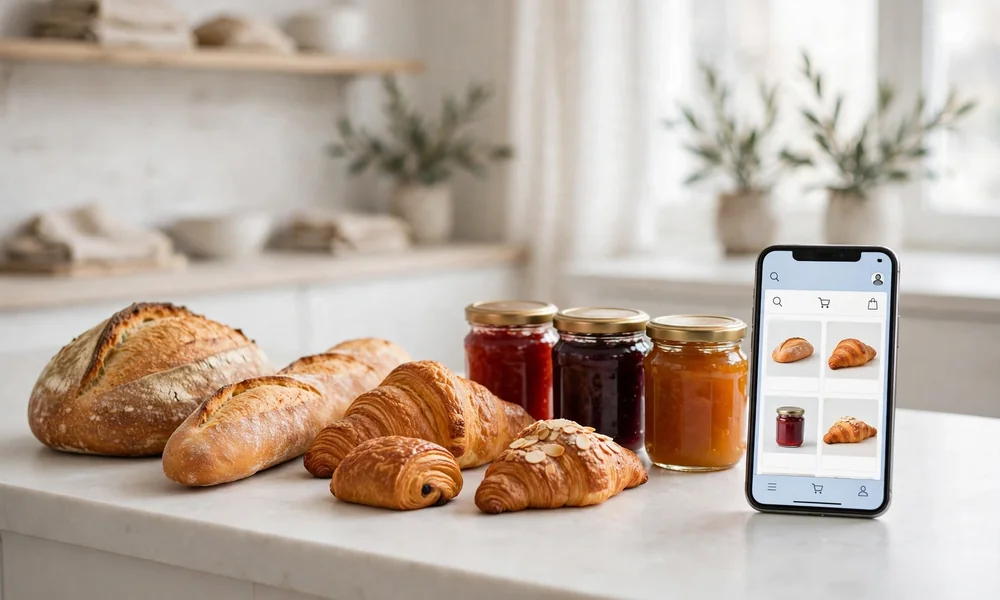
Shopify Payments, discount codes and abandoned-checkout recovery help win back distracted shoppers, and Shopify POS keeps online and market-stall stock in step. If you are still comparing builders, our guide to the best website builders for online stores covers the wider field beyond food.
Pros: Fast, reliable checkout; strong delivery and subscription apps; good POS for market stalls; large support community.
Cons: Monthly cost plus app fees adds up; transaction fees apply unless you use Shopify Payments; design changes need a paid theme for full control.
WooCommerce — Best for full control
WooCommerce turns a WordPress site into a full food store, and it is the best choice for sellers who want to own every part of their shop. Because it is open source, you can add exactly the features your food business needs: delivery date pickers, perishable shipping rules, subscription billing, and custom fields for allergens, ingredients and nutrition. No other platform on this list offers the same depth of customisation.
The trade-off is responsibility: you choose the hosting and handle updates, security and backups, or pay someone to do it. That suits food brands with a developer or an agency, and sellers who want their store, blog and recipes in one place.
Pros: Full control over design, data and features; free core plugin; huge extension library; strong for content and recipes.
Cons: You manage hosting, updates and security; setup takes longer; costs vary with extensions and hosting quality.
Squarespace — Best for beautiful food branding
Squarespace is the best ecommerce platform for food businesses that sell on looks as much as taste. Its templates are clean and image-led, which suits artisan chocolate, patisserie, coffee and gift hampers, where the photo does most of the selling. Product pages, email campaigns and social selling sit in one dashboard, so a small team can run the whole store without extra tools.
Food-specific features are thinner than on Shopify or WooCommerce: delivery scheduling and subscriptions exist, but the smaller app ecosystem means complex delivery zones or batch tracking may need workarounds. It works best for sellers with a simple catalogue, a strong visual brand and straightforward local delivery.
Pros: Beautiful, easy templates; good built-in email and marketing tools; simple setup; strong image handling.
Cons: Fewer food-specific apps; limited delivery-zone flexibility; transaction fees on lower plans.
Wix — Best for beginners on a budget
Wix is the easiest platform on this list to start with, and a good fit for a food seller launching a first online shop. Its drag-and-drop editor needs no technical skill, and Wix Stores adds product pages, payment processing, discount codes and basic delivery options. A home baker can go from idea to taking orders in a weekend.
The limits appear as the business grows: advanced features such as subscriptions and detailed delivery scheduling often need paid apps, and large catalogues are less smooth to manage than on Shopify or BigCommerce.
Pros: Very easy to use; low starting price; flexible design; quick setup for small catalogues.
Cons: Advanced food features need paid apps; less suited to large catalogues; switching templates later is awkward.
Square Online — Best for market stalls and cafes
Square Online is the natural choice for food sellers who already use Square to take card payments at a market stall, food truck or cafe. Online orders, in-person sales and stock all sync automatically, so there is one inventory count instead of two. The free plan lets a small seller start taking orders with no monthly fee, paying only payment-processing charges.
The store builder is simpler than Shopify or Wix, with fewer design options and a smaller app range, and highly customised food workflows are harder to build. For a cafe or stall holder who wants online ordering without learning a new system, that simplicity is a strength.
Pros: Free starting plan; stock syncs with in-person Square sales; easy order-ahead and pickup; low learning curve.
Cons: Fewer design and app options; less suited to complex food stores; payment processing is tied to Square.
BigCommerce — Best for growing food brands
BigCommerce suits food brands that are already selling well and need room to grow. It handles large catalogues, multiple sales channels and wholesale orders without extra apps, and its built-in SEO tools help food products rank for the searches customers actually type. Multi-currency and multi-storefront support also help brands selling across regions.
The platform is more complex than Shopify or Wix, and annual sales limits apply on lower-priced plans, so a fast-growing food brand should check the threshold before signing up.
Pros: Strong built-in features with fewer paid apps; good for large catalogues and wholesale; solid SEO tools.
Cons: Steeper learning curve; annual sales limits on lower plans; themes and apps cost extra.
Shift4Shop — Best for low-cost full stores
Shift4Shop offers a full ecommerce store with a free plan for sellers in the United States who use its payment processing, which makes it one of the cheapest ways to run a complete food store. Product pages, discount codes, gift cards and built-in SEO tools are included, and there are no monthly fees on the entry plan beyond payment processing.
The app marketplace is smaller than Shopify’s, and the templates feel less modern than Squarespace or Wix. For a budget-conscious seller who wants a proper store without a monthly subscription, it is still well worth a look.
Pros: Free plan with full store features; no monthly fee on entry plan; built-in SEO and marketing tools.
Cons: Smaller app marketplace; templates feel dated; free plan ties you to its payment processing.
How to choose
Start with how you actually sell food. If most orders are local delivery or pickup, pick a platform with delivery slots, zones and order-ahead built in or available as a reliable app. If you ship nationwide, check weight-based shipping, chilled packaging rules and how the platform handles delivery cut-off times, because a missed cut-off means a spoiled order.
Next, count the real monthly cost: the plan, the payment-processing fee, and the apps you need. A cheap plan with three paid apps often costs more than a dearer plan that includes those features. If you also sell at farmers markets, pair your store with one of the best point-of-sale software options for small business so online and stall stock stay in step. Finally, test the checkout on your own phone before launch: if it takes more than a minute to order, customers will leave.
Checklist: before you pay
- Test delivery slots, pickup and delivery zones with real postcodes before launch.
- Check the total monthly cost, including payment fees and apps you actually need.
- Confirm it supports subscriptions, pre-orders or gift cards if you plan to offer them.
- Make sure allergen, ingredient and storage details are easy to show on every product page.
- Check you can export products, orders and customers if you ever switch platforms.
- Try support with a real question and note how fast and useful the answer is.
Frequently asked questions
What is the best ecommerce platform for a small food business?
Shopify is the best all-round choice for most small food businesses, because it handles delivery, subscriptions and mobile checkout well. Square Online is better if you already take Square payments in person, and WooCommerce is better if you want full control.
Can I sell perishable food online?
Yes, but you need delivery cut-off times, chilled shipping options and clear delivery zones. Many sellers limit perishable shipping to certain regions or days, and use insulated packaging with ice packs for longer journeys.
Do I need a subscription app to sell food boxes?
Not always, but a proper subscription tool makes it far easier to manage repeat orders, skipped weeks and payment failures. Shopify and WooCommerce both have strong subscription options, while simpler platforms may need a paid add-on.
How much does it cost to run a food store online?
Expect from about $29 per month for the platform, plus payment-processing fees of roughly 2 to 3 percent per order and any delivery or subscription apps. A basic store can run for under $50 a month; a busy store with several apps can cost $100 or more.
Should a food business use local pickup, delivery or shipping?
Most use a mix: local pickup nearby, local delivery for the surrounding area, and shipping only for shelf-stable products such as sauces, snacks and coffee. Perishables usually stay local unless you have chilled packaging and a reliable courier.
How do I get my food products found in search?
Use clear product names, write useful descriptions that mention ingredients and uses, and add good photos of the actual food. Once the store is live, the best SEO tools for ecommerce can help your products rank for the searches customers actually type.
The bottom line
For most food businesses, Shopify is the safest pick: it handles delivery, subscriptions and mobile checkout, and it grows with you from a home kitchen to a full commercial operation. WooCommerce is best if you want full control and already run WordPress, while Square Online is simplest for stalls and cafes that already use Square in person.
Whatever you choose, decide on delivery and pickup first, then pick the platform that handles those flows cleanly. A store that cannot show a delivery slot or take a subscription order will cost you sales every week.



