
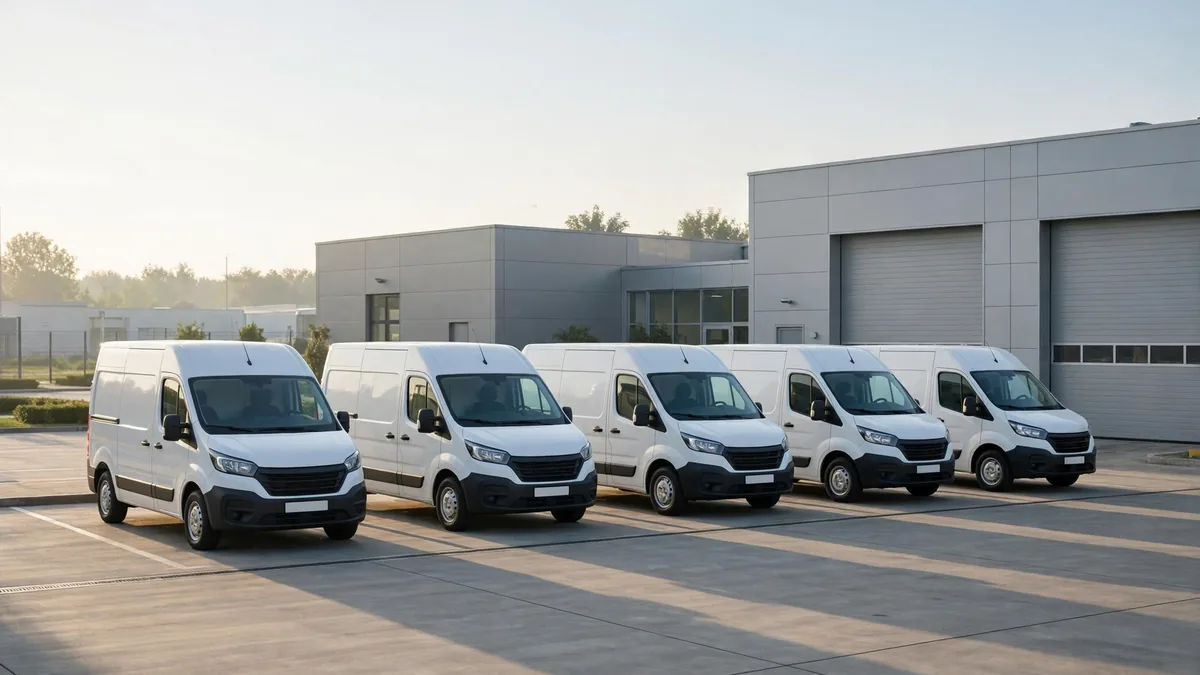
Choosing fleet management software for small business is one of the highest-leverage decisions a company with five, fifteen, or fifty vehicles can make. The right platform turns scattered spreadsheets, paper inspection forms, and guesswork about where trucks actually are into a single live view of every vehicle, driver, and job. The wrong one becomes another monthly bill that nobody opens, while fuel costs creep up, maintenance gets missed, and drivers keep idling away the margin.
Fleet management software for small business has changed dramatically in the last few years. What used to be an expensive enterprise system with long contracts and hardware installations is now available as a cloud dashboard with plug-in GPS trackers, a driver app, and monthly pricing that scales vehicle by vehicle. Small operators can now get the same live tracking, maintenance alerts, fuel reporting, and safety coaching that large national fleets have used for a decade, without hiring a fleet manager to run it.
This guide compares eight of the strongest options for small businesses in 2027, based on what actually matters at small scale: how fast you can get running, what each vehicle really costs per month, whether the system fits mixed fleets of vans, trucks, and cars, and how well it handles maintenance, compliance, and driver safety. Every platform below is a real, widely used product, and the comparison table up front lets you shortlist in minutes before reading the detail.
Key takeaways
- For most small fleets, Samsara and Motive offer the deepest combination of live GPS tracking, dash cameras, and safety coaching in one dashboard.
- Fleetio is the strongest choice when maintenance, inspections, and fuel records matter more than live tracking, especially for mixed fleets.
- Geotab and Verizon Connect suit small businesses that expect to grow, thanks to open integrations and a very large marketplace of add-ons.
- Azuga, Teletrac Navman, and GPS Trackit give smaller operators simpler, lower-cost tracking without the complexity of an enterprise platform.
- Before you sign anything, trial the system on five to ten vehicles, check the hardware and contract terms, and confirm the total per-vehicle monthly cost including cameras and add-ons.

Best fleet management software for small business compared
The table below gives a fast side-by-side view of the eight platforms in this guide. Pricing for most fleet platforms is quote-based and depends on fleet size, hardware, and contract length, so treat the figures as starting points and confirm a written quote before deciding.
| Software | Best for | Live GPS tracking | Dash cameras | Maintenance tools | Pricing model |
|---|---|---|---|---|---|
| Samsara | All-round fleet operations | Yes | Yes, AI dash cams | Yes | Quote-based, per vehicle |
| Geotab | Growing and mixed fleets | Yes | Via partners | Yes | Quote-based, per vehicle |
| Verizon Connect | Established fleets needing support | Yes | Yes | Yes | Quote-based, per vehicle |
| Fleetio | Maintenance-first fleets | Via integrations | Via integrations | Yes, best in class | From around $5 per vehicle monthly |
| Motive | Safety and compliance | Yes | Yes, AI dash cams | Yes | Quote-based, per vehicle |
| Azuga | Simple small-fleet tracking | Yes | Yes | Yes | Quote-based, per vehicle |
| Teletrac Navman | Construction and field fleets | Yes | Yes | Yes | Quote-based, per vehicle |
| GPS Trackit | Budget GPS tracking | Yes | Optional | Basic | Quote-based, per vehicle |
If you only need to know where vehicles are and how fast they are moving, a simpler tracker such as GPS Trackit or Azuga will save money. If you need safety coaching, compliance records, and maintenance in one place, start your shortlist with Samsara, Motive, and Fleetio.
The 8 best fleet management software platforms for small business
Each review below covers what the platform does well, where it falls short, and which kind of small business it fits best. Prices change often in this market, and most vendors quote per vehicle after a short discovery call, so use the pricing notes as a guide rather than a final figure.
1. Samsara
Samsara is the most complete fleet platform on this list, and it is the default shortlist choice for small businesses that want tracking, cameras, safety, and maintenance in a single system. Its cloud dashboard shows every vehicle on a live map, with speed, location history, fuel use, and engine diagnostics alongside AI dash camera footage. Managers can replay an incident, coach a driver on harsh braking or phone use, and set up alerts for speeding, idling, and geofence exits without switching between tools.
For a small business, the strength of Samsara is how quickly it turns raw vehicle data into decisions. Maintenance schedules are based on actual mileage and engine hours rather than calendar guesses, driver safety scores make coaching conversations concrete, and fuel reports highlight the vehicles and routes that cost the most. The platform also handles compliance documents, driver workflows, and site visibility for businesses with yards, depots, and job sites.
Pros: excellent all-in-one dashboard; strong AI dash cameras and safety coaching; reliable live tracking and alerts; good maintenance and compliance tools. Cons: quote-based pricing can be high for very small fleets; multi-year contracts are common; camera hardware adds to the cost.
2. Geotab
Geotab is an open, data-rich fleet platform built around a small plug-in device that connects to a vehicle diagnostics port. It records location, speed, engine health, fuel consumption, seatbelt use, and harsh driving events, then presents them in a clean dashboard with reports a small business owner can actually read. Because Geotab is open, it connects to hundreds of third-party tools for cameras, routing, fuel cards, maintenance, and payroll.
That openness is Geotab’s biggest advantage for a growing small business. You can start with simple GPS tracking and add dash cameras, driver coaching, or electric vehicle monitoring later without replacing the hardware or moving to a new platform. Geotab also works well for mixed fleets that include vans, trucks, cars, and electric vehicles, since the same device and dashboard cover them all. Its marketplace lets you bolt on exactly the features you need and skip the ones you do not.
Pros: open platform with a huge add-on marketplace; strong for mixed and electric fleets; detailed engine and fuel data; scales well as you grow. Cons: dash cameras need a partner integration; setup can feel technical; pricing is quote-based.
3. Verizon Connect
Verizon Connect is the fleet platform from Verizon, and it brings the backing of a large carrier to small-business fleet tracking. Its Reveal platform covers live GPS tracking, route history, driver behaviour, maintenance scheduling, and field service dispatch, with mobile apps for drivers and managers. Businesses that already use Verizon for phones often find the combined billing and support convenient.
For small fleets, Verizon Connect is at its best when reliability and support matter more than cutting-edge features. The tracking is accurate, the reporting is straightforward, and the company has a large support organisation behind it. Route replay, geofences, and alerts for speeding or unauthorised use help owners spot problems early, while maintenance reminders based on mileage reduce the risk of a van breaking down on a job.
Pros: reliable tracking from a major carrier; good support; solid maintenance and dispatch tools; useful driver behaviour reports. Cons: quote-based pricing; contracts need close checking; AI safety features trail Samsara and Motive.
4. Fleetio
Fleetio takes a different approach from the trackers on this list: it starts with maintenance, inspections, and costs, and treats GPS as something to connect rather than the centre of the product. That makes it the best choice for small businesses whose biggest fleet problem is not knowing where vehicles are, but knowing what they cost, when they were last serviced, and which ones keep breaking down.
The platform is genuinely pleasant to use. Drivers complete digital inspections on a phone app, with photos for damage and defects, and Fleetio turns those inspections into work orders, service reminders, and parts records automatically. Fuel purchases, whether from fuel cards or receipts, feed into a true cost-per-vehicle view, so an owner can see which van is quietly eating the budget. Integrations with GPS providers, including Geotab and Samsara, mean you can add live tracking without giving up Fleetio’s maintenance depth, and the same logic applies to the field service management tools many small service businesses already run alongside their fleet.
Fleetio’s pricing is unusually transparent for this market, starting from around $5 per vehicle per month for the core maintenance plan, with higher tiers adding fuel management and advanced reporting. The main limitation is that live tracking and dash cameras are not built in, so a business that wants everything in one dashboard may prefer Samsara or Motive. But if maintenance discipline and cost control are your priorities, Fleetio is hard to beat.
Pros: best maintenance and inspection tools here; clear per-vehicle pricing; excellent driver app; strong integrations. Cons: no built-in GPS tracking; cameras need a partner; advanced features sit on higher tiers.
5. Motive
Motive, formerly KeepTruckin, is built for safety and compliance first, and it is one of the strongest options for small businesses that run trucks or carry goods across state lines. Its AI dash cameras detect risky behaviour such as distracted driving, close following, and harsh events, then coach drivers with short video clips rather than raw data alone. The same platform handles electronic logging, vehicle inspections, dispatch, and fuel reporting.
For a small operator, Motive’s appeal is how much of the compliance burden it removes. Electronic logs, inspection reports, and hours-of-service records are generated automatically, which matters enormously if your vehicles are subject to roadside checks. The safety scorecard gives managers a fair, evidence-based way to talk to drivers about habits, and the fuel and idling reports usually pay for the system quickly in a delivery or haulage business.
Pros: excellent AI dash cameras; strong compliance and electronic logging; clear safety coaching; good dispatch tools. Cons: quote-based pricing; camera hardware adds cost; can be more than a local-only fleet needs.
6. Azuga
Azuga is a straightforward, small-business-friendly fleet platform that covers the essentials without overwhelming a busy owner. Live GPS tracking, geofences, driver behaviour scoring, maintenance reminders, and fuel reporting are all included, with a clean dashboard and a driver app that rewards safe driving. Azuga also offers dash cameras and a rewards programme that lets drivers earn points for safe habits, which some small teams find genuinely motivating.
The platform suits businesses with five to thirty vehicles that want to move on from spreadsheets and basic trackers but do not need an enterprise system. Setup is fast, the hardware is a simple plug-in device, and the pricing is quote-based but generally positioned below Samsara and Motive. Azuga’s safety scoring and driver rewards make it a good fit for companies where driver behaviour, rather than complex compliance, is the main concern.
Pros: simple to set up and use; good driver safety scoring and rewards; competitive pricing; includes cameras as an option. Cons: fewer integrations than Geotab; maintenance tools are lighter than Fleetio; reporting is less deep than the leaders.
7. Teletrac Navman
Teletrac Navman is a long-established fleet platform that is particularly strong for construction, utilities, and field service businesses. Its tracking, job dispatch, and driver safety tools are built for vehicles that spend their days moving between sites, carrying equipment, and working in places where mobile signal and schedules are unpredictable. The platform also handles compliance, maintenance, and fuel reporting in one place.
Small businesses in construction and field work value Teletrac Navman’s job management features: dispatchers can send jobs to drivers, track arrival times, and confirm completion without phone calls, while geofences around sites create an automatic record of time on site. That record is useful for billing, payroll, and settling disputes about when a crew arrived. The platform’s safety tools, including driver scoring and camera options, help owners manage risk on busy sites and public roads alike.
Pricing is quote-based, and the platform can feel more industrial than the polished dashboards of Samsara or Motive. A small office-based delivery fleet may find it heavier than it needs. But for a contractor with a dozen vans and trucks moving between jobs, Teletrac Navman’s combination of tracking, dispatch, and site records is a strong, practical fit, especially when paired with good ERP software for small business that ties fleet costs into the wider business.
Pros: strong for construction and field fleets; good job dispatch and site geofencing; solid compliance and maintenance tools; experienced vendor. Cons: quote-based pricing; interface feels industrial; overkill for simple delivery fleets.
8. GPS Trackit
GPS Trackit is the simplest and most budget-conscious option on this list, and for some small businesses that is exactly right. It does live GPS tracking well: vehicle locations on a map, route history, speed alerts, geofences, and reports on idling and mileage. The dashboard is easy to learn, the hardware installs in minutes, and there is no long list of features you will never use.
The platform is a good fit for a business with a handful of vehicles that mainly needs to answer three questions: where is the van, is the driver on schedule, and is anyone speeding or idling too long. GPS Trackit also offers dash cameras and basic maintenance reminders as options, so you can add them later if the need appears. Its quote-based pricing is generally at the lower end of this market, which makes it attractive for a business watching every dollar.
Pros: affordable and simple; fast setup; reliable live tracking and alerts; optional cameras. Cons: basic maintenance tools; limited integrations; less safety coaching than the leaders.
How to choose fleet management software for your small business
Start with your fleet, not the software. Count your vehicles, list their types, and write down the three problems that cost you the most money or time right now: fuel waste, missed maintenance, speeding, late arrivals, compliance paperwork, or not knowing where vehicles are. The right platform is the one that solves those three problems first. A system that does everything but is hard to use will lose to a simpler one your drivers and dispatchers actually open every day.
Next, check the total cost honestly. Most vendors quote per vehicle per month, but the real figure includes hardware, installation, dash cameras, and any add-ons for fuel cards or routing. Ask for a written quote that covers everything for your exact fleet size, and ask what happens when you add or remove a vehicle mid-contract. A three-year agreement can look cheap per month and expensive when your fleet shrinks, so shorter terms or a clear exit clause are worth negotiating.
Then trial the system properly. Run it on five to ten of your busiest vehicles for at least a month, with real drivers and real jobs, and measure the results: idling hours, fuel use, speeding events, and maintenance overdue items. Bring the drivers into the trial early, explain what the cameras and tracking are for, and use the data for coaching rather than punishment. A system your drivers trust will produce better data than one they try to work around. Finally, confirm the integrations you need, such as accounting, fuel cards, and payroll, before you sign, because a platform that cannot talk to the rest of your business creates manual work that quietly eats the savings. The same discipline applies when you compare any business system, including the time tracking software for small business that often sits alongside fleet tools in a service company.
Your fleet software checklist
- List your fleet size, vehicle types, and the three costliest fleet problems before you look at any demo.
- Get a written per-vehicle quote that includes hardware, cameras, installation, and every add-on you need.
- Trial the platform on five to ten busy vehicles for at least a month with real drivers and jobs.
- Check maintenance reminders, inspection apps, and fuel reporting, not just the live map.
- Confirm contract length, exit terms, and the cost of adding or removing vehicles.
- Verify integrations with your accounting, fuel card, payroll, and dispatch tools before signing.
Frequently asked questions
How much does fleet management software for small business cost?
Most platforms charge per vehicle per month, with pricing that is quote-based and varies by fleet size, hardware, and contract length. Simple GPS tracking can start at the lower end of the market, while a full system with AI dash cameras and safety coaching costs considerably more per vehicle. Fleetio is unusually transparent, starting from around $5 per vehicle per month for maintenance, while Samsara, Motive, Geotab, and Verizon Connect quote per fleet. Always get a written quote that includes hardware and add-ons.
Do I need dash cameras for a small fleet?
Not every small fleet needs cameras, but they are the single most effective tool for cutting accident costs and settling disputes about what happened on the road. AI dash cameras from Samsara and Motive also coach drivers on distracted driving and close following, which reduces incidents over time. If your vehicles carry passengers, expensive cargo, or your brand on the side, cameras are usually worth the extra cost.
Can fleet software work with a mixed fleet of vans, trucks, and cars?
Yes. Geotab, Samsara, and Verizon Connect all handle mixed fleets well, using the same dashboard for vans, trucks, cars, and electric vehicles. The key is to check that the hardware fits each vehicle type and that the platform reports fuel or charge data correctly for electric vehicles if you run any.
How long does it take to set up fleet management software?
Simple plug-in GPS trackers from Azuga or GPS Trackit can be running the same day. A full rollout with dash cameras, driver training, geofences, and maintenance schedules usually takes one to three weeks for a small fleet, depending on how many vehicles need installation and how much historical data you want to import.
Will drivers object to GPS tracking and cameras?
Some will, and the objection is usually about trust rather than technology. Be open about what is tracked, why it is tracked, and what is not tracked, such as audio or off-duty location. Use the data for coaching and for recognising safe driving, not only for discipline, and involve drivers in the trial so they can see the system is fair.
What is the best fleet management software for a fleet of under ten vehicles?
For under ten vehicles, the best choice depends on your main problem. Choose GPS Trackit or Azuga if you mainly need affordable live tracking, Fleetio if maintenance and costs are the priority, and Samsara or Motive if safety, cameras, and compliance matter most. Trial two shortlisted platforms on a few vehicles before committing the whole fleet.
The bottom line
The best fleet management software for small business in 2027 is the one that solves your costliest fleet problems without adding complexity your team will ignore. Samsara and Motive lead on safety and all-round capability, Geotab leads on openness and growth, Fleetio leads on maintenance, and Azuga, Teletrac Navman, and GPS Trackit cover simpler needs at a lower cost. Shortlist two or three, trial them on your busiest vehicles, compare the true per-vehicle cost including cameras and hardware, and choose the system your drivers and dispatchers will actually use every day. That is the system that will cut fuel waste, catch maintenance early, and keep your fleet earning.



