ChatGPT is a strong first try for a carefully described image, while Ideogram and local models can be better fits for typography and ongoing experimentation. A diffusion model is an image-generation model that starts with visual noise and refines it step by step to match a prompt. Your creative needs may call for a free plan with simple access, careful editing, or more control over each result.
Free allowances and model access differ across tools. Some give you a small number of hosted generations, while local models run on your computer and need suitable hardware. The best free AI image generator for you depends on what you want to make and how you plan to finish it.
Use the comparison below to find a first tool for your task. Then test a short prompt before you commit to a larger project. Choose based on the image you need to finish, not just the number of free generations.
Key Takeaways
- Start with ChatGPT for detailed prompts and conversational changes.
- Try Ideogram for artwork that depends on readable text.
- Use a local model to avoid a hosted daily quota.
- Check access limits before planning a large batch.
- Compare finished downloads at the size you intend to use.
How Do These Free Image Generators Compare?
A typography concept and a photo concept call for different first-choice tools, so use the shortlist by task rather than treating one tool as a universal winner. Start with the job, then consider whether the access model suits your workflow.
Free access does not make every tool equally useful for every task. We compare these image generators by the first task they suit and how you can try them.
| Tool | Best starting task | Access approach |
|---|---|---|
| ChatGPT | Conversational prompt work | Hosted free tier |
| Google Gemini | Conversational photo concepts | Account-based app |
| Ideogram 3.0 | Typography | Credit-based tier |
| Adobe Firefly | Adobe editing workflows | Daily free access |
| FLUX.2 [klein] | Local model control | Local open weights |
The other picks extend the comparison to style exploration, no-account use, and browser editing. A 2026 lineup also names Nano Banana for Google users, Midjourney for artistic results, Recraft for graphic design, and Muse Image for availability. Those labels describe different needs, not a single best image generator ranking.
For a wider look at how AI image generators compare by use case, focus on the task each product handles. A tool may produce strong quality for one brief and feel awkward for another.
Keep the same subject and composition in each test so the tool, not the prompt, is what changes.
Make one comparison brief with a subject, setting, and framing. Use that same starting point across your shortlist, then note which tool follows your instructions with fewer corrections.
Keep the same subject and composition in each test so the tool, not the prompt, is what changes.
What Can You Create With Google Gemini?
If you already have a reference photo and want to request a conversational edit, Gemini is a convenient place to start. One focused change at a time can help you keep the parts of the image that already work.
The free Gemini image-generation tier uses the base Nano Banana model. It does not include the paid Nano Banana 2 or Nano Banana Pro models.
Upload a reference, then ask for a single change, such as softening a shadow while keeping the subject unchanged. Review that edit before requesting another. This makes it easier to spot when a revision alters more than you intended.
Nano Banana 2 launched in February 2026 with 4K support and up to 14 reference images for style consistency. Those features belong to that later model, not the free tier. Free-tier downloads can reach 2048 × 2048 pixels without a watermark.
A 2048 × 2048-pixel free-tier image can suit many online uses, though a large print needs careful size planning. The free allowance depends on the account, so check the model and access shown in your own app.
Before exporting, check these details:
- Confirm the selected model.
- Check the final dimensions.
- Inspect the downloaded file for a watermark.
A reference photo can guide the result, but it does not make every edit predictable. Confirm the model shown in your account before relying on a feature associated with a paid tier.
When Is ChatGPT Worth Its Daily Image Limit?
ChatGPT makes the most sense when you need a few carefully specified results rather than a large batch to browse. Prompt accuracy can matter more than generation volume when the brief has several clear details.
The free plan allows 2-3 image generations per rolling 24-hour period. Each slot resets 24 hours after use, not at midnight.
That small number of slots makes repeated experimentation harder. A prompt with a subject, setting, lighting, and composition gives the model a useful frame before it starts.
For example, describe a red bicycle beside a corner cafe, in soft morning light, framed at eye level. If the image is close, ask for one targeted revision, such as a wider crop. Changing several details at once makes it harder to tell which change helped.
ChatGPT downloads can reach 2048 × 2048 pixels and have no watermark. Its 2-3 generations per rolling 24 hours are best saved for prompts with a clear purpose, rather than many loosely related drafts.
Keep a copy of your prompt outside the chat. A saved version makes it easier to repeat the same details later, even when you have used your available slots.
Save your best prompt outside the chat so a later generation can keep the same details.
What Does Leonardo AI Offer Beyond Generation?
Leonardo AI suits you if you want to explore different visual styles and make follow-up edits in one creative environment. Style changes can help you test an idea before settling on a direction.
Its free plan provides 150 tokens per day, but that does not equal a fixed image count. Models and actions use different amounts of tokens.
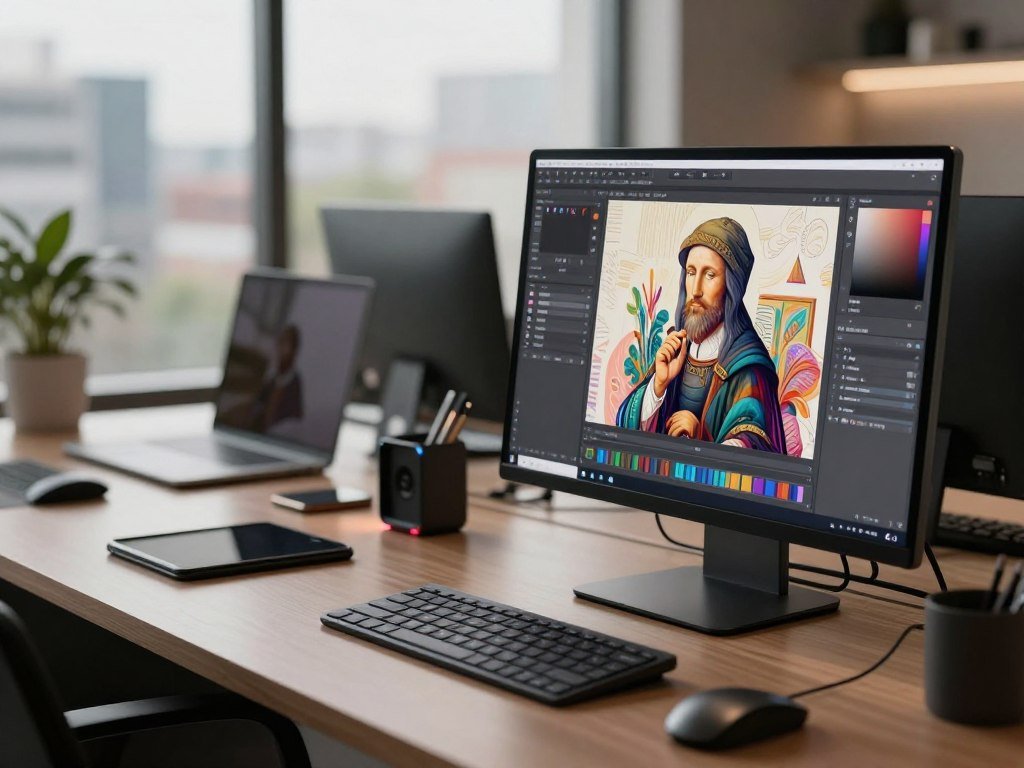
Keep the subject constant while changing one style setting at a time. That makes it easier to compare a painted look with a more realistic treatment. Free creations are public, so avoid using private source material for a test.
Style exploration and token costs
Leonardo AI offers different models and settings for image generation. A larger or more involved action can use a different token cost than a basic generation. Look at the exact action before you spend tokens on a batch.
Use these checks before generating:
- Select the model you plan to use.
- Inspect the token cost for the action.
- Confirm whether the creation will be public.
Editing from the Android app
Leonardo’s Android app lists image enhancement, image expansion, and background removal or replacement. It also lists art-style changes, which can help you adapt an existing image without starting from a blank prompt.
These tools suit quick edits on a phone, though the result still needs a close look before you share it. Check the token charge for the exact action before generating a batch.
How Does Ideogram Handle Text in Images?
For a poster or social graphic that needs readable words, Ideogram is a sensible first tool to test. Short wording and a clear visual hierarchy give the model a simpler text task.
Ideogram 3.0’s free tier offers about 10 slow-queue credits per week. The credits reset each Saturday at 00:00 UTC.
Try a short headline on a poster, social graphic, or thumbnail concept. Keep supporting text brief and tell the model which words should stand out most. Long copy leaves more room for spelling and spacing errors.
A slow queue means a generation may wait before it starts. Plan around that pause if you need several versions for a review. The weekly reset at Saturday 00:00 UTC follows Coordinated Universal Time, not necessarily your local clock.
Free-tier outputs can reach 2048 × 2048 pixels without a watermark. Images are public by default unless private generation is available on your account and you select it.
At the final display size, check each letter and the space between words. Inspect the text at its intended display size before using a generated design.
Can Adobe Firefly Fit a Free Creative Workflow?
Firefly is a useful fit when image generation is one step in a broader Adobe editing workflow. Connected editing can matter when a generated image will continue into a photo or design project.
The free plan refreshes daily, but Adobe does not publish its free-generation count. Paid plans use monthly generative credits.
| Plan | United States monthly price | Monthly generative credits | Image-generation allowance |
|---|---|---|---|
| Standard | $9.99 | 2,000 | Credit-based |
| Pro | $19.99 | 4,000 | Credit-based |
| Pro Plus | Not specified here | 10,000 | Unlimited 1K/2K image generations |
| Premium | $199.99 | 50,000 | Credit-based |
Standard and Pro list set monthly credit totals, while Pro Plus includes unlimited 1K/2K image generations. Premium carries a much larger credit balance. The daily refresh on the free plan works differently from these paid monthly plans.
Credit use can vary by action, so a plan’s total does not tell you how many images every workflow will produce. Think about whether you need to generate, edit, or make repeated changes within Adobe apps.
Firefly is most helpful when the image needs to fit a project already being built in Adobe tools. Compare the monthly credit allowance with the specific actions you expect to use, not just the plan name.
What Can Canva AI Finish After Generation?
Canva is a practical choice when you want to place a generated visual directly into a finished layout. The design canvas takes you from an image prompt to a social post, presentation, or poster.
Canva Text to Image offers more than 10 prebuilt styles and aspect-ratio choices. You can shape the image for its intended layout before adding other design elements.
Choose a style and aspect ratio, then add the result to the design canvas. From there, adjust the layout for its final use rather than treating the download as a finished graphic. Text to Graphic offers another way to generate a graphic inside Canva.
After the first image, you can choose a distinct follow-up tool:
- Use Text to Graphic to generate a graphic.
- Use Magic Edit to revise an object.
- Use Magic Expand to extend the framing.
Magic Eraser is a separate cleanup option, not another image-generation model. It can remove an unwanted element from a design, while the other options can create or change visual content.
Canva combines image generation with design tools, but access can differ by feature and plan. Check the plan’s current access for each editing feature before you build a repeatable workflow.
Is Microsoft Designer Suitable for Your Project?
Microsoft Designer can be a straightforward starting point for a personal invitation or social graphic if you already have a Microsoft account. Personal projects fit its consumer license better than paid business work.
Designer requires a Microsoft account, and its consumer license is for personal, non-commercial use. A convenient browser tool is not the same as permission to use its output in a business campaign.
You can use image creation and design tools together for a birthday invitation, greeting card, or personal post. That setup can keep a small project simple, especially when you already use a Microsoft account.
A small business should not assume that a consumer tool grants commercial permission. If you are making content for a client, a paid ad, or a product listing, choose a service whose terms cover that use.
Think about where the image will appear before you begin designing. A personal card and a paid campaign have different needs, even when the same graphic would look right in both places.
Choose a tool with commercial permission before using Designer output in a paid campaign.
Which FLUX and Stable Diffusion Models Can Run Locally?
If you want to avoid a hosted daily quota, local generation is the clearest route, provided your hardware can run the chosen model. Local control means the model runs on your computer rather than through a hosted service.
Local generation removes a hosted daily quota, not setup, electricity, or device limits. Stable Diffusion 3.5 can run without a daily generation limit, but that does not remove content rules from every interface or model.
FLUX.2 [klein] for an open-weight setup
FLUX.2 [klein] 4B has open weights under the Apache 2.0 license. Black Forest Labs lists about 13 GB of VRAM for its reference setup, though actual needs depend on how you run it.
A comparison of free image generators can help you weigh hosted access against local setup. Local model control suits people who want to run repeated experiments on their own machine.
Stable Diffusion 3.5 and Flux Schnell for local generation
Stable Diffusion 3.5 calls for at least 8 GB of GPU VRAM, with 12 GB or more recommended. Flux Schnell can also run locally without a daily generation limit and produces about 2-megapixel output.
| Model | License or access | Hardware guidance | Daily generation or output detail |
|---|---|---|---|
| FLUX.2 [klein] 4B | Apache 2.0 open weights | About 13 GB VRAM for reference setup | Local generation |
| Stable Diffusion 3.5 | Local model | At least 8 GB GPU VRAM; 12 GB or more recommended | No local daily generation limit |
| Flux Schnell | Local model | Model-specific | No local daily limit; about 2 megapixels |
No daily quota does not mean no content rules. The model, interface, computer, and setup all affect what you can do in practice. Verify the exact model license and hardware needs before downloading weights.
Which Unlimited Browser Tools Trade Resolution for Access?
Perchance is the simpler pick for rapid concepts when a small image is enough, while Raphael AI is worth trying when resolution matters more. Output size is the key difference between these browser-based options.
Perchance offers unlimited generation without an account, with a maximum resolution of 512 × 768 pixels. That size can work for thumbnails, sketches, and moodboards.
Raphael AI also offers unlimited generation without an account and supports full-resolution output. That makes it a better test when a larger image is central to the task, though resolution alone does not ensure a polished result.
“Unlimited” describes the stated generation access, not a promise of speed, consistent quality, or professional controls. A quick browser tool may be handy for trying an idea, but its workflow can offer fewer ways to shape the result.
Use Perchance to sketch a small concept, then see whether Raphael AI better serves a larger presentation image. Check a downloaded result at its intended size before using it in a presentation or print layout.
Can Pixlr Handle Image Editing as Well as Generation?
Pixlr is a good option to test when your task includes edits after the first generation, not just a prompt and download. Editing tools can help when you need to change an existing image or refine its framing.
Pixlr offers browser-based generation and editing, with listed upscaling up to 25 megapixels. Not every tool or AI model is available on every plan.
Generating a new image starts with a prompt. Editing changes an image you already have, such as removing an object, filling an area, or extending a crop with outpainting.
Pixlr also lists background removal, natural-language editing, and generative fill. These features can support a project that needs more than a single generated result. Its browser setup avoids installing a desktop editor for basic changes.
Paid plans start at $1.99 per month and include access to AI credits and image, video, and audio models. The listed upscaling can support outputs up to 25 megapixels, but plan access differs across features.
Confirm which editing tools and AI credits are included in your account before starting a multi-step job.
How to Choose the Best Free AI Image Generator for Your Task
For a realistic photo brief, start with ChatGPT if you value detailed prompt handling, then compare the same brief in Gemini or Leonardo. Prompt fit is a useful first test, not a guarantee of the best image.
No single model leads every image-generation task. Your best ranking depends on whether prompt accuracy, typography, editing, style, or volume matters most.
For realistic photos and conversational revisions
ChatGPT is a useful first option to test for realistic photos with detailed natural-language prompts. Gemini is another conversational choice, especially when you want to start from a reference image and request focused changes.
Prompt tests can cover basic scenes, complex actions, text rendering, and localized edits. Those categories reveal different strengths, so one polished portrait cannot stand in for every kind of task.
For text-heavy graphics and finished layouts
Send typography briefs to Ideogram, then use Canva or Firefly when the result needs a finished layout or further editing. A poster with a short title and a small social graphic ask for different combinations of image and design tools.
A 2026 lineup also names Midjourney for artistic results, Recraft for graphic design, and Muse Image for availability. These examples show why a broad ranking may not fit your specific brief.
For style exploration and local control
Leonardo AI gives you a hosted space for style exploration, while local FLUX or Stable Diffusion models offer more control over ongoing generation. The trade-off is between an app-based workflow and the setup required to run a local model.
For another perspective on tool fit, compare the AI image generator options by creator task. If you also draw or paint by hand, free drawing software can serve a different role from prompt-based image generation.
Keep the shortlist to two tools that match the task, then compare their downloaded results side by side.
When Does an Account Make a Free Tool More Useful?
An account is worthwhile when you need to return to saved work, while no-account access can be faster for a one-off image. Repeat visits are easier when a service ties your work to a profile.
Gemini requires a Google account, and its free-tier allowance depends on the account. Accountless tools can reduce setup, but do not assume they offer a saved gallery or deletion controls.
| Tool | Account needed | Stated free access | Useful account consideration |
|---|---|---|---|
| Gemini | Google account | Account-dependent free allowance | Return through Google account |
| ChatGPT | Yes | Free-tier image access | Account-based access |
| Leonardo AI | Yes | 150 tokens per day | Free creations are public |
| Design.com | No | Image generation, downloads, limited free AI edits | Quick guest access |
| Magic Hour | No | 10 images per day | Quick guest access |
Account-based services can make saved work and return visits easier. Design.com offers image generation and downloads without an account, plus a limited number of free AI edits. Magic Hour offers 10 free images per day without an account.
A one-off test may be quicker without registration, while a longer project can benefit from a stable account-based workspace. Avoid uploading confidential source material until you understand the tool’s visibility and deletion settings.
What Should You Check Before Using Images Commercially?
Before using an AI-generated image in a paid project, check the terms for the exact model that created it. Model choice can change the rules, even inside one platform.
Commercial permission is not proof that an image is copyrightable or free from every legal risk. Treat platform terms, copyright, and training details as separate questions.
Check the selected model and output terms
Adobe says its first-party Firefly models train on licensed Adobe Stock and public-domain content. That statement does not apply to partner models in Firefly.
Adobe permits commercial use of outputs from its own Firefly models, while partner models have different terms. Microsoft Designer’s consumer license covers personal, non-commercial use only.
Leonardo AI grants a non-exclusive commercial-use license for free outputs. Perchance states that commercial use is permitted, while Magic Hour’s free outputs are for personal use and commercial use requires a paid plan.
Separate commercial permission from copyright
Training-data information describes material used to train a model. A platform’s output terms state what uses it permits. Copyright ownership is a separate legal question, and commercial permission alone does not settle it.
Before publication, check the selected model, export route, rights to any source image, and the planned use. A tool’s terms may differ between its own model and a partner model.
Keep a record of the model, prompt, and applicable usage terms alongside the exported image.
How Can You Judge and Improve Each Result?
A fair comparison starts with one clear brief and the same prompt details in each tool. One shared test helps you see how the generator responds, rather than how a changed prompt affects the result.
Change one detail per revision so you can tell what improved the image. A prompt cannot guarantee a particular output, but clear details make comparisons more useful.
Build a prompt with controllable details
Name the subject, setting, lighting, composition, and desired style. For example, specify a yellow kayak on a calm lake, early morning light, a low viewpoint, and a natural photo style.
If the result misses the setting, revise that detail alone. Then compare the new image with the first one before changing the lighting or framing.
Compare outputs with the same test
Try a basic scene, a complex action, readable text, and an edit to one specific area. These tests reveal whether the tool follows simple requests and handles harder details without changing the whole picture.
Judge prompt fit, composition, visible artifacts, and spelling. A clean image can still fail if it changes the subject or places the requested text incorrectly.
Use these checks on each result:
- Subject accuracy
- Requested details
- Composition
- Text legibility
- Edit localization
Keep one brief fixed across tools, then change only one detail at a time during revisions.
Save the strongest prompt and note the one revision that improved the result.
Conclusion
The best starting tool is the one that fits the image you need and the limits you can work with. Start with ChatGPT for a carefully described image, Ideogram for text-heavy artwork, or a local model when avoiding a hosted daily quota matters most.
A free plan can suit a small project, but its access rules and terms should also fit the job. The right choice may be a hosted tool for convenience or a local setup for continued testing.
Run the same short prompt through two finalists and compare the downloads at their intended size. That quick test can show which result needs less repair. Try one brief in two finalists today, then keep the result that needs the least correction.



