A listener who wants free music on a commute may need a different app from someone who already owns a library of audio files. Your best free music app for iPhone depends on what you want to hear, how you listen, and whether you need internet access. Lossless audio means audio compressed without discarding sound data.
Some free apps stream a catalog, while others play files you already own. The word “free” can also mean ad-supported listening or a limited trial, so check what each option includes before you settle in. These picks separate streaming, radio, and file playback to help you find a good fit without wasting time.
The right choice can make a commute, workout, or quiet evening easier. It can also keep you from expecting offline songs when an app only streams online. The fastest way to narrow the choices is to decide whether you need a streaming catalog or a player for music you already have.
Key Takeaways
- Spotify offers broad free online streaming, with ads and playback limits.
- Freefy’s listing says it has no ads between songs.
- Audiomack and Trebel offer free in-app downloads for some tracks.
- BBC Sounds is built around radio, podcasts, and music mixes.
- Offline Music Player plays audio files you import to your iPhone.
- Free streaming does not always include offline listening.
How to Choose the Best Free Music App for iPhone
Spotify is the broadest starting point for free online listening, while a local-file player is the better fit for music already on your phone. Your listening route matters more than the app’s price label, because free access can mean very different things.
Free streaming does not necessarily include offline downloads. Some apps play songs from an online catalog, while others focus on radio, podcasts, creator uploads, or audio files stored on your iPhone.
Which free listening option works best for each person?
The best free music listening app depends on what you want to hear and where your music comes from. Spotify and Freefy suit people who want an online catalog; SoundCloud and Audiomack help with creator-focused discovery. BBC Sounds centers on radio and podcasts, while Offline Music Player handles personal files.
These 10 picks cover streaming, independent releases, radio, podcasts, music video, and personal-file playback. Spotify, Freefy, SoundCloud, YouTube Music, Audiomack, Trebel, Bandcamp, Offline Music Player, Amazon Music, and BBC Sounds each serve a different route.
What does each kind of free access include?
| Listening route | Example apps | What the free option is for |
|---|---|---|
| Online catalog | Spotify and Freefy | Streaming songs from a catalog |
| Creator-focused catalog | SoundCloud and Audiomack | Independent releases and discovery |
| Radio and podcasts | BBC Sounds | Live and on-demand programming |
| Personal files | Offline Music Player | Audio already stored on the iPhone |
Before downloading an app, check these four things:
- Does the app have the catalog or programs you want?
- Are ads acceptable during your listening?
- Do you need songs to play without internet access?
- Do you already own audio files you can put on your iPhone?
A free catalog may still limit which songs you can choose or when they play. A local-file player does not supply music; you need audio files of your own. Choose by the listening limitation you can live with, not by the word “free” on the download button.
Does Spotify Free Work for Everyday Listening?
Spotify Free is a strong everyday choice if you mainly want to stream music and podcasts while connected to the internet. Its large catalog makes it easy to move between familiar songs and new picks, though free listening has limits.
In 2026, Spotify Free does not include offline downloads, ad-free listening, or full on-demand playback. Those features are part of Premium, so the free app works best when you can stream online and accept ads.
What can you do without Premium?
Spotify’s iPhone app is free to download and streams songs and podcasts online. Its catalog lists over 100 million songs and 6 million podcast titles, giving you a lot to browse without paying first.
Playlists and recommendations help you find music for a mood, activity, or familiar artist. You can also switch between songs and podcasts in one app, which is handy when a walk turns into a long drive.
The tradeoff is control. Ads interrupt listening, and the free version does not let you choose every track for full on-demand playback. Spotify Free’s listening limits also mean a favorite song may not start exactly when you want.
When does Premium make a difference?
Premium matters if you want to listen without ads, save music for offline playback, or pick tracks on demand without the free version’s limits. Those changes can make a long commute easier, but they matter less if you already enjoy playlists and have a steady connection.
Spotify Free is a good fit for:
- Casual online listening during the day.
- Switching between music and podcasts in one app.
- Trying a large catalog before paying.
Podcasts and playlists also make Spotify useful when you do not have one album in mind. Your experience still depends on the limits of the free plan, especially when you want one exact song. Before relying on it for a flight or subway ride, check whether the songs you need are available offline on your plan.
Is Freefy a Genuinely Free, Ad-Free Option?
Freefy’s iPhone listing describes a free streaming app with no advertising between songs. That makes it appealing if ads interrupt your listening, but the wording is specific to playback between tracks.
The listing’s claim is not a promise that every screen or part of Freefy is ad-free. It also describes the usual Premium features of other platforms as available at no cost.
What does Freefy offer on iPhone?
Freefy is a streaming music app, so you listen to music through its service rather than simply playing audio files stored on your phone. Its free listing makes it an option for people who want an online music experience without a subscription.
The listing describes Premium-like features as free, but that phrase does not tell you every detail of how each feature works. Check the current App Store listing for the app’s present terms before you install it.
What does “no ads between songs” mean in practice?
“No ads between songs” refers to ads between tracks during playback. It does not tell you whether other parts of the app show promotions, or whether the app has other limits that affect your experience.
Read the listing and review the permissions the app requests before installing. That small check helps you understand the service you are choosing, especially if its ad claim is the main reason you want it.
Freefy may suit listeners who want to stream without breaks between tracks and do not need every app screen to be ad-free. Use the wording as written rather than treating it as a wider guarantee. Treat “no ads between songs” as a specific claim about playback, not a guarantee about every in-app screen.
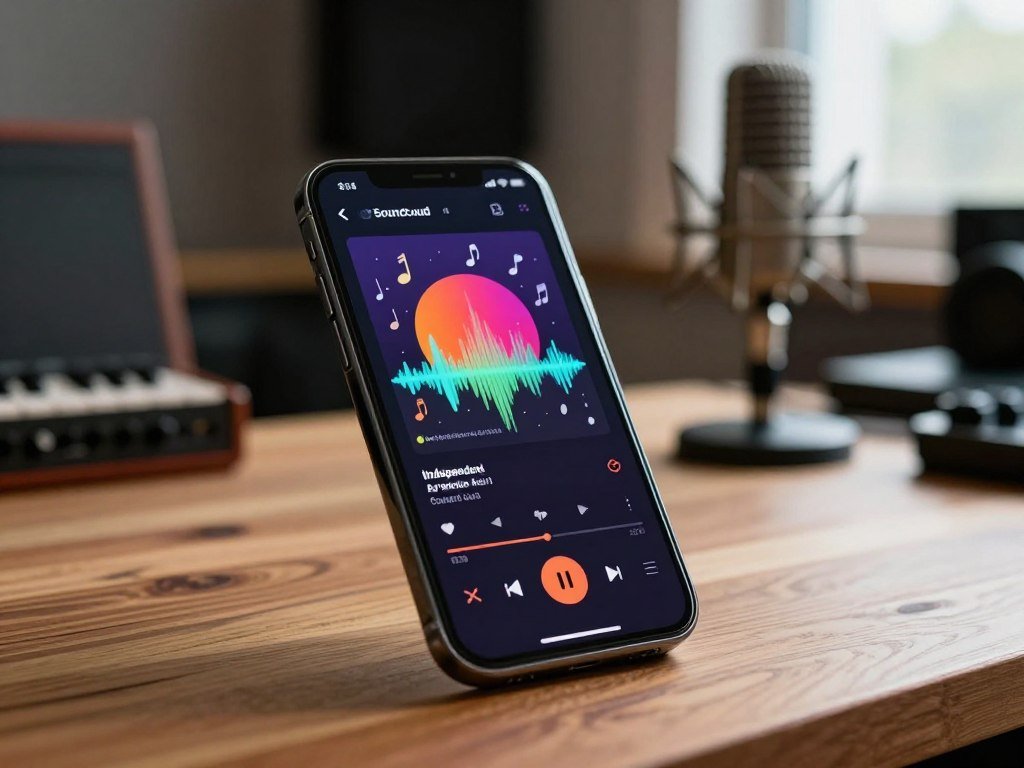
Can SoundCloud Help You Find Music Beyond the Charts?
SoundCloud is the pick for exploring independent releases, remixes, and tracks shared directly by emerging artists. Its creator-centered catalog can make it easier to hear music outside familiar chart playlists.
SoundCloud offers over 120 million tracks, mixes, and podcasts. The free tier includes ads, and offline listening is limited unless you use Go+.
Artists can share tracks and mixes directly, which makes the service useful for finding demos, edits, and new work. You may hear an early version of a song or a mix that is not easy to find on a mainstream service.
The free tier is less useful when you need dependable offline listening. Full offline access requires Go+, so an online connection remains part of the free experience. The table compares the kind of material each app offers and the limits on offline play.
| App | Distinctive free-listening material | Offline access |
|---|---|---|
| SoundCloud | Independent tracks and mixes | Limited on free tier |
| Bandcamp | Bought and downloaded music plus trial tracks | Bought downloads can be played offline |
| YouTube Music | Official tracks and music videos | Offline downloads require a paid tier |
SoundCloud is a discovery tool, not a sure way to save a full library for a trip. Its broad mix of uploads can reward browsing, but a specific artist may not have every release there.
Use it for discovery, but keep a second option in mind if you need reliable offline access to a full catalog.
Is YouTube Music Worth Using for Video Discovery?
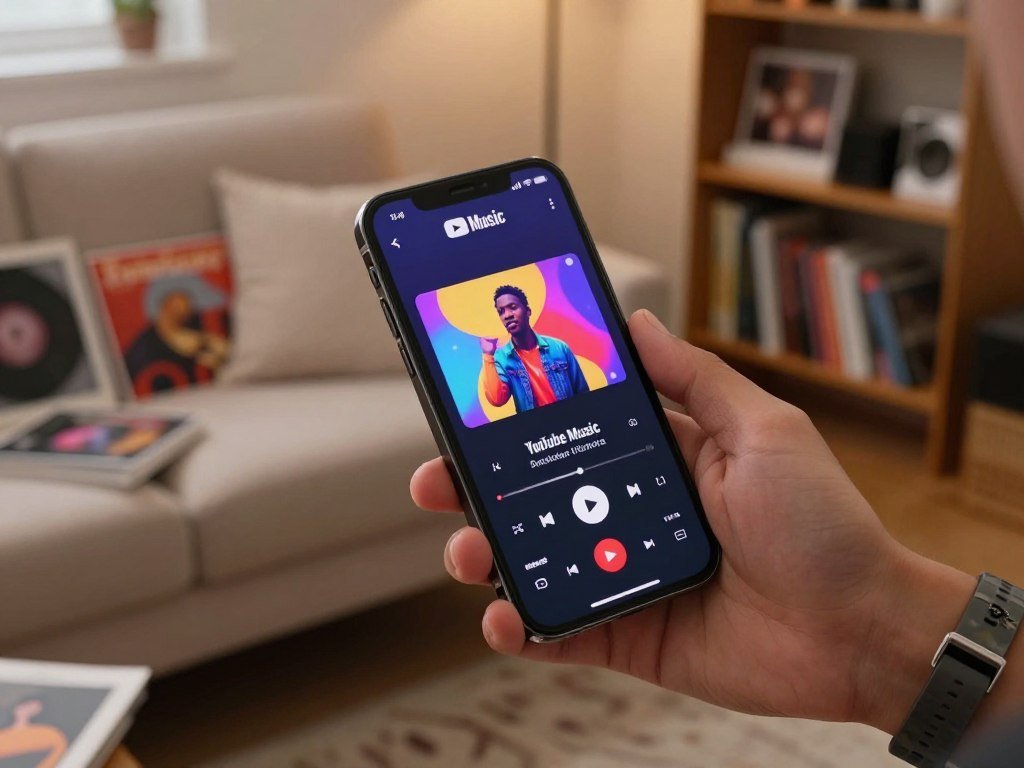
YouTube Music stands out for listeners who want songs alongside music videos, covers, and live performances. Audio and video together make it useful when the way a song looks matters as much as how it sounds.
YouTube Music has over 100 million tracks, but offline downloads require a paid plan. The free tier includes ads, so online access is the main no-cost way to listen.
The app combines music streaming with video content. You can move between an official track, a cover, or a live performance, which gives you more ways to explore the same song.
A hands-on YouTube Music review also describes its catalog of over 100 million songs and its mix of videos, covers, and live performances. That blend suits listeners who enjoy seeing different versions of a track.
Streaming access is not the same as keeping audio files on your iPhone. The free tier lets you stream with ads, while saving songs for offline listening requires a paid plan.
If you mostly play music with the screen off, video features may matter less to you. If you like watching performances or comparing covers, the combination can make the app more engaging.
Choose it for its mix of audio and video, not as a no-cost way to save a catalog for offline listening.
Can Audiomack Download Music for Free?
Audiomack is a strong free choice for downloading tracks in-app when your listening leans toward hip-hop, rap, R&B, or Afrobeats. Free offline access is a useful draw, although ads appear on the free tier.
Audiomack allows free in-app track downloads for offline listening. Its catalog leans toward certain genres and independent artists, so it may not match the mainstream breadth of Spotify or Apple Music.
The app can suit listeners who want tracks saved inside an app without a paid subscription. That download stays within Audiomack; it is not the same as exporting a song as a general audio file to use elsewhere.
The catalog is especially relevant to these styles and communities:
- Hip-hop
- Rap
- R&B
- Afrobeats
- Independent artists
Ads are the main tradeoff for free listening, and not every artist or mainstream release will be available. A track that appears in a search may also have different listening options from another track.
Check the track itself before a trip, since the catalog’s independent focus may not cover every mainstream release you expect.
Does Trebel Let You Listen Offline Without a Subscription?
Trebel trades occasional short ads for free in-app downloads that can be played offline. The download stays in Trebel, so this is not the same as saving a general audio file to your iPhone.
Trebel offers free song downloads supported by short ads. The app can play those downloaded tracks offline without a recurring subscription.
This setup can work well if you want to save selected songs before leaving Wi-Fi. The ad supports the download model, giving you a free route to offline listening inside the app.
Trebel’s catalog can vary by region. A song available to one listener may not appear for someone in another area, so your local selection affects how useful the app will be.
It is a different kind of free access from an online streaming catalog that always needs a connection. Once an eligible track has been downloaded in the app, you can play it without internet service.
Search for a few must-have tracks in your region before depending on the app for a trip.
Is Bandcamp a Free Music Streaming App?
Bandcamp works best for people who want to discover independent music and support artists directly, not for unlimited free streaming. It is an online music store with a free app for playing music you have bought and downloaded.
A Bandcamp trial track can play three times before the app or site prompts you to buy. That gives you a sample, not unlimited access to the full album.
Bandcamp can help you explore independent artists and decide which albums you want to own. Its listening model connects discovery with buying music, rather than offering a broad catalog for endless free streams.
The app plays music you have bought and downloaded. Once those files are in your account and on the device, you can listen through the app without treating the service as a free streaming catalog.
Trial tracks on the website offer a small way to sample an album. After three plays, Bandcamp prompts you to make a purchase through the app or site.
That distinction matters if you are choosing between a streaming service and a store. Bandcamp is a better match when you want to hear a sample and then support an artist by owning the music.
Use a trial play to sample an album, then decide whether you want to own it.
Can Offline Music Player Play Without Internet?
Offline Music Player is a practical choice if you already have audio files and want them to play without Wi-Fi or cellular service. It is a local-file player, not a streaming catalog or a source of music.
The app is free with in-app purchases and plays imported audio files offline. Your files must already be on the iPhone for playback to work without a connection.
Which audio files can it play?
Offline Music Player supports MP3, FLAC, WAV, CAF, and AAC files. Those formats cover common compressed songs as well as larger files used by some music libraries.
FLAC is a lossless audio format, meaning compression does not discard sound data. Playing a FLAC file does not improve a low-quality source, and the file still needs to be stored on your phone.
Which controls make it useful for everyday listening?
The iPhone app includes background playback, playlists, shuffle, repeat, and an equalizer. Those controls help organize a personal music library and shape how it plays.
An equalizer changes playback sound by adjusting sound ranges. It does not create a higher-quality source file or add detail that was missing from the original recording.
The app is useful when you want your own collection in one place and do not need a streaming catalog. Check that the music files are fully stored on the iPhone, rather than only visible in a cloud service.
Confirm that your files are stored on the iPhone before relying on any player while offline.
Does Amazon Music Give Prime Members a Free Music Option?
Amazon Music is most appealing as a free extra when you already pay for Amazon Prime. Prime membership changes the deal, because it includes a music selection without an added music charge.
Prime includes access to over 2 million songs through Amazon Music, with no ads. People without Prime can use Amazon Music Free, but that tier includes ads and lacks offline playback.
Prime members can listen to the included selection as part of their membership. It is not a free music plan for someone who does not have Prime, and the included catalog has its own limits.
Amazon Music Free offers a separate route for non-Prime listeners. Its ad-supported streams do not include offline playback, so songs still depend on an internet connection.
That difference can matter if you already use Prime for other reasons. You may have access to music without paying a separate music fee, but you should not assume the Prime selection works like a full paid music plan.
Check which Amazon Music tier is active before assuming offline playback is available.
Is BBC Sounds a Good Free Music App for Podcasts and Radio?
BBC Sounds is the best fit here if you want radio and podcasts alongside music mixes. Programs come first, so it suits listeners who enjoy a station or show more than choosing any song on demand.
BBC Sounds brings live and on-demand radio, podcasts, music mixes, and downloads together. Radio 1, Radio 4, and 1Xtra offer clear examples of its range.
You can listen to live radio or choose on-demand programming when it fits your day. Radio 1 and 1Xtra include music-focused listening, while Radio 4 adds spoken-word shows and other programs.
Podcasts and music mixes add more choice between live broadcasts. That makes the app useful when you want a planned program or a mix rather than building a queue track by track.
Downloads support listening on the go, so a program can be ready when you leave Wi-Fi. The app’s strength is its mix of radio and spoken content, not a promise that every song is available on demand.
Choose the show or mix you want before you travel, then use its download for the journey.
Spotify vs Apple Music: Which Subscription Is Worth Paying For?
Spotify wins for listeners who want its discovery and plan flexibility, while Apple Music wins for those who value higher-resolution audio and Spatial Audio. Your devices and listening habits can make one choice much clearer.
Apple Music has no permanent free plan, while Spotify offers several paid plan types. In the United States, Apple Music Individual costs $11.99 per month in October 2026; Spotify Individual costs $12.99.
What do Spotify and Apple Music cost in the United States?
Spotify Student costs $6.99 monthly and includes Hulu for eligible students. Duo costs $18.99 for two people at the same address, while Family costs $21.99 for up to six family members at one address.
Apple Music Student costs $5.99 per month for verified college or university students, for up to four years. Its Family plan costs $19.99 monthly and can be shared with up to five others.
| Service and plan | U.S. price per month | Eligibility or account terms | Notable extra |
|---|---|---|---|
| Spotify Individual | $12.99 | One account | 15 monthly audiobook hours |
| Apple Music Individual | $11.99 | One account | Lossless and Spatial Audio |
| Spotify Student | $6.99 | Eligible students | Hulu access |
| Apple Music Student | $5.99 | Verified college or university students, up to four years | Student access |
| Apple Music Family | $19.99 | Share with up to five others | Shared access |
Spotify Premium Individual includes lossless audio up to 24-bit/44.1 kHz and 15 hours each month from its subscriber audiobook catalog. Its plan options can suit households with different needs, but Duo and Family require members to share an address.
How do trials, sound quality, and device support compare?
Apple Music subscribers get over 100 million ad-free songs, offline listening, lossless audio up to 24-bit/192 kHz, and Dolby Atmos Spatial Audio. The higher lossless setting may matter if you use gear that can make the difference clear.
Apple Music works on iPhone, iPad, Android, Windows, macOS, Apple Watch, HomePod, Amazon Alexa, and some smart TVs. Spotify may be the better fit if you prefer its music and podcast experience, while Apple Music suits listeners focused on sound quality and Apple devices.
New U.S. Apple Music subscribers may get a three-month trial, though some offers last one month. Eligible AirPods, HomePod, or Beats purchases can qualify for six months free, usually activated within three months of pairing.
Apple Music offers these trial routes:
- The standard offer for new subscribers, which may last three months.
- Shorter offers that last one month.
- An eligible-device offer that can last six months.
Apple subscriptions renew automatically unless you cancel at least 24 hours before the current period ends. In plain terms, cancel a day or more before renewal to avoid the next charge.
Check eligibility and the renewal date before starting a trial so a free period does not turn into an unwanted paid subscription.
How Can You Listen Offline Without a Subscription?
You can listen offline without a subscription if you either download eligible tracks inside a free app or load audio files you already own onto the iPhone. Those are different routes: an in-app download stays in that service, while a local-file player plays your own audio.
Audiomack and Trebel offer free in-app download routes, and a local-file player works with files you own. Downloading an app does not make copyrighted music free to keep or share.
Which free music apps for iPhone work offline without a subscription?
Audiomack and Trebel let you save eligible songs inside their apps for offline playback. A local-file player works when you already own audio files and have stored them on the iPhone.
Finder on a Mac can sync audio files to an iPhone. On Windows, the Apple Devices app can do the same. Cloud storage also works if you download your files to the phone before traveling.
| Route | What you need | How it works offline | Subscription needed |
|---|---|---|---|
| Sync from a Mac | Audio files and Finder | Copy files to the iPhone before travel | No |
| Sync from Windows | Audio files and Apple Devices app | Copy files to the iPhone before travel | No |
| Cloud storage | Owned audio files in a cloud account and a compatible player | Download to the iPhone before travel | No for files already owned |
| In-app download | An app with a free download for that track | Save it inside the app for offline playback | No for eligible free downloads |
How do you put your own music files on an iPhone?
Use Finder on a Mac or the Apple Devices app on Windows to sync files. You can also download music you already own from cloud storage to a compatible player.
Follow these three steps:
- Move or download the files while the iPhone is online.
- Open the files in the player you plan to use.
- Test playback in Airplane Mode before you leave.
A typical song file may take about 2-10 MB, while a large offline library can use a few gigabytes. That difference can affect how much space remains for photos, apps, and other files.
Test the saved music in Airplane Mode before leaving home, and leave enough phone storage for the files.
Conclusion
Start with Spotify if you want a broad free streaming experience, or choose a local-file player if your music is already on your iPhone. The right choice follows your habits, not the promise of a free download.
Free streaming and offline playback are different needs, so you may use separate apps for each. Freefy may appeal if its no-ads-between-songs listing fits what you want, while Offline Music Player handles personal audio files.
Download one app that matches your listening habits and test it with the songs or programs you actually use.
FAQ
Which music app is totally free for iPhone?
Spotify Free and Freefy are free streaming options, while Offline Music Player is free for playing imported files. Spotify includes ads and limits some playback choices. Freefy’s listing describes no ads between songs, rather than a guarantee about every screen. Offline Music Player does not supply a catalog, and its free app includes in-app purchases.
Is Spotify or Apple Music better?
Spotify is better if you want a free tier, flexible plan choices, and its music and podcast experience. Apple Music is better if you value lossless audio up to 24-bit/192 kHz and Dolby Atmos Spatial Audio. Apple Music has no permanent free plan, though eligible trial offers can provide temporary access. Your choice depends on whether price flexibility or audio features matter more.
What is Freefy?
Freefy is a free iPhone streaming app whose listing describes no advertising between songs and features similar to paid platforms at no cost. It streams music rather than serving as a player for files already on your phone. The ad claim applies to playback between songs, not necessarily every screen or part of the app. Read its current listing and permissions before installing.
Is Apple Music free with Amazon Prime membership?
No, Apple Music is not included with Amazon Prime. Prime members get access to Amazon Music’s included selection, with over 2 million songs and no ads. Apple Music is a separate service that requires a subscription or an eligible trial offer. If you already pay for Prime, its included Amazon Music access may be enough for casual listening.
How to get free Apple Music without a subscription?
You can use a trial or eligible-device offer, but neither is a permanent free plan. New U.S. subscribers may receive a three-month trial, while some offers last one month. Eligible AirPods, HomePod, or Beats purchases may qualify for six months, usually with activation within three months of pairing. Check the offer shown for your account or device before starting.
How to not pay for Apple Music?
Cancel Apple Music in Settings at least 24 hours before the current subscription period ends to avoid the next renewal charge. Apple subscriptions renew automatically unless you cancel in time. You can also choose a free alternative, such as Spotify Free or an app that plays audio files you already own. A trial will become paid access if you leave it active past renewal.
Is there a code for free Apple Music in 2026?
Apple Music offers trials and eligible-device promotions, but there is no universal code stated for all users. New U.S. subscribers may see a three-month offer, some offers last one month, and eligible device purchases may qualify for six months. The offer depends on the account or device. Check the promotion shown to you rather than relying on a code from someone else.