
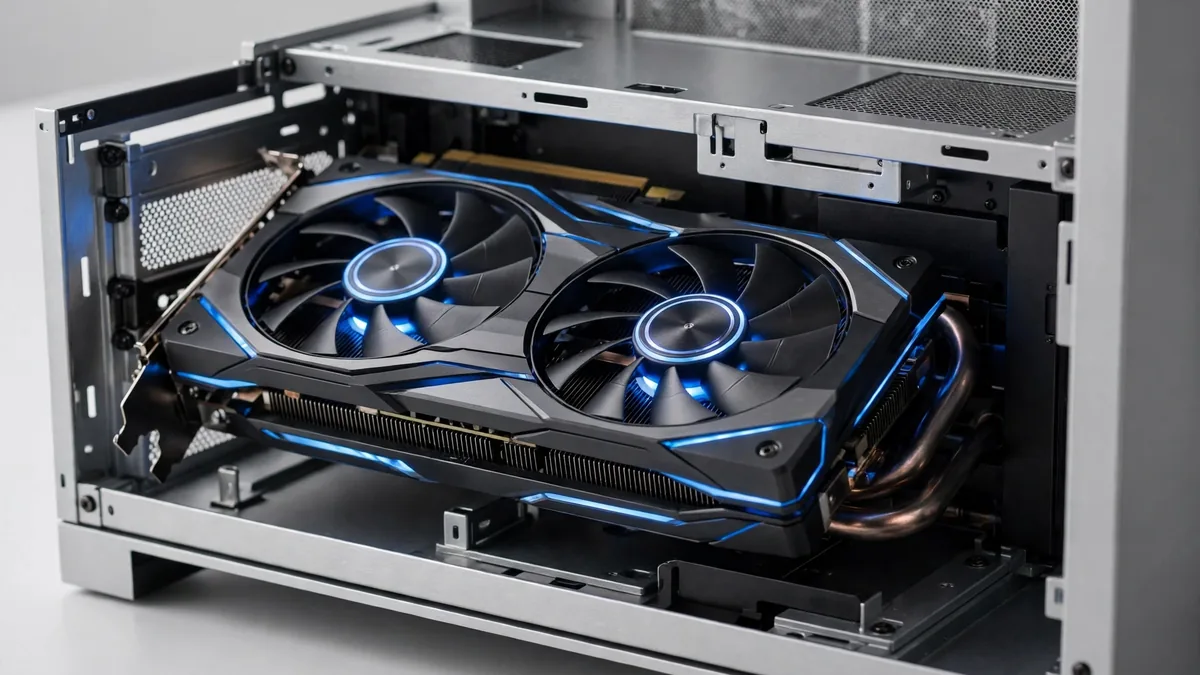
Best GPU web hosting in 2027 is the way to run work that a normal CPU server cannot handle. Training a machine learning model, rendering 3D scenes, transcoding video, or running AI inference all need a graphics processing unit, and a GPU can finish those jobs in minutes instead of hours.
GPU hosting has become far more accessible. Cloud providers now rent GPU instances by the hour, so a small team can train a model for a weekend without buying a server. The choices that matter are the GPU model, the amount of video memory, and whether the provider manages the server for you.
This guide compares eight GPU hosting providers across cloud GPU instances, managed GPU servers, and dedicated GPU machines. Every price below is an approximate starting price, so check current pricing before you buy.
Key takeaways
- Vultr is the best overall GPU host, with a wide range of GPUs, hourly billing, and data centres around the world.
- Lambda is the best pick for AI training, with purpose-built GPU cloud servers and deep learning images ready to run.
- Kamatera is the best choice for flexible GPU servers, with exact sizing and billing by the hour or month.
- Liquid Web is the best managed GPU option, with fully managed dedicated GPU servers and expert support.
- Video memory matters more than the GPU name alone, so match the VRAM to your model or render job.
At a glance: the shortlist
| Provider | Best for | Starting price | Standout limit |
|---|---|---|---|
| Vultr | Best overall GPU cloud | From about $0.50 an hour | High-end GPUs cost much more |
| Lambda | AI training | From about $0.50 an hour | Fewer data centre locations |
| Kamatera | Flexible GPU servers | From about $0.30 an hour | Unmanaged unless you pay for support |
| Paperspace | ML developers | From about $0.45 an hour | Smaller provider |
| DigitalOcean | Simple GPU droplets | From about $2 an hour | High-end GPU range is limited |
| OVHcloud | Budget GPU instances | From about $0.90 an hour | Support is slower than rivals |
| Liquid Web | Managed GPU servers | From about $350 a month | Premium pricing |
| IONOS | Dedicated GPU servers | From about $200 a month | Setup takes longer |
Vultr — Best overall
Vultr is the best overall GPU web hosting provider for most buyers in 2027. Its cloud GPU range covers entry-level cards for inference and rendering up to high-end data centre GPUs for training, all billed by the hour. You can spin up a GPU instance in minutes, run a job, and delete it when done.

The platform includes data centres in many countries, a choice of operating systems, and pre-built images for machine learning frameworks. If your workloads also need general-purpose cloud capacity, the best cloud web hosting plans are worth comparing, since Vultr competes in both areas.
Pros: Wide GPU range, hourly billing, many data centres, fast provisioning.
Cons: High-end GPUs cost much more, support is ticket-based, no managed GPU option.
Lambda — Best for AI training
Lambda is the best pick for AI training. Its GPU cloud is built for machine learning, with data centre GPUs, fast networking between instances, and images that ship with PyTorch, TensorFlow, and the drivers already installed. You can start training within minutes.
Lambda also sells GPU workstations and servers for teams that want hardware of their own, and its on-demand cloud pricing is clear. The data centre choice is narrower than the big general clouds, and the platform assumes you know your way around Linux and a training script.
Pros: Purpose-built for AI training, ready-to-run ML images, fast GPU networking, clear pricing.
Cons: Fewer data centre locations, assumes Linux and ML experience, no shared hosting.
Kamatera — Best for flexible GPU servers
Kamatera suits developers who want to size a GPU server precisely. You pick the GPU, CPU, RAM, and storage for each cloud instance, and you can scale any of them up or down without moving to a different plan. Billing is hourly or monthly, so a test run for a render job costs very little.
The platform includes a choice of data centres across four continents and a range of GPU options for different budgets. Kamatera is largely unmanaged by default, so you should be comfortable with server administration or pay for the managed add-on.
Pros: Exact resource sizing, hourly billing, many data centres, fast provisioning.
Cons: Unmanaged by default, managed support costs extra, GPU range is smaller than Vultr.
Paperspace — Best for ML developers
Paperspace is the best choice for machine learning developers who want a simple GPU cloud. Its Gradient platform manages notebooks, training jobs, and deployments, so you can focus on the model instead of the server. GPU instances start at a low hourly rate.
The platform also offers virtual desktops with GPUs for 3D work and design. Paperspace is smaller than the big clouds, so it has fewer regions and fewer enterprise features, but for a developer or a small team, the simplicity is worth it.
Pros: Simple ML platform, low hourly GPU rates, managed notebooks and jobs, free credits for new users.
Cons: Smaller provider, fewer regions, fewer enterprise features.
DigitalOcean — Best simple GPU droplets
DigitalOcean is the best GPU option for developers who already know its platform. Its GPU droplets use high-end data centre GPUs with a simple setup flow, predictable billing, and the same dashboard developers use for the rest of their infrastructure.
The GPU range is narrower than the specialist GPU clouds, and the hourly rates for the largest GPUs are high. For inference, small training runs, and rendering jobs that fit a single GPU, the simplicity wins.
Pros: Simple setup, predictable billing, familiar dashboard, strong documentation.
Cons: Narrow GPU range, high rates for large GPUs, ticket-based support.
OVHcloud — Best budget GPU instances
OVHcloud is the best budget route to a GPU instance. Its public cloud offers GPU instances at hourly rates that undercut many rivals, with a choice of GPU models for AI, rendering, and video work. The company runs its own data centres in Europe, North America, and Asia, which helps keep prices down.
The control panel and documentation are less polished than the big clouds, and support can be slower to respond. For a developer who knows what they need and wants the lowest hourly rate, those are acceptable trade-offs.
Pros: Low hourly GPU rates, own data centres, choice of GPU models, reserved pricing available.
Cons: Support is slower than rivals, panel feels dated, fewer ML tools built in.
Liquid Web — Best managed GPU servers
Liquid Web is the best managed GPU hosting provider for businesses that want experts handling the server. Its dedicated GPU servers include proactive monitoring, patching, backups, and a support team that answers quickly and knows server hardware properly. That matters when a GPU server earns money every hour it stays online.
The plans are not cheap, but the price covers work you would otherwise pay a system administrator to do. You get a choice of GPU models, generous bandwidth, and a 100 percent uptime agreement on network and power. Small hobby projects should look elsewhere.
Pros: Fully managed GPU servers, expert support, strong uptime guarantee, choice of GPU models.
Cons: Premium pricing, no hourly billing, setup takes longer than cloud rivals.
IONOS — Best dedicated GPU servers
IONOS is the best pick for a dedicated GPU server at a fair price. Its dedicated servers can be configured with GPUs for AI, rendering, and video work, and you get the whole machine to yourself, which keeps performance consistent.
Pricing is aggressive for dedicated hardware, and the included SSL certificate and backups cover the basics. Setup takes longer than a cloud instance, and the GPU range is smaller than the specialist clouds. For steady, long-running workloads, a dedicated GPU server is often cheaper than renting by the hour.
Pros: Dedicated GPU hardware, consistent performance, fair pricing, cloud servers also available.
Cons: Slower setup than cloud instances, smaller GPU range, support is ticket-first.
How to choose
Start with the workload. Training a large model needs a data centre GPU with plenty of video memory, while inference and rendering can run on a smaller, cheaper card. Check the VRAM first, because a model that does not fit in video memory will not run at all.
Next, decide between hourly cloud instances and a dedicated server. Hourly billing wins for short jobs and experiments, while a dedicated GPU server is cheaper for workloads that run all day, every day. Also check the CPU, RAM, and storage around the GPU, because too little RAM will starve the card.
Finally, compare the total cost, not just the hourly rate. Data transfer, storage, and support can add a lot to the bill. For a project that also needs traditional hosting capacity, the best dedicated hosting for developers is a useful comparison.
Checklist: before you pay
- Confirm the GPU model and the amount of video memory, and check that your model or render job fits in it.
- Compare hourly and monthly pricing for your actual workload, because a dedicated server can be cheaper for steady use.
- Check the CPU, RAM, and storage around the GPU, because a weak server will starve a fast card.
- Confirm the data transfer allowance and the price of extra transfer before running large jobs.
- Check whether the machine learning frameworks and drivers are pre-installed.
- Ask support a GPU-specific question before buying, and judge the answer, not the response time alone.
Frequently asked questions
Do I need GPU hosting for a normal website?
No. A normal website, blog, or shop runs on CPU servers, and a GPU adds nothing but cost. GPU hosting is for machine learning, AI inference, 3D rendering, and video transcoding, where thousands of parallel cores make a real difference.
How much VRAM do I need for AI training?
It depends on the model. Small models and fine-tuning can run on 16 gigabytes of video memory, while larger models need 24, 40, or 80 gigabytes. Check the model documentation, then add headroom for the training process itself.
Is hourly GPU billing cheaper than buying a GPU?
For short or irregular work, yes. Renting by the hour avoids the upfront cost of a card and the power and cooling to run it. For workloads that run all day, every day, a dedicated server can be cheaper over a year. If you need general hosting too, the best VPS hosting for AI apps can be a cheaper starting point for small AI projects.
Can I run Windows on a GPU server?
Yes, on most providers. Linux is more common for AI work, because the frameworks and drivers are best supported there, but Windows GPU servers are available for rendering and design software that needs Windows.
What is the difference between a cloud GPU and a dedicated GPU server?
A cloud GPU is a virtual instance with a share of a physical GPU or a whole card, billed by the hour and ready in minutes. A dedicated GPU server gives you the whole machine, with consistent performance and a monthly price.
How do I keep GPU hosting costs under control?
Stop instances when jobs finish, use spot or reserved pricing where available, and pick the smallest GPU that fits your model. Set spending alerts so a forgotten instance does not run all month.
The bottom line
Vultr is the best GPU web hosting choice for most buyers in 2027, because it pairs a wide GPU range with hourly billing and data centres around the world. Lambda is the better pick for AI training, Kamatera suits developers who want exact control, and Liquid Web is the right choice when a business needs fully managed GPU servers.
Whatever you choose, match the GPU and its video memory to the job, compare hourly and monthly costs for your real workload, and set spending alerts before the first job runs.



