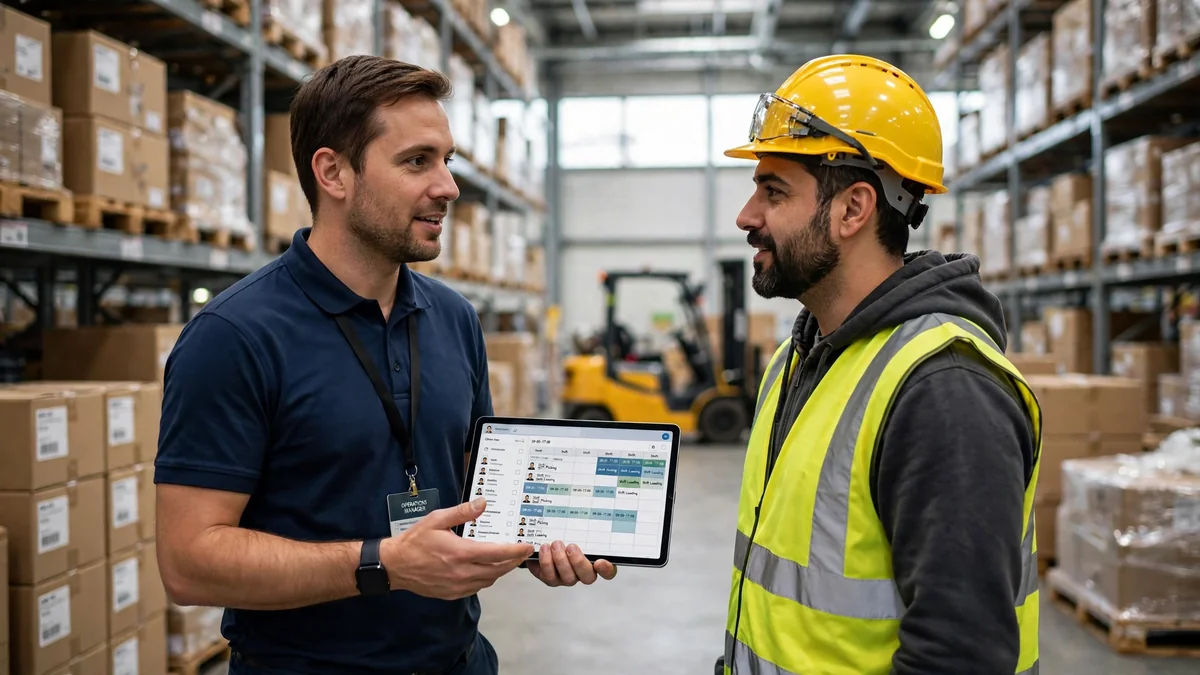
Best HR software for warehouses in 2027 has to handle the realities of shift work: large hourly teams, rotating rosters, overtime rules, safety training records, and high turnover.
The strongest warehouse HR platforms combine hiring, onboarding, scheduling, time and attendance, payroll, and safety compliance in one place.
This guide compares eight HR platforms that work well for warehouse teams in 2027, from free tools for a single small facility to enterprise systems for multi-site operators. Prices are approximate starting prices, so check current pricing before you buy.
Key takeaways
- Rippling is the best overall pick for warehouses, with strong scheduling, payroll, and device management in one system.
- Homebase is the best budget option, with a genuinely useful free plan for small warehouse teams.
- Gusto is the best choice for small warehouses that want payroll and benefits handled with minimal admin.
- Shift scheduling, overtime tracking, and safety certification records matter more than office-style performance reviews.
- Workday and ADP suit large multi-site operators; smaller warehouses will find them heavy and expensive.
At a glance: the shortlist
| Product | Best for | Starting price | Standout limit |
|---|---|---|---|
| Rippling | Best overall | From $8 per user, per month | Per-user pricing adds up at scale |
| Gusto | Small warehouses | From $40 per month plus $6 per user | Limited shift scheduling depth |
| BambooHR | Mid-size warehouse teams | From around $250 per month | Payroll is a paid add-on |
| Paycor | Shift-heavy operations | Custom pricing | No public starting price |
| Homebase | Budget and small teams | Free basic plan; paid from $20 per location, per month | HR depth is lighter than rivals |
| ADP Workforce Now | Multi-site operators | Custom pricing | Setup can be slow |
| Workday | Large enterprises | Custom pricing | Overkill below 500 staff |
| Factorial | Growing warehouse firms | From $5.50 per user, per month | US payroll support is newer |
Rippling — Best overall
Rippling is the best HR software for warehouses in 2027 because it ties HR, payroll, scheduling, and IT together in one system. A new hire can be onboarded, given a shift pattern, enrolled in payroll, and issued a badge or device login from a single workflow, which cuts the admin work that piles up when warehouse teams grow quickly.

The scheduling and time-tracking tools handle rotating shifts, overtime thresholds, and meal-break rules, and managers can approve timecards from a phone on the floor.
Rippling also tracks equipment and access, so a forklift certification expiry or a lost badge can be flagged before it becomes a compliance problem. If your warehouse already relies on employee scheduling software, Rippling can replace much of that stack rather than sitting alongside it.
Pros: Deep HR, payroll, scheduling, and IT in one platform; strong automation for onboarding and offboarding; good mobile app for floor managers.
Cons: Per-user pricing climbs with large hourly teams; setup takes more effort than simpler tools.
Gusto — Best for small warehouses
Gusto is the simplest way for a small warehouse to run payroll, benefits, and basic HR without hiring an HR specialist. Payroll is the standout: it handles tax filings, new-hire reporting, and contractor payments, and it flags common mistakes before a run is submitted.
Onboarding is quick, with digital offer letters, e-signatures, and direct deposit setup that new warehouse hires can complete from a phone.
Gusto is less deep than Rippling on scheduling and workforce planning, so warehouses with complex rotating rosters may need a separate scheduling tool. But for a single facility with up to 50 or so staff, it covers the essentials cleanly and costs less than most rivals.
Pros: Excellent payroll with automatic tax filings; fast onboarding; clear, predictable pricing.
Cons: Scheduling is basic; limited multi-site and compliance depth for large operations.
BambooHR — Best for mid-size warehouse teams
BambooHR suits mid-size warehouses that want organised people data without enterprise complexity. Employee records, time off, onboarding checklists, and performance notes live in one clean interface that supervisors can actually use without training sessions.
The time-off tracking handles shift workers well, with clear approval chains and balances that managers can see at a glance.
Payroll is available as an add-on rather than built in, which adds cost, and BambooHR has no native warehouse scheduling, so it pairs best with a dedicated scheduling tool.
Pros: Clean, easy interface; strong employee records and onboarding; good time-off management.
Cons: Payroll costs extra; no native shift scheduling.
Paycor — Best for shift-heavy operations
Paycor is built around the needs of hourly workforces, which makes it a natural fit for warehouses. Its scheduling tools handle shift swaps, overtime alerts, and labour cost forecasting, and the time and attendance system supports kiosks, badges, and mobile clock-ins.
Payroll is strong, with tax compliance and reporting that suit multi-state warehouse operators.
Paycor also offers learning management and compliance tracking, so safety certifications and refresher training can be assigned and monitored from the same system.
Pros: Strong scheduling and time tracking for hourly teams; solid payroll and recruiting; good compliance and training tools.
Cons: Custom pricing with no public starting point; interface can feel dated in places.
Homebase — Best for budget and small teams
Homebase is the best budget HR software for warehouses because its free plan already covers scheduling, time tracking, and team messaging. For a small warehouse with a tight budget, that removes the biggest barrier to moving off paper rosters and spreadsheets.
Shift scheduling is the strongest feature, with drag-and-drop rosters, shift swap requests, and availability management. Time tracking runs through a tablet or phone kiosk, and hours feed directly into payroll integrations. Hiring tools cover job posting and applicant tracking for entry-level warehouse roles.
The HR side is lighter than the other tools on this list: there is less depth in employee records, performance management, and compliance reporting.
Pros: Free plan covers scheduling and time tracking; easy kiosk clock-ins; low-cost paid plans.
Cons: Shallow HR and compliance features; reporting is basic.
ADP Workforce Now — Best for multi-site operators
ADP Workforce Now is a solid choice for warehouse operators running several sites. It combines HR, payroll, time and attendance, talent management, and benefits administration in one platform, with the scale to handle thousands of hourly employees.
Its payroll engine is one of the most reliable in the industry, with tax compliance across states and detailed labour reporting. Time and attendance integrates with scheduling, and managers can track attendance patterns, overtime, and absence trends across locations.
Pricing is custom, and the total cost is usually higher than mid-market rivals, so it fits best when a warehouse business already has dedicated HR staff.
Pros: Proven payroll and tax compliance at scale; strong multi-site reporting; broad HR feature set.
Cons: Slow implementation; expensive for smaller operators; interface feels heavy.
Workday — Best for large enterprises
Workday is the enterprise option for warehouse operators with large, complex workforces. Its HR, payroll, and workforce planning tools handle thousands of employees across many sites, with deep analytics on labour cost, turnover, and skills gaps.
Workforce planning is the standout: warehouse leaders can model staffing against demand forecasts and seasonal peaks, then track whether hiring is keeping pace. Talent management covers internal mobility, which matters for warehouses that promote pickers into team-lead roles.
Workday is far too much for a small or mid-size warehouse. Implementation is a major project, pricing is custom and high, and the system expects a dedicated HR and IT team to run it.
Pros: Best-in-class workforce planning and analytics; handles very large hourly workforces; strong talent management.
Cons: Expensive and complex to implement; overkill for most warehouses.
Factorial — Best for growing warehouse firms
Factorial is a fast-growing HR platform that works well for warehouse firms scaling from one site to several. It covers employee records, time off, attendance, onboarding, and document management, with a clean interface that supervisors pick up quickly.
Time tracking and shift management handle the basics well, and the document system keeps contracts, certifications, and safety records in one searchable place. Hiring tools include an applicant tracking system, which helps warehouses that recruit in bursts around peak season.
Factorial started in Europe, so its US payroll support is newer than the US-first tools on this list, and warehouses that need deep US payroll may prefer Gusto or Rippling.
Pros: Affordable starting price; clean interface; good documents and onboarding; useful hiring tools.
Cons: US payroll is less mature; scheduling depth is moderate.
How to choose
Start with the size of your team and the number of sites. A single warehouse with under 30 staff should look at Homebase or Gusto first, while a multi-site operator with hundreds of hourly workers will get more from Paycor, ADP, or Rippling.
Next, check the shift and compliance features specifically. The tool must handle rotating rosters, overtime rules, shift swaps, and certification tracking, because those are the daily realities of warehouse work. A platform that only does office-style time off and performance reviews will leave your supervisors working around it. When you compare payroll options, read our guide to the best payroll software for small business to see how payroll-first tools differ from full HR platforms.
Finally, test the mobile experience on the warehouse floor. Supervisors approve timecards and shift swaps from a phone, and workers clock in from a kiosk or their own device. If the app is slow or confusing in a noisy, gloved-hand environment, adoption will fail no matter how good the desktop dashboard looks.
Checklist: before you pay
- Run a free trial with a real roster, including a rotating shift pattern and an overtime week.
- Confirm the renewal price, not just the introductory rate, and check how per-user pricing scales.
- Test clock-ins from a kiosk, a phone, and a badge reader if you use them.
- Check how safety certifications and expiry alerts are tracked.
- Confirm data export options so you can leave without losing employee records.
- Ask about support hours and response times during night and weekend shifts.
Frequently asked questions
What is the best HR software for a small warehouse?
Homebase is the best budget pick, with a free plan covering scheduling and time tracking. Gusto is the best choice if payroll is your main concern, since it handles tax filings and onboarding with very little admin work.
Do warehouses need separate scheduling software?
Not always. Rippling, Paycor, and Homebase include scheduling that covers most warehouse rosters. If your shifts are very complex, a dedicated scheduling tool may still help, and many teams pair their HR platform with a specialist scheduler. For a broader comparison, see our guide to the best HR software for small business.
How much does warehouse HR software cost?
Small warehouses can start free with Homebase or from around $40 a month with Gusto. Mid-size teams usually pay $250 to $600 a month,
Can HR software track forklift and safety certifications?
Yes, most of the tools on this list track certifications with expiry alerts. Rippling, Paycor, and ADP handle this best, with document storage and automated reminders before a certification lapses.
Is cloud HR software safe for warehouse employee data?
Reputable cloud HR platforms encrypt data, offer role-based access, and meet common compliance standards. Limit admin access to a small group, use two-factor authentication, and check that the vendor supports data export.
Which HR tool is best for multiple warehouse locations?
Rippling and ADP Workforce Now are the strongest multi-site options, with centralised reporting and per-location controls.
The bottom line
For most warehouses, Rippling is the best overall pick because it covers HR, payroll, scheduling, and compliance in one system that works on the floor as well as in the office. Small warehouses should start with Homebase or Gusto, which cover the essentials at a much lower cost, while large multi-site operators will get the most from Paycor or ADP.
Whatever you choose, trial it with a real roster and a real payroll week before committing. Warehouse HR software only earns its cost when supervisors and floor staff actually use it every shift,