Best inventory management software for food and beverage businesses in 2027 helps a cafe, restaurant supplier, grocer, or food producer keep fresh stock moving and waste down. Food and drink stock spoils, so a system that tracks expiry dates, batch numbers, and storage locations is worth far more than a simple stock count. When a kitchen runs out of a key ingredient mid-service, or a warehouse ships stock that is already past its best, the cost shows up at once in lost sales and thrown-away goods.
The best inventory management software for food and beverage businesses in 2027 combines real-time stock levels, expiry and batch tracking, barcode scanning, purchase-order automation, and recipe or ingredient costing in one place. The tools in this guide were chosen for food-specific features such as first-expired-first-out picking, allergen and batch traceability, supplier management, and reporting that shows which products sell fast and which sit on the shelf.
This shortlist covers eight tools, from low-cost options for a single cafe or deli to systems that handle several sites, cold storage, and thousands of food lines. Prices below are approximate starting prices, so check current pricing before you buy, because plans and rates change through the year.
Key takeaways
- Cin7 Core is the best overall choice for food and beverage businesses that sell across several channels and need deep stock control.
- Unleashed is the best fit for food producers and distributors that need batch, expiry, and ingredient tracking.
- Zoho Inventory is the best value for small food businesses that want capable stock control at a low price.
- Expect to pay roughly $29 to $349 per month for most food and beverage inventory tools, with enterprise plans quoted.
- Always test expiry tracking, batch recalls, and barcode scanning on a free trial before committing.
At a glance: the shortlist
| Product | Best for | Starting price | Standout limit |
|---|---|---|---|
| Cin7 Core | Multi-channel food businesses | About $349 per month | Complex setup for small shops |
| Unleashed | Food producers and distributors | About $299 per month | Higher price for small teams |
| Zoho Inventory | Small food businesses on a budget | Free plan; paid from about $29 per month | Basic forecasting tools |
| Lightspeed Retail | Multi-site grocers and delis | About $89 per month | Add-ons raise the bill |
| Square for Retail | Cafes and small food shops | Free plan; paid from about $60 per month per location | Weaker for large warehouses |
| Katana | Food makers and small producers | About $179 per month | Advanced planning needs higher plans |
| inFlow Inventory | Small teams that want simplicity | About $89 per month | Limited multi-warehouse depth |
| Ordoro | Food businesses that ship a lot | About $59 per month | Reporting is thinner than rivals |
Cin7 Core — Best overall
Cin7 Core is built for food and beverage businesses that sell through a shop, a website, and marketplaces at the same time. It keeps one stock count across every channel, so a sale on any platform updates the total at once and stops the business from selling stock it does not have.
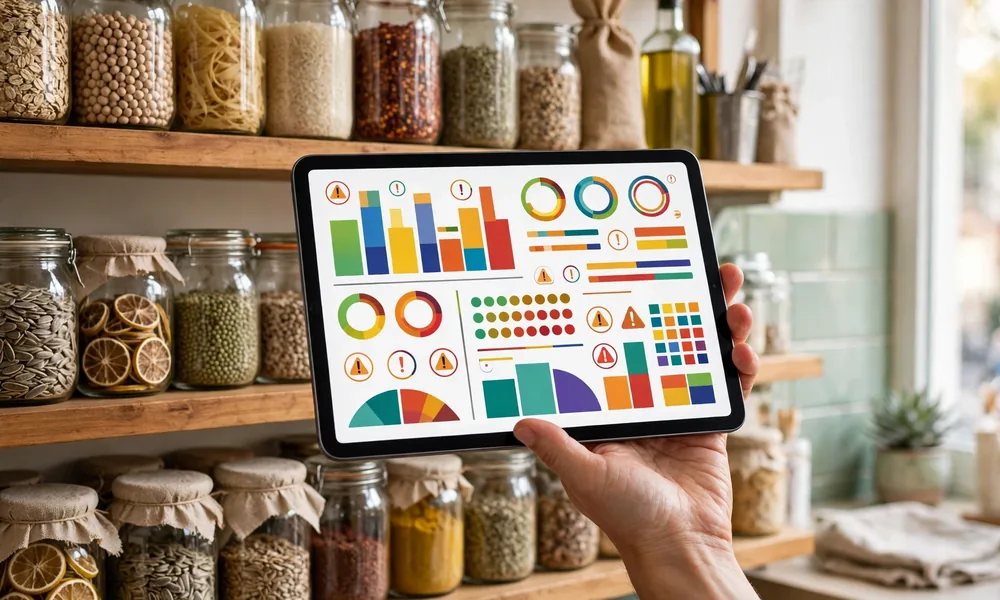
The software covers purchase orders, supplier pricing, warehousing, and production for businesses that assemble, pack, or process food products. Forecasting tools help buyers order earlier, and our guide to AI tools for inventory forecasting explains how demand predictions fit into that workflow.
Pros: One stock count across all channels, strong purchase-order and supplier tools, good accounting integrations.
Cons: Higher starting price, setup takes time, learning curve for small teams.
Unleashed — Best for food producers and distributors
Unleashed is designed for businesses that make, pack, or distribute food and drink, and it shows in the details. It tracks batches and expiry dates, supports first-expired-first-out picking, and keeps a clear record of which batch went to which customer. That traceability is essential when a supplier recall lands and a business must find every affected case fast.
The software handles multi-location stock, assemblies for products made from several ingredients, and landed-cost tracking for imported goods. The price sits above the budget tools, but for a producer or distributor the food-specific depth justifies it.
Pros: Strong batch and expiry tracking, good traceability for recalls, solid multi-location stock.
Cons: Higher starting price, fewer point-of-sale features than retail tools.
Zoho Inventory — Best value for small food businesses
Zoho Inventory gives small food businesses a capable stock system at a low price, with a free plan for very small operations. It tracks stock across warehouses, handles purchase orders and sales orders, and connects with online marketplaces and shipping carriers. For a deli or speciality food shop that also uses Zoho Books, the shared data makes invoicing simpler.
The software supports barcode scanning, batch and serial tracking, and low-stock alerts. Its reports show stock value, ageing items, and fast-moving products, which helps small owners decide what to reorder and what to mark down.
Pros: Free plan, low paid prices, good marketplace and shipping integrations.
Cons: Basic forecasting, limited expiry-depth compared with Unleashed.
Lightspeed Retail — Best for multi-site grocers and delis
Lightspeed Retail pairs a point-of-sale system with inventory tools designed for businesses running more than one site. Staff can check stock at another branch, move items between stores, and see which location sells each product best.
The software handles variants such as pack size and flavour, tracks serial and batch details, and manages suppliers with purchase orders and receiving. Its reporting is a real strength, with sales-by-product and margin reports that help owners spot slow lines before they expire.
Pros: Strong multi-site stock transfers, good reporting, solid supplier management.
Cons: Paid add-ons add cost, some advanced features sit on higher plans.
Square for Retail — Best for cafes and small food shops
Square for Retail is the easiest starting point for a small cafe, bakery, or food shop that wants stock control without a separate system. Inventory, sales, and payments live in one place, so stock drops automatically when a sale is made and the owner can see what is running low from the same dashboard used at the till.
The free plan covers basic stock tracking, while the paid plan adds purchase orders, vendor management, and low-stock alerts. Barcode scanning works with common scanners, and the mobile app lets owners check stock from the kitchen or the shop floor.
Pros: Free plan available, simple setup, payments and stock in one system.
Cons: Limited for large warehouses, weaker batch and expiry depth.
Katana — Best for food makers and small producers
Katana suits small food producers that make products from raw ingredients and need to know what they can produce today. It links sales orders to ingredients, work in progress, and finished goods, so a producer can see at a glance whether it has the parts to start a batch or must order more first.
The software handles multi-level recipes and bills of materials, production scheduling, and batch tracking, and it connects with accounting and e-commerce tools. Its visual production planner shows which batches are running, which are waiting, and where bottlenecks sit.
Pros: Clear visual production planning, strong recipe and batch tools, good integrations.
Cons: Higher plans needed for advanced features, limited built-in accounting.
inFlow Inventory — Best for small teams that want simplicity
inFlow Inventory focuses on doing the basics very well. It tracks stock, manages purchase and sales orders, and shows clear reports without burying users in settings. Small food teams often prefer it because a new staff member can learn the system in a day rather than a week.
The software supports barcode labels, multi-location stock, and assembly for businesses that pack or bundle food products. It also integrates with common accounting and e-commerce tools. The price sits in the middle of the market, and the clean design keeps daily stock checks fast.
Pros: Very easy to learn, clean reports, good order management.
Cons: Limited depth for multi-warehouse operations, fewer integrations than rivals.
Ordoro — Best for food businesses that ship a lot
Ordoro is aimed at food businesses that sell online and ship orders every day. It combines inventory tracking with shipping tools, so stock, orders, and labels sit in one workflow. When an order ships, stock updates automatically, and the system picks the cheapest sensible shipping option from the carriers connected.
The software handles multi-channel orders, dropshipping, and low-stock alerts, and it works well for a business with a warehouse or a busy packing bench.
Pros: Strong shipping tools, multi-channel order handling, good for dropshipping.
Cons: Thinner reporting, less suited to pure bricks-and-mortar shops.
How to choose
Start with how and where you sell, and how fast your stock spoils. A single cafe needs something simple like Square for Retail, while a producer selling online, in-store, and to wholesalers needs a system like Cin7 Core or Unleashed that keeps one stock count everywhere and tracks batches.
Check the features that save real time and cut waste: barcode scanning, expiry alerts, first-expired-first-out picking, batch traceability, and purchase-order automation. Demand planning matters too, and our guide to AI tools for demand planning shows how forecasting helps food businesses order the right quantities at the right time. Finally, confirm the software connects with your accounting tool and your sales channels, and check current pricing on each plan, since renewal rates and included features change.
Checklist: before you pay
- Run a free trial with your real products, including short-dated lines, not a demo catalogue.
- Test expiry alerts, batch tracking, and a mock recall with your own staff.
- Check barcode scanning and stock counts work in cold storage and on the shop floor.
- Confirm the renewal price, not just the first-month offer.
- Check how easy it is to export your stock data if you leave.
- Ask support how long onboarding takes and what help is included.
Frequently asked questions
What is the best inventory management software for food and beverage businesses?
Cin7 Core is the best overall choice for food and beverage businesses selling across several channels, because it keeps one stock count everywhere. Unleashed is the strongest option for producers and distributors that need batch and expiry tracking, while Zoho Inventory is the best value for small businesses.
How much does food and beverage inventory software cost?
Most small food businesses pay roughly $29 to $349 per month, depending on sites, users, and features. Free plans exist from Square and Zoho, while larger producers usually get quoted prices. Always check current pricing before buying.
Why does expiry tracking matter so much for food stock?
Food stock loses value every day it sits, and expired stock must be thrown away. Expiry tracking and first-expired-first-out picking make sure the oldest stock sells first, which cuts waste and keeps customers safe.
Can inventory software help with food recalls?
Yes. Tools with batch tracking record which batch went to which customer, so a business can find every affected case quickly instead of recalling everything.
Do I need separate point-of-sale software?
Not always. Square for Retail and Lightspeed include a point of sale, while Unleashed and Ordoro are stock-focused tools that work alongside a till system. Choose based on whether you want one system or a best-of-breed setup.
How should I manage food suppliers?
Keep supplier records, lead times, and pricing inside the same system as your stock, and review delivery performance regularly. Our guide to supplier management software explains how to choose tools that track supplier quality and delivery alongside inventory.
The bottom line
For most food and beverage businesses, Cin7 Core is the safest pick in 2027, because it handles multi-channel stock, suppliers, and purchase orders in one system. Food producers and distributors should look closely at Unleashed for its batch and expiry depth, small shops should start with Square for Retail, and budget-conscious small businesses with Zoho Inventory.
Whichever tool you choose, run it on a trial with your real products first, and check current pricing before you commit. The right system pays for itself by cutting stockouts, reducing spoiled stock, and giving you a clear picture of what sells and what does not.