

Every company owns more technology than it can name. Laptops pile up in drawers, software licences renew silently, servers age out of warranty, and nobody can say with confidence which assets exist, where they are, or what they cost. IT asset management (ITAM) software exists to end that guesswork: it discovers hardware and software across the network, tracks each item from purchase to disposal, and ties licences and warranties to real usage.
This guide compares the eight strongest IT asset management tools for 2027, from free open-source options to enterprise platforms. We weighed discovery accuracy, licence management, automation, reporting, ease of setup, and price — and we flag the limits that matter, like per-asset pricing that balloons as fleets grow and agent-based discovery that misses unmanaged devices.
The shortlist at a glance: ManageEngine AssetExplorer is the best overall pick for mid-sized teams, Lansweeper is the strongest for discovery depth, Snipe-IT is the best free option, and ServiceNow ITAM is the pick for large enterprises that already run ServiceNow. The rest of this guide explains exactly why, product by product.
Key takeaways
- ManageEngine AssetExplorer is the best overall choice: strong discovery, licence management and a fair price for mid-sized teams.
- Lansweeper finds the most — its agentless scanning regularly surfaces devices other tools miss.
- Snipe-IT is the best free option, but it needs manual setup and has no built-in network discovery.
- ServiceNow ITAM is the enterprise pick, but only makes sense if your organisation already runs ServiceNow.
- Watch per-asset pricing: a tool that looks cheap at 100 assets can cost five times more at 1,000.
At a glance: the shortlist
| Product | Best for | Starting price | Standout limit |
|---|---|---|---|
| ManageEngine AssetExplorer | Best overall, mid-sized teams | Check current pricing | Interface feels dated in places |
| ServiceNow ITAM | Large enterprises | Check current pricing | Requires ServiceNow platform |
| Lansweeper | Discovery depth | Check current pricing | Licence module costs extra |
| Snipe-IT | Free, small teams | Free, open source | No built-in network discovery |
| Asset Panda | Easy, mobile-first tracking | Check current pricing | Weaker software licence tools |
| Freshservice | ITSM plus asset management | Check current pricing | Asset features tied to higher tiers |
| Ivanti | Security-focused asset control | Check current pricing | Setup can be complex |
| SysAid | All-in-one ITSM value | Check current pricing | Reporting less flexible |
ManageEngine AssetExplorer — Best overall
ManageEngine AssetExplorer is a dedicated IT asset management platform that covers the full asset lifecycle: discovery, inventory, software licence management, purchase orders, contracts and disposal. It scans Windows, Mac and Linux devices, pulls in software installations, and matches them against purchased licences so you can see over-licensing and under-licensing at a glance. For a mid-sized IT team, it hits the sweet spot between capability and price.
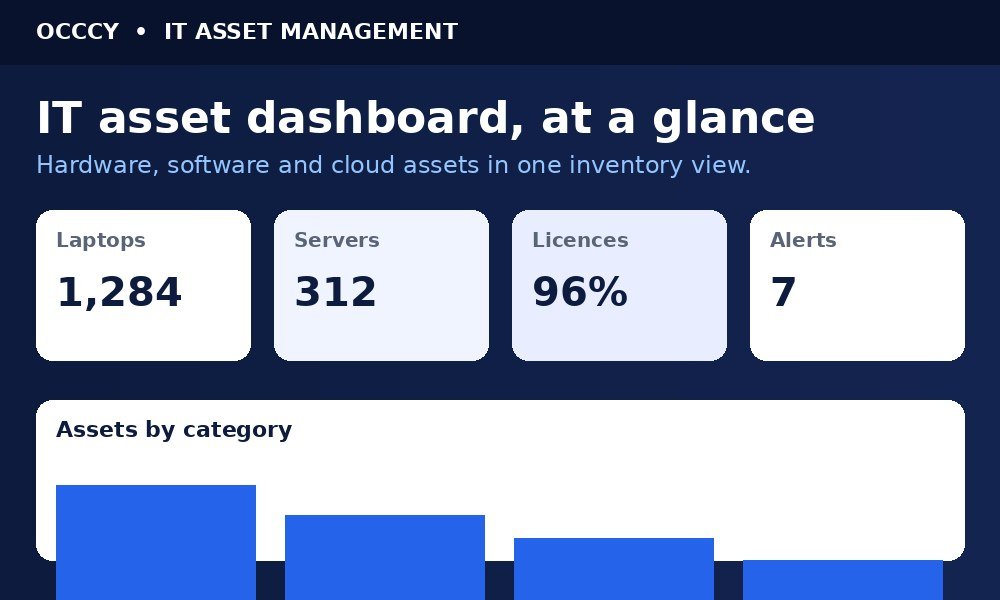
Discovery is agent-based and agentless, which means you can scan a network without installing software on every machine, then deploy agents where you need deeper detail. The software metering feature shows which applications are actually used, so you can reclaim licences that sit idle. Purchase order and contract management tie costs to assets, which makes budget reporting straightforward. Like any asset tool, its value depends on clean data — and keeping an accurate register of every device matters just as much for hardware as it does for software, which is why teams often pair an asset tool with the kind of inventory discipline described in our guide to the best inventory management software.
Pros: Full lifecycle coverage from purchase to disposal; strong licence management and software metering; agentless and agent-based discovery; good value for mid-sized teams.
Cons: Interface looks dated next to newer rivals; some advanced reports need configuration; the learning curve is real for first-time admins.
ServiceNow ITAM — Best for large enterprises
ServiceNow ITAM is the asset management layer of the ServiceNow platform, covering hardware asset management, software asset management and cloud cost management in one system. It is built for organisations that already run ServiceNow for ITSM: asset records flow into incidents, changes and service requests automatically, so a laptop’s warranty status or a licence’s expiry shows up inside the ticket, not in a separate spreadsheet.
Its software asset management is genuinely deep, with licence models for major publishers, reclamation workflows and audit-ready reporting that large enterprises need when a vendor audit letter arrives. Hardware asset management tracks stock rooms, transfers and refresh cycles, and the cloud cost module tracks spend across providers. The catch is the platform requirement: buying ServiceNow ITAM without the rest of ServiceNow rarely makes sense, and implementation is a project, not an afternoon. Pricing is quote-based and enterprise-scale.
Pros: Deepest licence and audit tooling in this list; assets integrate directly with ITSM workflows; strong cloud cost management; built for scale.
Cons: Enterprise pricing, quote only; needs the ServiceNow platform; implementation takes weeks or months; overkill below a few hundred assets.
Lansweeper — Best for discovery depth
Lansweeper’s reputation rests on one thing: it finds stuff. Its agentless scanning crawls networks, Active Directory, and cloud environments and builds an inventory that regularly includes devices other tools miss — forgotten printers, old servers, unmanaged switches. For organisations that suspect their asset register is incomplete, Lansweeper is the fastest way to find out.
The inventory is detailed, with hardware specs, installed software, warranty lookups and relationships between devices. Reporting is flexible, and integrations with helpdesk tools are solid. The trade-off is that software licence management is a separate module with its own cost, and the interface, while improved, still rewards users who enjoy building custom reports. Pricing is per-asset, so large fleets should model the cost carefully before committing.
Pros: Best-in-class discovery, agentless; detailed inventory and warranty data; strong integrations; good reporting.
Cons: Licence management costs extra; per-asset pricing adds up at scale; reporting has a learning curve.
Snipe-IT — Best free option
Snipe-IT is an open-source asset management system that covers the essentials: check assets in and out, track licences, accessories, consumables and maintenance, and run audit reports. It costs nothing to download, which makes it the obvious starting point for small teams, schools and non-profits that need a proper asset register without a procurement cycle.
Being open source cuts both ways. You host it yourself, you maintain it, and there is no built-in network discovery — assets are entered manually, imported by CSV, or added through the API. That is fine for a few hundred assets with a disciplined check-in process, but it will not auto-discover a network the way Lansweeper does. There is a paid hosted version if you want support and no server to maintain. For teams already comfortable with self-hosted tools, it is remarkably capable for the price of zero.
Pros: Free and open source; clean check-in and check-out workflows; covers licences, accessories and consumables; active community.
Cons: No built-in network discovery; self-hosting and maintenance are your job; reporting is basic compared with paid tools.
Asset Panda — Best for mobile-first tracking
Asset Panda is built around a simple idea: asset tracking should work from a phone. Its mobile app scans barcodes and QR codes, so a technician can check a laptop in or out, log its condition and attach a photo in seconds, standing in the stock room. That makes it a strong fit for organisations with lots of physical movement — schools, construction, healthcare, field services.
The platform is highly configurable, with custom fields, workflows and notifications, and it handles non-IT assets (furniture, tools, vehicles) as easily as laptops. Cloud-based and easy to set up, it is one of the least intimidating tools on this list. The weakness is software: licence management and software metering are thinner than in ManageEngine or ServiceNow, so it suits teams whose main problem is physical assets rather than software compliance.
Pros: Excellent mobile app with barcode scanning; very configurable; handles non-IT assets well; quick to set up.
Cons: Weaker software licence management; pricing is quote-based; reporting is less deep than specialist tools.
Freshservice — Best for ITSM plus asset management
Freshservice is Freshworks’ IT service management platform, and its asset management module is a natural extension of its helpdesk: when a user raises a ticket, the agent sees the device, its history and its warranty in the same screen. Discovery is built in, covering Windows, Mac, Linux and network devices, and the CMDB maps relationships between assets and services.
For teams that want one tool for tickets and assets, this integration is the selling point — no syncing between two systems, no duplicate records. The catch is tiering: the most useful asset features sit in the higher-priced plans, so the entry-level price does not tell the whole story. Software licence tracking is solid but not as deep as ServiceNow’s. If your team also needs remote access alongside asset tracking, compare it with the tools in our guide to the best remote desktop software before deciding on a single platform.
Pros: Assets and tickets in one system; built-in discovery and CMDB; clean, modern interface; good automation.
Cons: Best asset features need higher tiers; licence management less deep than specialists; per-agent pricing can grow fast.
Ivanti — Best for security-focused asset control
Ivanti approaches asset management from the security side: know every device, patch it, and control what runs on it. Its Neurons platform combines discovery, patch management and endpoint security, so asset data feeds directly into vulnerability and compliance workflows. For organisations where an unknown device is a security risk, that linkage matters.
The discovery is thorough, the automation is strong, and the reporting covers compliance frameworks that regulated industries care about. The downside is complexity: Ivanti’s product range is broad, implementation takes planning, and pricing is quote-based. Smaller teams may find it more platform than they need, but for security-conscious mid-sized and large organisations it is a serious contender.
Pros: Strong security and patch integration; thorough discovery; good compliance reporting; powerful automation.
Cons: Complex to set up; quote-based pricing; broad product range can confuse buyers; overkill for small teams.
SysAid — Best all-in-one ITSM value
SysAid is an all-in-one ITSM platform with asset management built in: discovery, inventory, software licences and a CMDB, alongside helpdesk, automation and self-service. It positions itself as strong value for money, and for small to mid-sized teams that want one system without enterprise pricing, that pitch mostly holds.
Discovery covers the usual operating systems and network devices, and the built-in automation can trigger actions when asset states change. The interface is functional rather than beautiful, and reporting is less flexible than Lansweeper’s or ManageEngine’s. But as a single purchase that covers tickets, assets and automation, it is hard to beat on value — and if you also need to protect the data those assets hold, our guide to the best cloud backup services is a useful companion read.
Pros: Good value all-in-one ITSM plus assets; built-in discovery and automation; solid for small to mid-sized teams; straightforward setup.
Cons: Reporting less flexible than rivals; interface feels dated; licence management is mid-pack.
How to choose
Start with your asset count and your biggest pain. Under 200 assets with a small team, Snipe-IT or Asset Panda will cover you. Between 200 and 2,000 assets, ManageEngine AssetExplorer or Freshservice are the sensible defaults. Above that, or in a regulated industry, ServiceNow ITAM or Ivanti earn their price. If your register is incomplete and you suspect shadow IT, run a Lansweeper trial first — discovery is its superpower and it will tell you the truth about your network in days.
Then check three things before you pay: how pricing scales per asset, whether licence management is included or an add-on, and whether the tool discovers your whole environment — including cloud and unmanaged devices — or only the machines with an agent installed. A trial with your real network, not a demo, is the only honest test.
Checklist: before you pay
- Run a trial on your real network and count what it discovers versus what you thought you owned.
- Model the price at your current asset count and at double that count — per-asset pricing surprises people.
- Confirm whether software licence management is included or a paid add-on.
- Check data export: can you get your full asset register out as CSV or via API if you leave?
- Test the renewal flow: licence expiry alerts, contract reminders and warranty tracking actually working.
- Confirm support hours and response times, and whether onboarding help is included in the price.
Frequently asked questions
What is IT asset management software?
IT asset management software tracks an organisation’s technology assets — hardware, software licences, contracts and cloud resources — from purchase through use to disposal. It discovers devices on the network, records their details, monitors licence usage and sends alerts for warranties and renewals.
What is the best IT asset management software overall?
For most mid-sized teams, ManageEngine AssetExplorer is the best overall pick: it covers the full asset lifecycle, has strong licence management and is fairly priced. Large enterprises already on ServiceNow should look at ServiceNow ITAM instead.
Is there a free IT asset management tool?
Yes. Snipe-IT is free and open source, and it covers check-in and check-out, licences, accessories and consumables. The trade-off is no built-in network discovery and self-hosting, so it suits teams willing to maintain it.
How much does IT asset management software cost?
Pricing varies widely. Some tools charge per asset per month, others per agent or per admin, and enterprise platforms are quote-based. Always model the cost at your real asset count, because per-asset pricing can multiply quickly as fleets grow.
Do I need agent-based or agentless discovery?
Both have a place. Agentless scanning finds devices quickly without installing software, while agents give deeper detail on managed machines. The best tools offer both, and the right mix depends on how many unmanaged devices sit on your network.
Can IT asset management software help with software audits?
Yes — that is one of its main jobs. Good tools match installed software against purchased licences, flag over- and under-licensing, track usage so unused licences can be reclaimed, and produce audit-ready reports. This is where ServiceNow ITAM and ManageEngine AssetExplorer are strongest.
The bottom line
Most teams should start with ManageEngine AssetExplorer: it is the most complete tool at a fair price, and it scales from a few hundred to several thousand assets. If your budget is zero, Snipe-IT is genuinely usable. If your register is a mess, run Lansweeper first to find out what you actually own. And if you already run ServiceNow, use its ITAM module — buying a second asset system alongside it wastes money and creates duplicate records.
Whichever tool you pick, the software is only half the job. Assign an owner, run a full discovery, reconcile the results against purchase records, and repeat the audit quarterly. An asset register that nobody maintains becomes a spreadsheet with better branding within a year.
Note: Prices and plans change. Check the product’s current plan details before buying — no link is provided here by design, all links in this article go to other occcy.com guides.



