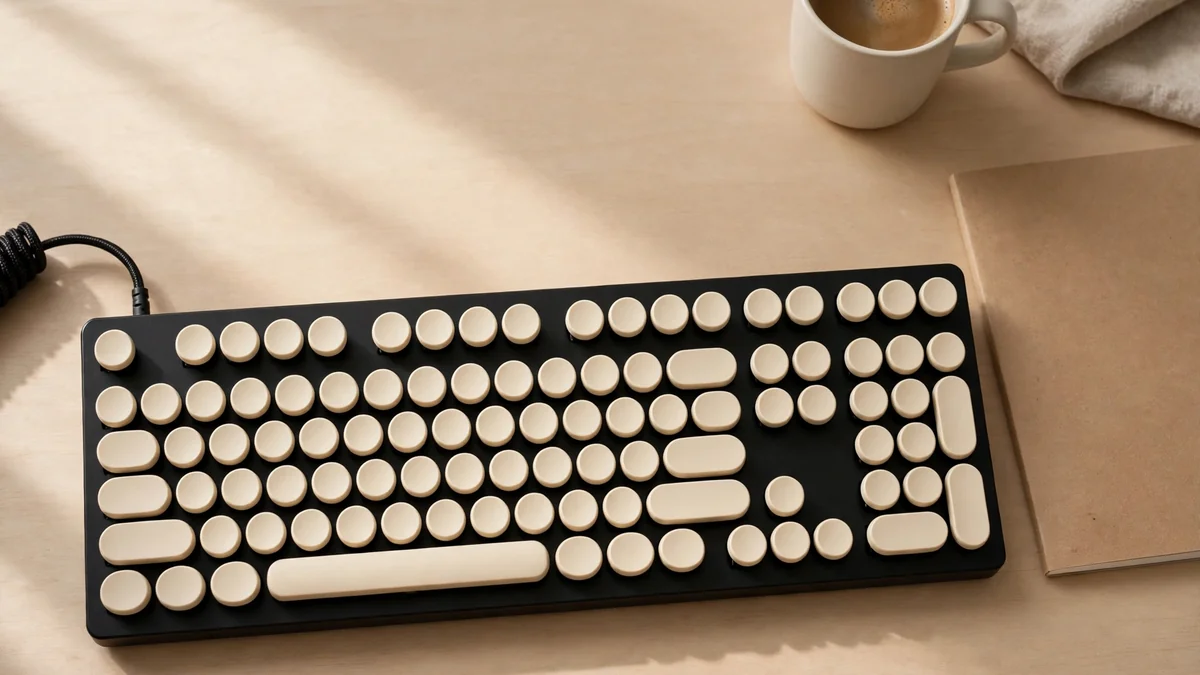
The best keyboards for typists are judged on one thing above all: how they feel after ten thousand keystrokes. Typists — writers, transcribers, data entry specialists, and anyone who types for a living — need a keyboard with a consistent, satisfying keystroke, a layout that never gets in the way, and a build that stays solid after years of daily use.
We compared typist keyboards on switch feel, keycap quality, layout, and long-term comfort. The best boards have a crisp, well-defined actuation point, PBT keycaps that do not go shiny after a month, and a stable case that does not flex or rattle. Sound matters too — a good typing sound is satisfying without being loud enough to bother anyone nearby.
Our shortlist covers every typing style, from the classic buckling-spring feel to modern hot-swappable mechanical boards, with options for touch typists, hunt-and-peckers, and everyone in between. Every pick is built for volume typing, day after day.
Key takeaways
- Best overall: Das Keyboard 4 Professional — the classic typist board, with superb Cherry MX switches and a solid build.
- Best premium: HHKB Professional Hybrid Type-S — Topre switches and a cult following for a reason.
- Best value: Keychron K8 Pro — hot-swappable mechanical typing for under $100.
- Best quiet: Logitech MX Keys S — silent scissor keys for shared offices.
- Watch out for: cheap ABS keycaps — they go shiny and slippery within weeks of heavy typing.
At a glance: the shortlist
| Keyboard | Best for | Starting price | Standout limit |
|---|---|---|---|
| Das Keyboard 4 Professional | Best overall | From $169 | Wired only |
| HHKB Professional Hybrid Type-S | Best premium | From $322 | Very expensive, compact layout |
| Keychron K8 Pro | Best value | From $94 | Heavier than slim boards |
| Logitech MX Keys S | Best quiet | From $110 | Not mechanical |
| Ducky One 3 | Best classic mechanical | From $130 | No software — hardware only |
| Leopold FC750R | Best tenkeyless | From $129 | No backlight, wired only |
| Nuphy Air75 V2 | Best low-profile | From $110 | Low-profile switches feel different |
What to look for
For typists, the switch is the whole story. Tactile switches give a clear bump at the actuation point, so you know a key has registered without bottoming out — and bottoming out is what tires fingers over ten thousand keystrokes. Next, look at the keycaps: thick PBT keycaps stay textured for years, while cheap ABS keycaps go shiny and slippery within weeks of heavy use. Finally, check the case: a heavy, rigid case with sound-absorbing material sounds better and feels more solid than a light plastic shell that flexes and rattles.
Das Keyboard 4 Professional — Best overall
The Das Keyboard 4 has been the typist’s board for over a decade, and it still earns the title. Cherry MX Brown switches give a crisp tactile bump without the noise of clicky switches, the aluminium top panel keeps the board rock solid, and the full-size layout includes a number pad and dedicated media controls. The keycaps are laser-etched ABS, and the board connects over wired USB with a built-in two-port hub. It is not flashy, but for pure typing it is superb.

Writers who type all day should also see our guide to the best keyboards for writers — the two lists overlap for good reason.
Pros: Superb Cherry MX switches; rock-solid aluminium build; full-size layout; built-in USB hub
Cons: Wired only; ABS keycaps; no backlight on the standard model
HHKB Professional Hybrid Type-S — Best premium
The HHKB is a cult classic among typists for a reason: its Topre electrostatic capacitive switches have a smooth, cushioned feel unlike any mechanical switch, with a satisfying thock that typists describe as addictive. The 60% layout is minimal — no arrow keys, no function row — which keeps hands on the home row, and the board connects over Bluetooth or USB-C with a battery that lasts months. It takes a week to adapt to the layout, but typists who switch rarely go back.
Pros: Unique Topre switch feel; superb build quality; months of battery life; Bluetooth and USB-C
Cons: Very expensive; 60% layout takes adaptation; no arrow keys
Keychron K8 Pro — Best value
The K8 Pro gives typists a hot-swappable mechanical board with a gasket-mounted design and sound-absorbing foam for under $100. You can swap in your favourite switches — tactile Browns for feedback, linear Reds for speed — without soldering, and QMK support lets you remap anything. The tenkeyless layout suits most typists, the board connects to three devices over Bluetooth, and the typing sound is muted and satisfying rather than rattly.
Pros: Hot-swappable switches; QMK remapping; quiet gasket mount; three-device Bluetooth
Cons: Heavier than slim boards; keycaps are plain; no wrist rest included
Logitech MX Keys S — Best quiet
For typists in shared offices, the MX Keys S is the quietest serious typing keyboard you can buy. The low-profile scissor keys are stable and silent, the backlight adjusts to ambient light, and the keys have a slight dish that keeps fingers centred. It pairs with three devices, charges over USB-C, and the battery lasts around ten days with the backlight on. It will not satisfy a mechanical keyboard enthusiast, but for pure quiet productivity it is excellent.
Pros: Very quiet keys; pairs with three devices; smart backlighting; long battery life
Cons: Not mechanical; no hot-swappable switches; premium price for a scissor board
Ducky One 3 — Best classic mechanical
The Ducky One 3 is a straightforward mechanical keyboard done properly: PBT keycaps that will not go shiny, a solid case, hot-swappable switches, and a choice of Cherry MX switches including the tactile Browns that typists love. There is no software — everything is programmed through hardware key combinations — which means nothing to install or update. It is available in full-size, tenkeyless, and compact layouts, and it simply works, every day, for years.
Pros: PBT keycaps that last; hot-swappable; excellent build quality; no software required
Cons: No software means limited macro support; no wireless option; plain looks
Leopold FC750R — Best tenkeyless
The Leopold FC750R is a tenkeyless board with a reputation for build quality that borders on legendary among typists. The Cherry MX switches are factory-lubed for a smooth feel, the PBT keycaps are thick and textured, and the case is heavy and rigid with sound-absorbing material inside. There is no backlight, no software, and no wireless — just a superb typing experience in a compact layout that leaves room for the mouse.
Pros: Outstanding build quality; thick PBT keycaps; smooth lubed switches; compact tenkeyless layout
Cons: No backlight; wired only; no software or macros
Nuphy Air75 V2 — Best low-profile
The Air75 V2 is a low-profile mechanical keyboard that types like a full-size board in a slim package. The low-profile switches have a short, crisp travel that suits fast typists, the aluminium frame is solid, and the board connects to four devices — three over Bluetooth and one over 2.4GHz. It is light enough to carry, quiet enough for shared spaces, and the hot-swappable switches let you tune the feel.
Pros: Slim and light; four-device connectivity; quiet low-profile switches; hot-swappable
Cons: Low-profile switches are not for everyone; keycap legends can wear; no number pad
How to choose
Start with the switch. Tactile switches like Cherry MX Brown give a clear bump at the actuation point, which helps touch typists know a key has registered without bottoming out. Linear switches are smoother and faster but give less feedback, while Topre switches offer a unique cushioned feel that many typists swear by. If you are unsure, buy a hot-swappable board and try two or three switch types.
Then check the keycaps. PBT keycaps stay textured and resist shine for years, while cheap ABS keycaps go smooth and slippery within weeks of heavy typing — a real problem when you type ten thousand words a day. And consider the layout: a full-size board suits data entry, while a tenkeyless board keeps the mouse closer. Writers and editors face the same choices in our guide to the best keyboards for writers and editors.
Finally, give yourself time to adapt. A new switch feel takes a few days to learn, and a compact layout takes a week. Judge a typist keyboard after a full week of real work, not after ten minutes in a shop — the board that feels strange on day one is often the one that feels perfect on day seven.
Checklist: before you pay
- Choose tactile switches for feedback, or try hot-swappable boards to test several types.
- Insist on PBT keycaps — ABS goes shiny fast under heavy typing.
- Check the layout: full-size for numbers, tenkeyless for mouse room.
- Test the sound — satisfying is good, loud enough to annoy colleagues is not.
- Look for a solid case that does not flex or rattle.
- Check the return window — a typist board needs a week of real typing to judge.
Frequently asked questions
What is the best keyboard for typists?
The Das Keyboard 4 Professional is our top pick for most typists: superb Cherry MX switches and a rock-solid build. The HHKB is the premium choice for touch typists who want the best feel available.
Are mechanical keyboards better for typing?
For most typists, yes — mechanical switches give clearer feedback and last longer than membrane keys. But a good scissor keyboard like the MX Keys S is also excellent, especially in quiet offices.
What switch is best for typing?
Cherry MX Brown is the classic typist switch: tactile but not clicky. Topre switches are the premium alternative. Avoid clicky blue switches in shared offices.
What are PBT keycaps and why do they matter?
PBT is a durable plastic that resists shine and wear. ABS keycaps go smooth and slippery after weeks of heavy typing, while PBT keycaps stay textured for years.
Should typists use a full-size or compact keyboard?
Full-size suits data entry and number-heavy work. Tenkeyless keeps the mouse closer and suits most writers. Compact 60% boards suit touch typists who never use arrow keys.
How much should I spend on a typing keyboard?
Around $100 to $170 gets you a keyboard that lasts years. Cheaper boards wear out faster, and premium boards like the HHKB at $322 are for people who type for a living and want the best feel available.
If you are new to mechanical keyboards, start with our guide to the best mechanical keyboards for beginners — it explains switches, layouts, and keycaps in plain terms.
The bottom line
For most typists, the Das Keyboard 4 Professional is the right answer: proven switches, a solid build, and a layout that never gets in the way. The Keychron K8 Pro is the value pick for anyone who wants to experiment with switches, and the HHKB is the endgame for touch typists who want the best feel money can buy.
Whatever you choose, prioritise switch feel and keycap quality over features you will never use. A typist’s keyboard is a tool you touch ten thousand times a day — it is worth getting right.