

The best laptops for culinary students in 2027 need to survive a very different kind of school day: recipe research in the morning, video lectures in the afternoon, and a kitchen workstation where flour, steam, and splashes are part of the job. A culinary student’s laptop should be tough, easy to clean, bright enough to read in a busy kitchen, and strong enough to edit food photos and videos.
What matters most is the screen and the build. A bright, color-accurate display makes the difference when editing food photography, following a video technique, or reading a recipe from across a counter. A sturdy body matters too, because a laptop near a stove and a sink gets bumped, splashed, and wiped down far more often than one that never leaves a desk.
This shortlist covers seven laptops that fit real culinary school life, from the MacBook Air M4 to the versatile HP Envy x360 and the budget-friendly Lenovo IdeaPad Slim 5. Every pick below handles recipe software, costing spreadsheets, photo editing, and video streaming with ease.
Key takeaways
- The MacBook Air M4 is the best overall pick, with a color-accurate display and up to 18 hours of battery life.
- The HP Envy x360 14 is the best 2-in-1, folding flat for hands-free recipe reading.
- The Lenovo IdeaPad Slim 5 is the best budget option, starting at around $649 with a bright screen.
- Look for at least 16GB of RAM and 512GB of storage, since food photos and video fill small drives fast.
- Avoid heavy gaming laptops and dim budget screens, which are awkward in a kitchen and unreadable under bright lights.
At a glance: the shortlist
| Laptop | Best for | Starting price | Standout limit |
|---|---|---|---|
| Apple MacBook Air M4 | Best overall | From around $999 | Color-accurate display, 18-hour battery |
| HP Envy x360 14 | Best 2-in-1 | From around $849 | Folds flat for hands-free recipes |
| ASUS Zenbook 14 OLED | Best display | From around $899 | Vivid OLED screen for food photos |
| Dell XPS 14 | Best premium Windows | From around $1,299 | Sharp display, solid aluminum build |
| Lenovo IdeaPad Slim 5 | Best budget pick | From around $649 | Bright screen at a low price |
| Acer Swift Go 14 | Best lightweight value | From around $699 | Under 2.9 pounds, bright display |
| Microsoft Surface Laptop 7 | Best touchscreen | From around $999 | Touch display, up to 20-hour battery |
Apple MacBook Air M4 — Best overall
The MacBook Air M4 is the best overall laptop for culinary students because its display shows food the way it actually looks. The 13.6-inch Liquid Retina screen is bright and color-accurate, which matters when you are editing food photography or presenting a plated dish to a class. The M4 chip edits photos and 4K video smoothly, and the fanless design means no noise and no vents to clog with flour dust.
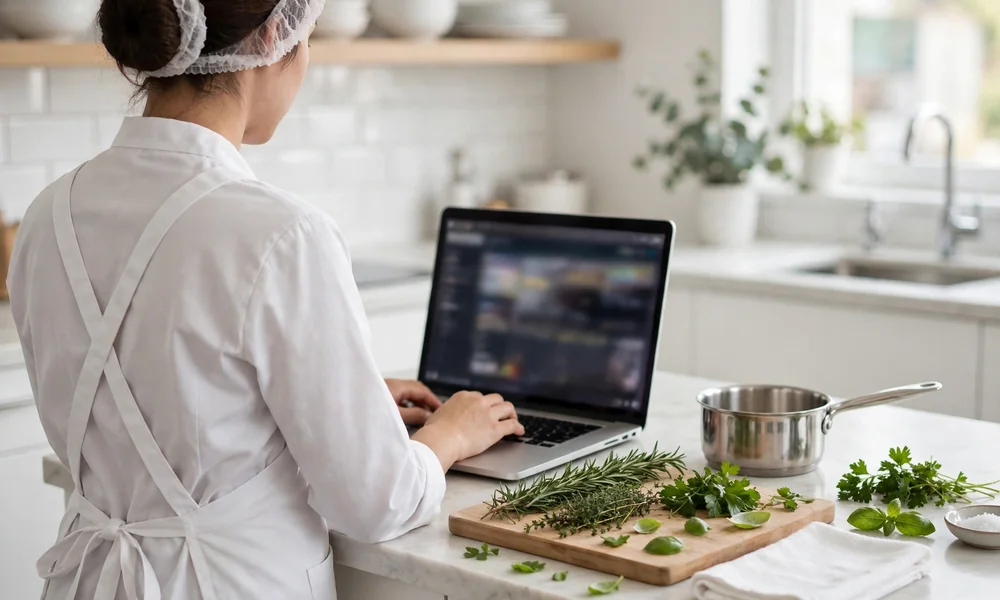
Battery life reaches up to 18 hours, so the Air lasts from morning theory classes through an afternoon practical and into the evening without a charger. At 2.7 pounds it slips easily into a chef’s bag, and the aluminum body wipes clean with a damp cloth. Students who edit food photos seriously should also compare the best laptops for photo editing, where color accuracy is judged in detail.
Pros: Color-accurate bright display; silent fanless design; up to 18 hours of battery; light aluminum body that wipes clean.
Cons: Only two USB-C ports; no touchscreen; storage upgrades are expensive.
HP Envy x360 14 — Best 2-in-1
The HP Envy x360 14 is the most practical laptop for a working kitchen because it folds completely flat. In tent mode it stands on a counter like a recipe book, in tablet mode it lies flat beside a cutting board, and in laptop mode it handles spreadsheets and essays.
The 14-inch touchscreen is bright and responsive, and stylus support makes it easy to annotate recipes and sketch plating ideas. Battery life is around 13 hours, and the build feels solid enough for daily carrying between classrooms and kitchens.
Pros: Folds into tablet and tent modes; bright touchscreen with stylus support; versatile for kitchen and classroom; good value.
Cons: Heavier than a standard ultraportable; fans can be heard under heavy editing.
ASUS Zenbook 14 OLED — Best display
The ASUS Zenbook 14 OLED has the best screen for food photography on this list. Its OLED panel shows deep blacks and rich, accurate colors, so dishes look on screen the way they look on the plate. For students who photograph their work for portfolios, that accuracy saves editing time and produces better results straight out of the camera.
Beyond the display, the Zenbook 14 is a strong all-rounder: around 2.8 pounds, up to 15 hours of battery, a comfortable keyboard, and HDMI for classroom displays. The main caution with any OLED screen is burn-in, so use a screensaver and avoid leaving a static recipe page open for hours.
Pros: Outstanding OLED display for food photos; light and portable; long battery life; HDMI port included.
Cons: OLED burn-in risk with static content; no touchscreen on most models.
Dell XPS 14 — Best premium Windows
The Dell XPS 14 is the premium Windows choice for culinary students who want a larger screen and a machine that feels built to last. Its 14.5-inch display is sharp and bright, with accurate colors for photo editing and video work, and the aluminum and glass body wipes down easily after a day near the stove. Intel Core Ultra processors handle photo editing, video rendering, and multitasking without strain.
At around 3.7 pounds it is heavier than the ultraportables here, but the extra screen space suits split-screen work: a recipe on one side and a costing spreadsheet on the other. Battery life is around 14 hours, and it starts at around $1,299.
Pros: Large, sharp, color-accurate display; premium durable build; strong Core Ultra performance; good speakers.
Cons: Heavier than rivals; expensive; limited ports.
Lenovo IdeaPad Slim 5 — Best budget pick
The Lenovo IdeaPad Slim 5 is the best budget laptop for culinary students, starting at around $649. It covers everything a culinary program asks for: recipe software, spreadsheets, video lectures, and light photo editing, with a bright 14-inch display that stays readable under kitchen lights. The AMD Ryzen processor and 16GB of RAM keep it responsive even with many browser tabs open.
Build quality is solid for the price, with a metal lid and a comfortable keyboard. Battery life is around 12 hours, enough for a full school day. The main compromise is color accuracy, which is good but not as precise as premium screens.
Pros: Excellent value; bright readable display; 16GB of RAM at a budget price; comfortable keyboard.
Cons: Colors less accurate than premium screens; battery is average; speakers are modest.
Acer Swift Go 14 — Best lightweight value
The Acer Swift Go 14 is a light, affordable laptop that suits culinary students who carry their machine between home, campus, and part-time kitchen jobs. It weighs under 2.9 pounds, starts at around $699, and offers a bright 14-inch display with a modern Intel Core Ultra processor and 16GB of RAM. It handles photo editing, video streaming, and spreadsheets without slowing down.
The webcam is clear enough for video classes, and the aluminum lid feels sturdier than its price suggests. Battery life is around 12 hours, and students should choose the 512GB version over the small base storage.
Pros: Light and affordable; bright display; 16GB of RAM; clear webcam for video classes.
Cons: Base storage is small; battery shorter than premium models; trackpad is average.
Microsoft Surface Laptop 7 — Best touchscreen
The Microsoft Surface Laptop 7 brings a bright touchscreen to the kitchen, which is genuinely useful when your hands are busy: tap to scroll a recipe, swipe through a technique video, or pinch to zoom into a plating photo. The 13.8-inch display is sharp and responsive, and the Snapdragon X Elite chip delivers up to 20 hours of battery life.
The aluminum body feels premium and wipes clean easily, and Windows 11 runs every culinary school application without compatibility issues. It is a traditional laptop rather than a 2-in-1, but the touchscreen alone makes it one of the most kitchen-friendly laptops here.
Pros: Bright responsive touchscreen; up to 20 hours of battery; premium aluminum build; full Windows compatibility.
Cons: No tablet mode; some older apps need emulation on ARM; limited ports.
How to choose
Start with the screen. Culinary students read recipes, watch technique videos, and edit food photos for hours, so a bright display with accurate colors is the single most important feature. Aim for at least 400 nits of brightness for use near windows or under strong kitchen lights, and check color accuracy in reviews if food photography is part of your coursework.
Next, think about how the laptop will live in a kitchen. A 2-in-1 like the HP Envy x360 is the most practical shape for counter use, a touchscreen helps when your hands are busy, and a sturdy, easy-to-clean body matters more than a thin, fragile one. Aim for under 3.5 pounds, at least 12 hours of battery, 16GB of RAM, and 512GB of storage.
Finally, check your school’s software requirements. Most culinary programs need only standard office, browser, and photo apps, so any laptop here works. Students comparing other portable gear often read our roundup of the best Chromebooks too, though most culinary programs need full Windows or macOS apps. Check current pricing before buying, as student discounts and seasonal sales regularly cut $100 to $300 from these models.
Checklist: before you buy
- Check your culinary school’s software requirements before choosing Mac or Windows.
- Choose 16GB of RAM and 512GB of storage as a minimum.
- Look for a bright screen with accurate colors if food photography is part of your coursework.
- Consider a 2-in-1 or touchscreen model for hands-free recipe reading at the counter.
- Look for student discounts and back-to-school sales before paying full price.
- Buy a padded sleeve and a wipeable keyboard cover for kitchen use.
Frequently asked questions
Do culinary students need a powerful laptop?
No. Culinary school software is light: recipe apps, spreadsheets, video lectures, and photo editing. A modern midrange processor with 16GB of RAM is plenty, and screen quality, battery life, and durability matter far more than speed.
Is a MacBook or a Windows laptop better for culinary school?
Both work for most programs. MacBooks offer the most color-accurate screens and the longest battery life, while Windows laptops offer more choice, including 2-in-1 designs that are very useful in a kitchen.
How much storage do culinary students need?
At least 512GB. Food photos, technique videos, and portfolio files add up quickly, and a 256GB drive fills up within the first year.
Is a touchscreen or 2-in-1 useful in the kitchen?
Yes. A touchscreen lets you scroll recipes with a tap, and a 2-in-1 folded into tent mode stands on a counter like a cookbook.
Can a Chromebook work for culinary school?
Usually not. Photo editing apps and some school platforms need Windows or macOS, and Chromebooks cannot run them. A full laptop is the safer choice, as our guide to the best laptops for students explains.
When is the best time to buy a laptop for culinary school?
Back-to-school sales in summer and holiday sales in November usually offer the biggest discounts, often $100 to $300 off, and student discount programs run year-round.
The bottom line
For most culinary students, the MacBook Air M4 is the best overall choice: its color-accurate display, silent design, and 18-hour battery suit recipe research and food photography. Windows users who want the most kitchen-friendly design should choose the HP Envy x360 14, which folds flat for hands-free recipe reading.
On a tighter budget, the Lenovo IdeaPad Slim 5 and Acer Swift Go 14 cover everything a culinary program requires for hundreds less, while the ASUS Zenbook 14 OLED is the pick for students who photograph their food seriously.



