

The best laptops for video conferencing in 2027 are the ones that make you look and sound clear without any extra gear. A sharp webcam, a good microphone array, clear speakers and a fast, quiet processor matter far more than raw gaming power, because a call that freezes, echoes or drops is a meeting lost.
We judged each laptop on its built-in camera, microphones, speakers, display quality, battery life and how well it handles long calls alongside documents, browsers and chat apps. Every model here was chosen because it can run a full working day of meetings on its own, with no dongles or desk setup required.
The shortlist below covers every budget and platform, from the MacBook Air M4 for most people to the ThinkPad X1 Carbon for business teams. Prices are approximate starting prices, so check current pricing before you buy, as configurations and discounts change often.
Key takeaways
- The MacBook Air M4 is the best overall choice, with a clear 12MP camera, strong microphones and all-day battery life.
- Business buyers should start with the Lenovo ThinkPad X1 Carbon, which pairs a good camera with enterprise security and support.
- A 1080p webcam is now the minimum to accept, and several of these laptops go further with higher-resolution cameras.
- Good speakers and microphones matter as much as the camera, especially in noisy rooms and shared offices.
- Buy at least 16GB of memory so calls, browsers and documents run smoothly together without slowdowns.
At a glance: the shortlist
| Product | Best for | Starting price | Standout limit |
|---|---|---|---|
| MacBook Air M4 | Best overall | From $999 | Two Thunderbolt ports only |
| Dell XPS 14 | Best premium Windows | From $1,699 | Heavier than ultraportables |
| Lenovo ThinkPad X1 Carbon Gen 13 | Best for business | From $1,899 | Premium price |
| HP EliteBook 1040 G11 | Best for enterprise IT | From $1,799 | Plain design |
| Asus Zenbook S 14 | Best ultraportable Windows | From $1,299 | Modest graphics power |
| Microsoft Surface Laptop 7 | Best for Microsoft 365 | From $999 | Memory is not upgradeable |
| Lenovo Yoga Slim 7x | Best battery and AI features | From $1,199 | ARM app compatibility varies |
MacBook Air M4 — Best overall
The MacBook Air M4 is the easiest recommendation for video conferencing because it gets the basics right and then stays out of the way. Its 12MP Center Stage camera keeps you framed as you move, the three-microphone array picks up your voice clearly, and the four-speaker system sounds full enough for calls without headphones.
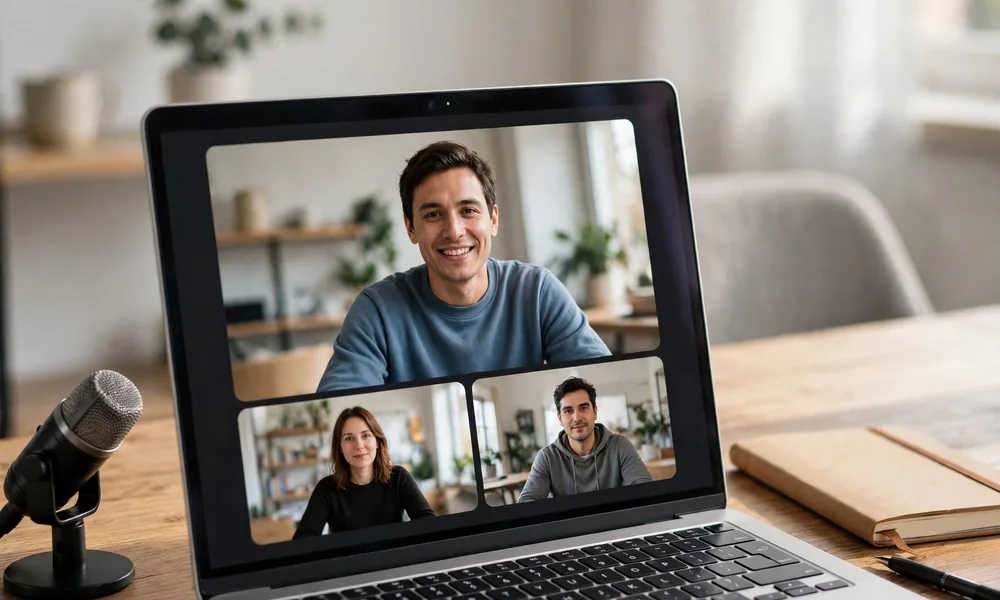
Performance is smooth for real work. The M4 chip handles video calls, a dozen browser tabs, documents and chat apps at the same time, and the fanless design means the microphone never picks up fan noise. Battery life regularly stretches past a full working day, so you can take calls away from a charger. If you want a dedicated camera upgrade later, our guide to the best webcams for video conferencing explains what to look for.
Pros: Excellent camera and microphones, silent fanless design, very long battery life, light at 2.7 pounds.
Cons: Only two Thunderbolt ports, no HDMI port, base storage is 256GB.
Dell XPS 14 — Best premium Windows
The Dell XPS 14 is a polished Windows laptop for people who spend most of the day on camera and want a premium screen and keyboard too. Its 1080p webcam is a clear step up from older 720p cameras, and the quad-speaker setup delivers clear, balanced sound for calls and media.
The 14.5-inch display is bright and sharp, which helps when you are reading shared screens and notes during a meeting. Build quality is excellent, with a solid aluminium body and a large, comfortable touchpad. Performance from the latest Intel Core Ultra processors is strong for office work, and the laptop stays quiet during long calls.
Pros: Beautiful bright display, strong speakers, solid premium build, good webcam.
Cons: Heavier than ultraportables at about 3.7 pounds, expensive at higher configurations, limited ports.
Lenovo ThinkPad X1 Carbon Gen 13 — Best for business
The ThinkPad X1 Carbon has been a business favourite for years, and the latest model is one of the best laptops for video conferencing in a corporate setting. Its 1080p camera includes a privacy shutter, the Dolby Voice microphones cut background noise well, and the keyboard remains the best you will find on a laptop.
At under 2.2 pounds it is easy to carry between meeting rooms, and battery life is strong enough for a full day of calls. IT teams will value the security features, including fingerprint login, and the range of business support options. It is expensive, but for professionals who live on calls, the reliability is worth the price.
Pros: Superb keyboard, light and durable, privacy shutter on the camera, strong business support.
Cons: High starting price, speakers are good rather than great, design is plain.
HP EliteBook 1040 G11 — Best for enterprise IT
The HP EliteBook 1040 G11 is built for companies that need a dependable, manageable laptop for large teams. Its 5MP camera is sharper than most rivals, and HP’s noise-reduction software does a good job of removing keyboard clicks and office chatter from your audio.
The 14-inch display is bright and easy on the eyes, and the laptop is tested to military durability standards, so it survives daily travel. Battery life is solid, and the wide range of ports means you can connect to meeting-room displays without carrying adapters. For IT departments, the management and security tools are a genuine advantage.
Pros: Sharp 5MP camera, strong noise reduction, durable build, good port selection.
Cons: Plain business styling, heavier than the X1 Carbon, premium pricing.
Asus Zenbook S 14 — Best ultraportable Windows
The Asus Zenbook S 14 packs a lot into a slim 2.6-pound body, and it is one of the best-value Windows laptops for video conferencing. Its 1080p camera uses infrared for fast Windows Hello face login, and the Harman Kardon speakers are clear and loud enough for small meeting rooms.
The OLED display option is a highlight, with deep blacks and vivid colours that make shared presentations look great. Battery life is excellent for a Windows ultraportable, and the latest Intel Core Ultra chip handles calls, AI noise cancellation and office apps without strain. It feels like a much more expensive machine than it is.
Pros: Light and slim, excellent OLED display option, good speakers, strong battery life.
Cons: Not suited to heavy graphics work, webcam is good rather than outstanding, limited upgrade options.
Microsoft Surface Laptop 7 — Best for Microsoft 365
If your working day runs on Teams, Outlook and OneDrive, the Surface Laptop 7 is a natural fit. Its 1080p Studio Camera is tuned for Teams calls, the microphones are clear, and the 13.8-inch touchscreen is bright and responsive for notes and whiteboards during meetings.
Battery life is a real strength, often lasting well beyond a working day, and the Snapdragon processor runs cool and quiet. The keyboard is comfortable for long typing sessions, and the laptop feels solid and well made. It is a straightforward, dependable choice for Microsoft-centred workplaces.
Pros: Excellent Teams integration, very long battery life, quiet and cool, good touchscreen.
Cons: Memory cannot be upgraded later, some older Windows apps run through emulation, port selection is limited.
Lenovo Yoga Slim 7x — Best battery and AI features
The Lenovo Yoga Slim 7x is a Snapdragon-powered laptop that stands out for battery life and AI-assisted calling features. Its 1080p camera works with on-device AI to blur backgrounds and frame you automatically, and the microphones filter out background noise effectively.
The 14.5-inch OLED display is bright and sharp, and the laptop is light at about 2.8 pounds. In normal office use it can last two working days between charges, which is useful for travel. Most common apps now run natively on ARM, though a few specialist tools may still need checking before you switch.
Pros: Outstanding battery life, bright OLED display, useful AI camera features, light design.
Cons: Some specialist software may not run natively, no USB-A port, speakers are average.
How to choose
Start with the camera and the microphones, because those decide how you appear to everyone else on the call. Look for at least a 1080p webcam, a privacy shutter if you work in shared spaces, and a microphone array with noise cancellation. A bright display of at least 400 nits helps in sunny rooms, and good speakers save you from wearing headphones all day.
Next, match the laptop to your software. Teams-heavy workplaces suit the Surface Laptop 7, while Mac users will get the smoothest experience from the MacBook Air. If your company uses specific security or management tools, check that the laptop supports them before buying. Our guide to the best video conferencing software for small business can help you match the laptop to the platform your team actually uses.
Finally, do not skimp on memory or battery. Choose 16GB of memory as a minimum, and look for at least 12 hours of real-world battery life if you take calls away from your desk. A laptop that dies mid-meeting is worse than one with a slightly slower processor.
Checklist: before you pay
- Test the webcam in real light, not just in a store, and check that your face is clear and well lit.
- Confirm the laptop has at least 16GB of memory and 512GB of storage for your work files.
- Check that your video app, VPN and company tools all run on the laptop’s processor and operating system.
- Look at the return policy so you can test calls from your actual home or office.
- Compare the total price with the charger, case and any adapters you will need.
- Check the warranty and support options, especially if this is your only work machine.
Frequently asked questions
What webcam resolution do I need for video calls?
A 1080p webcam is the minimum worth buying in 2027. It looks noticeably sharper than older 720p cameras, especially on large screens. Higher-resolution cameras help, but good lighting and a clean lens matter just as much.
Is a MacBook or a Windows laptop better for video conferencing?
Both work well. MacBooks offer excellent cameras, microphones and battery life, while Windows laptops offer more choice, better business management tools and wider software support. Choose the platform your team and apps already use.
Do I need an external webcam?
Most people do not. The cameras in this shortlist are good enough for professional calls. An external webcam helps if you present often, need a wider field of view, or work in a dark room.
How much memory do I need for video calls?
Choose 16GB as a minimum. Video calls use more memory than they appear to, especially alongside browsers, documents and chat apps. Heavy multitaskers and presenters should consider 32GB.
Does battery life matter for video conferencing?
Yes, because video calls drain batteries faster than documents or email. Look for laptops rated for at least 12 hours of mixed use, and carry a charger if your day includes back-to-back calls.
Can I use these laptops for streaming as well?
Yes, most of them can handle basic streaming, though a dedicated setup works better for regular broadcasts. For a closer look at machines tuned for that job, see our guide to the best laptops for streaming.
The bottom line
For most people, the MacBook Air M4 is the best laptop for video conferencing in 2027: a clear camera, excellent microphones, silent operation and battery life that covers a full day of calls. Windows users should choose the Asus Zenbook S 14 for value or the ThinkPad X1 Carbon for business, while Microsoft-centred teams will be happiest with the Surface Laptop 7.
Whatever you choose, prioritise the camera, microphones and battery over raw speed. Check current pricing before you buy, and test the laptop on a real call from your usual workspace before the return window closes.



