The best mechanical keyboards for programming in 2027 are built for long sessions, heavy symbol use, and constant shortcut work. Programmers press brackets, braces, and modifier keys thousands of times a day, so switch feel, layout, and programmability matter far more than looks. This guide compares eight boards that handle that workload well, from budget models near $59 to premium aluminium builds around $199.
Programming keyboards need reliable switches with a clear actuation point, a layout that keeps brackets and arrow keys within reach, and firmware that supports remapping and layers. Hot-swappable sockets are close to essential, and QMK or VIA support turns a good board into a personal tool. Every price below is an approximate starting price — check current pricing before buying.
The shortlist covers every style of coder: the Keychron Q6 Max leads overall, the Keychron K8 Pro is the best value, and the Royal Kludge RK84 is the cheapest credible entry point.
Key takeaways
- Best overall: Keychron Q6 Max, a full-size board with a gasket mount, hot-swappable switches, and QMK support.
- Best value: Keychron K8 Pro, a tenkeyless board with QMK and VIA at around $94.
- Best budget pick: Royal Kludge RK84, a hot-swappable 75% board from around $59.
- QMK and VIA firmware matter: they let you remap keys, build layers, and set up shortcuts without extra software.
- Full-size or tenkeyless layouts suit most programmers; compact 65% boards only work if you are comfortable with layers.
At a glance: the shortlist
| Product | Best for | Starting price | Standout limit |
|---|---|---|---|
| Keychron Q6 Max | Overall programming | From $199 | Heavy, desk-bound |
| Keychron K8 Pro | Value | From $94 | No number pad |
| Ducky One 3 TKL | Build quality | From $129 | Some models wired-only |
| Logitech MX Mechanical | Long sessions | From $149 | Switches not hot-swappable |
| Nuphy Air75 V2 | Compact desks | From $119 | 75% layout, no number pad |
| Lofree Flow | Low-profile typing | From $159 | Fewer replacement keycaps |
| Keychron K3 Max | Hot-swappable low profile | From $94 | No full-size option |
| Royal Kludge RK84 | Budget buyers | From $59 | Plastic case, plain keycaps |
Keychron Q6 Max — Best overall
The Keychron Q6 Max is the most complete programming keyboard in this guide. It is a full-size board, so the number pad and navigation cluster are always available, and its gasket-mounted aluminium case produces a deep, consistent keystroke that stays comfortable through long sessions. Hot-swappable sockets accept most three- and five-pin switches, so the board can grow with your preferences.
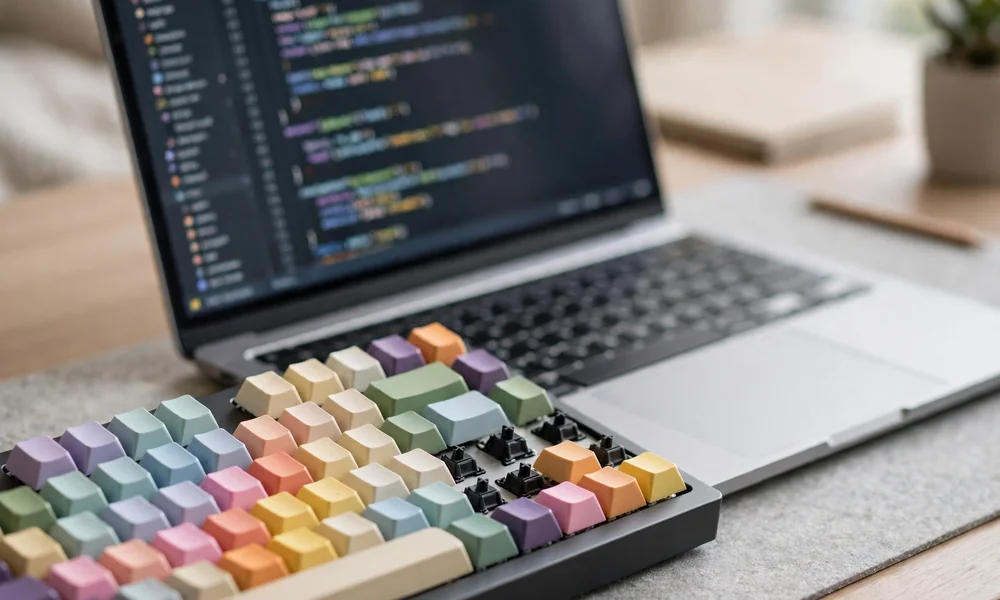
QMK and VIA support is the real draw for developers: keys can be remapped, layers can hold macros and shortcuts, and the layout can be changed without vendor software. It connects over Bluetooth, 2.4 GHz, or USB-C, and the battery lasts for weeks. The cost is weight — this is a desk board, not a travel board. If you also play games on the same desk, our roundup of the best keyboards for gaming covers boards that split the difference.
Pros: Full-size layout; superb gasket-mounted feel; hot-swappable; QMK and VIA support; three connection modes.
Cons: Heavy; expensive; needs desk space.
Keychron K8 Pro — Best value
The Keychron K8 Pro is a tenkeyless board that gives programmers almost everything the Q6 Max offers at half the price. It keeps hot-swappable sockets, QMK and VIA support, and three connection modes, while dropping the number pad to save desk space. The standard-profile switches feel familiar to anyone coming from a regular desktop keyboard.
Typing feel is solid rather than luxurious: the plastic case is well built but cannot match the Q6 Max’s aluminium, and the stock keycaps are plain ABS. At around $94, it is the best value mechanical keyboard for programming in this guide.
Pros: QMK and VIA at a low price; hot-swappable; three connection modes; familiar layout.
Cons: No number pad; plastic case; plain stock keycaps.
Ducky One 3 TKL — Best build quality
The Ducky One 3 TKL is built to last. Its thick double-shot PBT keycaps resist shine for years, the case has almost no flex, and Cherry MX switches deliver the consistent feel the whole industry measures against. For programmers who type eight hours a day, that consistency matters: every keystroke feels the same, which reduces errors during long sessions.
Hot-swappable versions are available and worth choosing, since they let you change switches without soldering. Some models are wired-only, so check the specification if you need wireless.
Pros: Excellent keycaps and build; Cherry MX switches; consistent feel; hot-swappable options.
Cons: Some models wired-only; no wireless on base models; plain styling.
Logitech MX Mechanical — Best for long sessions
The Logitech MX Mechanical is the most comfortable low-profile board here for all-day coding. Its short 3.2 mm switch travel reduces finger effort over long sessions, the aluminium top case feels premium, and the smart backlighting adjusts to the room and switches off when your hands leave the keys.
It pairs with three devices and works with Logitech Flow for moving between two computers. Battery life reaches about two weeks with backlighting on and months with it off. The switches are soldered rather than hot-swappable, so choose the switch type carefully.
Pros: Low fatigue over long sessions; quiet typing; premium build; excellent multi-device support.
Cons: Switches are not hot-swappable; premium price; limited switch choices.
Nuphy Air75 V2 — Best for compact desks
The Nuphy Air75 V2 is a slim 75% board that fits small desks and laptop bags. It is hot-swappable, connects over Bluetooth, 2.4 GHz, or USB-C, and uses low-profile switches that keep typing quiet. The aluminium frame and soft-touch keycaps make it feel more expensive than it is.
For programmers, the trade-off is layout: the 75% format drops the number pad and compresses the navigation keys, so heavy terminal work needs a short adjustment period. If typing feel matters more than layout size, our guide to the best keyboards for typing has more options in this style.
Pros: Slim and portable; hot-swappable; three connection modes; quiet low-profile switches.
Cons: No number pad; compressed navigation cluster; fewer replacement switch options.
Lofree Flow — Best low-profile typing
The Lofree Flow is built around feel. Its custom low-profile switches and gasket-mounted plate produce a soft, muted keystroke that suits late-night coding without waking the house, and the sculpted keycaps keep fingers positioned correctly during long sessions. The board is slim enough to travel and pairs with three devices.
Build quality is a step above the price: a metal frame, PBT keycaps, and a battery that lasts weeks. The low-profile format means fewer third-party keycap sets fit it. For developers who value quiet, comfortable typing, it is hard to beat.
Pros: Excellent muted typing feel; slim and portable; PBT keycaps; strong battery life.
Cons: Limited keycap options; short learning curve; no number pad.
Keychron K3 Max — Best hot-swappable low profile
The Keychron K3 Max combines a low-profile design with full hot-swappable sockets, which is rare. It pairs with three devices over Bluetooth, plus 2.4 GHz and wired USB-C, and its battery runs for weeks. The low profile keeps wrists flat during long coding sessions, and the 8,000 Hz polling rate in wired mode is a bonus for developers who also game.
QMK and VIA support means the board can be remapped and layered like the Q6 Max, just in a slimmer package. The 75% layout drops the number pad. For programmers who want a slim, swappable, programmable board, it is the best option in this guide.
Pros: Hot-swappable low-profile switches; QMK and VIA support; three-device Bluetooth; long battery life.
Cons: No number pad; keycap legends wear over time; basic software.
Royal Kludge RK84 — Best budget pick
The Royal Kludge RK84 is the cheapest way into a proper programming keyboard. It is a hot-swappable 75% board with Bluetooth, 2.4 GHz, and wired connections, and it accepts most three- and five-pin switches, so it can be upgraded one switch at a time. For around $59 it covers the essentials.
The plastic case and plain ABS keycaps show where the money was saved, and the spacebar can rattle until tuned. Even so, it types well and supports the switch experimentation that makes mechanical keyboards worthwhile.
Pros: Very low price; hot-swappable; three connection modes; good first board.
Cons: Plastic case; keycaps shine with use; spacebar can rattle.
How to choose
Start with layout. Full-size boards suit developers who use the number pad constantly; tenkeyless suits most coders; 75% and smaller boards only work if you are comfortable using layers for missing keys. Next, pick a switch type: tactile switches confirm each keystroke, linear switches glide smoothly, and clicky switches are best avoided in shared spaces.
Programmability is the feature that separates programming keyboards from ordinary ones. QMK and VIA support lets you remap keys, build layers for symbols and shortcuts, and store the layout on the board itself. Hot-swappable sockets are almost as important, since they let you change switches without soldering. If you use a Mac for development, the best wireless keyboards for Mac roundup covers boards with proper Mac legends and shortcuts.
Finally, think about where you code. A heavy aluminium board is ideal for a fixed desk but poor for travel, while a slim board suits developers who move between desks.
Checklist: before you buy
- Confirm the layout has the keys you use daily, including brackets, arrows, and a number pad if you need one.
- Check for QMK or VIA support if you want to remap keys and build shortcut layers.
- Confirm hot-swappable sockets so switches can be changed without soldering.
- Pick tactile switches for feedback or linear switches for speed; avoid clicky switches in shared offices.
- Test the connection modes: Bluetooth for laptops, 2.4 GHz for a fixed desk, USB-C for wired use.
- Measure your desk and add a wrist rest to the budget for standard-height boards.
Frequently asked questions
What switch type is best for programming?
Tactile switches suit most programmers because the small bump confirms each keystroke, which helps accuracy with brackets and symbols. Linear switches suit fast typists who prefer a smooth press. Both work well; the choice is personal.
Do programmers need a full-size keyboard?
Not necessarily. Tenkeyless boards suit most developers, since the number pad is rarely essential for coding. Full-size boards help if you work with data or use the navigation cluster constantly, while compact boards need layers for missing keys.
What are QMK and VIA, and why do they matter?
QMK is open-source keyboard firmware and VIA is the tool that configures it. Together they let you remap any key, build layers for macros and shortcuts, and store the layout on the keyboard itself, so it works on any computer without extra software.
Are hot-swappable keyboards worth it for coding?
Yes. Hot-swappable boards let you replace a failing switch in seconds, try different switch types cheaply, and keep one board in service for years. For developers who type all day, that flexibility pays for itself quickly.
Are mechanical keyboards better than membrane keyboards for programming?
For most programmers, yes. Mechanical switches give a more consistent feel, last far longer, and can be repaired or customised. Membrane keyboards are cheaper and quieter, but they wear out faster and cannot be repaired switch by switch.
Can I use one mechanical keyboard with a laptop and a desktop?
Yes. Most boards in this guide support multi-device Bluetooth, so you can pair a laptop and a desktop and switch between them with a keypress, with a wired connection available as a fallback.
The bottom line
For most programmers, the Keychron Q6 Max is the best mechanical keyboard for programming in 2027: full-size, hot-swappable, programmable with QMK and VIA, and built to last. If the budget is tighter, the Keychron K8 Pro delivers the same programmability in a tenkeyless body for around $94, and the Royal Kludge RK84 is a solid first board for around $59.
Whichever board you choose, prioritise layout and programmability over looks. A board that matches the way you code will pay for itself within weeks.