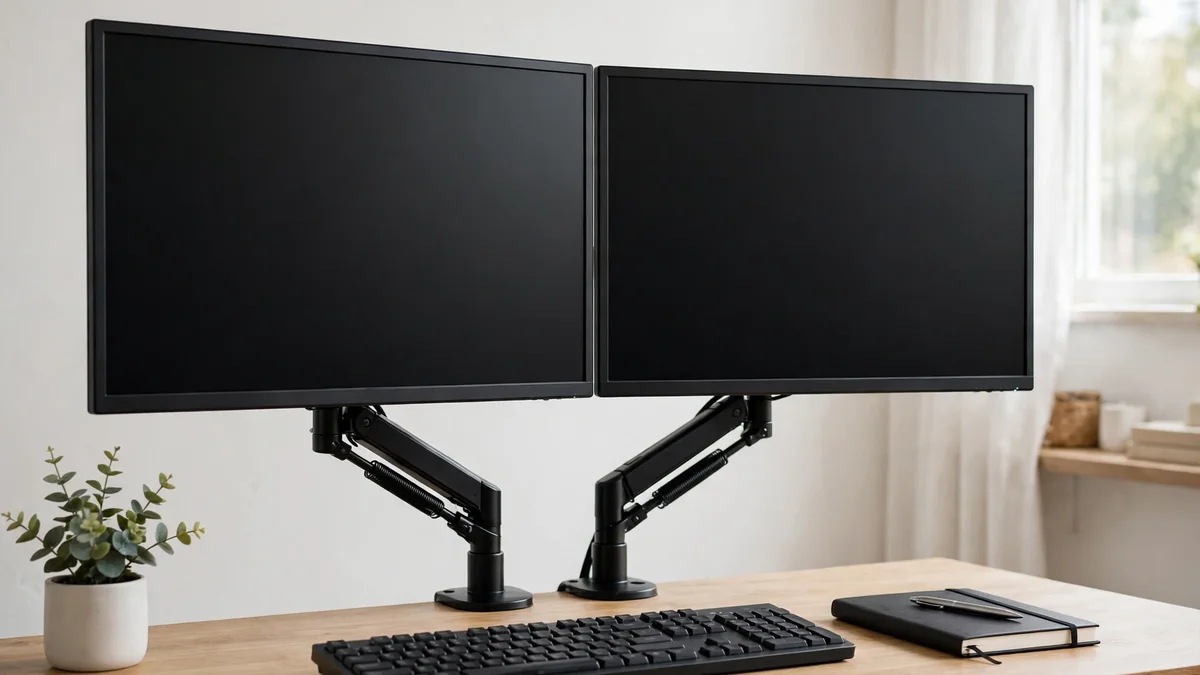
The best monitor arms for desk use in 2027 turn a fixed screen into one you can move, tilt, and position exactly where your eyes want it. A good arm lifts the monitor off the desk, frees the space underneath, and lets you switch between sitting and standing.
We compared single and dual gas-spring arms, pole mounts, and heavy-duty models for ultrawide screens on weight capacity, VESA compatibility, range of motion, clamp strength, and value. Every price is an approximate starting price, so check current pricing before you buy.
Our shortlist runs from the Ergotron LX, the long-standing benchmark for a single monitor, to the HUANUO dual arm for two-screen setups on a budget. Whether you run one 27-inch display or a pair of 32-inch screens, there is an arm here for you.
Key takeaways
- Ergotron LX is the best monitor arm overall, with smooth gas-spring movement and a 10-year warranty.
- HUANUO Dual is the best budget dual arm, holding two monitors up to 27 inches for under $60.
- Ergotron HX is the best arm for heavy and ultrawide monitors up to 19 kilograms.
- Check your monitor’s weight and VESA pattern before ordering.
- Measure your desk thickness and depth first, since clamps have strict limits.
At a glance: the shortlist
| Product | Best for | Starting price | Standout limit |
|---|---|---|---|
| Ergotron LX | Best overall | From $130 | Up to 11 kg, 34 inches |
| Amazon Basics Premium | Best value single | From $80 | Up to 11 kg, single only |
| HUANUO Dual | Best budget dual | From $55 | 8 kg per arm |
| VIVO Dual | Best dual for large screens | From $70 | 10 kg per arm |
| North Bayou F80 | Best budget single | From $40 | Up to 9 kg, 27 inches |
| Ergotron HX | Best for ultrawide | From $300 | Premium price |
| WALI Dual | Best for small desks | From $50 | 7 kg per arm |
Ergotron LX — Best overall
The Ergotron LX has been the benchmark single monitor arm for over a decade, and it still sets the standard in 2027. Its gas-spring mechanism lets you raise, lower, tilt, and swivel a monitor with one hand, and it holds its position without drifting. It supports screens up to 34 inches and 11 kilograms, with 75 x 75 and 100 x 100 VESA mounts.
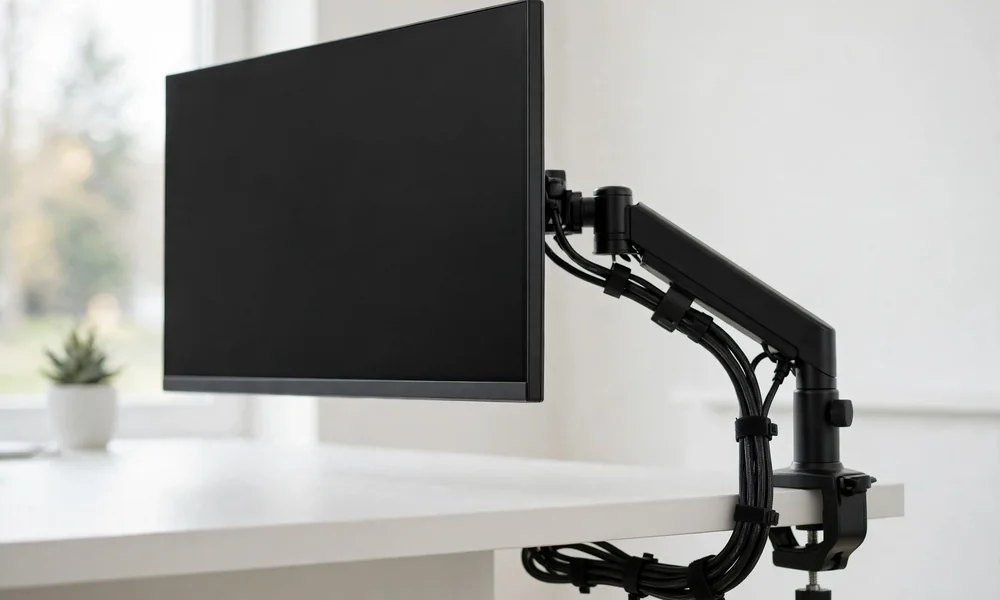
Build quality is why the LX costs more than rivals. The aluminium and steel construction feels solid, the joints stay smooth after years of daily adjustment, and Ergotron backs it with a 10-year warranty. Cables run through the arm, out of sight.
The LX clamps to desks from 10 to 60 millimetres thick, and a grommet mount is included for desks with a cable hole. If you are choosing a screen to go with it, our guide to the best 32-inch monitors for work covers large displays that pair well with a single strong arm.
Pros: Effortless one-hand adjustment; 10-year warranty; excellent cable management.
Cons: Premium price; overkill for very light monitors.
Amazon Basics Premium — Best value single
The Amazon Basics Premium single arm is, in practice, an Ergotron LX with a different badge and a lower price. Made by Ergotron, it shares the same gas-spring design, 11-kilogram capacity, and smooth adjustment, at roughly two-thirds of the price.
There are small differences: a plainer finish, a shorter one-year warranty, and more basic accessories. None of that affects daily use. The arm clamps to desks up to 60 millimetres thick, supports 25 to 32-inch screens, and routes cables through the arm just like the LX.
For anyone who wants the LX experience without the LX price, this is the obvious buy. The shorter warranty is the real trade-off, so if you plan to keep the arm for a decade, the genuine LX may be worth the premium.
Pros: Same gas-spring mechanism as the LX; much lower price; strong build.
Cons: Shorter one-year warranty; plainer finish.
HUANUO Dual — Best budget dual
The HUANUO dual arm is the cheapest sensible way to mount two monitors. For around $55 it holds two screens up to 27 inches and 8 kilograms each on independent gas-spring arms, so each can be set to its own height, tilt, and angle.
Each arm moves independently, which matters when your screens differ in size or one is used in portrait. The central pole clamps to the desk edge and keeps both monitors stable, though it takes up more desk depth than a single-arm setup.
Build quality is good for the price but not premium: the joints need occasional tightening after months of adjustment, and the arms can sag slightly near the 8-kilogram limit. For two light or mid-weight screens on a budget, it is hard to beat.
Pros: Very affordable dual setup; independent adjustment per monitor; fits two 27-inch screens.
Cons: Joints need occasional tightening; sags near the weight limit.
VIVO Dual — Best dual for large screens
The VIVO dual arm steps up from budget dual mounts with a stronger frame and a 10-kilogram limit per arm. It handles two 32-inch monitors comfortably, which budget dual arms struggle with, and the gas springs stay smooth under heavier screens.
Each arm extends, tilts, and rotates independently, and both monitors can be set to portrait for code or long documents. The heavy-duty C-clamp grips desks from 10 to 80 millimetres thick.
The VIVO costs more than the HUANUO and needs a deeper desk for full range of motion. For dual 32-inch setups or anyone who wants a dual arm that will last, the extra money is well spent.
Pros: Holds two 32-inch monitors; strong clamp; independent portrait rotation.
Cons: Needs a deeper desk; costs more than budget dual arms.
North Bayou F80 — Best budget single
The North Bayou F80 is the budget single arm reviewers keep recommending, because it does the essentials well for around $40. Its gas spring supports monitors from 2 to 9 kilograms and 17 to 27 inches, with smooth height adjustment.
The F80 clamps to desks 10 to 50 millimetres thick and includes a grommet mount. The arm folds back when not in use, which helps on shallow desks, and the cable channel keeps cables out of the way.
It is not as refined as the Ergotron LX: the joints are stiffer when new, and heavy monitors near the limit can drift slightly. For a single 24 or 27-inch monitor on a budget, it delivers the core benefit for a third of the premium price.
Pros: Very affordable; smooth gas-spring lift; folds back to save space.
Cons: Stiffer joints when new; can drift near the weight limit.
Ergotron HX — Best for ultrawide
The Ergotron HX is built for the monitors other arms cannot hold: ultrawide screens up to 49 inches and 19 kilograms. Its heavy-duty gas spring keeps a large curved display stable and adjustable, a genuine engineering challenge at this size.
Adjustment is the same one-hand movement as the LX, scaled up. The arm lifts, tilts, and pans a heavy ultrawide without sagging.
The HX is expensive and overkill for a standard 27-inch monitor. But if you own a 49-inch super-ultrawide or a heavy 38-inch display, very few arms hold it safely at all. The HX is the safe, long-term choice for those screens.
Pros: Holds ultrawide screens up to 19 kg; smooth heavy-duty adjustment; 10-year warranty.
Cons: Premium price; overkill for standard monitors.
WALI Dual — Best for small desks
The WALI dual arm is designed for compact desks where space is the constraint. Its two gas-spring arms mount from a single central clamp, holding two monitors up to 27 inches and 7 kilograms each, while keeping the footprint small.
Each monitor adjusts independently for height, tilt, and rotation, and both can rotate to portrait. The arms fold back to save depth on shallow desks, and the clamp fits desks from 10 to 50 millimetres thick.
The 7-kilogram limit rules out heavy 27-inch displays, so check your monitor weights before ordering. For two light monitors in a small home office or shared workspace, the WALI gives you a proper dual setup without needing a large desk.
Pros: Compact footprint for small desks; independent adjustment; affordable.
Cons: Lower 7 kg weight limit per arm; not for heavy displays.
How to choose
Start with your monitor. Check its weight with the stand removed, and confirm the VESA pattern on the back, usually 75 x 75 or 100 x 100 millimetres. An arm rated below your monitor’s weight will sag or drift.
Next, measure your desk. Clamp mounts need a solid edge of the right thickness, usually 10 to 60 millimetres, and a grommet mount needs a hole of the right size. Glass desks and desks with a modesty panel can rule out clamps entirely.
Decide between gas spring and fixed pole. Gas-spring arms move smoothly and hold any position, which suits sit-stand desks and shared workstations. Pole mounts are cheaper and very stable, but height changes mean loosening a collar. If you are buying a new screen too, our guide to the best 4K monitors under $500 covers sharp displays that work well on a single arm. Finally, a dual arm costs less than two singles, but two singles give you more freedom with very different monitors.
Checklist: before you pay
- Confirm your monitor’s weight and VESA pattern match the arm.
- Measure your desk thickness and check the clamp or grommet fits.
- Check desk depth, so the arm has room to move.
- Decide single or dual based on the screens you use every day.
- Check the return policy, so you can test it at your own desk.
- Confirm the price, since starting prices change by region.
Frequently asked questions
Do monitor arms damage desks?
Not when fitted correctly. A clamp distributes pressure over a wide pad, and most arms include a protective layer for the desk surface. Very thin desks, glass tops, and hollow-core doors are the exceptions, so check the minimum thickness first.
Can a monitor arm hold any monitor?
Almost any monitor with a VESA mount, provided the weight and size are within the arm’s limits. Check the VESA pattern on the back of your screen and weigh it without its stand.
Are gas-spring arms better than pole mounts?
For most people, yes. Gas-spring arms adjust with one hand and hold any position, which suits sit-stand desks and shared workstations. Pole mounts are cheaper and very stable, but height changes need a loosened collar, so they suit fixed setups best.
Can I mount two different sized monitors on one dual arm?
Yes, if both are within the weight and size limits. Independent arms let you set each screen to its own height and angle. A 27-inch main screen with a 24-inch portrait side screen is a common pairing.
How much desk space does a monitor arm save?
A surprising amount. A monitor stand base typically covers 25 to 30 centimetres of desk depth, while an arm clamp uses a few centimetres at the back edge. The freed space fits a keyboard or notebook, and cleaning the desk becomes much easier.
What is the best budget monitor arm?
For a single monitor, the North Bayou F80 at around $40 is the best budget pick. For two monitors, the HUANUO Dual at around $55 is the best value. Both deliver the core benefit for little money. If you are still choosing a display, our guide to the best budget monitors under $200 covers affordable screens that pair well with these arms.
The bottom line
For a single monitor, buy the Ergotron LX, or the Amazon Basics Premium for the same movement at less money. For two screens, the VIVO Dual is the stronger choice, while the HUANUO Dual is the best budget route. Ultrawide owners should go straight to the Ergotron HX.
Whatever you choose, measure first: monitor weight, VESA pattern, and desk thickness decide whether an arm works at all. Get those three numbers right and a good arm will make your desk feel larger and your screen exactly where you want it.