A local model can keep a prompt on your own computer, but the right choice depends on what that computer can actually run. “Open-source” often gets used loosely for models with downloadable weights, even when their training details stay private. Here, the ten picks suit different tasks, from coding to chat, rather than one universal winner.
Local inference keeps prompts on your machine, which can reduce how much you share with a hosted service. You still need to check model terms and your hardware capacity before relying on a model. A download that exceeds available memory may run poorly or fail to load.
Key Takeaways
- Match model size to the memory your computer can spare.
- Use task-specific tests instead of trusting one ranking.
- Quantized models can lower memory needs, sometimes with a quality tradeoff.
- Check the exact license before using a model in a product.
- Local use can keep prompts on your machine after setup.
Start by matching the model’s memory needs to your machine, then check whether its license permits your intended use.
What Does Open-Weight Mean in Practice?
Downloadable weights let you run a model yourself, but they do not automatically make every part of its development open. Open weights are trained model parameters that you can download and run, even when training data or code is not released.
A public download does not prove that the training data, code, or key development details are available. Open-source AI means more than access to model files; the Open Source AI Definition sets out broader access needed to study and change a system. The Linux Foundation’s explanation of open weights also describes this distinction.
Downloadable weights are not the whole training process
Model weights let you run a trained system, but may not show how its creators made it. You might not get the training data, training code, or documentation needed to study its full development. That gap matters when you need to audit data use, reproduce results, or change the training process.
If you want to learn how training differs from prompting, this guide explains how to train an AI model. Testing existing models first can help you decide whether custom training is even needed.
A large ecosystem still needs careful filtering
Hugging Face reported 13 million users, more than 2 million public model repositories, and over 500,000 public datasets in 2025. Yet about half of its models had fewer than 200 total downloads. The top 200 models, just 0.01% of the total, drew 49.6% of downloads.
Chinese models accounted for 41% of downloads in the year covered by the Spring 2026 ecosystem report. Those figures show why repository count alone says little about fit or quality. An open-source AI models list should help you sort model families, not suggest every repository deserves equal attention.
Popularity can help you find candidates, but it cannot tell you whether a model suits your work.
Use this three-part check before you commit:
- Verify the exact license for the model version you plan to run.
- Inspect the model card and the files included in the download.
- Look for evaluations tied to your task, not just broad claims.
Treat popularity as a discovery clue, not proof that a model fits your task.
How Can You Compare Models Without Misreading Benchmarks?
A leaderboard score is useful only when you know what evidence and metric produced it. Read the metric first, then judge whether the test resembles your work.
BenchLM’s October 29, 2026 coding leaderboard ranked 156 models, with 85 Supported entries and 71 Estimated entries. BenchAlign compares models against the current evidence universe; it is not a raw percentage from one test. For example, proprietary Claude Opus 5.5 scored 82.9 BenchAlign, so a high score does not mean a model is open weight.

Leaderboard scores measure different things
BenchLM combines several coding tests, and each component has a different weight. The table shows how much four tests contribute and the work they assess.
| Benchmark component | Score weight | What it tests |
|---|---|---|
| SWE-bench Pro | 26% | Software engineering tasks |
| DeepSWE | 15% | Software engineering tasks |
| CursorBench 3.2 | 10% | Editor-based coding work |
| SciCode | 10% | Scientific coding problems |
OpenRouter rankings use a different measure. They count prompt and completion tokens sent through its API, not accuracy, reasoning ability, users, or spending. Its rankings were current through October 28, 2026.
Match the benchmark to your real task
An open-source AI models ranking can point you toward candidates, but only when you keep its metric and date attached. A model tested on code repair may not fit code completion or a tool-based agent. The same prompt can also produce different results when settings change.
Compare finalists with a simple test:
- Choose a task that represents your everyday work.
- Use the same prompt and settings for each model.
- Judge each output against a success rule you define before testing.
For more on choosing useful test data and measures, see this guide to training and evaluating an AI model.
Re-test finalists on your own prompts before committing a workflow to one model.
What Hardware Fits a Local Model?
A 7B Q4_K_M model needs about 4-5 GB for its weights, but the rest of your workload needs memory too. VRAM means graphics-card memory; unified memory is memory shared by a Mac’s CPU and GPU.
At Q4_K_M, a 70B model needs about 40 GB of memory, so it will not fit on one RTX 4090 with 24 GB VRAM. Quantization makes smaller, reduced-precision model files that use less memory, but can reduce quality.
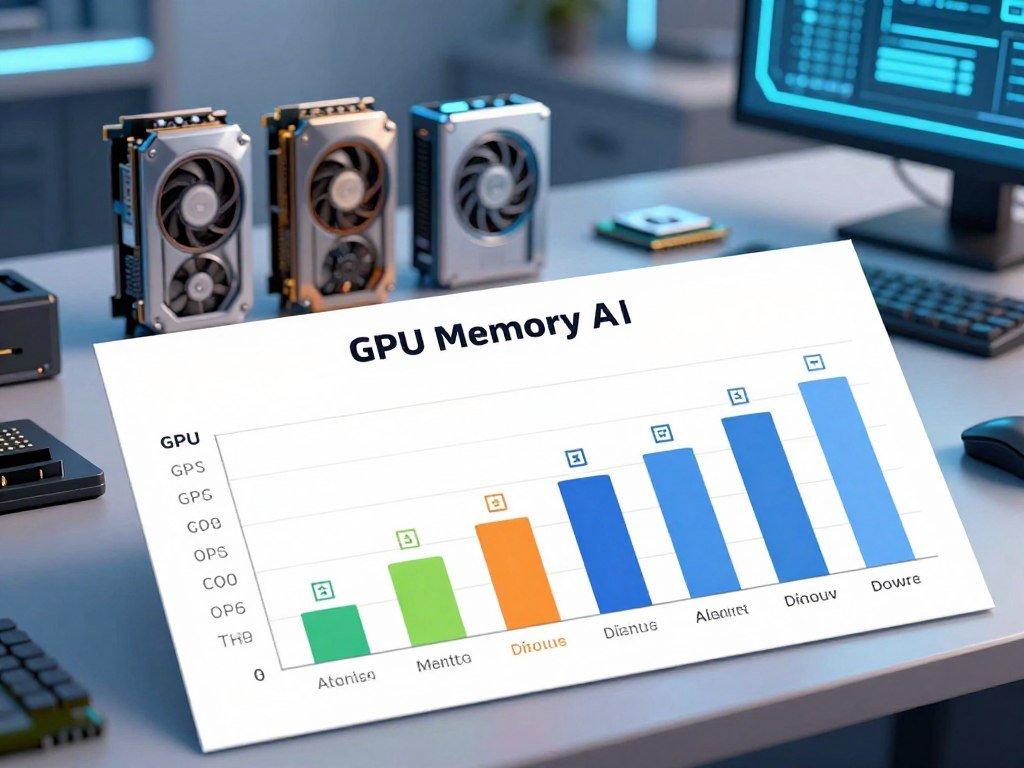
Use these estimates as a starting point, not a promise of speed. Model weights are only part of the workload; context and other open apps also use memory.
| Model size | Q4_K_M memory estimate | Practical implication |
|---|---|---|
| 7B | About 4-5 GB | 16 GB system RAM supports comfortable use |
| 14B | About 9 GB | Leave room for context and other apps |
| 32B | About 19 GB | Needs substantial available memory |
| 70B | About 40 GB | Exceeds one 24 GB RTX 4090 |
| Qwen3.6 27B | About 16 GB VRAM | Check the full working load |
Estimate memory before downloading
A Mac needs about 16 GB of unified memory for comfortable 7-8B use. A 70B Q4_K_M model needs about 39-40 GB; the same class may fit near 24 GB with Q2_K, but quality drops noticeably.
Mixture-of-experts models use only some parameters for each token. That can affect processing, but the full model weights still need memory. For a closer look at running models locally on a PC, include context and runtime overhead in your estimate.
Choose for the machine you already own
CPU inference can run 7B models at an estimated 5-15 tokens per second, about three to five times slower than GPU inference. A 70B Q4_K_M model on an M5 Max with 128 GB unified memory is estimated at roughly 12-15 tokens per second.
- Check the memory available to the model, not just installed memory.
- Allow room for the operating system, browser, and context.
- Choose a smaller quantization only if your hardware needs it.
- Test speed on your machine before settling on a model.
Leave room for the operating system, browser, and context rather than choosing a model that barely fits on paper.
Which Best Open-Source AI Models for Local Use Should Coders Try?
For a coding-focused local trial, start with Qwen3.6 27B if your machine can spare about 16 GB of VRAM for its Q4_K_M build. That is a starting point, not a promise that it will solve every repository task.
Qwen3.6 27B scores 77.2% on SWE-bench in its listed Q4_K_M configuration. A benchmark result can help you choose what to test, but your codebase, tools, and task may differ from the test setup.

The best local AI model for coding in 2026 depends on the work. Code completion, repository-level reasoning, and an agent workflow ask for different skills. Try the model with the tools and code you already use, rather than treating one score as a guarantee.
Ollama lists Qwen3.6 in 27B and 35B sizes and describes the family as upgraded for agentic coding and reasoning preservation. The 35B sibling is another option, but it does not share the 27B model’s stated memory fit.
For a first trial, ask the model to explain one unfamiliar function, suggest a small change, and review a failing test. Check whether it follows the project’s naming style and avoids edits outside the task. These details matter more than a polished answer that ignores your codebase.
Keep the test small enough that you can judge the result yourself. A short bug fix or function change gives you a clear view of how the model handles local conventions, test commands, and comments.
Use a small representative repository task to check whether the model follows your project’s conventions.
Is DeepSeek V4.1 Flash a Practical Local Coding Pick?
DeepSeek V4.1 Flash is the first open-weight coding model to test if leaderboard position is your starting filter. Its rank is a shortlist signal, not a local performance result.
It was the highest-ranked open-weight model on BenchLM’s October 29, 2026 coding leaderboard. That position says how it compared under the leaderboard’s evidence and scoring method, not how quickly a local build will run.
A ranking also does not tell you whether the model fits your available memory. Local speed depends on the build and machine, while the score reflects benchmark results. Treat those as separate questions before you plan an agent workflow around it.
Make a side-by-side trial with two tasks: fix one small bug and explain one piece of unfamiliar code. Give DeepSeek and your other candidate the same prompts, code, and tools. Compare correctness, clarity, and whether each model stays within the requested change.
For a bug fix, run the relevant test and inspect every proposed edit. For an explanation, check the answer against the code instead of rewarding confident wording. The model that gives a more useful result on your own tasks may be a better fit than the model with the higher rank.
Some model families also offer several builds with different size and precision choices. Those choices can change download size and memory needs, so do not assume that one result applies to every local file.
Confirm the exact model build and quantization before downloading a large local checkpoint.
When Does Qwen3.6 35B Make More Sense?
Choose Qwen3.6 35B-A3B when its agentic and multimodal features matter more than keeping the total model footprint small. Its active count is not its file size.
The 35B-A3B model activates 3B parameters per token, while its full model weights still need memory. “Active” describes the part used for a given token, not the entire storage requirement.
The family also includes a 27B dense model and a 35B-A3B mixture-of-experts model. The 35B-A3B option may interest you when agentic or multimodal work is central, and your machine can handle its full files.
The official Qwen3.6-35B-A3B model card lists 35B total parameters and 3B activated parameters. It also describes agentic coding and vision-language features, which make it a candidate for mixed input and tool tasks.
Before choosing it, consider what you need the model to do. A model that handles images or tool steps may be useful for a workflow that combines several input types. A simpler text task may not need those features or the larger full model footprint.
Runtime support matters too. A model file can exist without fitting smoothly into your chosen runner, so check the full weight size and software support together. MoE active parameters describe processing, not a shortcut around storing the model.
Check the full weight size and runtime support, not only the 3B active-parameter figure.
Which Qwen2.5-Coder Size Fits Your Work?
For a small coding assistant, try a 3B or 7B Qwen2.5-Coder build before moving up to 14B or 32B. Start with a size you can test comfortably, then scale only if its output falls short.
Qwen2.5-Coder comes in six sizes, from 0.5B to 32B. These are practical roles to test, not claims that one size will beat another on your code.
| Qwen2.5-Coder size | Useful role to test | Memory-fit consideration |
|---|---|---|
| 0.5B | Basic code snippets | Smallest listed size |
| 1.5B | Short code questions | Low memory demand |
| 3B | Small coding assistant | Good early trial size |
| 7B | Routine coding help | Needs more room than 3B |
| 14B | More involved code tasks | Check memory before loading |
Ollama lists Qwen2.5-Coder at 0.5B, 1.5B, 3B, 7B, 14B, and 32B. Qwen2.5 supports up to 128K tokens and also comes in 72B, but a long context uses memory beyond the model weights.
Qwen3-Coder is a separate family, listed in 30B and 480B sizes for long-context agentic coding. DeepSeek-Coder is another distinct family, listed in 1.3B, 6.7B, and 33B sizes. Their names are similar, but they are not Qwen2.5-Coder builds.
A context limit is not a promise that your machine can load that many tokens smoothly. Long prompts need more memory and can slow responses, especially when other applications are open. Start with a short file or a compact repository question.
Keep prompt length within the memory your runtime can actually spare.
Can Gemma 4 Handle Small-Machine Chat?
Gemma 4 gives local chat users several size options, from E2B and E4B up through 31B. Choose by available memory: E2B or E4B suits tighter limits, while 12B is worth testing when you have more room.
Ollama lists Gemma 4 in E2B, E4B, 12B, 26B, and 31B sizes, with vision, tools, thinking, and audio capabilities. Those features describe options in the family, not a benchmark win or a guarantee for every local setup.
Pick a size that fits your memory
For a constrained machine, begin with E2B or E4B and see how the answers handle your normal prompts. If you have more headroom, test 12B against the smaller option. Gemma 3 is a separate family, listed in 270M, 1B, 4B, 12B, and 27B sizes.
A smaller file may be easier to load, but the reply still needs to follow your instructions. Use real questions you expect to ask, such as summarizing a short document or comparing two ideas. A neat-sounding answer is not enough if it misses the request.
Test conversational style before settling on roleplay
Gemma 4 12B is a roleplay candidate when your memory allows, not a guaranteed best model. Give each model the same character prompt, then compare character consistency, instruction following, and style across several turns.
For broader chat choices, our AI chatbot app comparison explains how local and hosted chats differ. A local model gives you more control over where prompts run, while a hosted app may use a remote service.
Keep the same character prompt and judge voice consistency over several turns, not just one reply.
Is Mistral Small 3.1 a Good Speed-Focused Choice?
Mistral Small 3.1 is a 24B speed-oriented option to test if your hardware can accommodate its Q4_K_M build. The listed speed is a reference, not a promise for every GPU or runtime.
Mistral Small 3.1 Q4_K_M is listed at 13 GB and 55 tokens per second. Both figures refer to that model and quantization; speed changes with hardware and the software used for inference.
The 24B model may suit interactive local tasks if its answers meet your needs. Test a few prompts that match your real use, such as drafting a short reply or summarizing a document. Then check both answer quality and how long each response takes.
Tokens per second can help you compare runs on the same machine. It does not capture every part of the experience, such as the time before the first words appear or whether the answer follows your request. Try the model with the same settings you expect to keep.
If you plan a live chat experience, a few test prompts can reveal whether the wait feels acceptable. A strong answer that arrives too slowly may not suit a fast back-and-forth. A faster reply that misses key details may not help either.
Measure the speed on your own machine before designing a live chat experience around it.
When Should Developers Pick Devstral Small?
Devstral Small is worth testing when your local workload centers on coding rather than general chat. Its focus is development work, especially tasks with several steps.
Devstral Small is a 24B model, and its Q4_K_M build is listed at 16 GB and 45 tokens per second. Those figures describe that build, so check the fit and response time on your own setup.
A coding-focused model can be a better candidate for multi-step development work than a general chat model. Still, an agent workflow must handle tools, project files, and edits safely. Test these parts before you trust it with routine changes.
Start with a small repository and ask for one clear change. Check whether the model uses the right files, explains its plan, and follows the project’s existing style. A successful answer in chat does not prove that tool calls or file edits will work as expected.
Keep the first run reversible. Save or commit your current work, let the model propose one limited change, and inspect the diff before applying it. That gives you a simple way to catch unwanted edits without risking a large project.
Run a small, reversible repository change first and inspect every proposed edit.
What Does GPT-OSS 20B Offer for Local Reasoning?
GPT-OSS 20B is the family’s smaller listed option for local reasoning and developer tasks. Start with the smaller sibling when you want to assess the family without taking on its larger deployment choice.
Ollama lists GPT-OSS in 20B and 120B sizes and describes the family for reasoning, agentic tasks, and developer use. The 120B sibling is substantially larger, so do not treat the two as interchangeable local downloads.
The GPT-OSS model card describes the 20B and 120B models, including their use for agent tasks and developer-provided tools. It also covers Python tool use and functions that developers can supply.
Test the parts of the answer that matter separately. Give the model a concise reasoning problem, a tool-use task, and a request with a set output format. You can then see whether it solves the problem, calls the right tool, and follows the requested structure.
Do not judge reasoning by how much text the model produces. A long explanation may still reach the wrong result, while a short one may solve the task cleanly. Check the answer itself against a known result or expected action.
Consider the larger sibling only when your work calls for it and your deployment can support it. A family name does not mean each size has the same memory needs or practical use on one machine.
Compare the final answer and tool behavior, not the length of a model’s reasoning text.
Which DeepSeek-R1 Size Is Manageable?
Start with DeepSeek-R1 7B or 8B if you want to test a local reasoning model on modest hardware. Move up only when needed, since larger sizes need more resources.
DeepSeek-R1 also comes in 1.5B, 14B, 32B, 70B, and 671B sizes. A family listing does not mean a desktop can host every option.
Ollama describes DeepSeek-R1 as an open reasoning model family. The 7B or 8B option gives you a manageable place to test the style, while 14B or 32B may suit you when your available memory permits.
A 70B or 671B listing is not a promise that a typical desktop can run it. Large model files bring a different hardware demand, and a model that loads slowly may disrupt the task you want it to handle.
Use one problem with a clear answer, such as a short logic question or a small calculation. Compare the final result with a smaller model, then check whether the longer reasoning actually improves accuracy. Extra text alone does not make the answer more useful.
Keep a smaller model if it solves your real tasks within your response-time needs.
What Is the Best Compact Model for Chat and Roleplay?
For an 8 GB MacBook M3, Llama 3.2 3B is a sensible Q4_K_M starting point, while Qwen3.5 4B is another compact family option. Both are small candidates, but roleplay quality depends on the prompts and style you prefer.
On that Mac, 3-4B Q4_K_M models are recommended for low-memory use. Qwen3.5 is multimodal and comes in 0.8B, 2B, 4B, 9B, 27B, 35B, and 122B sizes.
Llama 3.2 comes in 1B and 3B sizes, giving you another compact option. The 3B model may suit a small chat setup, while Qwen3.5 4B offers a multimodal family to explore when you want more than text.
Roleplay quality is subjective. A larger model may hold character details more steadily when memory allows, but size alone cannot promise a better voice. Compare how well a model recalls earlier details and stays within the tone you set.
If you want to try image generation on local hardware, this AI image generator comparison covers a different kind of model and its hardware needs. Image models do not replace chat models, but they can be another local use for your machine.
Test long-turn consistency before moving a roleplay conversation onto a model you plan to use regularly.
How Do You Run Models Locally?
You can start a local trial with a model runner and a small prompt, without building a full AI application. Pick a simple runtime that suits your computer and comfort with setup.
Ollama, llama.cpp, and LM Studio are common options for running models on your machine. Ollama and llama.cpp offer command-line paths, while LM Studio provides a graphical way to find and run models.
Pick a runtime that suits your setup
A runtime loads model files and handles inference on your hardware. It differs from a hosted API, where a provider runs the model on remote servers. A local setup can keep prompts on your machine after you download the needed files.
For a step-by-step look at running AI models locally, compare its setup with your own computer. You can also learn how to create an AI assistant that uses a local model.
Start with a small, repeatable test
Use this four-step path for a first run:
- Install a runtime that supports your computer and model.
- Select a model build that fits available memory.
- Download the model weights and required files.
- Test a short prompt before trying longer context.
Weights may be free to download, but your hardware, electricity, and time still have costs. Offline use also takes setup: download the model first, then configure the machine and runtime to avoid network calls.
Ollama can run downloaded models on your computer instead of using a hosted chat service. A free local model is not the same as a free online service, since local inference uses your own machine and power.
Save the exact model name, quantization, and runtime settings that produced a useful result.
What Should You Check Before Commercial Use?
A model can be downloadable and still carry conditions that affect a commercial product. Check the exact terms for your model and version before building a service around it.
Apache 2.0 has no monthly-active-user threshold, required attribution display, or ban on training competing models. Named model terms can add user or revenue thresholds, attribution duties, territory limits, or rules about using outputs.
Apache 2.0 and model-specific terms differ
Mistral 3 uses Apache 2.0, while some Mistral models use a Non-Production License. That license bars commercial supply without a separate grant, so the family name alone does not settle the terms.
Other licenses set different limits. The difference between open-source AI and open weights matters here because downloadable files do not make every use unrestricted.
Read thresholds, attribution rules, and territory limits
| Model or license | Condition | Practical check |
|---|---|---|
| Apache 2.0 | No MAU threshold or required attribution display | Check the model’s exact license |
| Llama 4 | Separate Meta request above 700 million MAU | Count MAU for the prior calendar month |
| Qwen2.5-72B | 100 million MAU threshold for commercial use | Review planned user reach |
| Kimi K2 | Attribution above 100 million MAU or $20 million monthly revenue | Check both thresholds |
| Tencent Hunyuan | Excludes EU, UK, and South Korea | Check territory and output use |
Llama 4 measures its threshold using the preceding calendar month on the version release date. Kimi K2 attribution applies above 100 million monthly active users or $20 million monthly revenue.
MiniMax-M2 attribution applies above 100 million monthly active users or $30 million annual recurring revenue. Kimi K3 requires a separate Moonshot agreement for a qualifying Model as a Service business exceeding $20 million aggregate revenue over any consecutive 12 months.
Tencent Hunyuan excludes the European Union, United Kingdom, and South Korea. Its terms also restrict using model outputs to improve another AI model, which can affect a team’s training plans.
A download does not grant every commercial right; thresholds, attribution, territory, and output rules can shape what you may ship.
Use this checklist before a team release:
- Confirm the exact model version you plan to deploy.
- Read the full license and any model-specific addendum.
- Check whether your distribution or service triggers a threshold.
For a product launch, have counsel review the exact model version and license terms you intend to deploy.
Conclusion
The best local choice is the one that handles your real task on hardware you already have. Start with the smallest useful candidate that fits your available memory and gives you results you can trust.
Before deployment, check the model’s commercial terms as well as its technical fit. A strong answer in a quick test does not settle whether the same model suits a product, team, or longer workflow.
Choose one representative prompt and run it locally. Record the model build and result, so you can repeat the test when you change a setting or candidate.
Pick one candidate, run a representative test on your machine, and keep the build details with your results.
FAQ
Can a local AI model run without an internet connection?
Yes, a local AI model can run offline after you download its weights and required files. The runtime must also have everything it needs on your machine. Configure it to avoid network calls, and keep the computer offline during use if you need that extra control. A model that has not been downloaded cannot be loaded without a connection.
How much RAM do I need for a 7B model?
A 7B Q4_K_M model needs about 4-5 GB for its weights, while 16 GB of system RAM is recommended for comfortable use. The extra room helps your operating system, browser, runtime, and prompt context share memory. A computer with less available memory may still run a model, but other apps can slow it down or prevent loading.
Does a larger parameter count always mean a better local model?
No, a larger parameter count does not always make a better local model for your task. A bigger model may need more memory and take longer to respond, while a smaller model may handle a narrow job well. Quantization can also affect quality. Compare outputs on your own prompts, then weigh accuracy, memory use, and response time.
Are open-weight models truly open source?
Not necessarily. A model can have downloadable weights while its training code, data, and development documents remain private. Open-source AI asks for broader access than a weight download alone. Check the release details and exact license if you need to study, change, or share a model, since those rights can differ between releases.
Which local model should I try first for coding?
Start by testing Qwen3.6 27B if about 16 GB of VRAM is available for its Q4_K_M build. That configuration has a listed SWE-bench result, but it cannot predict every repository task. Try a small bug fix or code explanation on your own project. Compare the result with another candidate using the same prompt and tools.
Is a model’s leaderboard rank a reliable prediction of local speed?
No, a leaderboard rank does not reliably predict local speed. Benchmarks test models under set conditions, while your computer, runtime, and model build shape response time. Traffic rankings may count tokens processed rather than accuracy or reasoning ability. Use leaderboard results to choose candidates, then measure speed and quality on your own machine.
Can I use any downloaded model commercially?
No, a download does not grant automatic commercial rights. Check the exact model version, its license, and any extra terms for user or revenue thresholds, attribution, territory, or output use. A license may allow personal testing but limit a product or service. For a launch, have counsel review the terms that apply to your planned use.



