

The best password managers for nurses in 2027 are the ones that unlock fast on a shared workstation, stay secure when a shift changes hands, and work the same way on a phone, a tablet, and a hospital computer. Nurses juggle dozens of logins across work portals, email, payroll, and personal accounts, and reusing one password turns a single breach into a much bigger problem.
A good password manager removes that risk without adding friction. It creates a long, unique password for every account, fills it in with one tap or a fingerprint, and keeps everything behind one strong master password plus a second factor. The best options add fast biometric unlock, reliable autofill on shared devices, and family sharing.
We compared the leading managers on unlock speed, autofill, sharing, recovery, and price. 1Password leads overall, Bitwarden is the best free and low-cost pick, and Dashlane suits nurses who want a built-in VPN-style safety net for public Wi-Fi. Prices below are approximate starting prices, so check current pricing before you buy.
Key takeaways
- 1Password is the best password manager for nurses overall, thanks to fast biometric unlock, Watchtower alerts, and clean family sharing.
- Bitwarden is the best budget pick, with a genuinely useful free plan and a premium plan that costs about $10 a year.
- Dashlane suits nurses who log in from public Wi-Fi, with a built-in VPN and dark web monitoring on paid plans.
- Shared workstations need a manager that locks quickly and unlocks with a fingerprint or PIN, so a walk-away login never stays open.
- Never store work credentials in a personal vault without approval, and always turn on two-factor authentication for the vault.
At a glance: the shortlist
| Product | Best for | Starting price | Standout limit |
|---|---|---|---|
| 1Password | Best overall | From about $2.99 a month | No free plan |
| Bitwarden | Best budget | Free; premium about $10 a year | Simpler interface |
| Dashlane | Best extras | From about $4.99 a month | Pricier than rivals |
| NordPass | Best value paid plan | From about $1.49 a month | Fewer business tools |
| Keeper | Best for families | From about $2.92 a month | Add-ons cost extra |
| LastPass | Best for switching | From about $3 a month | Free plan limited to one device type |
| RoboForm | Best for form filling | From about $23.88 a year | Dated design |
1Password — Best overall
1Password is the most polished manager in this roundup, and the easiest to recommend to nurses who want security without a learning curve. Its apps are fast, its biometric unlock works reliably on phones and laptops, and Watchtower flags weak, reused, or breached passwords so you can fix the riskiest ones first. Family plans let a household share logins without sharing the passwords themselves.
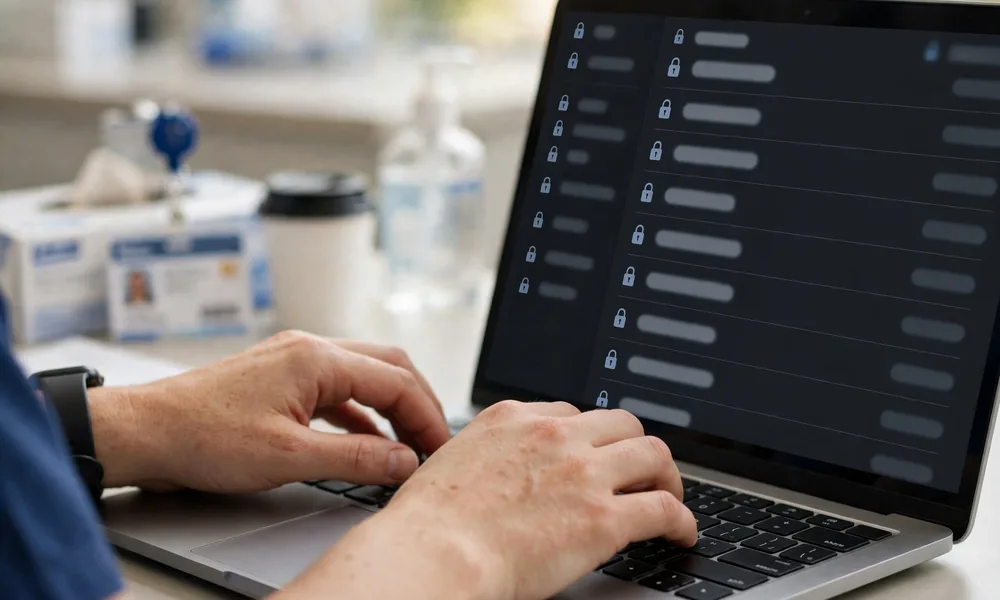
For nurses, the practical win is speed: the vault opens with a fingerprint or face scan, fills a login in one tap, and locks itself again when you walk away. It also stores secure notes, cards, and ID details in one encrypted place. Our guide to the best VPN services for nurses pairs well with it for nurses who log in from public Wi-Fi on days off.
Pros: Fast biometric unlock, excellent apps, Watchtower breach alerts, clean family sharing
Cons: No free plan, and the individual plan costs more than Bitwarden premium
Bitwarden — Best budget
Bitwarden is the best budget password manager for nurses, and the only one here with a free plan that covers unlimited passwords on unlimited devices. It is open source, uses strong end-to-end encryption, and its premium plan costs about $10 a year, adding security reports, emergency access, and extra two-factor options. The interface is plainer than 1Password, but everything important works.
For a nurse watching costs, Bitwarden covers the essentials: fast autofill, secure notes, and a vault that syncs between phone, tablet, and computer. Emergency access lets a trusted person recover your vault if needed. If you want the lowest ongoing cost without giving up real protection, start here.
Pros: Excellent free plan, very low premium price, open source, emergency access
Cons: Plainer interface than rivals, and setup takes a little more patience
Dashlane — Best extras
Dashlane bundles a password manager with extras that suit nurses who log in from cafes, hotels, and public Wi-Fi: a built-in VPN and dark web monitoring on paid plans. Its autofill is strong, its health dashboard is clear, and it can change weak passwords automatically on many sites. The premium plan starts from about $4.99 a month.
The trade-off is price, since Dashlane costs more than Bitwarden and NordPass for similar core features. Nurses who mainly log in from home may not need the VPN, but frequent travellers will get real value from it. It is a good pick if you want one subscription to cover the vault and the connection.
Pros: Built-in VPN, dark web monitoring, strong autofill, clear password health score
Cons: Pricier than rivals, and the free plan is limited
NordPass — Best value paid plan
NordPass is a clean, affordable manager from the team behind NordVPN, with plans from about $1.49 a month on longer terms. It uses modern XChaCha20 encryption, supports passkeys, and offers a data breach scanner that checks whether your email appears in known leaks. The apps are simple and fast, which suits anyone who wants a vault that stays out of the way.
For nurses, NordPass is a sensible middle ground between a free plan and a premium one: low cost, solid security, and easy sharing with family. It lacks some deeper team tools, but most nurses will never need those. Check the renewal price carefully, since the lowest rate usually requires a two-year commitment.
Pros: Low price on long plans, modern encryption, passkey support, breach scanner
Cons: Fewer advanced team features, and the best price needs a long commitment
Keeper — Best for families
Keeper is a security-first manager with strong encryption, a clear family plan, and optional add-ons for secure file storage and dark web monitoring. Its plans start from about $2.92 a month, and the family plan covers five vaults at a reasonable price. Keeper also offers a business tier with admin controls, which suits nurses who manage a household and want one vault per person.
The family angle is the reason to pick Keeper: each person gets a private vault, shared folders handle the logins everyone needs, and emergency access covers the worst case. Some useful features are paid add-ons, so check the total cost first. For a household that shares streaming, banking, and school logins, it works well.
Pros: Strong encryption, good family plan, emergency access, optional secure storage
Cons: Useful features sold as add-ons, and the design feels dated
LastPass — Best for switching
LastPass remains a capable manager with a long history, and its import tools make it one of the easiest ways to move an existing collection of saved passwords into a proper vault. Paid plans start from about $3 a month and add emergency access, advanced multi-factor options, and a security dashboard. The browser extension is solid, and autofill works across the major browsers.
Nurses switching from browser-saved passwords will find the move straightforward, and the family plan is competitively priced. The free plan is limited to one device type, so most people need the paid plan. It is a reasonable choice, though 1Password and Bitwarden both offer a cleaner experience at a similar or lower price.
Pros: Easy importing, solid browser extension, emergency access, competitive family plan
Cons: Free plan limited to one device type, and the interface feels crowded
RoboForm — Best for form filling
RoboForm has been filling forms since before most password managers existed, and it is still the best at it: it handles long registration and checkout forms, stores identities, and fills them accurately. Personal plans start from about $23.88 a year, making it one of the cheapest paid managers in this list. It also stores bookmarks, notes, and secure files.
For nurses who fill in a lot of online forms, from training registrations to travel bookings, RoboForm saves real time. Its design is dated and its mobile apps feel less polished than the leaders. Pick it for the form filling and the low price, not for the looks.
Pros: Excellent form filling, very low annual price, stores identities and files
Cons: Dated design, and mobile apps feel less polished than rivals
How to choose
Start with how you actually log in. If you move between shared computers, pick one with fast biometric unlock, a short auto-lock timer, and one-tap browser autofill. On a phone, check that autofill works inside other apps, not just the browser.
Then check recovery and sharing. A good manager lets a trusted family member recover your vault, and lets you share a household login without revealing the password itself. If you want a fuller safety setup, pair your vault with the extra layers in our guide to the best antivirus software for nurses, which covers the security tools that sit alongside a password manager.
Checklist: before you pay
- Try the free plan or trial on the exact devices you use at work and at home before paying.
- Turn on two-factor authentication for the vault itself, using an authenticator app rather than SMS where possible.
- Set the vault to lock after a few minutes, or when the device locks, so a shared computer never stays signed in.
- Check the renewal price, not just the first-year discount, and confirm how cancellation works.
- Test importing your saved browser passwords, and confirm nothing important was lost in the move.
- Confirm your employer’s rules before saving any work login in a personal vault.
Frequently asked questions
Is it safe for a nurse to use a password manager on a shared hospital computer?
Yes, provided the vault locks quickly and you sign out at the end of a session. Use biometric unlock, set a short auto-lock timer, and check your employer’s policy first.
What is the best free password manager for nurses?
Bitwarden has the strongest free plan in this roundup, with unlimited passwords across unlimited devices. Premium adds security reports and emergency access for about $10 a year.
Can a password manager store more than passwords?
Yes. Most managers in this list also store secure notes, payment cards, ID details, and files. That keeps insurance details and membership numbers in one encrypted place instead of scattered across notes apps.
What happens if I forget my master password?
Most managers cannot reset a master password for you, because they use zero-knowledge encryption and never see it. Set up a trusted contact or a printed recovery kit in advance, and choose a master password you can remember but nobody else can guess.
Are passkeys going to replace password managers?
Not yet. Passkeys are growing, and most managers here already store them, but passwords will remain common for years. Our explainer on the limits of passwordless authentication and what passkeys still cannot solve explains why a vault remains useful even as passkeys spread.
Should nurses pay for a password manager or use a free one?
A free plan is fine if it covers all your devices and you do not need sharing or security reports. Paying usually buys faster support, dark web monitoring, and family sharing, worth the small cost if you share logins with a household.
The bottom line
For most nurses, 1Password is the pick: it is fast to unlock, easy to share with family, and its security alerts catch weak or reused passwords before they cause trouble. If budget matters most, Bitwarden delivers nearly the same protection for about $10 a year, with a genuinely usable free plan.
Whichever manager you choose, the habit matters more than the brand. Turn on two-factor authentication for the vault, set a short auto-lock, and replace your most reused passwords first, starting with email and banking. Do that, and one leaked password stops following you from account to account.



